
BOTSLAB HK30
מדריך למשתמש של מצלמת הרכב BOTSLAB HK30
4K+1080P+1080P Car Dash Cam with Angle Front Camera and Color Night Vision
1. הקדמה
Thank you for choosing the BOTSLAB HK30 Car Dash Cam. This manual provides detailed instructions for the installation, operation, and maintenance of your new dash camera system. Please read this manual thoroughly before using the product to ensure proper function and safety. Keep this manual for future reference.
2. מידע בטיחות
- Do not operate the dash cam or access its settings while driving. Always pull over safely before making any adjustments.
- ודא שמצלמת הרכב מחוברת היטב ואינה חוסם את כיוון הנהג. view או להפריע לפריסת כריות האוויר.
- Use only the original power adapter and cables provided with the device. Using unauthorized accessories may damage the product and void the warranty.
- Avoid exposing the dash cam to extreme temperatures, direct sunlight for prolonged periods, or excessive moisture.
- אל תנסה לפרק או לתקן את המכשיר בעצמך. צור קשר עם תמיכת הלקוחות לקבלת סיוע.
- Regularly format the memory card to ensure optimal recording performance.
3. תכולת החבילה
אנא בדקו את החבילה עבור הפריטים הבאים:
- BOTSLAB HK30 Dash Cam Unit
- מטען לרכב (כבל חשמל)
- Mounting Bracket (with adhesive pad)
- מדריך למשתמש
- Optional: Rear Camera (if purchased as a bundle)
- Optional: GPS Module
4. המוצר נגמרview
The BOTSLAB HK30 is a multi-channel dash cam designed to provide comprehensive coverage of your driving environment. It features a main front camera with 4K resolution, and supports additional cameras for rear and interior views (sold separately or as part of a bundle).

Image: The main BOTSLAB HK30 dash cam unit, showing the front lens and the Botslab branding.
תכונות מפתח כוללות:
- מצלמה קדמית 4K: Captures high-resolution video of the road ahead.
- 140 מעלות רוחב Viewזווית ing: מספק כיסוי נרחב, וממזער נקודות עיוורות.
- ראיית לילה צבעונית: Enhances visibility and clarity in low-light conditions.
- GPS מובנה: Records speed and location data for your journeys.
- חיישן G: נעילת וידאו אוטומטית fileעם הפגיעה כדי למנוע כתיבה מחדש.
- הקלטת לולאה: Continuously records by overwriting the oldest files כאשר כרטיס הזיכרון מלא.
- ניטור חניה: Offers 24-hour surveillance with time-lapse recording and collision-triggered normal recording (requires buck line kit, sold separately).
- בקרת אפליקציה: Connects to your smartphone for easy settings adjustment, live view, and video download.

Image: An illustration demonstrating the 140-degree wide viewing angle of the dash cam, showing its ability to capture a broad perspective of the road.
5. התקנה והתקנה
5.1 הכנסת כרטיס זיכרון
Before first use, insert a high-speed (Class 10 or higher) microSD card (up to 256GB recommended) into the dash cam's memory card slot. Ensure the card is inserted correctly until it clicks into place. Format the card via the dash cam's settings menu or the mobile app before initial recording.
5.2 הרכבת מצלמת הרכבה
- נקו את אזור השמשה הקדמית שבו אתם מתכוונים להרכיב את מצלמת הרכב. ודאו שהיא נקייה מאבק ושומן.
- Attach the adhesive pad to the mounting bracket, then firmly press the bracket onto the chosen spot on your windshield, ideally behind the rearview מראה לאופטימלי view וחסימה מינימלית.
- Slide the dash cam unit onto the mounted bracket until it locks securely.
- Adjust the camera lens angle to ensure it captures the road ahead clearly, with approximately 60% road and 40% sky visible.
5.3 חיבור מתח
- Connect the provided car charger cable to the dash cam's power input port.
- חברו את הקצה השני של מטען הרכב לשקע החשמל 12V של הרכב (שקע מצת הסיגריות).
- Route the power cable neatly along the edge of the windshield and dashboard to conceal it and prevent interference with driving.
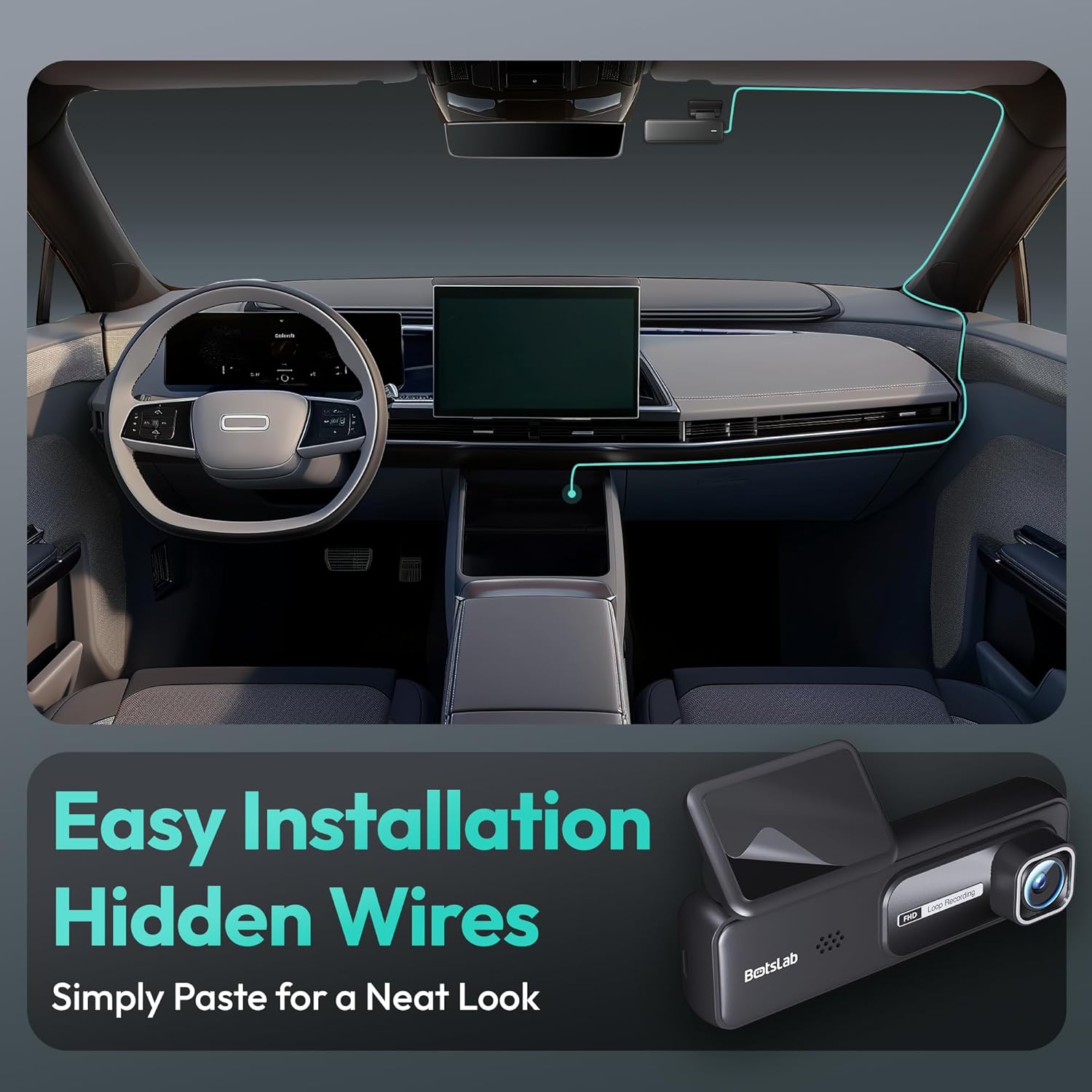
Image: A visual guide illustrating the process of easy dash cam installation with hidden wires, showing how to route the cable neatly along the car's interior for a clean look.
5.4 GPS Module Connection (if applicable)
If your package includes a separate GPS module, connect it to the designated port on the dash cam. Ensure the GPS module is placed in an area with a clear view של השמיים לקבלת קליטת אות אופטימלית.
6. הוראות הפעלה
6.1 הקלטה אוטומטית
Once powered on and connected to your vehicle's ignition, the dash cam will automatically start recording when the engine is started. It will stop recording and power off shortly after the engine is turned off.
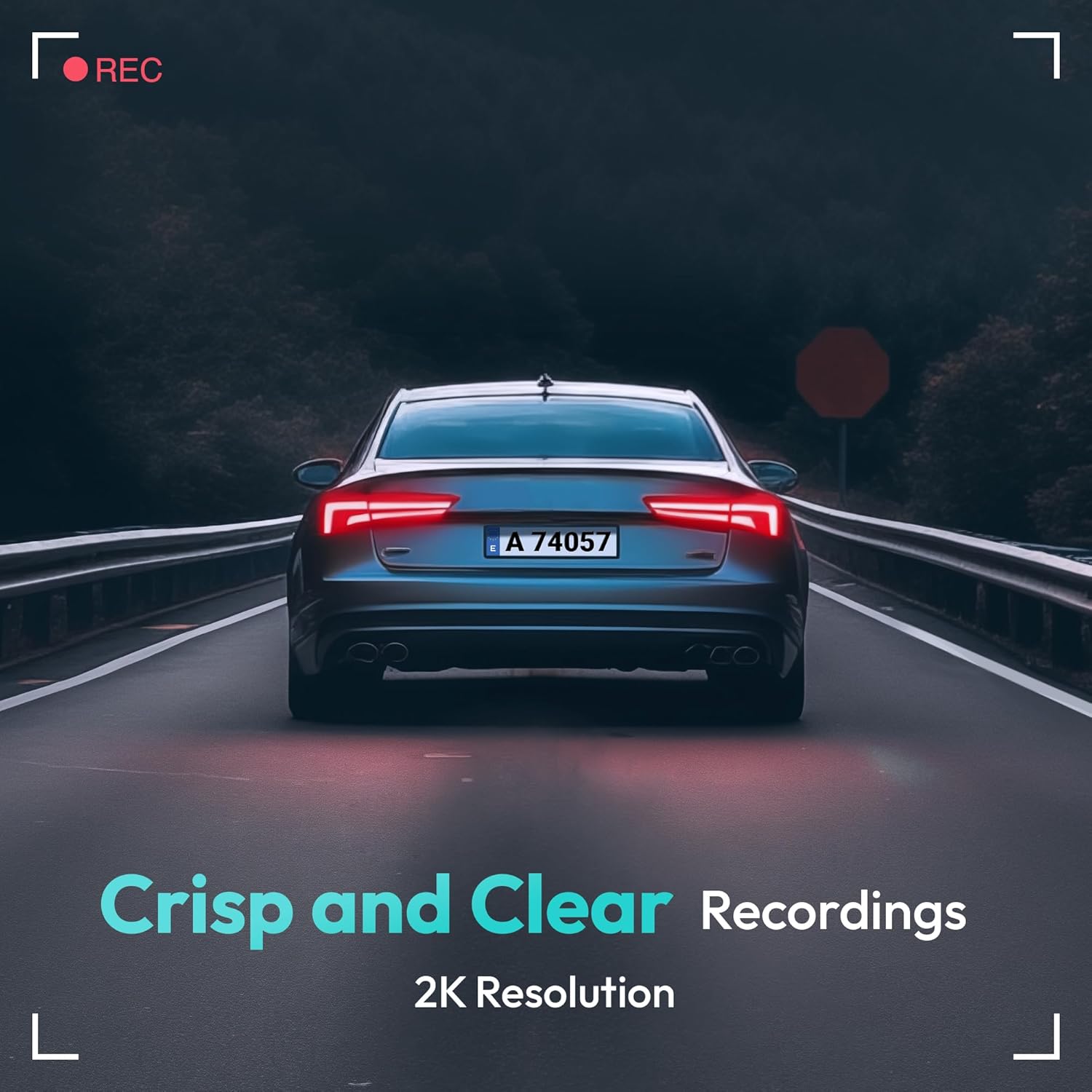
Image: A visual representation highlighting the crisp and clear recording capabilities of the dash cam, indicating 2K resolution for detailed footage.
6.2 הקלטת לולאה
מצלמת הרכב מקליטה וידאו בלולאות רציפות (למשל, מקטעים של 1, 3 או 5 דקות). כאשר כרטיס הזיכרון מלא, הכרטיס הישן ביותר שלא נעול יוצג. files יוחלפו אוטומטית על ידי הקלטות חדשות. זה מבטיח הקלטה רציפה ללא התערבות ידנית.
6.3 חיישן G (הקלטת חירום)
The built-in G-Sensor detects sudden impacts or collisions. When an impact is detected, the current video segment will be automatically locked and saved to a protected folder on the memory card, preventing it from being overwritten by loop recording. These files are crucial for accident evidence.
6.4 ניטור חניה
For 24-hour parking surveillance, a hardwire kit (buck line) is required (sold separately). Once installed, the dash cam can utilize:
- הקלטת זמן לשגות: Records continuously at a low frame rate to save storage space while providing a full overview of parking events.
- Collision-Triggered Recording: If an impact is detected while parked, the dash cam will wake up and record a short video segment, which will be locked.

Image: An illustration depicting the 24/7 parking monitoring feature, highlighting time-lapse recording and collision-triggered normal recording capabilities, with a shield icon indicating protection.
6.5 בקרת אפליקציות וקישוריות
Download the official BOTSLAB app from your smartphone's app store. Connect your phone to the dash cam's Wi-Fi network (SSID and password usually found on the device or in the manual). Through the app, you can:
- View שידור וידאו חי.
- Adjust dash cam settings (resolution, G-sensor sensitivity, loop recording duration, etc.).
- השמעת סרטונים מוקלטים.
- הורד סרטון fileישירות לטלפון שלך.
- עדכן קושחה.
6.6 GPS Tracking and Playback
With the GPS module connected, the dash cam records your vehicle's speed and location data. This information can be viewed during video playback using the dedicated PC viewer software (available for download from the BOTSLAB website) or within the mobile app, often overlaid on a map (e.g., Google Maps).
7. תחזוקה
7.1 ניקוי ההתקן
Use a soft, dry cloth to clean the dash cam's lens and body. Do not use liquid cleaners or abrasive materials, as they may damage the device.
7.2 ניהול כרטיסי זיכרון
It is recommended to format the microSD card once a month to maintain optimal performance and prevent data corruption. Back up any important files לפני העיצוב.
7.3 עדכוני קושחה
Periodically check the BOTSLAB official website or the mobile app for available firmware updates. Firmware updates can improve performance, add new features, or fix bugs. Follow the instructions provided with the firmware update carefully.
8. פתרון תקלות
| בְּעָיָה | סיבה אפשרית | פִּתָרוֹן |
|---|---|---|
| מצלמת הדאשבוקס לא נדלקת. | No power supply; faulty cable; vehicle's power outlet issue. | Check power cable connection; try another power outlet; ensure vehicle ignition is on. |
| ההקלטה נעצרת או קופאת. | Memory card full or corrupted; slow memory card; firmware issue. | Format memory card; use a high-speed (Class 10+) card; update firmware. |
| איכות הווידאו ירודה. | עדשה מלוכלכת; סרט מגן עדיין על העדשה; הגדרות רזולוציה שגויות. | Clean the lens; remove protective film; set recording resolution to highest available. |
| אות GPS לא נמצא. | GPS module not connected; poor satellite reception. | Ensure GPS module is connected; move vehicle to an open area with clear sky view. |
| לא ניתן להתחבר ל-Wi-Fi/אפליקציה. | Incorrect Wi-Fi password; phone too far from device; app not updated. | Verify Wi-Fi password; ensure phone is close to dash cam; update app. |
9. מפרטים
| תכונה | פְּרָט |
|---|---|
| שם הדגם | HK30 |
| רזולוציית לכידת וידאו | Front: 4K (1944p), Rear/Interior: 1080P (if applicable) |
| Viewזווית | 140° (קדמי) |
| טכנולוגיית קישוריות | USB, אלחוטי (Wi-Fi) |
| תכונות מיוחדות | App Control, G-Sensor, Loop Recording, Parking Monitor, Color Night Vision |
| אִחסוּן | MicroSD Card (up to 256GB, Class 10 or higher) |
| סוג הרכבה | השמשה הקדמית |
| מקור כוח | מטען לרכב (12V) |
| מידות המוצר | 2 x 5.5 x 5.5 אינץ' |
| משקל פריט | 9.6 אונקיות |
10. אחריות ותמיכה
BOTSLAB products come with a limited warranty. Please refer to the warranty card included in your package or visit the official BOTSLAB website for detailed warranty terms and conditions. For technical support, troubleshooting assistance, or any inquiries, please contact BOTSLAB customer service through the contact information provided on their official webבאתר או בתוך האפליקציה לנייד.
Webאֲתַר: www.botslab.com (לְשֶׁעָבַרampלקישור, אנא עיין בתיעוד המוצר בפועל לקבלת מידע נכון URL)
Ask a question about this manual
Ask about setup, troubleshooting, compatibility, parts, safety, or missing instructions. Manuals+ will review the question and use this page’s manual context to help answer it.