
1. הקדמה
This manual provides essential information for the installation, operation, and maintenance of your XPG CORE Reactor II VE 850W Power Supply Unit (PSU). Please read this manual thoroughly before installation and retain it for future reference. The XPG CORE Reactor II VE is an 80 Plus Gold certified power supply designed for stable and efficient power delivery to your computer system.
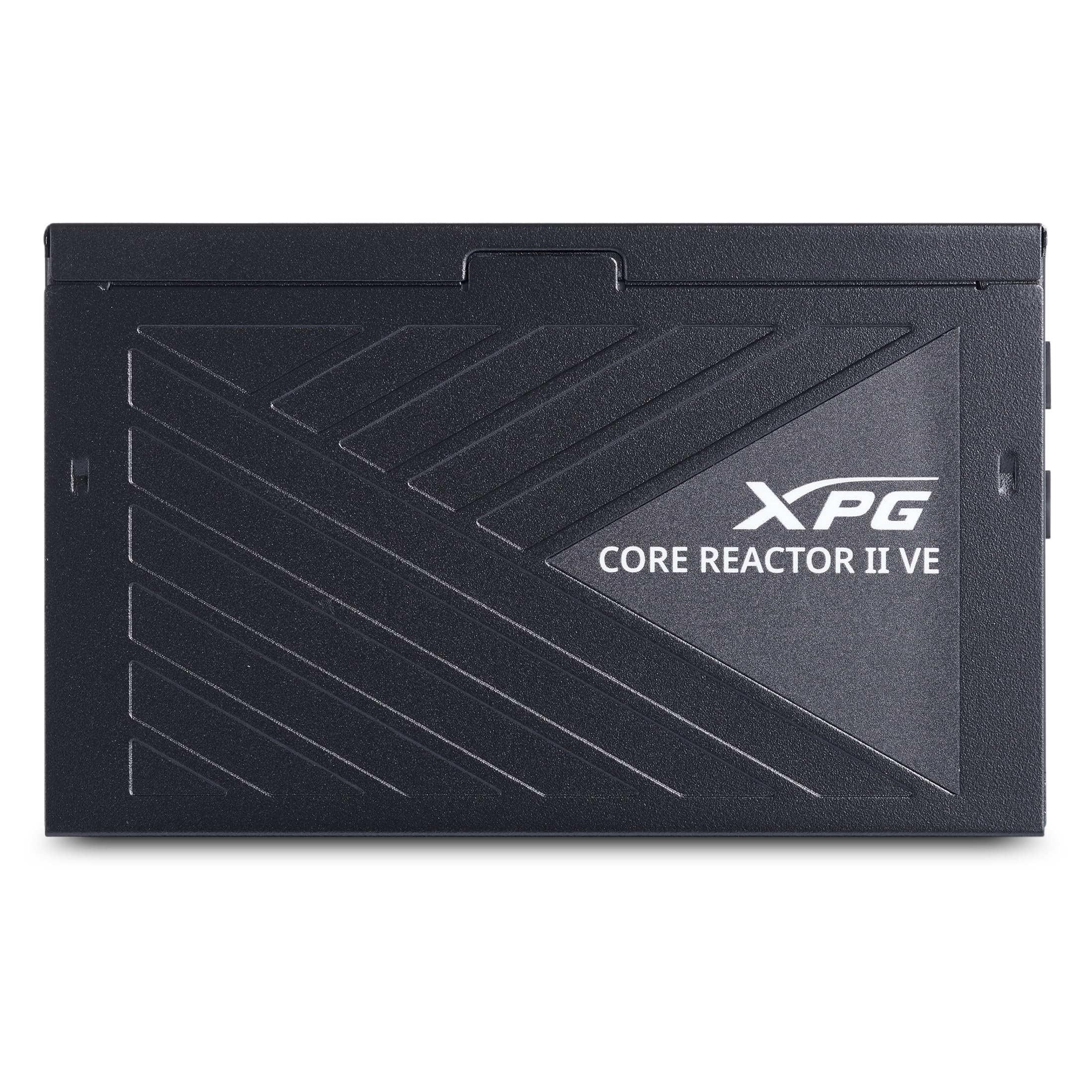
Image 1.1: XPG CORE Reactor II VE 850W Power Supply Unit, showcasinהעיצוב הקומפקטי שלו.
2. תכונות עיקריות
- תעודת זהב 80 פלוס: Ensures high power efficiency, reducing energy waste and operating costs.
- 12V-2x6 Connector: Provides direct and efficient power delivery to critical components, enhancing system stability and performance.
- DC-DC Circuit Design: Maximizes efficiency and reliability by converting power directly to the required output voltage, reducing heat and prolonging hardware lifespan.
- Low Ripple Noise Design: Features ripple levels below 60mV at +12V and below 40mV at +5V and +3.3V, ensuring stable power delivery and minimizing electrical interference.
- >15ms Hold Up Time: Exceeds Intel's standards for uninterrupted power delivery, ensuring reliable operation under challenging conditions.
- 8 Industrial Protections: Comprehensive protection suite including Over-Voltage Protection (OVP), Under-Voltage Protection (UVP), Over-Current Protection (OCP), Short-Circuit Protection (SCP), Over-Power Protection (OPP), Over-Temperature Protection (OTP), Surge & Inrush Protection (SIP), and No Load Operation (NLO).
- אורך קומפקטי של 140 מ"מ: Maximizes space efficiency for easy integration into various PC setups and chassis.
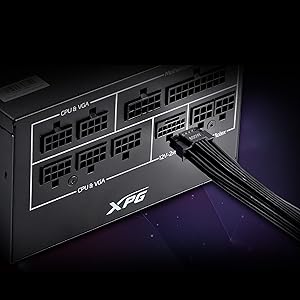
Image 2.1: Close-up of the 12V-2x6 connector for modern GPUs.
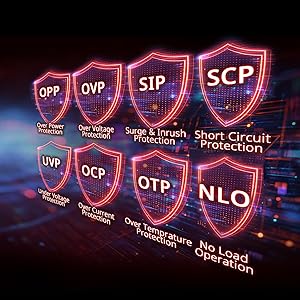
Image 2.2: Visual representation of the 8 industrial-grade protections.
3. התקנה והתקנה
Before installing the XPG CORE Reactor II VE PSU, ensure your computer system is powered off and disconnected from the main power outlet. Refer to your PC case and motherboard manuals for specific installation instructions.
3.1 פירוק
Carefully remove the PSU and all included cables from the packaging. Verify that all components listed in the product documentation are present.

Image 3.1: XPG CORE Reactor II VE PSU with its modular cables.
3.2 Mounting the PSU
- Position the PSU in the designated PSU bay of your PC case.
- יישר את חורי הברגים בספק הכוח עם אלה שבמארז.
- אבטח את PSU באמצעות הברגים המצורפים.
3.3 כבלים חיבור
The XPG CORE Reactor II VE is a fully modular PSU, allowing you to connect only the cables you need. This helps improve airflow and cable management within your PC case.

Image 3.2: Modular cable connection ports on the XPG CORE Reactor II VE PSU.
- חבר את כבל ה-ATX בעל 24 פינים ללוח האם שלך.
- Connect the 8-pin (4+4) EPS/CPU cable(s) to your motherboard.
- Connect the 6+2 pin PCIe cables to your graphics card(s). The 12V-2x6 connector is specifically designed for modern high-power GPUs.
- Connect SATA power cables to your storage drives (HDDs/SSDs) and other SATA-powered devices.
- Connect Molex cables to any peripherals requiring them.
- ודא שכל החיבורים מאובטחים ומונחים כהלכה.
4. הוראות הפעלה
Once the PSU is installed and all components are connected, you can power on your system.
- Ensure the power switch on the back of the PSU is in the "OFF" (0) position.
- Connect the AC power cord to the PSU and then to a wall outlet or surge protector.
- Flip the power switch on the PSU to the "ON" (I) position.
- לחץ על כפתור ההפעלה במארז המחשב כדי להפעיל את המערכת.
The XPG CORE Reactor II VE is designed for continuous, stable operation. Its FDB 120mm fan provides efficient cooling while maintaining low noise levels.
5. תחזוקה
Proper maintenance ensures the longevity and optimal performance of your PSU.
- הסרת אבק: Periodically clean the PSU fan and ventilation grilles to prevent dust buildup, which can impede airflow and lead to overheating. Use compressed air for this purpose, ensuring the system is powered off and unplugged.
- ניהול כבלים: Ensure cables are neatly routed and do not obstruct airflow within the PC case.
- תנאים סביבתיים: Operate the PSU in a well-ventilated area, away from direct sunlight, excessive heat, and moisture.
6. פתרון תקלות
If you encounter issues with your XPG CORE Reactor II VE PSU, refer to the following common troubleshooting steps:
- אין כוח:
- Check if the AC power cord is securely connected to both the PSU and the wall outlet.
- Ensure the PSU's power switch is in the "ON" (I) position.
- Verify that the 24-pin ATX and 8-pin EPS/CPU cables are correctly seated in the motherboard.
- בדוק את שקע הקיר עם מכשיר אחר כדי לוודא שיש לו חשמל.
- חוסר יציבות/קריסות מערכת:
- Ensure all power connectors to components (motherboard, CPU, GPU, drives) are firmly connected.
- Check for any loose cables or short circuits within the case.
- אם אפשר, בדוק את ספק הכוח עם סט רכיבים שונה או במערכת אחרת כדי לבודד את הבעיה.
- רעש מוגזם:
- Check if the PSU fan is obstructed by dust or cables.
- Ensure the PSU is securely mounted to prevent vibrations.
- If the noise persists and is unusual, contact customer support.
If troubleshooting steps do not resolve the issue, contact XPG customer support for further assistance.
7. מפרטים
| תכונה | פְּרָט |
|---|---|
| שם הדגם | COREREACTORIIVE850G-BKCUS |
| מותג | XPG |
| פלט וואטtage | 850 וואט |
| גורם צורה | ATX |
| שיטת קירור | אֲוִיר |
| מידות פריט (L x W x H) | 5.51 x 5.9 x 3.38 אינץ' |
| משקל פריט | 5 פאונד |
| עיצוב ספק כוח | מודולרי מלא |
| מספר המעריצים | 1 |
| קלט מקסימלי כרךtage | 240 וולט (AC) |
| מינימום קלט כרךtage | 216 וולט (AC) |
| UPC | 842243032468 |
8. אחריות ותמיכה
The XPG CORE Reactor II VE 850W PSU comes with a אחריות יצרן לשנה. For warranty claims or technical support, please visit the official XPG webלאתר או לפנות למחלקת שירות הלקוחות שלהם.
למידע נוסף על המוצרים, ניתן לבקר באתר חנות XPG באמזון.
9. סרטוני מוצר
Below are relevant product videos for the XPG CORE Reactor II VE Power Supply Unit. These videos provide additional visual information regarding the product's features and installation.
XPG Core Reactor Power Supply Review
סרטון 9.1: סקירה מפורטתview of the XPG Core Reactor Power Supply, covering its features, design, and performance. This video is provided by Consumer Tech Review.
Core Reactor Review
סרטון 9.2: אוברview of the Core Reactor PSU, highlighting its integration into a PC build and general performance. This video is provided by Brayden Abear.