
1. מבוא ומעלהview
This manual provides essential information for the safe and efficient operation of your CREWORKS CIMM Industrial Ice Maker. Please read it thoroughly before installation and use, and retain it for future reference.
The CREWORKS CIMM Industrial Ice Maker is designed for high-volume ice production, suitable for various commercial and home environments. It features a robust stainless steel construction and an intuitive control panel for ease of use.
תכונות עיקריות:
- כושר ייצור גבוה: Produces up to 59 kg (130 lbs) of ice per day, with 36 ice cubes per cycle.
- בנייה עמידה: Made from food-grade stainless steel for safety and longevity.
- Flexible Water Input: Offers two water input options for direct tap connection or bottled water use.
- תפעול ידידותי למשתמש: Features a clear control panel and an automatic self-cleaning function.
- יישום רחב: Ideal for homes, bars, offices, restaurants, and cafes.
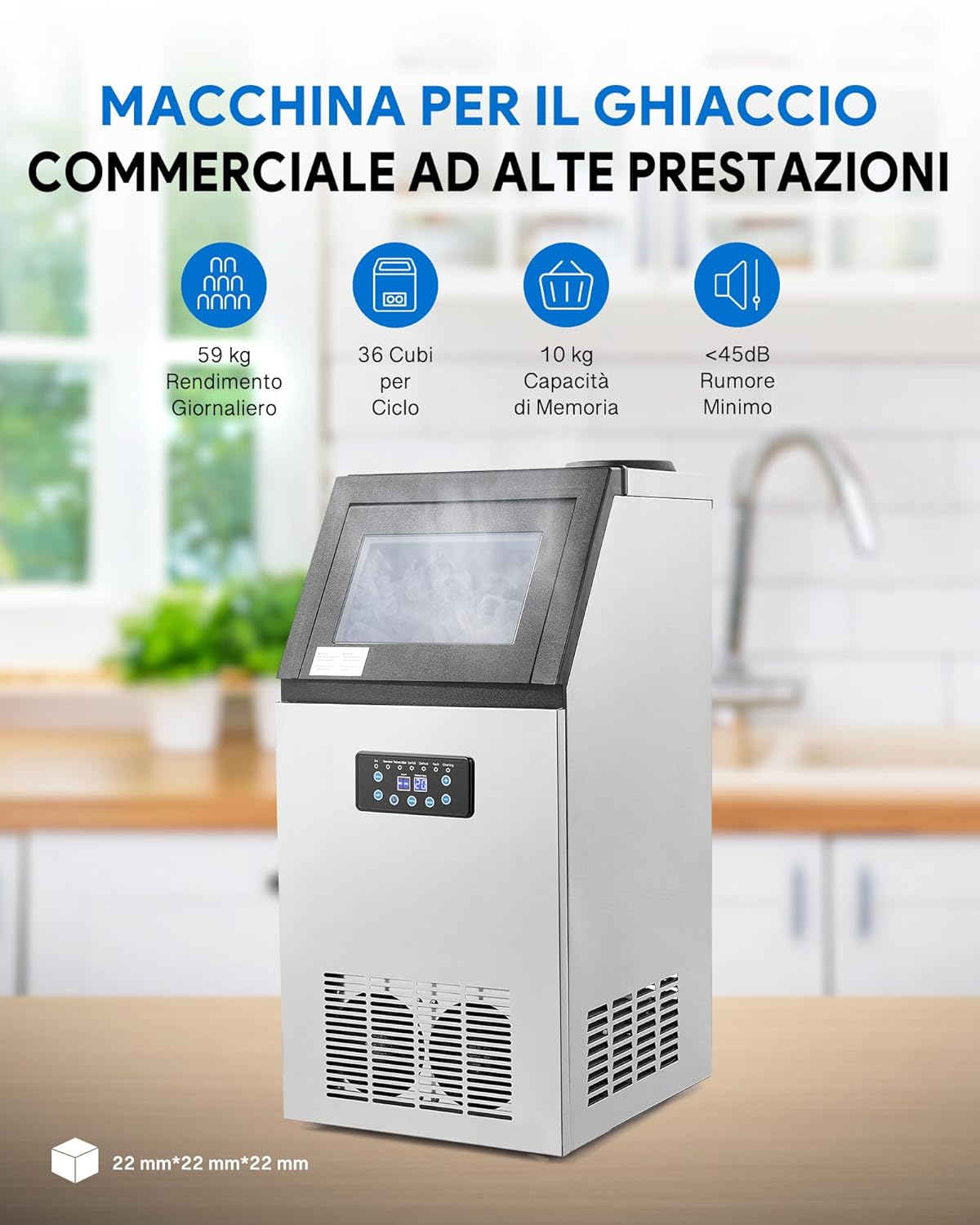
2. הוראות בטיחות
כדי למנוע פגיעה בעצמך ובאחרים, או נזק למכשיר, אנא הקפידו על אמצעי הזהירות הבאים:
- ודאו שהמכשיר ממוקם על משטח יציב וישר, הרחק מאור שמש ישיר וממקורות חום.
- אין להפעיל את מכונת הקרח אם כבל החשמל או התקע פגומים.
- שמרו על פתחי אוורור פתוחים וללא חסימות.
- אין לטבול את המכשיר, כבל החשמל או התקע במים או בנוזלים אחרים.
- Unplug the appliance before cleaning, maintenance, or if not in use for an extended period.
- מכשיר זה אינו מיועד לשימוש על ידי אנשים עם יכולות פיזיות, חושיות או שכליות מופחתות אלא אם כן ניתנו להם השגחה או הנחיות.
- השתמשו רק במי שתייה ראויים לייצור קרח.
3. תכולת החבילה
בעת פירוק האריזה, אנא ודא שכל הפריטים נמצאים ולא ניזוקו:
- CREWORKS CIMM Industrial Ice Maker
- 3 Hoses (for water connection)
- 1 מסנן מים
- 1 סקופ קרח
- מדריך למשתמש
4. מפרטים
| תכונה | מִפרָט |
|---|---|
| מותג | צוותים |
| דֶגֶם | CIMM |
| מידות (L x W x H) | 36 x 43 x 76 ס"מ (14.2 x 16.9 x 29.9 אינץ ') |
| ייצור קרח יומי | עד 59 ק"ג (130 ליברות) |
| קיבולת אחסון קרח | 10 ק"ג |
| קוביות לכל מחזור | 36 PCS |
| מהtage | 495 W (480 W listed in specifications, using 495W from feature bullets for consistency with production) |
| כרך ידtage | 220 וולט |
| חומר קירור | R290 |
| חוֹמֶר | נירוסטה באיכות מזון |

5. התקנה
Proper setup is crucial for the optimal performance and longevity of your ice maker.
5.1 מיקום
- הניחו את מכונת הקרח על משטח יציב ומאוזן המסוגל לשאת את משקלה כאשר היא מלאה בקרח ומים.
- Ensure adequate ventilation around the unit. Maintain at least 15 cm (6 inches) of space from walls and other objects.
- הימנע מהצבת היחידה ליד מקורות חום או באור שמש ישיר.
- טמפרטורת הסביבה צריכה להיות בין 10°C ל-38°C (50°F ו-100°F).
5.2 חיבור מים
The ice maker offers two methods for water supply:
- חיבור ברז ישיר: Connect the provided water inlet hose to a cold water tap. Ensure the connection is secure to prevent leaks. Install the included water filter in-line with the water supply.
- Bottled Water Supply: For areas without direct tap access, bottled water can be used. Connect the appropriate hose to the bottled water source and the ice maker.
Ensure the water inlet temperature is below 5°C for optimal ice production.

5.3 חיבור מתח
חברו את כבל החשמל לשקע חשמלי מוארק עם עוצמת הקול הנכונהtag(220 וולט). אין להשתמש בכבלים מאריכים או במתאמים.
5.4 ניקוי ראשוני
Before first use, it is recommended to perform an initial cleaning cycle. Refer to the 'Maintenance' section for detailed cleaning instructions.
6. הוראות הפעלה
Follow these steps to operate your CREWORKS CIMM Industrial Ice Maker:
- הכנת אספקת מים: Ensure the water supply is connected and turned on, or that a full bottle of water is in place.
- הפעלה: Plug in the ice maker and press the power button on the control panel.
- Adjust Ice Production (Optional): Use the '+' and '-' buttons on the control panel to adjust the ice production time, which influences the thickness of the ice cubes.
- התחל להכין קרח: The machine will automatically begin the ice-making cycle. The control panel will display the current status.
- איסוף קרח: Once the ice-making cycle is complete and the ice bin is full, use the provided ice scoop to retrieve the ice.


7. תחזוקה
Regular cleaning and maintenance ensure the hygiene and efficiency of your ice maker.
7.1 פונקציית ניקוי עצמי
The CREWORKS CIMM Industrial Ice Maker is equipped with an automatic self-cleaning function:
- ודא שאספקת המים מחוברת.
- Press the 'Cleaning' button on the control panel.
- The machine will initiate a cleaning cycle, circulating water to clean internal components.
- Once the cycle is complete, the dirty water will be drained.

7.2 ניקוי רגיל
- חִיצוֹנִי: נגב את החלק החיצוני עם רך, דamp בַּד. אין להשתמש בחומרי ניקוי שוחקים או ממסים.
- מיכל קרח: Periodically remove any remaining ice and wipe the interior of the ice bin with a clean cloth and mild detergent. Rinse thoroughly.
- מסנן מים: Replace the water filter regularly according to the manufacturer's recommendations or if you notice a decrease in ice quality.
- סלילי מעבה: Clean the condenser coils at the back or side of the unit every few months using a soft brush or vacuum cleaner to remove dust and debris. This improves efficiency.
8. פתרון תקלות
אם אתם נתקלים בבעיות עם מכונת הקרח שלכם, עיינו בבעיות הנפוצות ובפתרונות הבאות:
| בְּעָיָה | סיבה אפשרית | פִּתָרוֹן |
|---|---|---|
| מכונת הקרח לא מייצרת קרח | No water supply; Power issue; Low ambient temperature; Clogged water filter | Check water connection and supply; Ensure unit is plugged in and power is on; Ensure ambient temperature is within operating range; Replace water filter |
| קוביות קרח קטנות מדי או רכות מדי | Water temperature too high; Ambient temperature too high; Insufficient water flow; Incorrect ice thickness setting | Ensure cold water supply; Improve ventilation around unit; Check water connections for blockages; Adjust ice thickness setting on control panel |
| המכונה רועשת | Unit not level; Fan obstruction; Loose components | Adjust leveling feet; Clear any obstructions from fan; Contact customer support if noise persists |
| נזילת מים | Loose water connections; Damaged hose; Clogged drain | Tighten all water connections; Inspect hoses for damage and replace if necessary; Clear any blockages in the drain hose |
| קוד שגיאה מוצג | תקלה פנימית ספציפית | עיין בקוד השגיאה הספציפי במדריך המלא (אם קיים) או צור קשר עם תמיכת הלקוחות. |
9. אחריות ותמיכה
For warranty information, please refer to the warranty card included with your product or visit the official CREWORKS website. If you require technical assistance or have questions not covered in this manual, please contact CREWORKS customer support.
מידע ליצירת קשר:
- Refer to your purchase documentation for specific support channels.
- Visit the CREWORKS brand store: חנות CREWORKS