
Ldabrye KK 2.1.5
KK 2.1.5 Flight Control Board User Manual
Model: KK 2.1.5
מָבוֹא
The KK 2.1.5 Flight Control Board is an advanced flight controller designed for various multi-rotor aircraft, including VTOL (Vertical Take-Off and Landing) and V-tail configurations. It provides exceptional flight experience with support for both self-leveling and acrobatic flights, ensuring stability and flexibility across different flight scenarios. This manual provides essential information for the proper setup, operation, and maintenance of your flight control board.
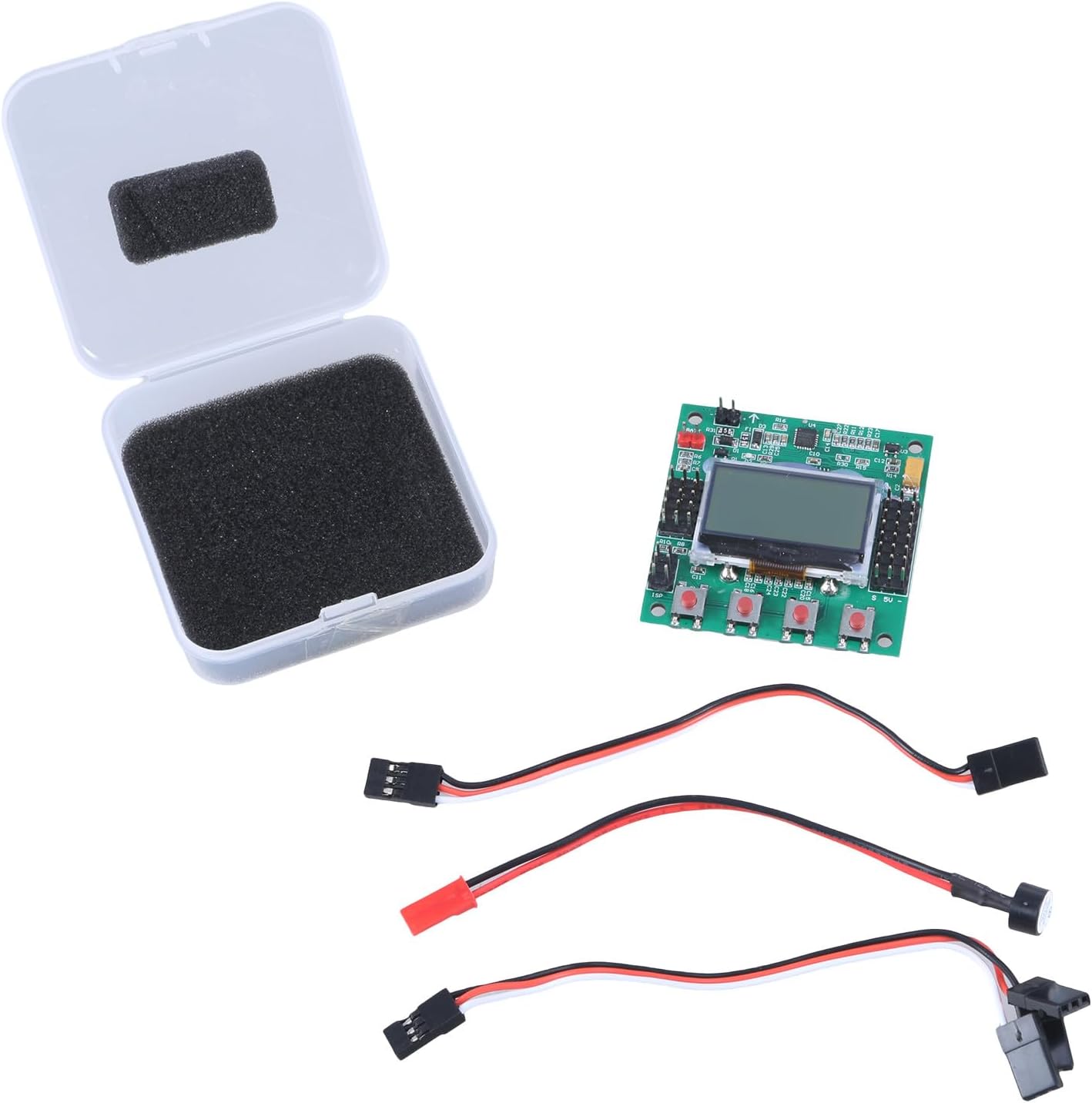
תְמוּנָה: The KK 2.1.5 Flight Control Board shown with its included accessories, including connection cables and a protective case.
מידע בטיחות
Please read and understand all safety warnings and precautions before using the KK 2.1.5 Flight Control Board. Improper use can lead to damage to the product, property, or personal injury.
- Always ensure correct polarity when connecting power to the flight control board. Incorrect connections can cause irreversible damage.
- Operate your aircraft in open areas, away from people, obstacles, and power lines.
- בדקו באופן קבוע את כל החיווט והחיבורים לאיתור סימני בלאי או נזק.
- Keep the flight control board away from moisture, extreme temperatures, and direct sunlight.
- Do not attempt to modify the firmware or hardware unless you are an experienced user and understand the risks involved.
- Disconnect power from the aircraft before performing any maintenance or adjustments.
תוכן החבילה
ודא שכל הפריטים המפורטים להלן נמצאים בחבילה שלך:
- 1x KK 2.1.5 Flight Control Board
- Connection Cables (various types for receiver and ESC connections)
- Protective Case (for the flight board)

תְמוּנָה: The KK 2.1.5 Flight Control Board alongside its accompanying connection cables.
התקנה והתקנה
Follow these steps for proper installation of the KK 2.1.5 Flight Control Board into your aircraft.
1. Mounting the Flight Board
- Mount the flight control board securely to the center of your aircraft frame using vibration-dampening foam or standoffs.
- Ensure the board's orientation matches the direction indicated in the firmware settings (usually an arrow pointing forward).

תְמוּנָה: אקסample of the KK 2.1.5 Flight Control Board integrated into a multi-rotor drone assembly, showing its central placement.
2. חיבור המקלט
- Connect your RC receiver to the designated input pins on the flight control board. The board supports 5 channels (Aileron, Elevator, Throttle, Rudder, Aux).
- Use the provided servo cables to make these connections. Ensure each channel is connected to its corresponding pin.
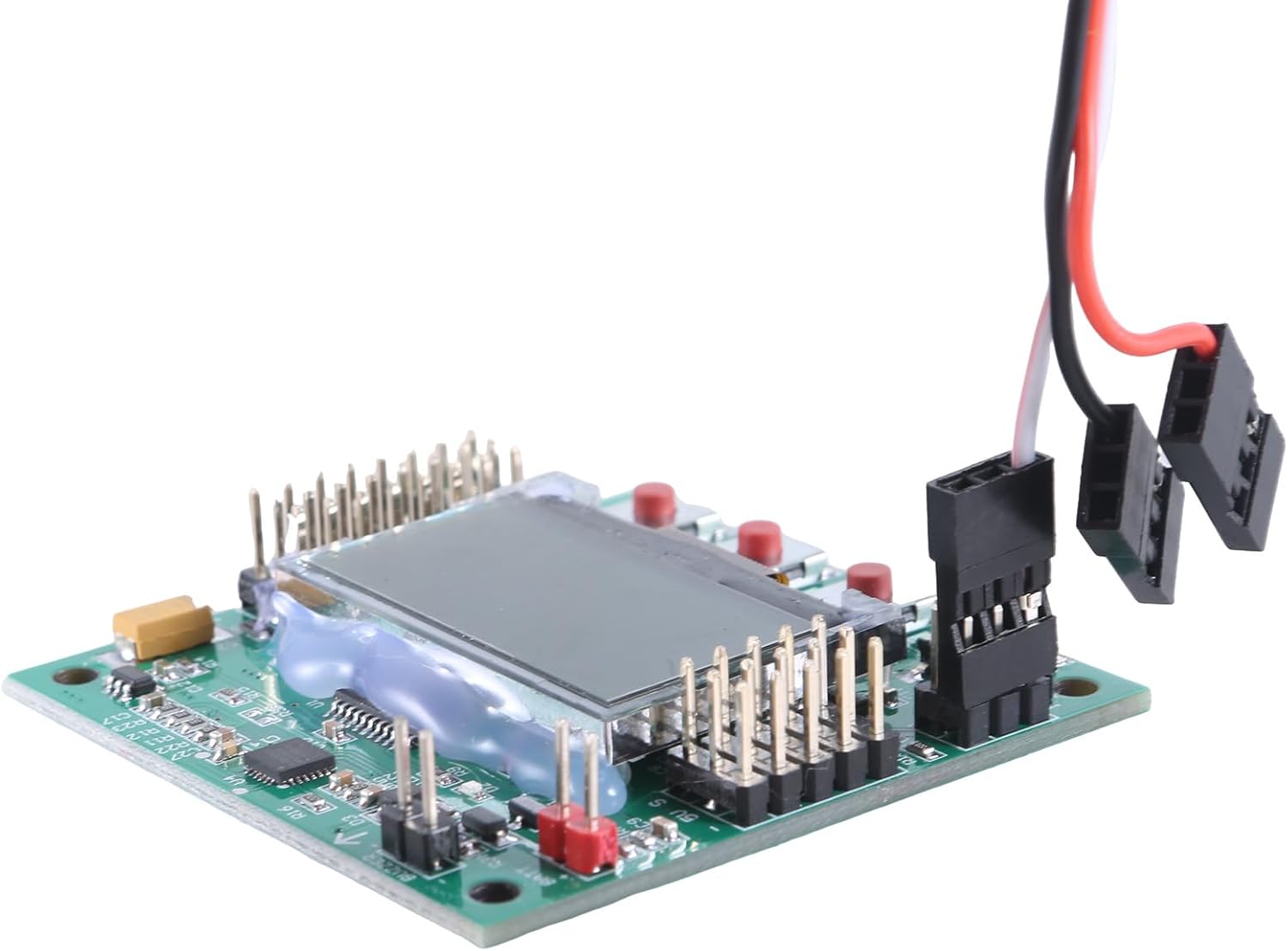
תְמוּנָה: The KK 2.1.5 Flight Control Board with several connection cables plugged into its pin headers, demonstrating typical wiring.
3. Connecting ESCs/Motors
- Connect your Electronic Speed Controllers (ESCs) to the output pins of the flight control board. The board has multiple outputs for motors.
- Refer to your aircraft's configuration (e.g., quadcopter, hexacopter) for the correct motor order and direction.
- The board sends signals at 1520us to the electrical control.

תְמוּנָה: תקריב view of the KK 2.1.5 Flight Control Board, highlighting the connection point for a power cable or signal cable.
4. ספק כוח
- The flight control board operates on an input voltage of 4.8-6.0V, typically supplied from the receiver or a dedicated BEC.
- Ensure your power source provides stable voltage בטווח זה.
Operating the Flight Control Board
The KK 2.1.5 Flight Control Board features an integrated LCD screen and buttons for easy configuration and monitoring without needing a computer.

תְמוּנָה: מלמעלה למטה ברור view of the KK 2.1.5 Flight Control Board, prominently displaying its LCD screen and control buttons for direct configuration.
Initial Power-Up and Calibration
- Upon first power-up, the LCD screen will display the firmware version (V119S1PRO).
- Navigate through the menu using the onboard buttons to perform sensor calibration (accelerometer and gyroscope). This is crucial for stable flight.
- Ensure the board is on a level surface during calibration.
Flight Modes and Settings
- The board supports self-balancing functions, which can be enabled or disabled via the menu.
- Adjust PID (Proportional-Integral-Derivative) settings for fine-tuning flight characteristics to match your aircraft and flying style.
- Configure motor layout (e.g., X-quad, +quad, V-tail) through the menu.
תַחזוּקָה
Proper maintenance ensures the longevity and reliable performance of your KK 2.1.5 Flight Control Board.
- ניקוי: Gently clean the board with a soft, dry brush or compressed air to remove dust and debris. Do not use liquids.
- בְּדִיקָה: Periodically check all solder joints and connections for any signs of corrosion, looseness, or damage.
- אִחסוּן: When not in use, store the flight control board in its protective case in a cool, dry place, away from static electricity.
- עדכוני קושחה: בדוק את זה של היצרן website for any available firmware updates. Follow update instructions carefully to avoid bricking the board.
פתרון בעיות
This section addresses common issues you might encounter with the KK 2.1.5 Flight Control Board.
| בְּעָיָה | סיבה אפשרית | פִּתָרוֹן |
|---|---|---|
| הלוח לא נדלק. | Incorrect power connection, faulty power source, damaged board. | ודא כרך קלטtage (4.8-6.0V) and polarity. Test power source. Inspect board for visible damage. |
| Aircraft unstable or drifts. | Improper calibration, incorrect mounting, vibration, incorrect PID settings. | Recalibrate sensors on a level surface. Ensure secure and vibration-dampened mounting. Adjust PID values. |
| מנועים לא מסתובבים או מסתובבים בצורה לא נכונה. | Incorrect ESC connections, ESC calibration issues, motor direction. | Check ESC wiring to the board. Calibrate ESCs. Verify motor direction and adjust if necessary. |
| No display on LCD screen. | Loose LCD connection, power issue. | Ensure LCD ribbon cable is securely seated. Check board power. |
מפרטים
Technical specifications for the KK 2.1.5 Flight Control Board:
- ג'ִירוֹסקוֹפּ: InvenSense Inc.
- מד תאוצה: Analog Devices Inc.
- Self-balancing function: כֵּן
- קלט כרךtage: 4.8-6.0V (from receiver)
- ערוצי מקלט: 1520us (5 channels in total)
- Signal sent to electrical control: 1520us
- גרסת קושחה: V119S1PRO
- חוֹמֶר: PCB
אחריות ותמיכה
למידע על אחריות ותמיכה טכנית, אנא עיינו במדריך הרשמי של היצרן. webאתר או צרו קשר עם שירות הלקוחות שלהם. שמרו את הוכחת הרכישה שלכם לצורך תביעות אחריות.
Manufacturer: Ldabrye
Ask a question about this manual
Ask about setup, troubleshooting, compatibility, parts, safety, or missing instructions. Manuals+ will review the question and use this page’s manual context to help answer it.