
מָבוֹא
This manual provides comprehensive instructions for the setup, operation, maintenance, and troubleshooting of your QRD Spark N5 Wireless Controller. Please read this manual carefully before using the product to ensure optimal performance and longevity.
המוצר נגמרview
The QRD Spark N5 Wireless Controller is designed for a versatile gaming experience across multiple platforms. It features advanced Hall Effect technology for precise control, customizable macro functions, and immersive vibration feedback.

איור 1: חֲזִית view of the QRD Spark N5 Wireless Controller, showcasinהעיצוב הארגונומי והכפתורים המוארים שלו.
תכונות עיקריות:
- Hall Effect Joysticks & Analog Triggers: Provides drift-free and highly accurate control with less than 0.1mm accuracy.
- לוח מגע רב פונקציונלי: Supports touch control for PS4 and acts as a mouse on other compatible platforms.
- 6-Axis Gyroscope & Motion Sensor: Integrated for immersive gaming experiences and precise motion control.
- מנועי רטט כפולים: Adjustable vibration levels (0%, 30%, 70%, 100%) for realistic feedback.
- Macro Back Paddles (N1 & N2): Customizable for assigning complex shortcuts and executing multiple actions.
- פונקציית טורבו: Adjustable turbo speed with auto and manual modes for various buttons.
- 3.5mm Audio Port, Speaker & Mic: Enables audio output and communication during gameplay.
- Wired & Wireless Compatibility: Supports Bluetooth 5.3 for wireless connection and USB-C for wired connection (D-input default, X-input available).
הגדרה וחיבור
טעינת הבקר:
Before first use, fully charge the controller using the provided USB-C cable. Connect the USB-C end to the controller and the USB-A end to a compatible power source (e.g., console, PC, USB wall adapter).
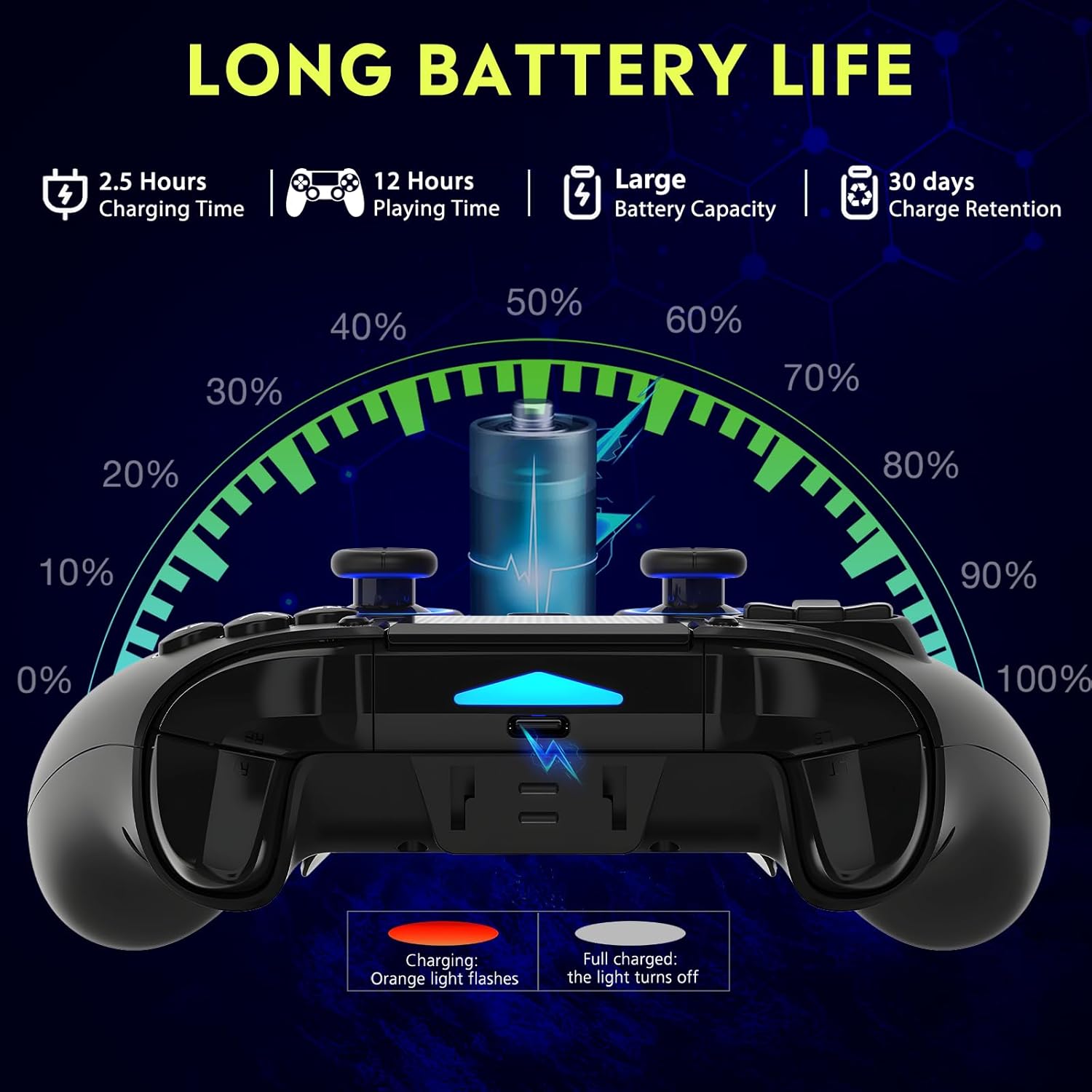
איור 2: Battery life illustration. The orange light flashes during charging and turns off when fully charged. A full charge takes approximately 2.5 hours and provides up to 12 hours of playing time.
Wireless Connection (Bluetooth 5.3):
The controller supports wireless connection via Bluetooth 5.3 for PS4, PS3, PS2, Steam Deck, PC (Windows/macOS), iOS, and Android TV Box/phones. For PS5 compatibility, a separate QRD Wireless Converter is required.

איור 3: תאימות נגמרהview showing the controller connecting to Windows, PS4, Steam, Mobile, PS3.
- ודא שהבקר טעון.
- Turn on the controller by pressing the "Q" (Home) button.
- On your device, navigate to Bluetooth settings.
- Select "Spark N5" or similar from the list of available devices to pair.
- Once paired, the indicator lights on the controller will stabilize.
פֶּתֶק: For PS5 games, an additional QRD Wireless Converter is necessary. This converter allows the Spark N5 controller to function with PS5 titles, expanding your gaming options.
הווידאו 1: This video demonstrates the QRD Spark N5 Wireless Controller's compatibility with various game devices, including setup and initial connection steps.
חיבור קווי (USB-C):
Connect the controller directly to your PC or console using the provided USB-C cable. The controller will operate in D-input mode by default. X-input mode is available for PC connections only.
הוראות הפעלה
פקדים בסיסיים:
The controller features standard gamepad buttons, joysticks, and triggers. Familiarize yourself with the layout for optimal gameplay.

איור 4: The multi-function touchpad on the controller, which can be used for navigation and specific game interactions.
ג'ויסטיקים ומפעילים עם אפקט הול:
The Hall Effect technology ensures precise, drift-free input for both joysticks and triggers. This provides enhanced accuracy and responsiveness in games.

איור 5: התפוצץ view of the Hall Effect Joystick, illustrating its magnetic sensing mechanism for drift-free operation.

איור 6: Illustration of the Hall Sensing Analog Triggers, highlighting their sub-millimeter accuracy for precise control.
Macro Back Paddles (N1 & N2):
The N1 and N2 back paddles can be programmed to execute complex actions or button combinations with a single press. This feature is useful for competitive gaming or simplifying repetitive tasks.

איור 7: אֲחוֹרִי view of the controller showing the N1 and N2 macro back paddles, which can be assigned to perform complex combos.
Refer to the controller's quick start guide or the official QRD website for detailed instructions on programming macro functions.
פונקציית טורבו:
The Turbo function allows for rapid, continuous input of a button press. You can set three different turbo speeds for most buttons (excluding macro paddles) and choose between auto and manual turbo modes.
Consult the quick start guide for specific button combinations to activate and adjust turbo settings.
רטט מתכוונן:
The dual vibration motors provide haptic feedback. You can adjust the intensity to your preference: 0% (off), 30%, 70% (default), or 100%.

איור 8: Visual representation of the dual vibration shock feature and its adjustable intensity levels.
Instructions for adjusting vibration intensity are typically found in the quick start guide or by holding specific button combinations.
6-Axis Gyroscope & Motion Sensor:
The integrated 6-axis gyroscope and motion sensor enable precise motion control in supported games, enhancing immersion and aiming accuracy.

איור 9: Depiction of the 6-axis gyroscope and motion control, showing how controller movements translate into in-game actions.
תכונות אודיו:
The controller includes a 3.5mm audio port for headphones, a built-in speaker, and a microphone. This allows for in-game audio, voice chat, and immersive sound effects.
הווידאו 2: This video demonstrates the smartphone connection and gaming experience with the QRD Spark N5 Wireless Controller, including audio functionality.
תַחזוּקָה
- ניקוי: השתמש במטלית רכה ויבשה לניקוי הבקר. במקרה של לכלוך עיקש, שטפו מעטamp ניתן להשתמש בבד, אך ודאו שלא תיכנס לחות לפתחים או לחריצים.
- אִחסוּן: יש לאחסן את הבקר במקום קריר ויבש, הרחק מאור שמש ישיר וטמפרטורות קיצוניות.
- טיפול בסוללה: כדי להאריך את חיי הסוללה, הימנעו מפריקה מלאה של הבקר לעתים קרובות. טען אותו באופן קבוע, גם אם אינו בשימוש רציף.
- הימנע מהשפעה: אין להפיל את הבקר ואל תחשוף אותו לפגיעות חזקות, שכן הדבר עלול לגרום נזק לרכיבים פנימיים.
פתרון בעיות
| בְּעָיָה | סיבה אפשרית | פִּתָרוֹן |
|---|---|---|
| הבקר לא נדלק. | סוללה חלשה או שאין טעינה. | טען את הבקר באמצעות כבל ה-USB-C המצורף. |
| Cannot connect wirelessly. | Bluetooth not enabled on device; controller not in pairing mode; interference. | Ensure Bluetooth is on. Press and hold the "Q" button to enter pairing mode. Move closer to the device. Restart both controller and device. |
| השהיית קלט או כפתורים לא מגיבים. | Low battery; wireless interference; outdated firmware. | Charge the controller. Reduce wireless interference. Check QRD website for firmware updates. Try wired connection. |
| Joysticks or triggers drifting. | Calibration issue; rare hardware defect. | The Hall Effect technology minimizes drift. If persistent, try recalibrating (refer to quick start guide) or contact customer support. |
| אין משוב רטט. | Vibration setting is off (0%); game does not support vibration. | Adjust vibration intensity to 30%, 70%, or 100%. Ensure the game supports vibration. |
מפרטים
- דֶגֶם: Spark N5
- קישוריות: בלוטות' 5.3 (אלחוטי), USB-C (חוטי)
- תְאִימוּת: PS4, PS4 Slim, PS4 Pro, PS3, PS2, Steam Deck, PC (Windows, macOS), iOS, Android TV Box, Phone. (PS5 via separate converter)
- Joysticks/Triggers: אפקט הול
- חיישן תנועה: 6-Axis Gyroscope
- רֶטֶט: Dual Motors, Adjustable (0%, 30%, 70%, 100%)
- שֶׁמַע: 3.5mm Audio Port, Built-in Speaker, Microphone
- מאפיינים מיוחדים: Multi-function Touchpad, Macro Back Paddles (N1, N2), Turbo Function
- סוֹלְלָה: סוללת ליתיום פולימר אחת (כלול)
- זמן טעינה: בערך שעתיים
- זמן משחק: עד 12 שעות
- מידות: 6.38 x 4.06 x 2.56 אינץ'
- מִשׁקָל: 13.7 אונקיות
אחריות ותמיכה
QRD products are designed for durability and performance. For warranty information and technical support, please refer to the official QRD webאתר או צרו קשר ישירות עם שירות הלקוחות שלהם.
- רִשְׁמִי Webאֲתַר: QRD Store on Amazon
- שֵׁירוּת לָקוֹחוֹת: Contact information may be available on the product packaging or the official webאֲתַר.
אנא שמור את הוכחת הרכישה שלך לכל תביעת אחריות.