
1. המוצר נגמרview
The SJOYBRING Wireless Double Din Carplay & Android Auto Car Stereo is a 7-inch full HD capacitive touchscreen unit designed to enhance your in-car entertainment and connectivity. It features wireless Apple CarPlay and Android Auto, Bluetooth, 4-channel RCA output, high power output, subwoofer support, and includes a backup camera.
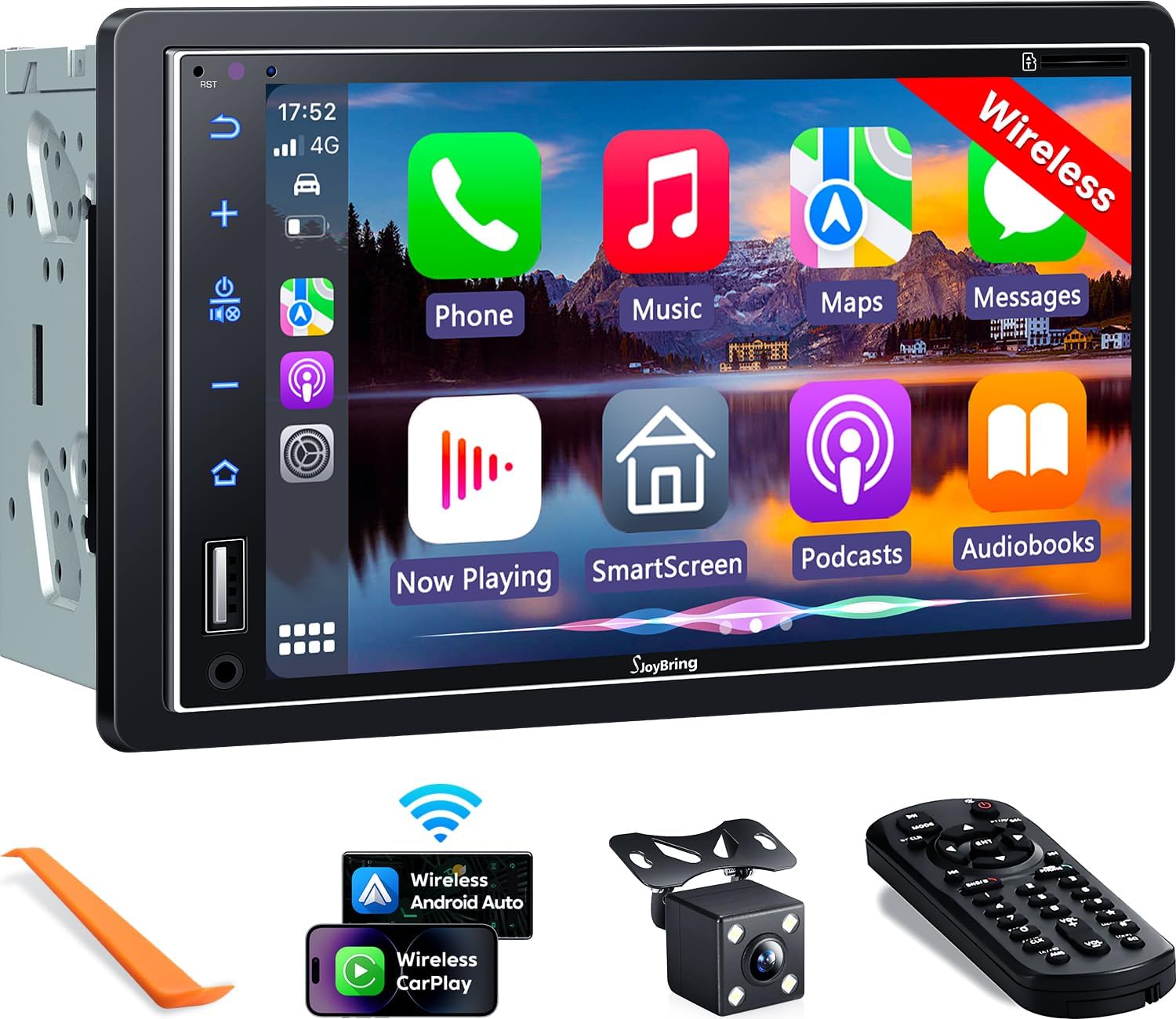
תמונה 1.1: חזית view of the SJOYBRING car stereo displaying the CarPlay interface.
2. תכולת החבילה
ודא שכל הפריטים המפורטים להלן כלולים בחבילה שלך:
- Head Unit (Car Stereo)
- מִסגֶרֶת
- אֲחוֹרִי View מַצלֵמָה
- כבל מצלמת גיבוי
- רתמת חיווט
- שְׁלַט רָחוֹק
- מדריך למשתמש (מסמך זה)
- סוגרי הרכבה
- כלי פירוק
- ברגים (בגדלים שונים)

Image 2.1: Visual representation of the SJOYBRING car stereo package contents.
3. התקנה והתקנה
3.1 Important Installation Tips
- The standard size of this unit is 170mm x 97mm. Ensure your vehicle's dashboard opening matches this size.
- If the stereo size does not fit your dash, an additional suitable dash kit may be required (not included).
- Read this instruction manual thoroughly before beginning installation.
- Some vehicles may require additional accessories for installation, such as a wire harness adapter and a radio antenna adapter specific to your car model (not included).
3.2 תרשים חיווט
עיין בתרשים הבא לחיבורי חיווט נכונים. חיווט שגוי עלול לגרום נזק ליחידה או למערכת החשמל של הרכב.

Image 3.1: ISO Standard Double DIN wiring and dimension diagram.
3.3 אחורי View חיבור מצלמה
ראיית לילה HD האחורית הכלולה view camera provides a 170° ultra-wide viewing angle and is waterproof. Connect the camera as shown in the diagram below. The display will automatically switch to the rear view כאשר הרכב נמצא בהילוך אחורי.

Image 3.2: One-step wiring connection for the rear camera.
4. הוראות הפעלה
4.1 אלחוטי Apple CarPlay ו-Android Auto
Connect your smartphone to the car stereo via Bluetooth and Wi-Fi for wireless Apple CarPlay or Android Auto functionality. This allows access to navigation, music, messages, and other phone features directly on the stereo's screen. Voice control via Siri or Google Assistant is supported for safer operation.
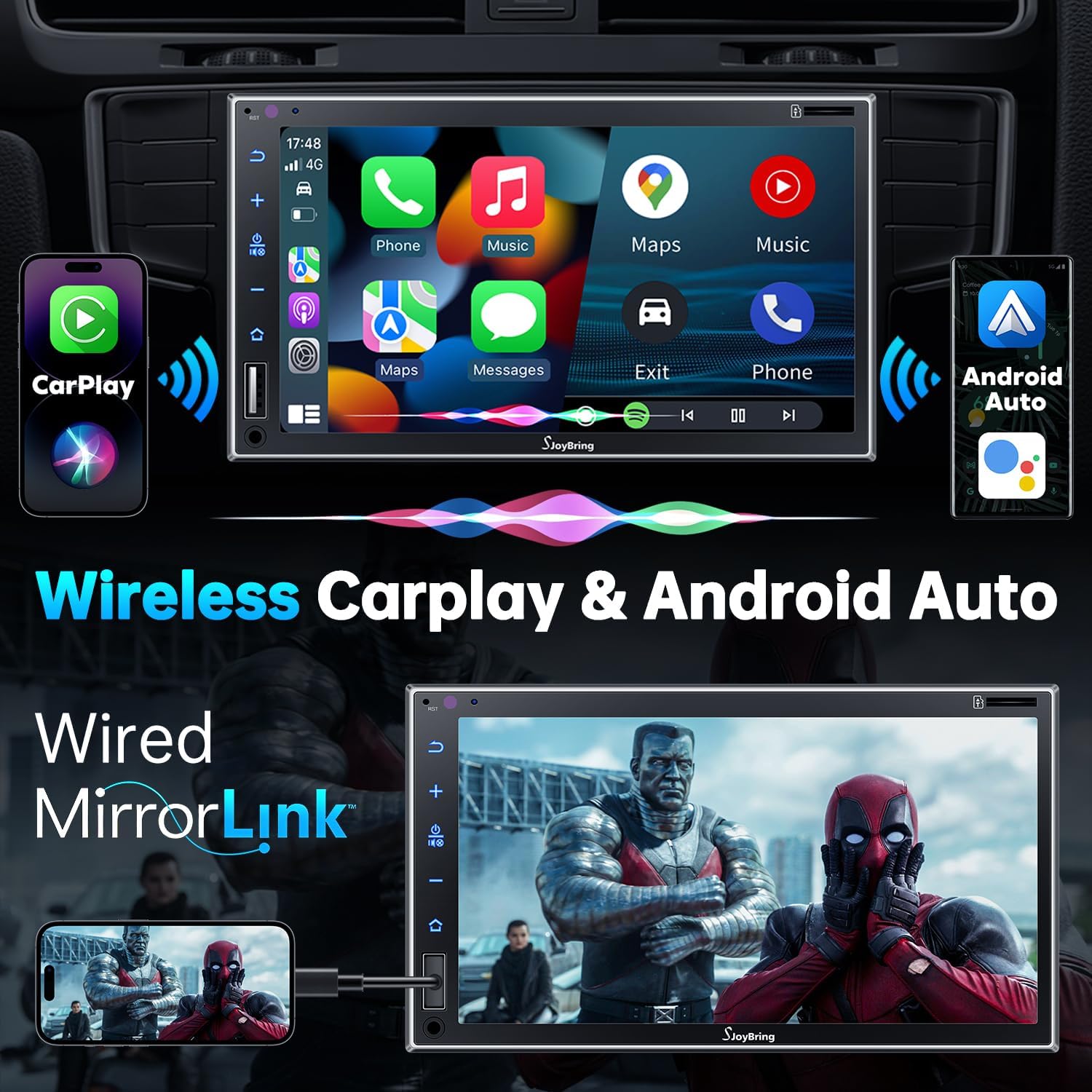
Image 4.1: Wireless Apple CarPlay and Android Auto in operation.
4.2 Wired Mirror Link
The unit supports wired mirror link for both iOS and Android phones (no version limit). Use a USB connection to mirror your smartphone's screen, displaying apps like Google Maps, Spotify, or YouTube on the 7-inch HD touchscreen.

Image 4.2: Wired Mirror Link functionality.
4.3 תכונות אודיו
- 4.2-Channel Audio Output: Features 4 channels of pre-amplifier (RCA) for front right, front left, rear right, and rear left speakers, allowing for precise sound adjustment.
- יציאת סאב וופר: Includes two high RMS power subwoofer outputs for enhanced bass effects.
- 10-band EQ: An integrated 10-band audio equalizer allows customization of the music effect.

Image 4.3: 4.2 Channel Audio Output diagram.

Image 4.4: 10-Band Equalizer interface.
4.4 קישוריות בלוטות'
Utilizes the latest Bluetooth technology with an independent Bluetooth module and antenna for a strong and stable connection, ensuring clear calls and uninterrupted music playback.

Image 4.5: Latest Bluetooth technology for stable connection.
4.5 בקרת הגה (SWC)
The unit supports steering wheel controls, allowing you to manage audio functions without taking your hands off the wheel. Refer to the wiring diagram for SWC connections and the unit's settings for programming.

תמונה 4.6: ממשק הגדרת בקרת הגה.
4.6 FM & AM Radio
Access FM radio frequencies from 87.5 to 107.9 MHz and AM radio frequencies from 530 to 1710 KHz. The unit allows for station presets and scanning.

Image 4.7: FM & AM Radio interface.
5. תחזוקה
To ensure the longevity and optimal performance of your SJOYBRING car stereo, follow these maintenance guidelines:
- ניקוי מסך: השתמש במטלית רכה ונטולת סיבים כדי לנגב בעדינות את מסך המגע. עבור כתמים עקשניים, נגב קלותampשטפו את המטלית במים או בחומר ניקוי המתאים למסכים. הימנעו מכימיקלים חזקים או מחומרים שוחקים.
- הסרת אבק: נקו באופן קבוע אבק מפתחי האוורור והכפתורים של היחידה באמצעות מברשת רכה או אוויר דחוס.
- בקרת טמפרטורה: הימנעו מחשיפת היחידה לטמפרטורות קיצוניות למשך תקופות ממושכות.
- בדיקת חיווט: בדקו מעת לעת את כל חיבורי החיווט כדי לוודא שהם מאובטחים וללא נזק.
6. פתרון תקלות
If you encounter issues with your SJOYBRING car stereo, refer to the following common troubleshooting steps:
- אין כוח: Check all power connections, including the ACC (accessory) and 12V constant power wires. Ensure the vehicle's fuse for the stereo is not blown.
- אין צליל: Verify speaker connections are correct. Check the volume level and ensure the mute function is not activated. Confirm the audio source is properly selected.
- בעיות חיבור Bluetooth: Ensure Bluetooth is enabled on both the stereo and your smartphone. Delete previous pairings and attempt to re-pair. Move closer to the unit if interference is suspected.
- CarPlay/אנדרואיד אוטו לא מתחבר: For wireless connection, ensure both Bluetooth and Wi-Fi are active on your phone and the stereo. For wired mirror link, try a different USB cable or port.
- מצלמת רוורס לא מוצגת: Check the camera's power and video signal connections. Ensure the reverse gear trigger wire is correctly connected to the vehicle's reversing light circuit.
- מסך מגע לא מגיב: נסה להפעיל מחדש את המכשיר. אם הבעיה נמשכת, צור קשר עם תמיכת הלקוחות.
If these steps do not resolve the issue, please contact SJOYBRING customer support for further assistance.
7. מפרטים
| מספר דגם | 7825d65e-cac9-443c-8d2b-17a564819d91 |
| לְהַצִיג | 7 Inch Full HD Capacitive Touchscreen (1024 x 600 resolution) |
| קישוריות | Wireless Apple CarPlay, Wireless Android Auto, Bluetooth, Wired Mirror Link (USB) |
| מצב פלט שמע | סטריאו |
| תצורת ערוץ סאונד סראונד | 4 Channel (RCA Pre-amp פלטים) |
| פלט סאב וופר | 2 High RMS Power Outputs |
| שַׁויָן | EQ 10-Band |
| תפוקת כוח מקסימלית | 60W x 4 |
| כרך עבודהtage | DC 12V |
| תדרי רדיו | FM: 87.5~107.9 מגה-הרץ, AM: 530~1710 קילו-הרץ |
| קידוד וידאו | H.264, H.265/HEVC, MPEG-4 |
| משקל פריט | 2.7 פאונד |
| מידות חבילה | 9.25 x 6.3 x 5.94 אינץ' |
| יַצרָן | SJOYBRING |
8. אחריות ותמיכה
8.1 מידע אחריות
For specific warranty details regarding your SJOYBRING car stereo, please refer to the warranty card included in your product packaging or contact SJOYBRING customer support directly. Warranty terms typically cover manufacturing defects for a specified period from the date of purchase.
8.2 תמיכת לקוחות
If you have any questions, require technical assistance, or need to report an issue, please contact SJOYBRING customer support. Contact information can usually be found on the manufacturer's official webבאתר או על אריזת המוצר.
Manufacturer: SJOYBRING
For the most up-to-date support information, visit the official SJOYBRING store on Amazon: SJOYBRING Store