
מָבוֹא
The Geeni Smart Water Alarm Leak Detector with Siren is designed to provide early warning of water leaks in your home. This device helps prevent potential water damage by detecting leaks and alerting you through its built-in siren and mobile application. It integrates with your home Wi-Fi network for remote monitoring and smart home automation.
תכונות מפתח
- Instant Leak Detection: Rapidly identifies the presence of water.
- התראות בזמן אמת: Sends immediate notifications to your smartphone.
- Built-in 80dB Alarm: Emits a loud siren to alert occupants.
- Monitor from Anywhere: Access device status and alerts remotely via the Geeni app.
- שילוב בית חכם: Compatible with other Geeni smart home products for automated responses.
- התראת סוללה חלשה: מודיע לך כאשר יש צורך להחליף סוללות.
- הגדרה קלה: Designed for quick and straightforward installation.
- 24/7 Peace of Mind: Continuous monitoring for enhanced home safety.
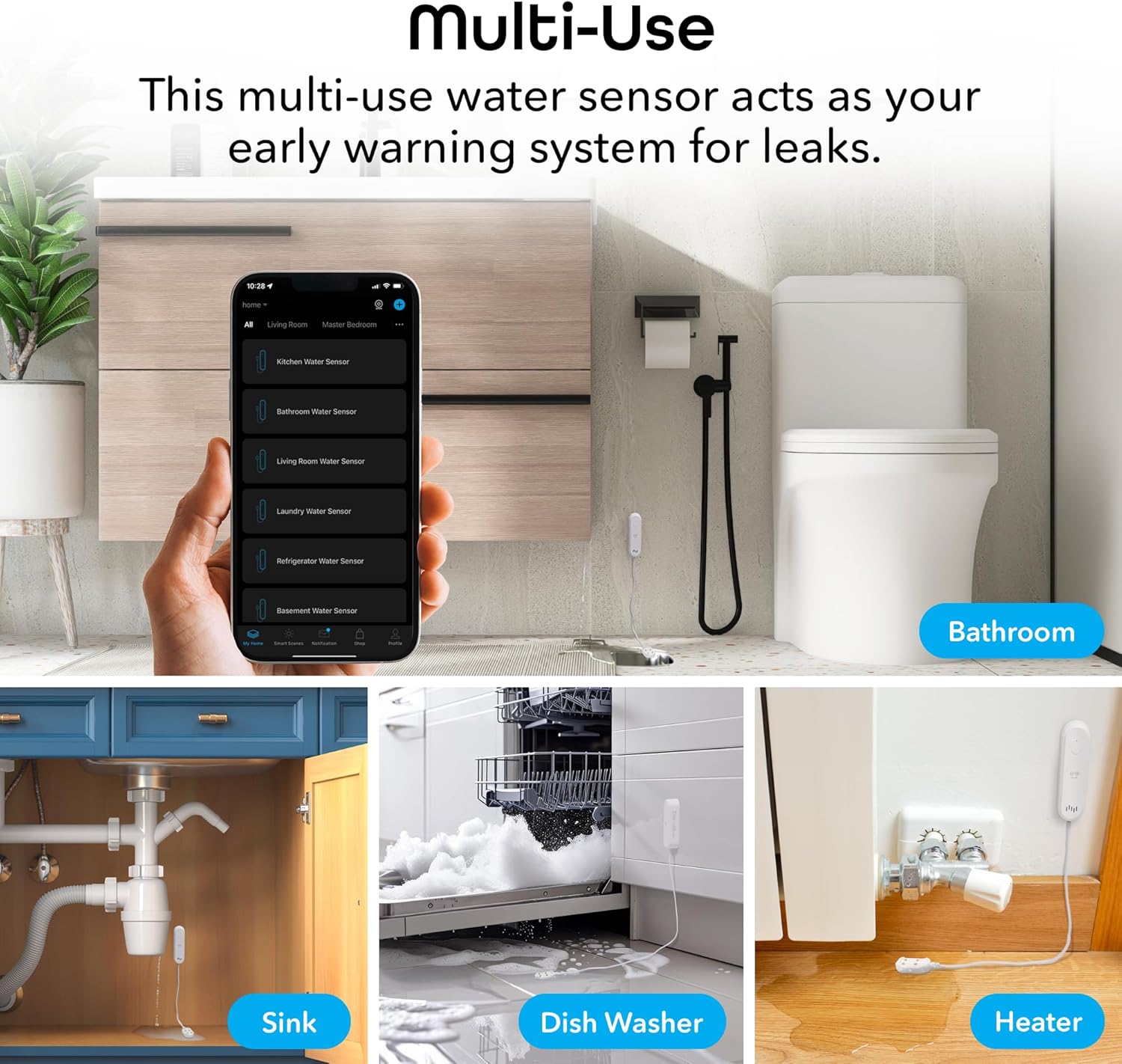
Figure 1: Key features of the Geeni Smart Water Alarm Leak Detector.
תוכן החבילה
ודא שכל הפריטים נמצאים בחבילה:
- 1x Geeni Smart Water Sensor
- 1x Siren Mounting Adhesive
- 1x מדריך למשתמש
- 2x סוללות AAA
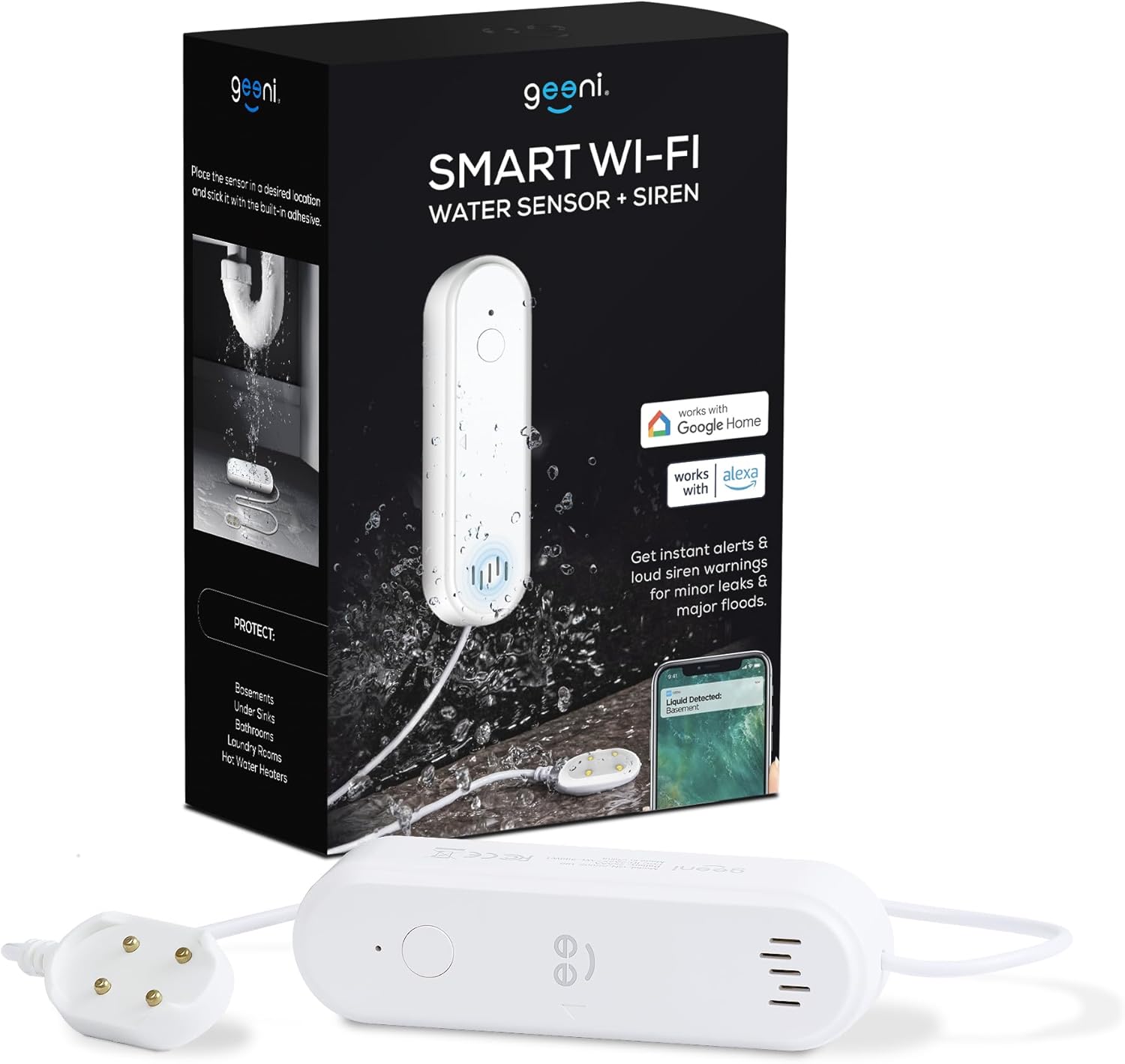
איור 2: תכולת החבילה הכלולה באריזת המוצר.
המוצר נגמרview
Familiarize yourself with the components of your Geeni Smart Water Alarm Leak Detector:
- אור LED: Indicates device status (e.g., pairing mode, leak detected).
- הגדר מפתח: משמש לצימוד ואיפוס המכשיר.
- רַמקוֹל: Emits the 80dB siren alarm.
- חיישן גשש: The part that detects water. Must be placed flat on the surface where leaks may occur.
- תא סוללות: Holds 2x AAA batteries.
- אורך כבל: The sensor probe is connected to the main unit by a 3.28 ft (1 m) cable.

איור 3: חזית ואחורה view of the device with labeled components and dimensions.
הגדרה
1. התקן סוללות
- פתחו את תא הסוללות בגב היחידה הראשית.
- הכנס 2x סוללות AAA, תוך הקפדה על קוטביות נכונה.
- סגור היטב את תא הסוללות.
2. Download and Install the Geeni App
- חפש "Geeni" בחנות האפליקציות של אפל או בחנות גוגל פליי.
- הורד והתקן את האפליקציה.
- הירשם לחשבון חדש או התחבר אם כבר יש לך אחד.
3. Pair the Device with Wi-Fi
- ודא שהסמארטפון שלך מחובר לרשת Wi-Fi בתדר 2.4 גיגה-הרץ. המכשיר אינו תומך ברשתות בתדר 5 גיגה-הרץ.
- פתחו את אפליקציית Geeni והקישו על סמל ה-"+" כדי להוסיף מכשיר חדש.
- Follow the on-screen instructions in the app to put the water sensor into pairing mode and connect it to your Wi-Fi network. The LED light on the device will indicate its pairing status.
4. מיקום המכשיר
Strategically place the water sensor in areas prone to leaks:
- מתחת לכיורים (מטבח, חדר אמבטיה)
- In basements
- ליד מחממי מים
- In laundry rooms
- Behind dishwashers or refrigerators
Use the provided mounting adhesive to secure the main unit. Ensure the sensor probe lies flat on the surface where water might accumulate first.

איור 4: דוגמהamples of multi-use placement for the water sensor.
מִבצָע
Leak Detection and Alerts
Once installed and connected, the Geeni Smart Water Alarm continuously monitors for water. When the sensor probe detects water:
- The device will emit a loud 80-decibel siren.
- You will receive an immediate notification on your smartphone via the Geeni app.
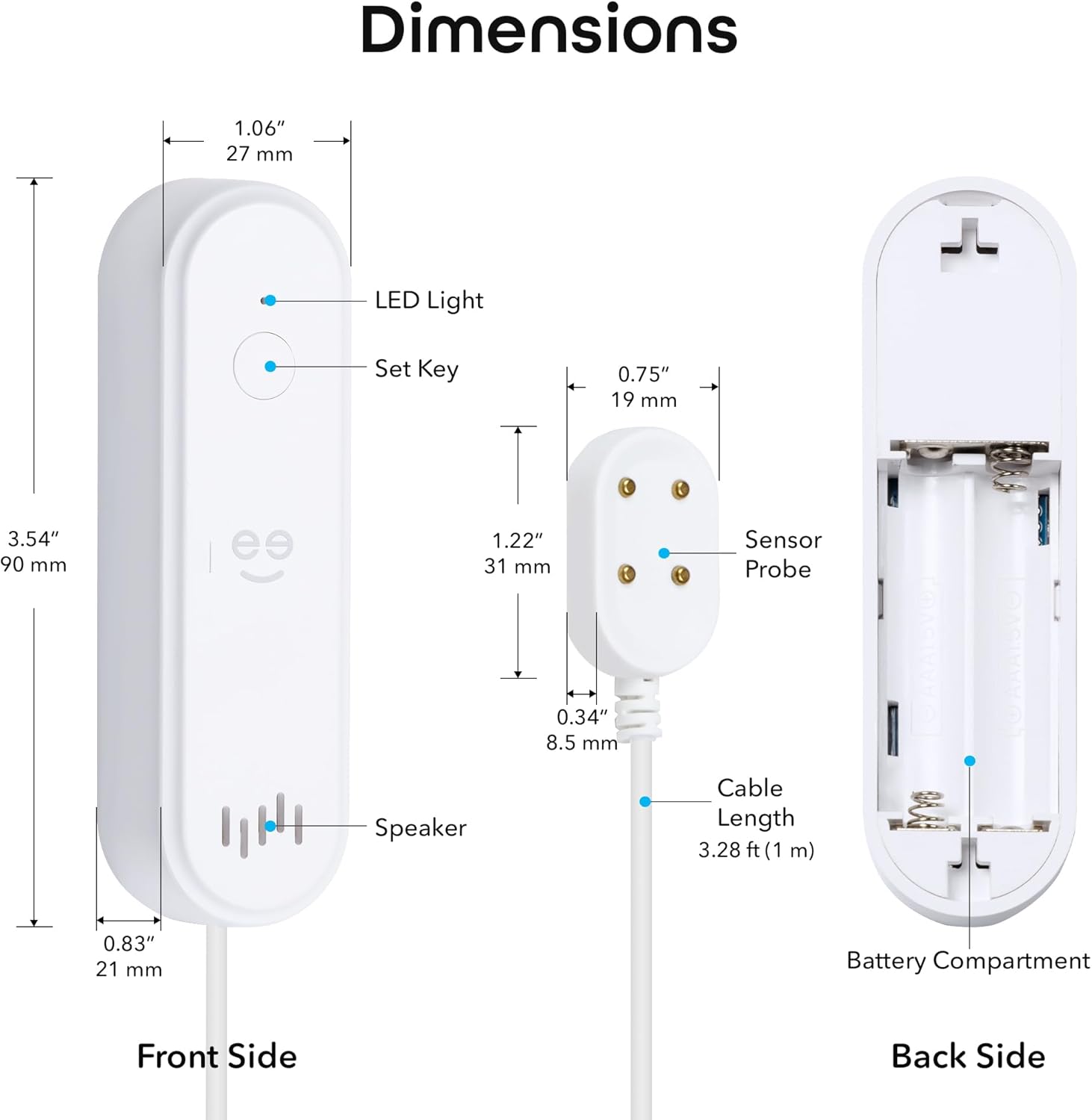
Figure 5: Real-time leak detection and app notification.
התאמת הגדרות אזעקה
You can customize the alarm settings through the Geeni app:
- נפח סירנה: Adjust the volume from mute (0dB) up to 80dB.
- משך אזעקה: Set the duration of the siren from 30 seconds to 180 seconds.

Figure 6: Alarm volume and duration adjustment options.
תַחזוּקָה
החלפת סוללה
The device is powered by 2x AAA batteries with an expected lifespan of 3-4 months. The Geeni app will send a low battery alert when replacement is needed.
- When a low battery alert is received, open the battery compartment.
- Remove the old batteries and insert two new AAA batteries, observing correct polarity.
- סגור את תא הסוללות.
בדיקת המכשיר
It is recommended to periodically test the water sensor to ensure it is functioning correctly:
- Place a small amount of water (e.g., a few drops) onto the sensor probe.
- Verify that the siren sounds and you receive a notification on your smartphone.
- Dry the sensor probe thoroughly after testing.
פתרון בעיות
- המכשיר לא מתחבר ל-Wi-Fi:
Ensure your Wi-Fi network is 2.4 GHz. The device does not support 5 GHz. Try moving the device closer to your Wi-Fi router. If issues persist, try deleting the device from the Geeni app and re-pairing it following the setup instructions. - אין התראות אפליקציה:
Check your smartphone's notification settings for the Geeni app to ensure notifications are enabled. Also, verify that the device is properly connected to Wi-Fi and has sufficient battery power. - Siren not sounding or too quiet:
Check the battery level. Ensure the siren volume is not set to mute in the Geeni app settings. - Sensor not detecting water:
Ensure the sensor probe is lying flat and making good contact with the surface where water might collect. Clean the sensor contacts if they appear dirty. - Device appears offline in app:
Check your Wi-Fi connection. If the Wi-Fi network is down or unstable, the device may appear offline. Replace batteries if they are low.
For further assistance, refer to the support section within the Geeni app or visit support.mygeeni.com.
מפרטים
| מותג | ג'יני |
| דֶגֶם | B0D47W56TY |
| מקור כוח | מופעל על ידי סוללות (2x AAA) |
| חיי סוללה | Approximately 3-4 months |
| מכשירים תואמים | Android, iOS (Smartphone, Tablet) |
| מידות מוצר (יחידה ראשית) | מידות אורך 90 מ"מ, רוחב 50 מ"מ, גובה 130 מ"מ (אורך 3.54 מ"מ, רוחב 1.97 מ"מ, גובה 5.12 מ"מ) |
| שיטת בקרה | Geeni App |
| רעש נשמע | 80 דציבלים |
| סוג הרכבה | Adhesive (for main unit), Sensor probe placed on surface |
| טכנולוגיית חיישנים | צור קשר עם חיישן |
| Cable Length (Sensor) | 3.28 רגל (1 מ') |
| קישוריות Wi-Fi | 2.4 GHz בלבד |
| דירוג IP | IP44 |
אחריות ותמיכה
מידע על אחריות
This Geeni product comes with a אחריות מוגבלת לשנה מתאריך הרכישה. אנא שמור את הוכחת הרכישה שלך לצורך תביעות אחריות. האחריות מכסה פגמים בחומרים ובביצוע בשימוש רגיל.
תמיכת לקוחות
If you encounter any issues or have questions regarding your Geeni Smart Water Alarm Leak Detector, please contact Geeni customer support:
- תמיכה מקוונת: לְבַקֵר support.mygeeni.com
- תמיכה בתוך האפליקציה: Access support directly through the Geeni mobile application.