
1. הקדמה
This manual provides comprehensive instructions for the safe and effective use of your CIS ZR-G400-LZ Miniature Hearing Amplifiers. Please read this manual thoroughly before operating the device and retain it for future reference. These hearing aids are designed to amplify sound for individuals with hearing difficulties, featuring noise cancellation and a clear sound output.
2. המוצר נגמרview
2.1. רכיבים
The CIS ZR-G400-LZ hearing aid system includes:
- Two miniature in-ear hearing amplifiers (left and right)
- Portable charging case with LED power display
- כבל טעינה USB
- Various ear tips for comfortable fit

Figure 2.1: The CIS ZR-G400-LZ hearing aids shown within their portable charging case, which features an LED display indicating charge level.
2.2. תכונות עיקריות
- עיצוב מיניאטורי: Compact and discreet, resembling earphones.
- ביטול רעשים: Advanced chip technology to reduce external noise and extract clear sound.
- נטענת: Built-in rechargeable batteries for convenience.
- תצוגת כוח LED: Charging case indicates battery level.
- צליל צלול: Designed to provide clear and resonant voice ampליפיקציה.
- Cochlear Structure Accord: Ergonomic design for comfortable in-ear fit.
- Hotkey Operation: Simple button controls for power and volume adjustment.

Figure 2.2: Illustration demonstrating the anti-squealing technology, which prevents feedback when the hearing aid is near the ear.

Figure 2.3: Visual representation of the digital intelligent chip's function in reducing external noise and extracting clear, resonant sound.
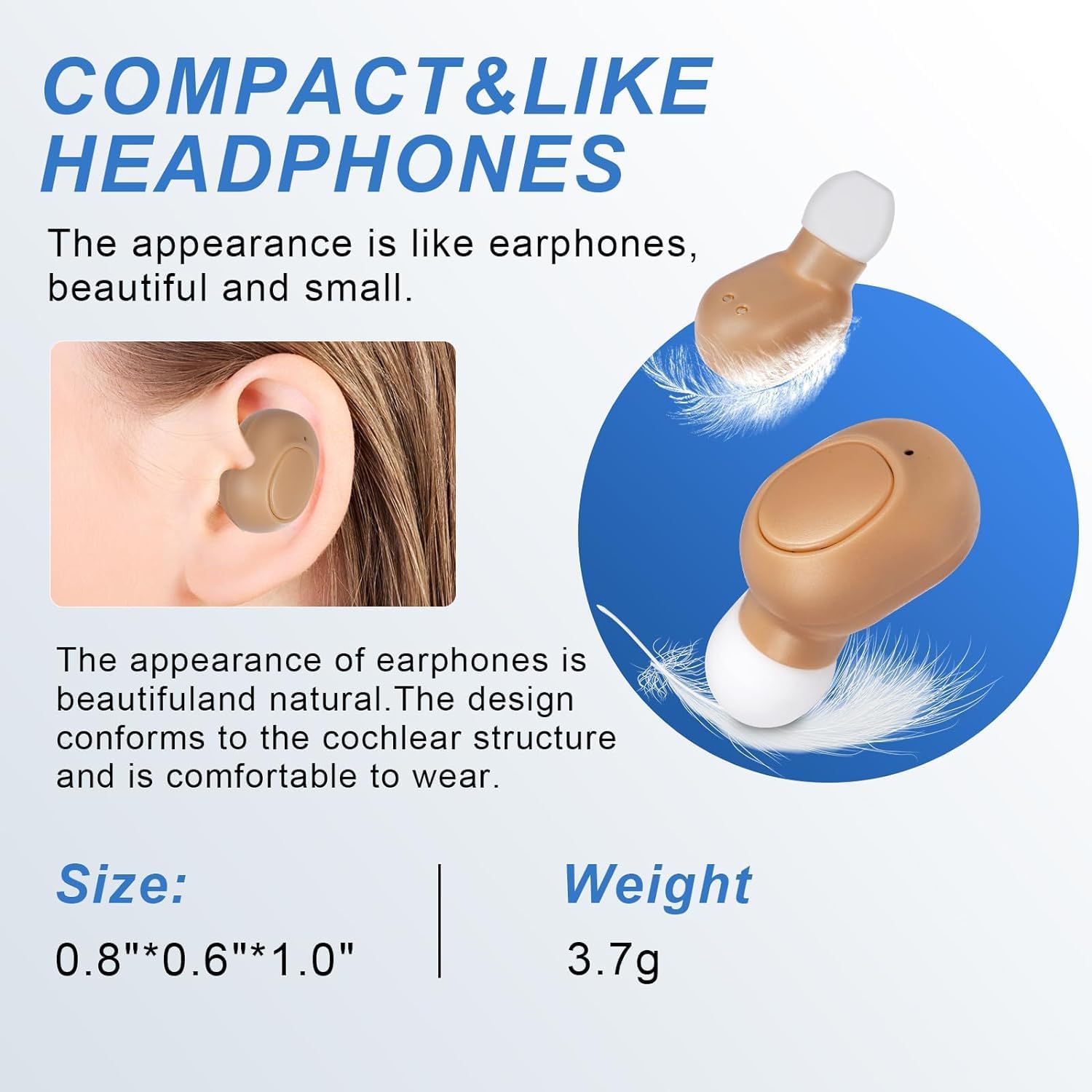
Figure 2.4: Depiction of the compact, earphone-like design of the hearing aids, including their dimensions (0.8"x0.6"x1.0") and weight (3.7g).
3. התקנה
3.1. טעינה ראשונית
Before first use, fully charge the hearing aids and their charging case. Connect the USB charging cable to the charging case and a suitable power source. The LED display on the case will indicate the charging progress. A full charge for the charging box takes approximately 2 hours.
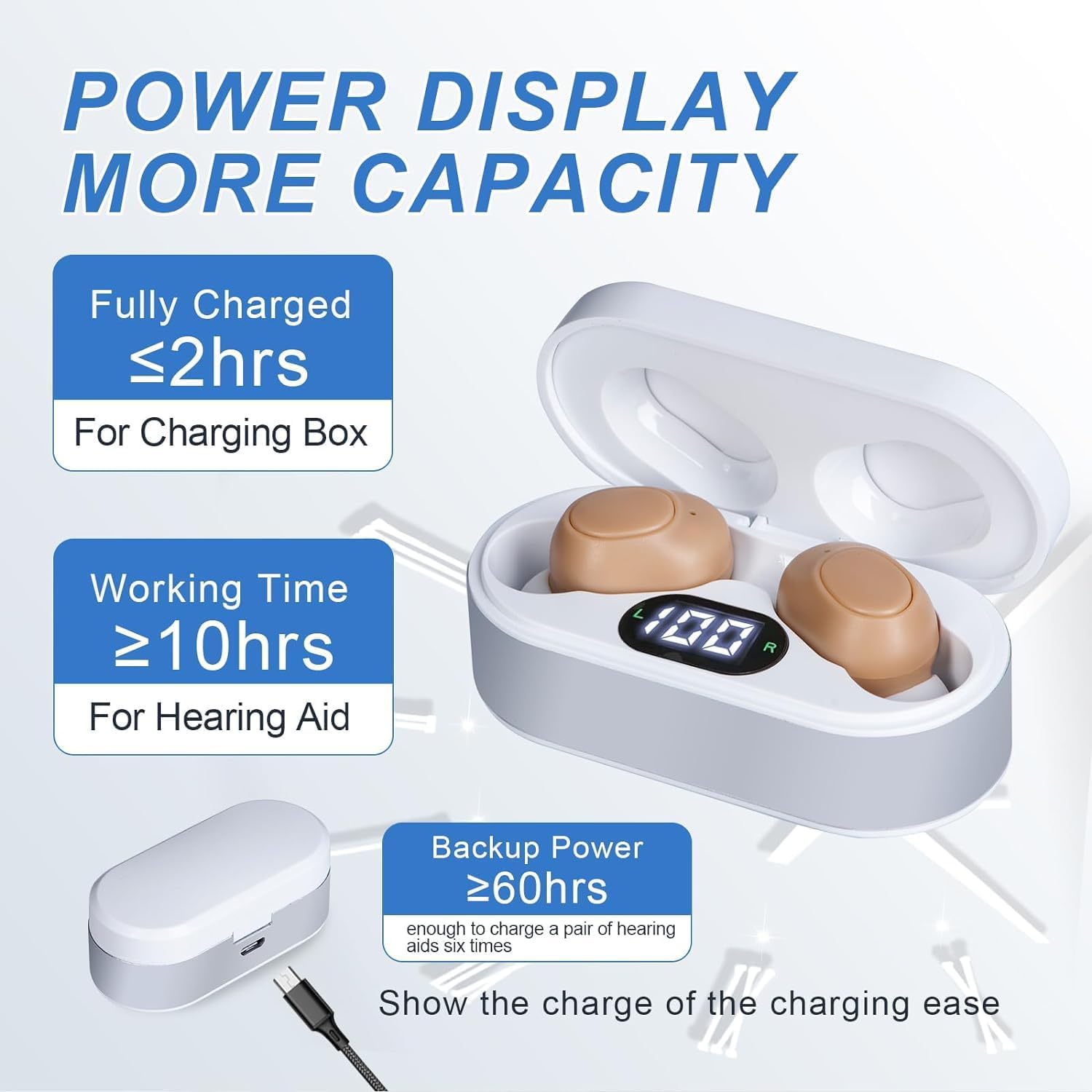
Figure 3.1: Information on charging times and battery capacity, showing the charging case can fully charge the hearing aids multiple times.
3.2. התאמת מכשירי השמיעה
Follow these steps to prepare your hearing aids for use:
- Remove the hearing aid from its packaging.
- בחרו את גודל קצה האוזניים המתאים להתאמה נוחה ובטוחה.
- Gently insert the hearing aid into your ear canal. Ensure it sits snugly without causing discomfort.
- If necessary, consult a healthcare professional for assistance in customizing the fit.
4. הוראות הפעלה
4.1. הפעלה/כיבוי
To power on the hearing aid, long press the touchpad control button on the device. To power off, long press the button again.
4.2. התאמת עוצמת הקול
Once powered on, click the touchpad control button to cycle through the four available volume levels. Adjust to a comfortable listening level.

איור 4.1: תקריב view of the hearing aid demonstrating the single button for long press (on/off) and short click (volume adjustment).
4.3. חבישת מכשיר השמיעה
Wear the hearing aid as directed by a healthcare professional or as needed for improved hearing in various environments. Ensure the device is securely seated in your ear to prevent accidental dislodgement.
5. תחזוקה
5.1. ניקיון
Regular cleaning is essential for optimal performance and hygiene. Use a soft, dry cloth to wipe the surface of the hearing aids and the charging case. Do not use water or cleaning solvents directly on the devices. Periodically check and clean ear tips for wax buildup.
5.2. אחסון
When not in use, store the hearing aids in their charging case. Keep the case and hearing aids in a cool, dry place, away from direct sunlight and extreme temperatures.
5.3. טיפול בסוללה
To prolong battery life, fully charge the devices before long periods of inactivity. Avoid completely draining the battery frequently.
6. פתרון תקלות
If you experience issues with your CIS ZR-G400-LZ hearing aids, please refer to the following common problems and solutions:
| בְּעָיָה | סיבה אפשרית | פִּתָרוֹן |
|---|---|---|
| המכשיר לא מופעל. | סוללה חלשה. | Place hearing aids in the charging case and ensure the case is charged. Charge fully. |
| אין קול או קול חלש מאוד. | Volume too low; ear tip blocked; device not properly seated. | Increase volume. Clean ear tip. Re-insert device correctly. |
| Squealing or feedback noise. | Improper fit; ear tip too small; device not fully inserted. | Ensure the hearing aid is properly seated in the ear canal. Try a larger ear tip for a better seal. Adjust volume. |
| Volume adjustment not working. | תקלת תוכנה זמנית. | Turn the device off and then on again. Ensure the button is being clicked, not long-pressed. |
7. מפרטים
| מותג | CIS |
| מספר דגם | ZR-G400-LZ |
| משקל פריט | 3.84 אונקיות (חבילה כוללת) |
| מידות חבילה | 4.33 x 3.58 x 1.46 אינץ' |
| מקור כוח | מופעל על סוללה (נטענת) |
| סוג התאמה | בתוך האוזן |
| מכשירים תואמים | Tablet, Television, Smartphone |
| זמן טעינה (תיבת טעינה) | ≤ 2 שעות |
| Working Time (Hearing Aid) | ≥ 10 שעות |
| Backup Power (Charging Box) | ≥ 60 hours (enough to charge a pair of hearing aids six times) |
8. אחריות ותמיכה
For information regarding warranty coverage, technical support, or service, please contact CIS customer service directly. Refer to the product packaging or the manufacturer's official webהאתר לפרטי יצירת קשר.
Note: This product is intended to amplify sound for individuals with hearing impairment. It is not a medical device and should not replace professional medical advice or treatment. Consult a healthcare professional for any hearing concerns.