
1. הקדמה
תודה על הרכישהasing the plplaaoo Cordless Table Lampמדריך זה מספק מידע חיוני להפעלה בטוחה ויעילה של ה-l החדש שלך.ampאנא קרא אותו בעיון לפני השימוש ושמור אותו לעיון עתידי.
2. הוראות בטיחות
- אל תחשוף את ה-lamp למים או ללחות מוגזמת.
- Avoid disassembling or modifying the lamp, שכן הדבר עלול לבטל את האחריות ולהוות סיכונים בטיחותיים.
- השתמשו רק בכבל USB Type-C המצורף לטעינה.
- שמור את ה-lamp away from heat sources and direct sunlight to prevent battery damage.
- ודא את ה-lamp מונח על משטח יציב ושטוח כדי למנוע התהפכות.
- ה-L הזהamp מיועד לשימוש פנימי בלבד.
3. תכולת החבילה
ודא שכל הפריטים נמצאים בחבילה שלך:
- 1 x Cordless Table Lamp
- 1 x כבל USB מסוג C-Charging

4. המוצר נגמרview
The plplaaoo Cordless Table Lamp features a sleek design with a durable iron, aluminum, and acrylic construction. It includes a built-in 2000mAh rechargeable lithium battery, offering 10-15 hours of working time on a full charge. The lamp provides three light sources: white light, warm light, and ordinary light, with adjustable brightness up to 150lm.


5. התקנה
טעינה ראשונית
לפני השימוש הראשון, טען את המכשיר במלואו.amp. Connect the provided USB Type-C cable to the charging port on the lamp's base and plug the other end into a compatible USB power adapter (not included).
- Locate the USB Type-C charging port on the base of the lamp.
- Insert the USB Type-C cable into the lampיציאת הטעינה של.
- Connect the USB-A end of the cable to a standard USB power adapter (e.g., phone charger, computer USB port).
- The charging indicator (if present) will show the charging status. Allow several hours for a full charge.
6. הוראות הפעלה
הפעלה/כיבוי והתאמת בהירות
ה- lamp features both a bottom switch and a top touch control for operation.
- מתג תחתון: Flip the switch on the bottom of the lamp to the 'ON' position to enable the touch control function.
- Top Touch Control: Gently touch the top surface of the lamp to cycle through the three light modes: white light, warm light, and ordinary light. Continue touching to adjust brightness levels within each mode.
- כדי לכבות את ה-lamp, either cycle through all light modes until it turns off via touch control, or flip the bottom switch to the 'OFF' position.


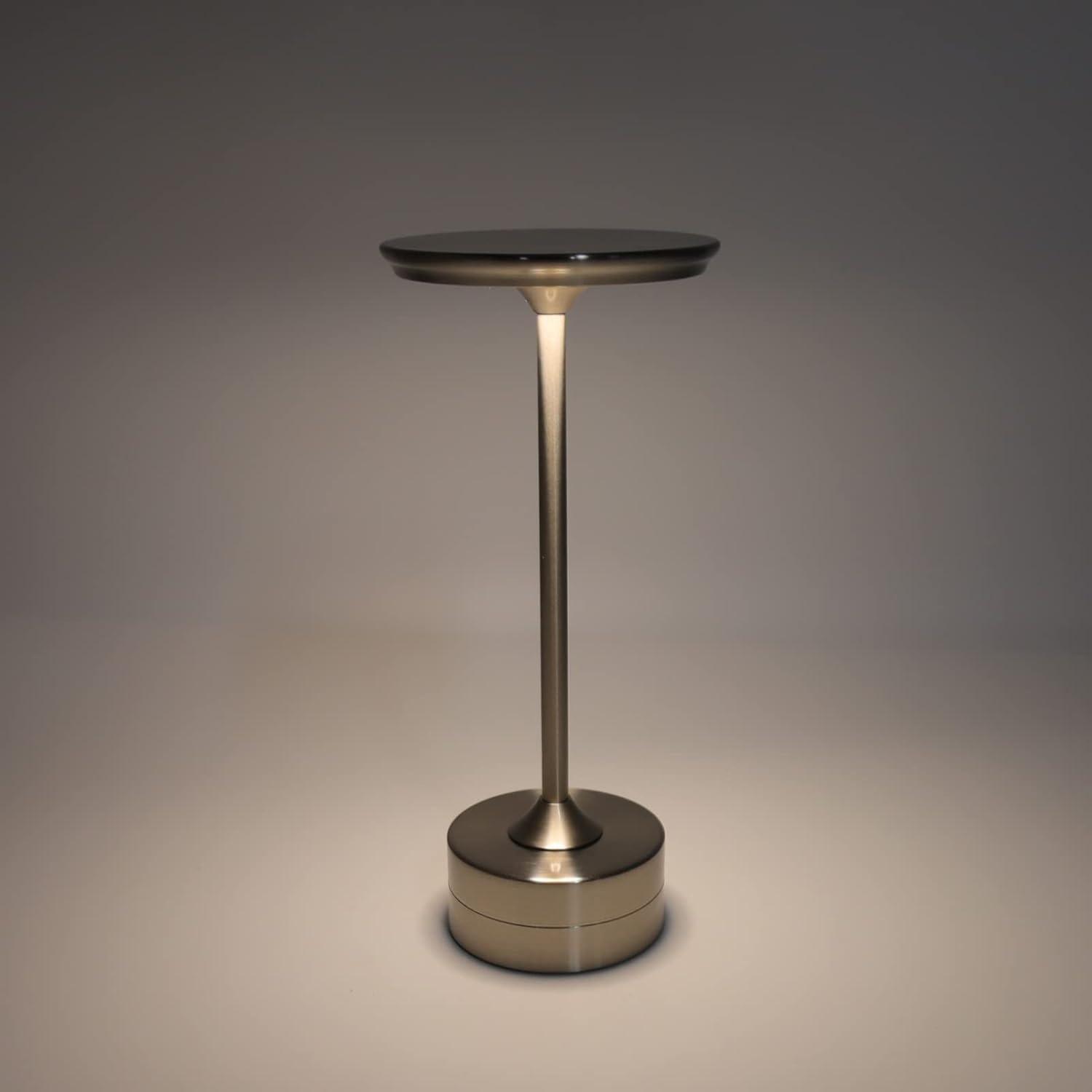
7. תחזוקה
- ניקוי: נגב את ה-lamp עם מטלית רכה ויבשה. אין להשתמש בחומרי ניקוי שוחקים או ממסים.
- אִחסוּן: כאשר אינו בשימוש למשך תקופות ממושכות, יש לאחסן את ה-lamp במקום קריר ויבש. יש לוודא שהסוללה טעונה חלקית לפני האחסון כדי להאריך את חייה.
- טיפול בסוללה: כדי לשמור על תקינות הסוללה, הימנעו מריקון מלא של הסוללה לעתים קרובות. טען את הסוללה מחדש.amp when the light output becomes noticeably dim.
8. פתרון תקלות
| בְּעָיָה | סיבה אפשרית | פִּתָרוֹן |
|---|---|---|
| Lamp לא נדלק. | Battery is depleted. Bottom switch is off. | טען את ה-lamp using the USB Type-C cable. Ensure the bottom switch is in the 'ON' position. |
| האור עמום או מהבהב. | סוללה חלשה. | טען מחדש את ה-lamp. |
| Cannot change light mode/brightness. | Bottom switch is off. Touch control malfunction. | Ensure the bottom switch is 'ON'. Try restarting the lamp by turning the bottom switch off and on again. |
| Lamp אינו גובה. | Faulty cable or adapter. Charging port issue. | Try a different USB Type-C cable and power adapter. Ensure the cable is fully inserted. |
9. מפרטים
| תכונה | פְּרָט |
|---|---|
| דֶגֶם | B0D2LG61MQ |
| חוֹמֶר | Iron, Aluminum, Acrylic |
| גוֹבַה | כ. 28.5 ס"מ / 11.2 אינץ' |
| קוֹטֶר | כ. 13 ס"מ / 5.1 אינץ' |
| מִשׁקָל | Approx. 0.66 kg / 23.4 oz |
| סוללה מובנית | ליתיום 2000mAh |
| מקור אור | White light, Warm light, Ordinary light (3 levels brightness) |
| מקסימום בהירות | 150 lm |
| שיטת טעינה | USB Type-C |
| לִשְׁלוֹט | Bottom switch, Top touch control |

10. אחריות ותמיכה
This product is covered by a standard manufacturer's warranty. For specific warranty details, please refer to the product packaging or contact the retailer where you purchased the item. For technical support or inquiries, please visit the official plplaaoo store or contact customer service.