
1. התקנה
1.1. ביטול האגרוף
Upon opening the EarFun Wave Pro packaging, you will find the following items:
- אוזניות אלחוטיות EarFun Wave Pro ANC
- Travel Carry Case
- כבל שמע 3.5 מ"מ
- כבל טעינה USB-C
- מדריך למשתמש
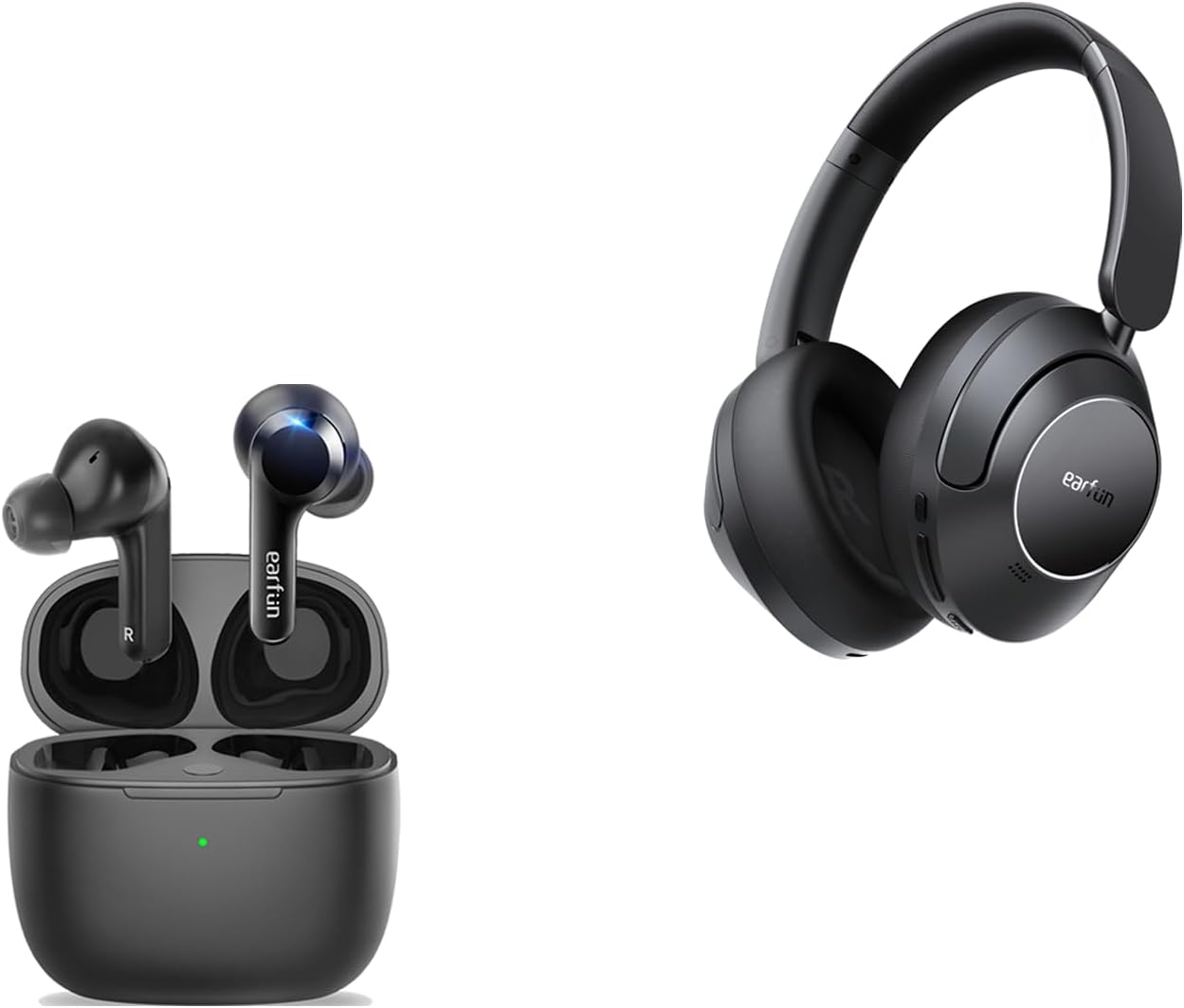
Image: EarFun Wave Pro headphones and their charging case, as found in the box.
1.2. טעינה
Before initial use, fully charge your EarFun Wave Pro headphones. Connect the provided USB-C charging cable to the charging port on the left earcup and a compatible power source. A full charge takes approximately 2 hours. For quick power, a 10-minute charge provides up to 10 hours of playback.
1.3. זיווג
To pair your EarFun Wave Pro headphones with a Bluetooth device:
- ודא שהאוזניות טעונות וכבויות.
- לחץ והחזק את לחצן ההפעלה עד שנורית ה-LED תהבהב, המציינת מצב צימוד.
- On your device, enable Bluetooth and search for 'EarFun Wave Pro' in the list of available devices.
- Select 'EarFun Wave Pro' to complete the pairing process. The LED indicator will turn solid blue once connected.
2. הפעלה
2.1. בקרות
The EarFun Wave Pro headphones feature intuitive physical buttons on the right earcup for easy control:
- לחצן ANC: Toggles between Active Noise Cancellation (ANC) modes.
- לחצני עוצמת הקול: מכוונן את עוצמת השמע.
- לחצן הפעלה/כיבוי: מפעיל או מכבה את האוזניות.
Additionally, the headphones support customizable touch controls via the EarFun App for functions like answering/rejecting calls, adjusting volume, and track navigation.

תמונה: צד view of the EarFun Wave Pro headphones, highlighting the physical control buttons.
2.2. מצבי ביטול רעשים אקטיביים (ANC)
The EarFun Wave Pro headphones utilize QuietSmart 2.0 Active Noise Canceling Technology, offering up to 45dB of noise reduction. You can switch between various ANC modes to suit your environment:
- מצב רגיל: השמעת שמע סטנדרטית ללא ביטול רעשים אקטיבי.
- מצב צליל סביבה: מאפשר לך לשמוע את הסביבה שלך תוך כדי האזנה לשמע.
- Wind Noise Cancelling: Specifically reduces wind interference for clearer audio and calls.
- Comfort ANC: Provides a balanced noise cancellation suitable for everyday use.
- ANC חזק: Maximizes noise reduction for immersive listening in noisy environments.

Image: A visual representation of the 45dB active noise cancellation capability of the headphones.
2.3. EarFun App for Personalization
Enhance your listening experience by downloading the EarFun Audio App. The app allows you to:
- Adjust multi-EQ settings for personalized sound.
- Customize touch controls for various functions.
- Check battery levels of your headphones.
- Activate Game Mode for lower latency.
- Perform firmware updates for improved performance.

Image: Screenshots illustrating the customization options available within the EarFun Audio App.
2.4. Sound Signature
The EarFun Wave Pro headphones deliver Hi-Res Sound with LDAC support, powered by 40mm DLC composite dynamic drivers. This ensures a rich, immersive audio experience with clear details.
- סאב בס: Provides a strong and impactful low-end.
- Mid-bass: Delivers a punchy and well-defined mid-range bass.
- שירה: Clear and present, ensuring excellent call quality with 4-microphone noise-canceling technology.
- שיאים: Crisp and detailed, contributing to the overall clarity of the sound.
When using the headphones in wired mode with Hi-Res audio, the sound is bright and sparkling, though the bass may be flatter compared to Bluetooth mode. For optimal bass performance, Bluetooth mode is recommended.

תמונה: מפורט view of the composite speaker technology, designed for exceptional sound quality.

Image: Close-up of the 40mm DLC Dynamic Driver, emphasizing its role in delivering diamond-like clarity.
2.5. מצב משחק
The EarFun Wave Pro features a dedicated Game Mode, accessible via the EarFun App, which reduces audio latency to approximately 55 milliseconds. This low latency ensures a highly synchronized audio-visual experience, making it ideal for gaming and watching videos on platforms like Netflix or YouTube.
3. תחזוקה
To ensure the longevity and optimal performance of your EarFun Wave Pro headphones, follow these maintenance guidelines:
- ניקוי: Regularly wipe the earcups and headband with a soft, dry cloth. For stubborn dirt, a slightly damp ניתן להשתמש במטלית, אך ודאו שלא תיכנס לחות לסורגי הרמקולים או לשקע הטעינה.
- אִחסוּן: When not in use, store the headphones in their provided travel carry case to protect them from dust, scratches, and impacts.
- טֶמפֶּרָטוּרָה: Avoid exposing the headphones to extreme temperatures (hot or cold) or high humidity, as this can damage internal components.
- עמידות במים: While the product description mentions 'Water Resistant', there is no official IPX rating provided for the headphones themselves. Avoid direct exposure to water or excessive moisture.
4. פתרון תקלות
If you encounter issues with your EarFun Wave Pro headphones, try the following solutions:
- אין כוח: ודא שהאוזניות טעונות במלואן. חבר אותן למקור חשמל ובדקו את מחוון הטעינה.
- בעיות זיווג: Turn off Bluetooth on your device and then turn it back on. Forget the 'EarFun Wave Pro' from your device's Bluetooth list and attempt to re-pair. Ensure the headphones are in pairing mode.
- אין צליל: בדקו את עוצמת הקול הן באוזניות והן במכשיר המחובר. ודאו שהאוזניות מותאמות כראוי ונבחרו כפלט שמע.
- ANC לא עובד: Toggle through the ANC modes using the dedicated button or the EarFun App. Ensure the earcups are properly sealed around your ears.
- סאונד מעוות: Move closer to your connected device to ensure a stable Bluetooth connection. Try playing audio from a different source or device.
- בעיות עדכון קושחה: Ensure the headphones are connected to your phone and have at least 30% battery. Do not exit the app or run other applications during the update process.
If problems persist, consult the EarFun Audio App for further assistance or contact EarFun customer support.
5. מפרטים
| תכונה | מִפרָט |
|---|---|
| שם הדגם | EarFun Air (Note: Product is Wave Pro, but JSON lists Air as model name) |
| טכנולוגיית קישוריות | אלחוטי (Bluetooth) |
| גרסת בלוטות' | 5.2 |
| בקרת רעש | ביטול רעשים אקטיבי (עד 45dB) |
| סוג מנהל התקן שמע | Dynamic Driver (40mm DLC) |
| חיי סוללה (ANC כבוי) | עד 80 שעות |
| חיי סוללה (ANC דולק) | עד 55 שעות |
| טעינה מהירה | 10 דקות טעינה לשעתיים של נגינה |
| יציאת טעינה | USB-C |
| ג'ק אודיו | 3.5 מ"מ ג 'ק |
| Codec נתמכים | LDAC, AAC, SBC |
| אודיו ברזולוציה גבוהה | אודיו Hi-Res אודיו מוסמך |
| מיקרופונים | 5-microphone AI algorithm for clarity calls |
| Low Latency (Game Mode) | ~55 אלפיות השנייה |
| חיבור מרובה נקודות | Connects to 2 devices simultaneously |
| צורת אפרכסת | מעל אוזן |
| חוֹמֶר | Plastic, Silicone, Thermoplastic Elastomer (TPE) |
6. אחריות ותמיכה
EarFun products are designed for reliability and performance. For information regarding your product's warranty, please refer to the warranty card included in the packaging or visit the official EarFun webאֲתַר.
For technical support, troubleshooting assistance, or any product-related inquiries, please contact EarFun customer service through their official channels. Keep your purchase receipt or order details handy for faster service.