
TOPTECH AL-212-BK
AL-212 Wireless Bluetooth Speaker User Manual
Model: AL-212-BK | Brand: TOPTECH
1. הקדמה
The TOPTECH AL-212 is a powerful and versatile wireless Bluetooth speaker designed to deliver high-fidelity sound with dynamic LED lighting. Featuring dual 12-inch woofers, it provides robust audio for various occasions, from home entertainment to outdoor parties. This manual provides detailed instructions for setting up, operating, and maintaining your speaker to ensure optimal performance.

תמונה: חזית view of the AL-212 speaker, showcasing its dual 12-inch woofers and vibrant LED lighting.
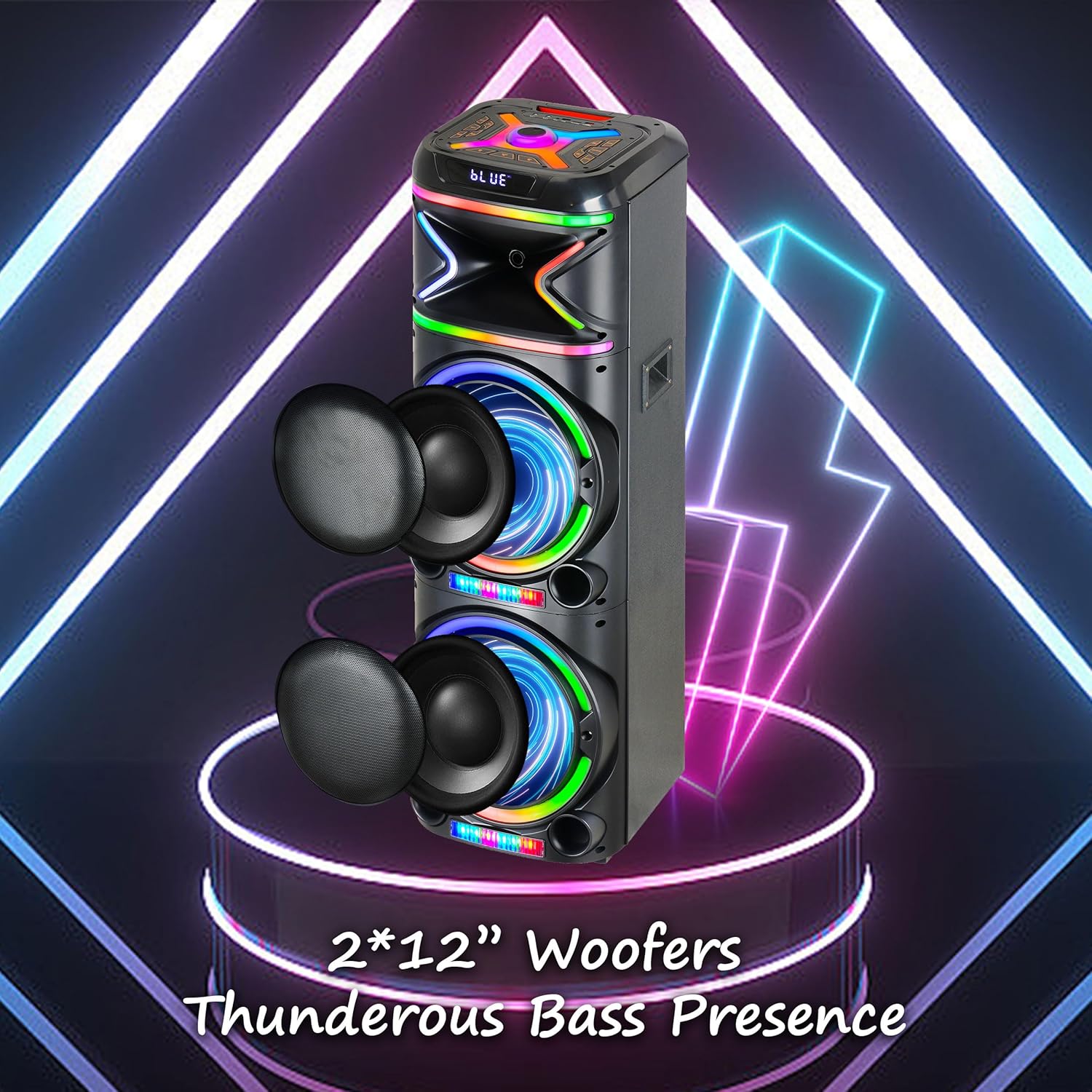
תמונה: תקריב view emphasizing the two 12-inch woofers, responsible for the speaker's powerful bass and clear audio output.
2. מה כלול
אנא בדקו את תוכן החבילה כדי לוודא שכל הפריטים נמצאים:
- AL-212 Wireless Bluetooth Speaker
- שְׁלַט רָחוֹק
- מיקרופון קווי
- מתאם מתח
- מדריך למשתמש (מסמך זה)
- תעודת אחריות

Image: Visual representation of the speaker's dimensions and the accessories included in the package: wireless microphone, remote control, and portable wheels.
3. בקרות ויציאות
Familiarize yourself with the control panel and various input/output ports located on the top and rear of the speaker.
פקדים בלוח העליון:

תמונה: מפורט view of the speaker's top control panel, showing buttons for various functions and input ports.

Image: A simplified diagram highlighting the key control buttons and their functions on the speaker's interface.
- לחצן הפעלה: מפעיל או מכבה את הרמקול.
- לחצן מצב: Switches between Bluetooth, FM Radio, AUX, USB, and TF Card modes.
- ידית עוצמת הקול: כוונון עוצמת הקול הראשית.
- כפתור עוצמת המיקרופון: מכוונן את עוצמת המיקרופון.
- ידית הד: כוונון אפקט ההד של המיקרופון.
- כפתור מצב LED: Changes the LED light patterns.
- לחצן הפעלה/השהה: מנגן או משהה את השמעת האודיו.
- לחצני המסלול הקודם/הבא: מדלג לרצועה הקודמת או הבאה.
- לחצן הקלטה: Records microphone input to USB/TF card.
- לחצן TWS: יוזם צימוד סטריאו אלחוטי אמיתי.
יציאות קלט / יציאה:
- יציאת USB: להשמעת כונן USB וטעינת התקנים חיצוניים.
- חריץ כרטיס TF: להשמעת כרטיס TF (MicroSD).
- כניסת AUX (3.5 מ"מ): Connect external audio devices via an audio cable.
- כניסת מיקרופון (6.35 מ"מ): חבר את המיקרופון החוטי.
- Guitar Input (6.35mm): Connect a guitar or other instrument.

Image: The AL-212 speaker displayed with icons representing its versatile connectivity options, including Bluetooth, USB, TF card, AUX, microphone, and remote control.
4. התקנה
4.1 טעינת הרמקול
The AL-212 speaker is battery-powered. Before first use, fully charge the speaker using the provided power adapter. The charging indicator light will show the charging status and turn off when fully charged.
4.2 הפעלה ראשונית
Press and hold the Power button on the top panel to turn on the speaker. You will hear a power-on prompt, and the LED lights will illuminate.
5. הוראות הפעלה
5.1 זיווג בלוטות '
- הפעל את הרמקול. הוא ייכנס אוטומטית למצב צימוד Bluetooth, כפי שמסומן על ידי 'BLUE' מהבהב על הצג והנחיה קולית.
- הפעל את Bluetooth בטלפון החכם, בטאבלט או במכשיר אחר התומך ב-Bluetooth.
- חפש "AL-212" in the list of available devices and select it to connect.
- Once connected, you will hear a confirmation sound, and the 'BLUE' indicator will stop flashing.

Image: A smartphone screen showing the Bluetooth pairing menu, with the AL-212 speaker and a Bluetooth icon, illustrating the connection process.
5.2 צימוד סטריאו אלחוטי אמיתי (TWS)
To achieve a stereo sound experience, you can pair two AL-212 speakers together using the TWS function.
- Ensure both AL-212 speakers are powered on and not connected to any Bluetooth device.
- Press the 'TWS' button on one of the speakers. It will emit a sound indicating it's searching for another speaker.
- שני הרמקולים יתחברו אוטומטית זה לזה. לאחר החיבור, תשמעו צליל אישור.
- Now, connect your Bluetooth device to one of the paired speakers (the master speaker) as described in Section 5.1. Audio will play in stereo through both speakers.

Image: Two AL-212 speakers positioned outdoors, demonstrating the True Wireless Stereo (TWS) feature with a dotted line indicating the wireless connection between them.

Image: A simplified diagram showing two AL-212 speakers with a dotted line and 'TWS' label, illustrating the True Wireless Stereo connection.
5.3 ניגון USB/כרטיס TF
Insert a USB flash drive or TF (MicroSD) card into the respective port. The speaker will automatically switch to USB/TF mode and begin playing audio files. Use the Play/Pause and Previous/Next Track buttons to control playback.
5.4 כניסת AUX
Connect an external audio device (e.g., MP3 player, laptop) to the AUX input port using a 3.5mm audio cable. The speaker will automatically switch to AUX mode. Control playback from your connected device.
5.5 שימוש במיקרופון
Connect the provided wired microphone to the Microphone Input port. Adjust the microphone volume using the 'Mic Vol' knob and add echo effects with the 'Echo' knob. You can sing along with music playing from any source.
5.6 רדיו FM
Press the 'Mode' button until you hear the FM radio prompt. Press the 'Play/Pause' button to auto-scan and save available FM stations. Use the Previous/Next Track buttons to switch between saved stations.
5.7 מצבי אור LED
Press the 'LED Mode' button to cycle through different LED light patterns and effects. Press it repeatedly to find your preferred lighting display.

Image: The AL-212 speaker illuminated with its vibrant, multi-color LED lights, showcasing the dynamic light show feature.
5.8 פונקציות שלט רחוק
The included remote control provides convenient access to all speaker functions from a distance. Refer to the remote control diagram in the package for specific button layouts and functions.
6. תחזוקה
- ניקוי: השתמשו במטלית רכה ויבשה לניקוי החלק החיצוני של הרמקול. אין להשתמש בחומרי ניקוי שוחקים, שעווה או ממסים.
- אִחסוּן: כאשר הרמקול אינו בשימוש למשך תקופות ממושכות, יש לאחסן אותו במקום קריר ויבש, הרחק מאור שמש ישיר וטמפרטורות קיצוניות.
- טיפול בסוללה: כדי להאריך את חיי הסוללה, הימנעו מפריקה מלאה של הרמקול לעתים קרובות. טען אותו באופן קבוע, גם אם אינו בשימוש.
- חשיפה למים: רמקול זה אינו עמיד למים. יש להימנע מחשיפתו למים או ללחות מוגזמת.
7. פתרון תקלות
If you encounter issues with your AL-212 speaker, please refer to the following common problems and solutions:
| בְּעָיָה | סיבה אפשרית | פִּתָרוֹן |
|---|---|---|
| הרמקול לא נדלק. | הסוללה חלשה או ריקה. | Connect the speaker to the power adapter and charge it fully. |
| אין פלט קול. | עוצמת הקול נמוכה מדי; מצב שגוי נבחר; המכשיר אינו מחובר כראוי. | Increase the speaker volume. Ensure the correct input mode (Bluetooth, AUX, USB/TF) is selected. Reconnect your device. |
| חיבור Bluetooth נכשל. | Speaker is not in pairing mode; Device is too far; Interference. | Ensure the speaker is in Bluetooth pairing mode. Move your device closer to the speaker. Avoid obstacles and other wireless devices. |
| המיקרופון לא עובד. | Microphone not plugged in correctly; Mic volume is low. | Ensure the microphone is securely plugged into the correct input. Increase the 'Mic Vol' knob. |
| צימוד TWS נכשל. | Speakers are already connected to another device; Speakers are too far apart. | Disconnect both speakers from any Bluetooth devices. Ensure they are within close proximity (within 10 meters) during pairing. |
8. מפרטים
| תכונה | פְּרָט |
|---|---|
| שם הדגם | AL-212-BK |
| סוג רמקול | וופר |
| גודל רמקול | כפול 12 אינץ' |
| טכנולוגיית קישוריות | בלוטות', עזר, USB |
| טכנולוגיית תקשורת אלחוטית | בלוטות' |
| טווח בלוטות' | 33 רגל (10 מטר) |
| מצב פלט שמע | סטריאו (תצורת ערוץ סראונד 2.0) |
| תכונות מיוחדות | LED Light, Built-In Microphone, USB Port, Display, FM Radio, Remote Control |
| מקור כוח | מופעל על סוללה |
| מידות המוצר | 14.96" D x 7.48" W x 14.96" H |
| צֶבַע | שָׁחוֹר |
| סוג הרכבה | עצמאי, תושבת תקע |
| יַצרָן | Top Tech Audio |
| UPC | 755824425927 |
9. אחריות ותמיכה
The TOPTECH AL-212 speaker comes with a Limited Warranty. Please refer to the included Warranty Card for detailed terms and conditions, including coverage period and claim procedures.
For technical support, troubleshooting assistance beyond this manual, or warranty inquiries, please contact TOPTECH customer service. Contact information can typically be found on the warranty card or the official TOPTECH webאֲתַר.
Note: No official product videos from the seller were found to be embedded based on the provided criteria.