
1. הקדמה
This user manual provides detailed instructions for the assembly, operation, and maintenance of your FLEXISPOT Lite Electric Standing Desk. Please read this manual thoroughly before installation and use to ensure proper function and safety. Keep this manual for future reference.
2. מידע בטיחות חשוב
אי ציות להוראות בטיחות אלה עלול לגרום לפציעה או נזק למוצר.
- לשולחן יש כושר נשיאה מקסימלי של 70 ק"ג (154 פאונד)אין לחרוג ממגבלת משקל זו.
- ההרכבה חייבת להתבצע על ידי מבוגר.
- ודא שכל הברגים והברגים מהודקים היטב לפני השימוש.
- Keep children and pets away from the desk during operation to prevent injury from moving parts.
- Do not place hands or other objects near the lifting mechanism while the desk is in motion.
- נתק את החשמל לפני ניקוי או ביצוע כל תחזוקה.
- השתמשו רק במתאם החשמל המצורף לשולחן העבודה.
- הימנעו משפיכת נוזלים על לוח הבקרה או רכיבי המנוע.
3. המוצר נגמרview ותכונות
The FLEXISPOT Lite Electric Standing Desk is designed to promote a healthy work environment by allowing seamless transitions between sitting and standing positions. It features a robust motor, memory presets, and an anti-collision system.

Figure 3.1: FLEXISPOT Lite Electric Standing Desk setup with accessories.
תכונות עיקריות:
- עיצוב ארגונומי: Facilitates alternating between sitting and standing to reduce physical strain.
- מנוע שקט ועמיד: Operates at less than 50 dB, ensuring a quiet workspace.
- Electric Height Adjustment with Memory: Easily adjust height with a control panel and save up to four preferred height settings.
- בנייה חזקה: Steel frame with a T-foot design provides stability and supports up to 70 kg.
- שולחן עבודה מרווח: 140x60 cm maple tabletop with rounded corners and integrated wire holes.
- Anti-Collision Rebound Function: Automatically stops and reverses if an obstruction is detected during movement.
- אביזרים משולבים: Includes two hooks and a cup holder for convenience.
4. התקנה והרכבה
This section outlines the general steps for assembling your FLEXISPOT Lite Electric Standing Desk. Refer to the separate assembly guide included in your package for detailed, step-by-step instructions and diagrams.
4.1 פירוק
- פתחו בזהירות את האריזה והוציאו את כל הרכיבים.
- Place all parts on a clean, flat, and soft surface (e.g., a carpet) to prevent scratches.
- ודא שכל החלקים המפורטים במדריך ההרכבה קיימים.
4.2 זיהוי רכיבים
הכירו את המרכיבים העיקריים:
- מקטעי שולחן עבודה
- Leg columns (lifting columns)
- תומכי כף הרגל
- תיבת בקרה
- לוּחַ בַּקָרָה
- מתאם חשמל וכבל
- Hardware (screws, bolts, tools)
- Accessories (hooks, cup holder)
4.3 שלבי הרכבה (כללי)
- Attach the lifting columns to the desktop frame.
- Secure the foot supports to the bottom of the lifting columns.
- Mount the control box and control panel to the underside of the desktop.
- Connect all cables from the motors to the control box, and then connect the power adapter.
- Attach the desktop sections together (if applicable) and secure them to the frame.
- Install the cup holder and hooks as desired.
Note: Refer to the detailed assembly manual for specific screw types, torque requirements, and visual aids for each step.
5. הפעלת שולחן העבודה שלך
This section explains how to use the control panel to adjust your desk height and utilize its features.

Figure 5.1: Smart Control Panel.
5.1 פונקציות לוח הבקרה
- תצוגת לד: מציג את גובה השולחן הנוכחי בסנטימטרים.
- כפתורי למעלה/למטה (▲ / ▼): Press and hold to continuously adjust the desk height upwards or downwards. Release the button to stop at the desired height.
- Sit/Stand Button (i): This button may function as a quick switch between a default sitting and standing height, or as a general indicator. Refer to your specific control panel model for exact functionality.
- Memory Preset Buttons (1, 2, 3, 4): כפתורים אלה מאפשרים לך לשמור ולאחזר עד ארבע הגדרות גובה מועדפות.
5.2 הגדרת הגדרות זיכרון קבועות מראש
- כוונן את שולחן העבודה לגובה הרצוי באמצעות כפתורי למעלה/למטה.
- Press the 'M' or 'Set' button (if available, otherwise proceed to step 3). The display may flash.
- Immediately press one of the number buttons (1, 2, 3, or 4) to save the current height to that preset. The display will show 'S-' followed by the number, confirming the setting.
5.3 Recalling Memory Presets
Simply press the desired number button (1, 2, 3, or 4). The desk will automatically move to the saved height.
5.4 Anti-Collision Rebound Function
The desk is equipped with an anti-collision system. If the desk encounters an obstruction while moving up or down, it will automatically stop and reverse slightly to prevent damage or injury.
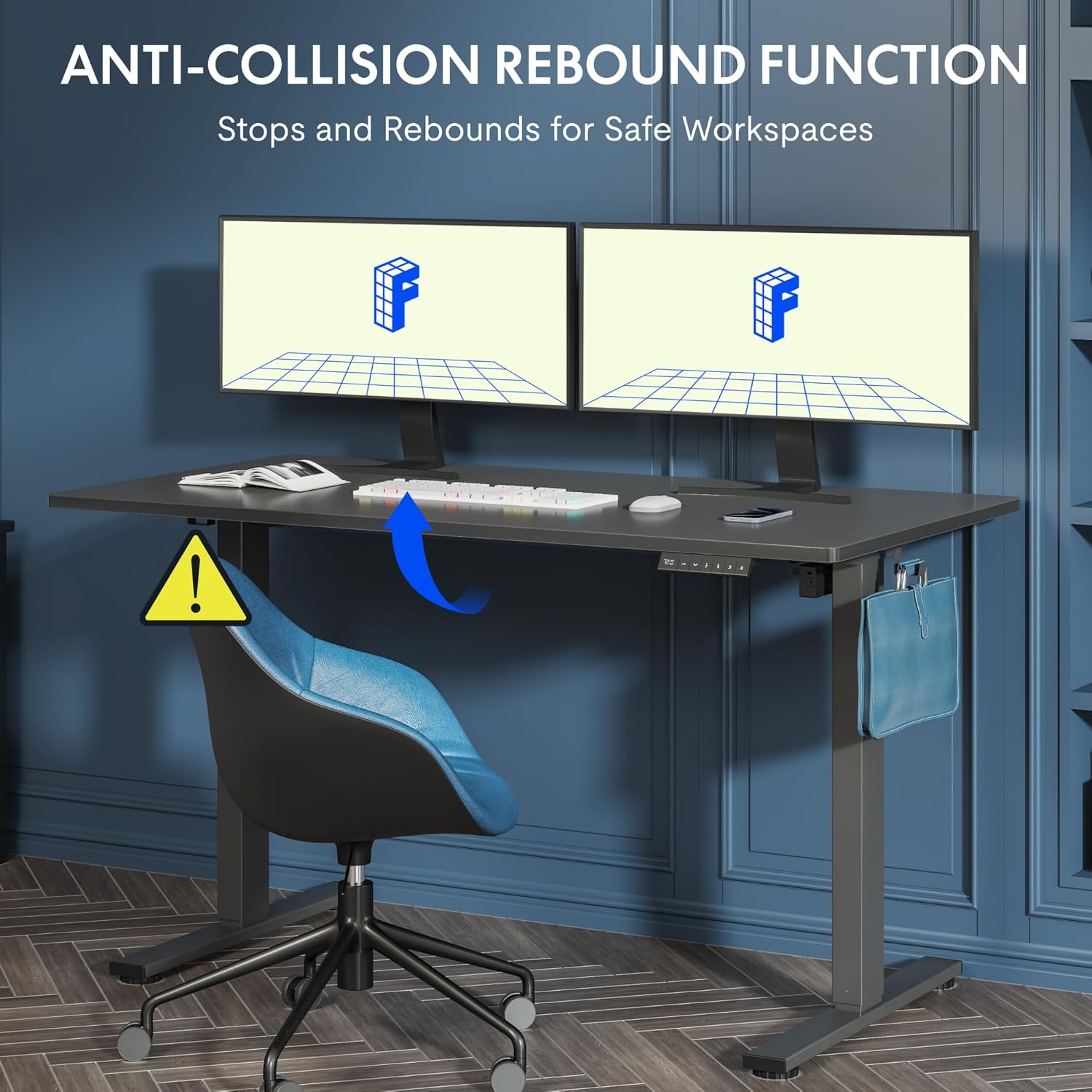
Figure 5.2: Anti-Collision Rebound Function in action.
6. תחזוקה וטיפול
תחזוקה שוטפת מבטיחה את אורך החיים והביצועים האופטימליים של שולחן העבודה העומד שלכם.
- ניקוי: נגבו את שולחן העבודה והמסגרת בעזרת מטלית רכהamp מטלית. הימנעו מחומרי ניקוי שוחקים או כימיקלים חזקים.
- בְּדִיקָה: בדקו מעת לעת את כל הברגים והברגים כדי לוודא שהם מהודקים היטב. הדקו מחדש במידת הצורך.
- ניהול כבלים: Ensure all cables are neatly routed and not pinched or tangled, which could affect operation.
- כושר העמסה: Do not overload the desk beyond its 70 kg capacity.
7. מדריך לפתרון בעיות
אם אתם נתקלים בבעיות עם שולחן העבודה שלכם, עיינו בבעיות הנפוצות ובפתרונות הבאים:
| בְּעָיָה | סיבה אפשרית | פִּתָרוֹן |
|---|---|---|
| השולחן לא זז או מגיב לבקרות. | Power cable disconnected; control box cable loose; motor cable loose. | Check all cable connections. Ensure the power cable is securely plugged into the wall outlet and the control box. |
| השולחן זז בצורה לא אחידה או משמיע רעשים חריגים. | Overload; loose screws; obstruction. | Reduce weight on the desk. Check and tighten all assembly screws. Ensure no obstructions are in the path of the lifting columns. |
| Desk stops moving unexpectedly. | Anti-collision system activated; motor overheating. | Check for obstructions and remove them. If no obstruction, allow the motor to cool down for 20 minutes before attempting operation again. |
| קוד שגיאה מוצג בלוח הבקרה. | תקלה ספציפית במערכת. | Refer to the detailed assembly manual for specific error code meanings and troubleshooting steps. If the issue persists, contact customer support. |
8. מפרט טכני

Figure 8.1: Desk Dimensions and Performance Metrics.
| מִפרָט | פְּרָט |
|---|---|
| מותג | FLEXISPOT |
| מספר דגם | QS1M-1460-IE |
| צֶבַע | White Frame + Maple Top |
| מידות שולחן עבודה (אורך x רוחב) | 140 ס"מ על 60 ס"מ |
| טווח כוונון גובה | 73.5 ס"מ - 118 ס"מ |
| חוֹמֶר | Wood (Maple Top), Metal (Alloy Steel Frame) |
| קיבולת עומס מקסימלית | 70 ק"ג |
| משקל פריט | 26.9 ק"ג |
| רמת רעש | < 50 dB |
| מהירות התאמה | 20 מ"מ לשנייה |
| תכונות מיוחדות | Ergonomic, Adjustable, Anti-Collision, Memory Presets |
9. אחריות ותמיכת לקוחות
For warranty information, specific troubleshooting not covered in this manual, or to purchase replacement parts, please contact FLEXISPOT customer support directly. Refer to the product packaging or the official FLEXISPOT webהאתר לפרטי יצירת קשר.