
Reflex Active Series 30
Reflex Active Amoled Series 30 Smart Watch User Manual
דגם: סדרה 30
מָבוֹא
Welcome to the user manual for your new Reflex Active Amoled Series 30 Smart Watch. This guide provides essential information on setting up, operating, maintaining, and troubleshooting your device to ensure you get the most out of its advanced features. The Series 30 Smart Watch combines cutting-edge technology with a sleek design, offering an exceptional user experience with its vibrant AMOLED display and comprehensive health and connectivity features.

Figure 1: Reflex Active Amoled Series 30 Smart Watch
This image displays the front of the Reflex Active Amoled Series 30 Smart Watch, highlighting its always-on display and the "CALLING BUILT IN" feature, set against a vibrant, colorful background.
מה יש בקופסה
Upon unboxing your Reflex Active Amoled Series 30 Smart Watch, please verify that all the following items are included:
- Reflex Active Amoled Series 30 Smart Watch
- מדריך הוראות
- כבל טעינה USB
- קופסת מתנה

איור 2: תוכן הקופסה
This image shows the Reflex Active Smart Watch packaging, including the watch box, the instruction manual, and the USB charging cable, laid out next to the watch itself.
הגדרה
1. טעינת השעון החכם שלך
Before initial use, fully charge your Reflex Active Series 30 Smart Watch. Connect the provided USB charging cable to the charging port on the back of the watch and plug the other end into a USB power adapter (not included) or a computer's USB port. A full charge typically takes approximately 2 hours.

Figure 3: Watch Back and Sensors
תמונה זו מספקת תקריב view of the back of the Reflex Active Smart Watch, clearly showing the charging contacts and the optical heart rate sensor.
2. Downloading the Reflex Active Red App
To unlock the full functionality of your smart watch, download the free Reflex Active Red App from your smartphone's app store. The app is compatible with Android 9.0+ and iOS 12.0+ devices.
- חפש "Reflex Active Red" in the Google Play Store (for Android) or Apple App Store (for iOS).
- הורד והתקן את האפליקציה.
- עקוב אחר ההוראות שעל המסך כדי ליצור חשבון או להתחבר.
3. צימוד השעון החכם שלך
Once the app is installed and your watch is charged, proceed with pairing:
- ודא שה-Bluetooth מופעל בטלפון החכם שלך.
- פתחו את אפליקציית Reflex Active Red.
- נווטו אל מקטע צימוד המכשירים בתוך האפליקציה.
- Select your "Reflex Active Series 30" from the list of available devices.
- אשר את בקשת הצימוד גם בשעון וגם בטלפון החכם.
הוראות הפעלה
תצוגה וניווט
The Reflex Active Series 30 features a 1.78'' AMOLED display, offering exceptional clarity and vibrant colors. You can interact with the watch using its full touch screen or the rotating crown for smooth navigation.
- מסך מגע: החלק שמאלה, ימינה, למעלה או למטה כדי לנווט בין תפריטים והתראות. הקש כדי לבחור פריטים.
- כתר מסתובב: Rotate the crown to scroll through lists and options. Press the crown to return to the home screen or confirm selections.
- תצוגה תמידית: This feature allows the time and essential information to remain visible on the screen without needing to activate the display by touch or wrist lift.

איור 4: תכונות עיקריות מעלview
This infographic highlights the main functionalities of the Reflex Active Smart Watch, including communication, display interaction, time management, durability, display modes, navigation, and battery life.
תכונות תקשורת
- ביצוע וקבלת שיחות: Connect your watch to your smartphone to make and receive calls directly from your wrist.
- Messages & Social Notifications: Receive alerts for incoming messages, emails, and social media notifications directly on your watch display.
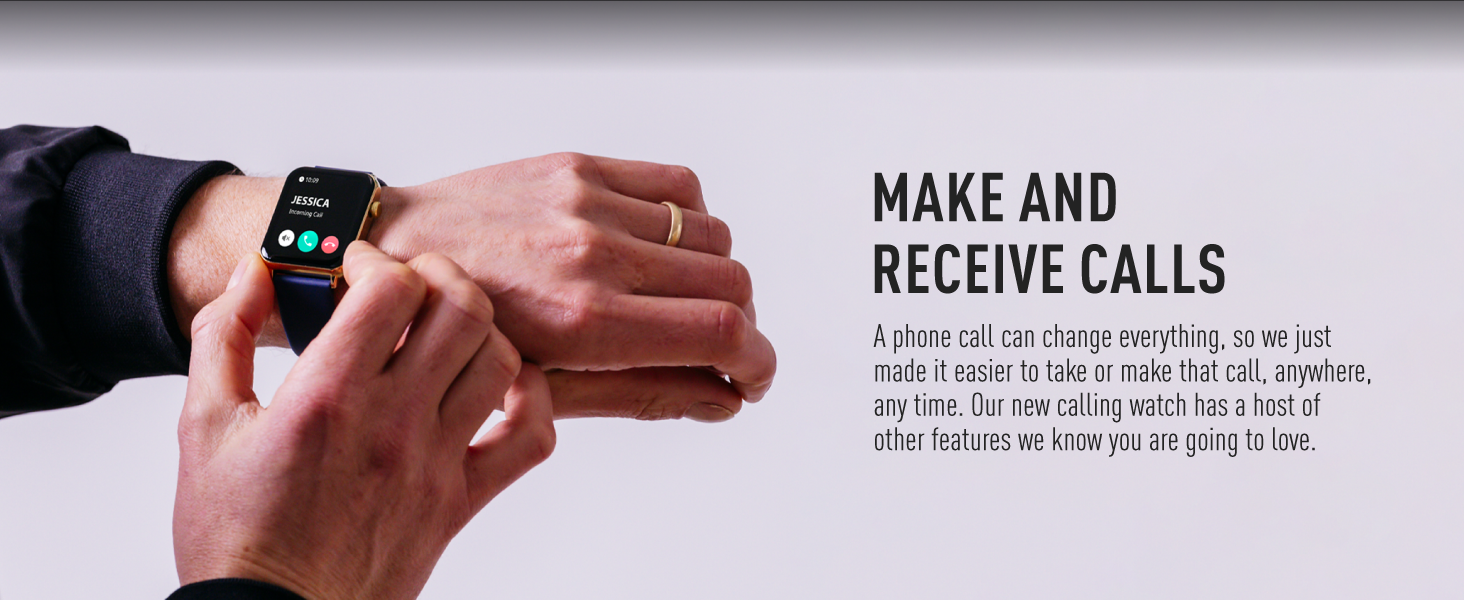
Figure 5: Make and Receive Calls
This image shows the Reflex Active Smart Watch on a person's wrist, displaying an incoming call, illustrating the watch's capability to handle phone calls directly.
Health & Wellness Tracking
The Series 30 Smart Watch offers comprehensive tracking for your health and fitness goals:
- מונה צעדים: Tracks your daily steps and distance covered.
- ניטור קצב הלב: עוקב באופן רציף אחר קצב הלב שלך לאורך כל היום.
- חמצן בדם (SpO2): מודד את רמות רוויון החמצן בדם שלך.
- ניתוח שינה: מנטר את דפוסי השינה שלך, כולל שינה עמוקה, קלה ושינה מסוג REM.
- מעקב אחר קלוריות: Estimates calories burned based on your activity levels.
- מצבי ספורט: Multiple activity modes (e.g., walking, running, swimming) to track specific workouts.
- תרגילי נשימה: Guided breathing sessions to help you relax and de-stress.
- תזכורות להידרציה: הגדר תזכורות לשתיית מים לאורך כל היום.
- תזכורות בישיבה: מתריע בפניך כאשר היית לא פעיל זמן רב מדי.
- בריאות האישה: Provides tracking and insights for menstrual cycles.
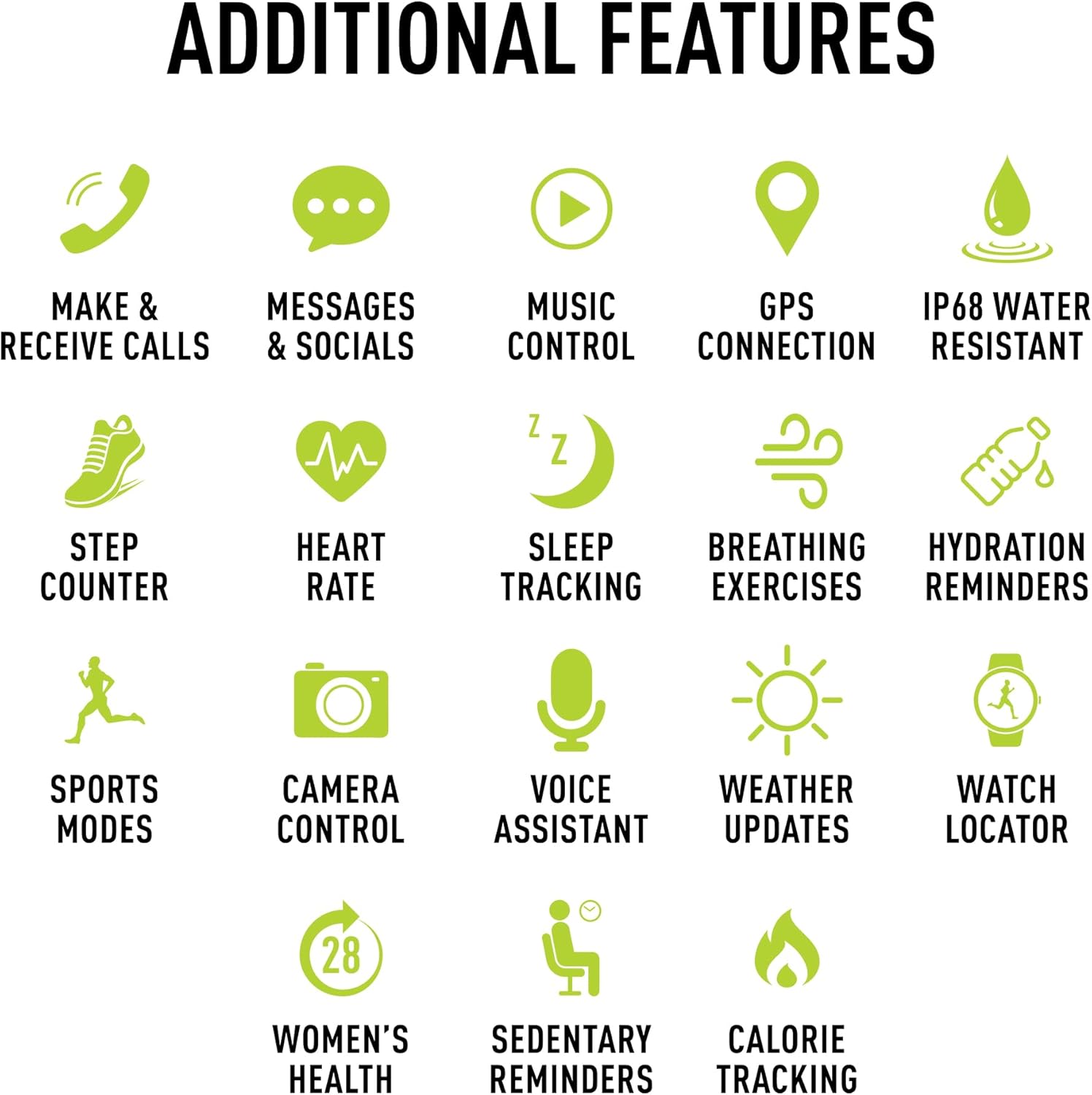
איור 6: תכונות נוספות
This image presents a comprehensive list of additional features available on the Reflex Active Smart Watch, categorized by function with corresponding icons for easy understanding.
תכונות אחרות
- בקרת מוזיקה: שלוט בהשמעת מוזיקה בסמארטפון שלך ישירות מהשעון.
- חיבור GPS: Connects to your phone's GPS for accurate activity tracking and route mapping.
- בקרת מצלמה: השתמש בשעון שלך כמצמד מרחוק למצלמת הסמארטפון שלך.
- עוזר קולי: גישה לעוזרת הקולית של הסמארטפון שלך דרך השעון.
- עדכוני מזג אוויר: Get real-time weather information on your wrist.
- מאתר שעון: Helps you find your watch if it's misplaced nearby.
- Dual-Time Feature: Displays time for two different time zones, useful for travel.
התאמה אישית
Personalize your watch to match your style and preferences:
- Exclusive Dials: Choose from an incredible selection of exclusive Reflex Active dials, including animated displays.
- Personalized Photo Dials: Use a photo from your phone gallery to create a unique watch face.

איור 7: התאמה אישית של צג השעון
This image showcases the wide array of high-definition AMOLED watch faces available for the Reflex Active Smart Watch, with the watch itself displaying a colorful dial and a smartphone screen showing numerous other design options.
תַחזוּקָה
ניקוי השעון שלך
To maintain the appearance and functionality of your smart watch, clean it regularly:
- נגבו את המסך והרצועה בעזרת מטלית רכה ונטולת סיבים.
- עבור סימנים עקשניים, מעט דמוי עורampשטפו את המטלית במים. הימנעו משימוש בכימיקלים חזקים או בחומרים שוחקים.
- ודא שמגעי הטעינה בגב השעון נקיים ויבשים לפני הטעינה.
עמידות למים (IP68)
Your Reflex Active Series 30 Smart Watch has an IP68 water resistance rating, making it suitable for surface swimming and various activities. However, it is not recommended for diving or high-pressure water activities. Always dry the watch thoroughly after exposure to water.
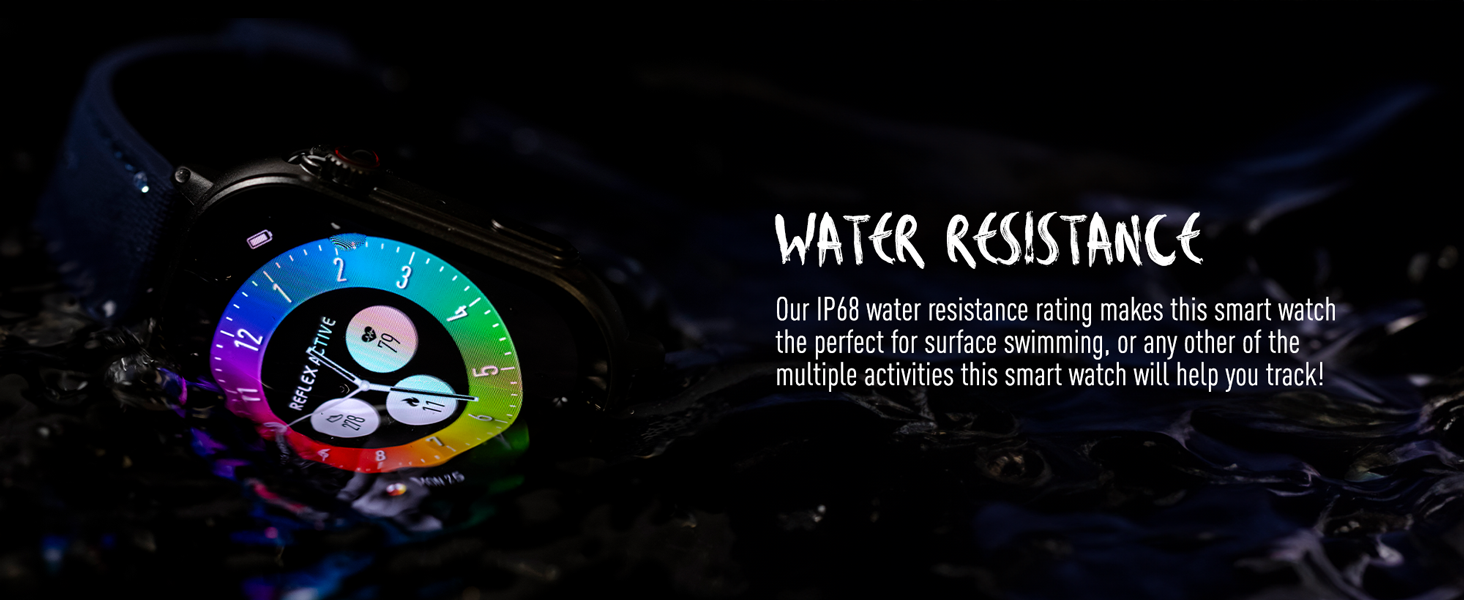
איור 8: עמידות למים
This image depicts the Reflex Active Smart Watch partially submerged in water, visually representing its IP68 water resistance capability.
חיי סוללה
The watch offers up to 14 days of battery life, depending on usage. Features like Always-On Display, frequent notifications, and continuous health monitoring will consume more power. Charge your watch regularly to ensure uninterrupted use.
פתרון בעיות
אם נתקלתם בבעיות עם שעון החכם Reflex Active Series 30 שלכם, נסו את הפתרונות הבאים:
| בְּעָיָה | פִּתָרוֹן |
|---|---|
| השעון לא נדלק | ודא שהשעון טעון במלואו. חבר אותו למטען למשך 30 דקות לפחות. |
| לא ניתן להתאים לסמארטפון |
|
| הודעות לא מופיעות |
|
| נתוני בריאות לא מדויקים |
|
| חיי סוללה קצרים |
|
מפרטים
| תכונה | פְּרָט |
|---|---|
| מספר דגם | סדרה 30 |
| סוג תצוגה | AMOLED |
| גודל מסך | 1.78 אינץ' |
| דירוג עמידות במים | IP68 |
| קישוריות | בלוטות', USB (לטעינה) |
| סוג סוללה | Lithium Metal (1 included) |
| חיי סוללה | עד 14 ימים (תלוי בשימוש) |
| תאימות מערכת הפעלה | Android 9.0 +, iOS 12.0 + |
| מידות המוצר | 16.1 x 8.5 x 19.5 ס"מ; 60 גרם |
| יַצרָן | פירס הארדי |
| ארץ מוצא | סִין |
אחריות ותמיכה
Your Reflex Active Amoled Series 30 Smart Watch comes with a אחריות ל-2 שנים, ensuring peace of mind regarding its quality and performance. For any support inquiries, technical assistance, or warranty claims, please refer to the official Reflex Active support channels.
For additional support, FAQs, and detailed guides, please visit the official Reflex Active webאֲתַר:
Ask a question about this manual
Ask about setup, troubleshooting, compatibility, parts, safety, or missing instructions. Manuals+ will review the question and use this page’s manual context to help answer it.