
1. הקדמה
This manual provides essential instructions for the setup, operation, and maintenance of your CELLECOR M9 Pro Blaze Smartwatch. Please read this manual thoroughly before using your device to ensure proper functionality and to maximize your user experience. The CELLECOR M9 Pro Blaze is designed to integrate seamlessly into your daily life, offering advanced features for communication, health monitoring, and fitness tracking.

Image: The CELLECOR M9 Pro Blaze Smartwatch, featuring a brown strap and a vibrant display.
2. תכולת החבילה
לאחר פתיחת האריזה, ודא שכל הפריטים הבאים כלולים בחבילה:
- 1U CELLECOR M9 Pro Blaze Smartwatch
- 1U Magnetic Charging Cable
- מדריך למשתמש 1U (מסמך זה)
- כרטיס אחריות 1U
3. תחילת העבודה
3.1. טעינת ההתקן
לפני השימוש הראשוני, טען את השעון החכם במלואו. חבר את כבל הטעינה המגנטי לנקודות הטעינה בגב השעון וחבר את קצה ה-USB למתאם חשמל USB סטנדרטי (לא כלול).
- Ensure the charging pins align correctly with the watch's charging contacts.
- טעינה מלאה אורכת בדרך כלל כ-120 דקות.
- תצוגת השעון תציג את מצב הטעינה.
3.2. הפעלה / כיבוי
- כדי להפעיל: Press and hold the side button until the CELLECOR logo appears.
- כדי לכבות: לחץ והחזק את כפתור הצד, ולאחר מכן בחר באפשרות 'כיבוי' שעל המסך.
3.3. צימוד עם הטלפון החכם שלך
To unlock all features, pair your M9 Pro Blaze with your smartphone via Bluetooth.
- Download the companion app (refer to the manual or packaging for app name) from your smartphone's app store.
- הפעל Bluetooth בטלפון החכם שלך.
- פתחו את האפליקציה הנלווית ופעל לפי ההוראות שעל המסך כדי להוסיף את המכשיר שלכם.
- Select 'CELLECOR M9 Pro Blaze' from the list of available devices in the app.
- אשר את בקשת הצימוד הן בטלפון החכם והן בשעון החכם שלך.
4. הפעלת השעון החכם שלך
4.1. ניווט באמצעות מסך מגע
The 2.01-inch AMOLED display is fully touch-sensitive. Swipe up, down, left, or right to navigate through menus, notifications, and widgets. Tap to select items or confirm actions.

Image: The vibrant 2.01-inch AMOLED display of the CELLECOR M9 Pro Blaze.
4.2. Using the Rotating Crown
The rotating crown on the side of the watch provides an intuitive way to navigate. Rotate it to scroll through lists, zoom in/out, or adjust settings. Press the crown to return to the home screen or confirm selections.
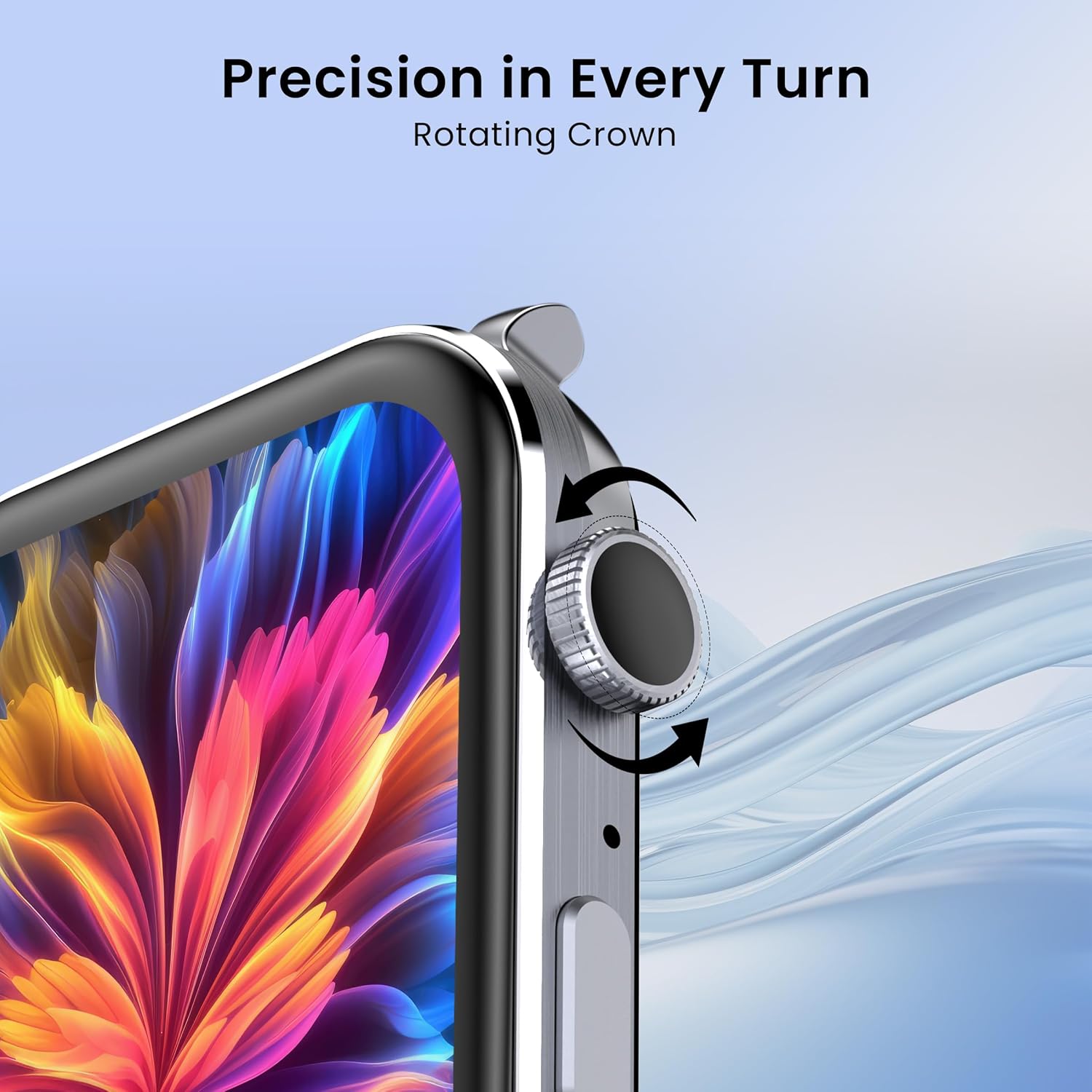
Image: The rotating crown feature for precise navigation on the CELLECOR M9 Pro Blaze.
4.3. שיחות בלוטות'
With its built-in microphone and speaker, the M9 Pro Blaze supports Bluetooth calling directly from your wrist.
- ודא שהשעון שלך מקושר לסמארטפון שלך.
- Access the dialer, contacts, or call history directly on the watch.
- Answer or reject incoming calls with a tap.
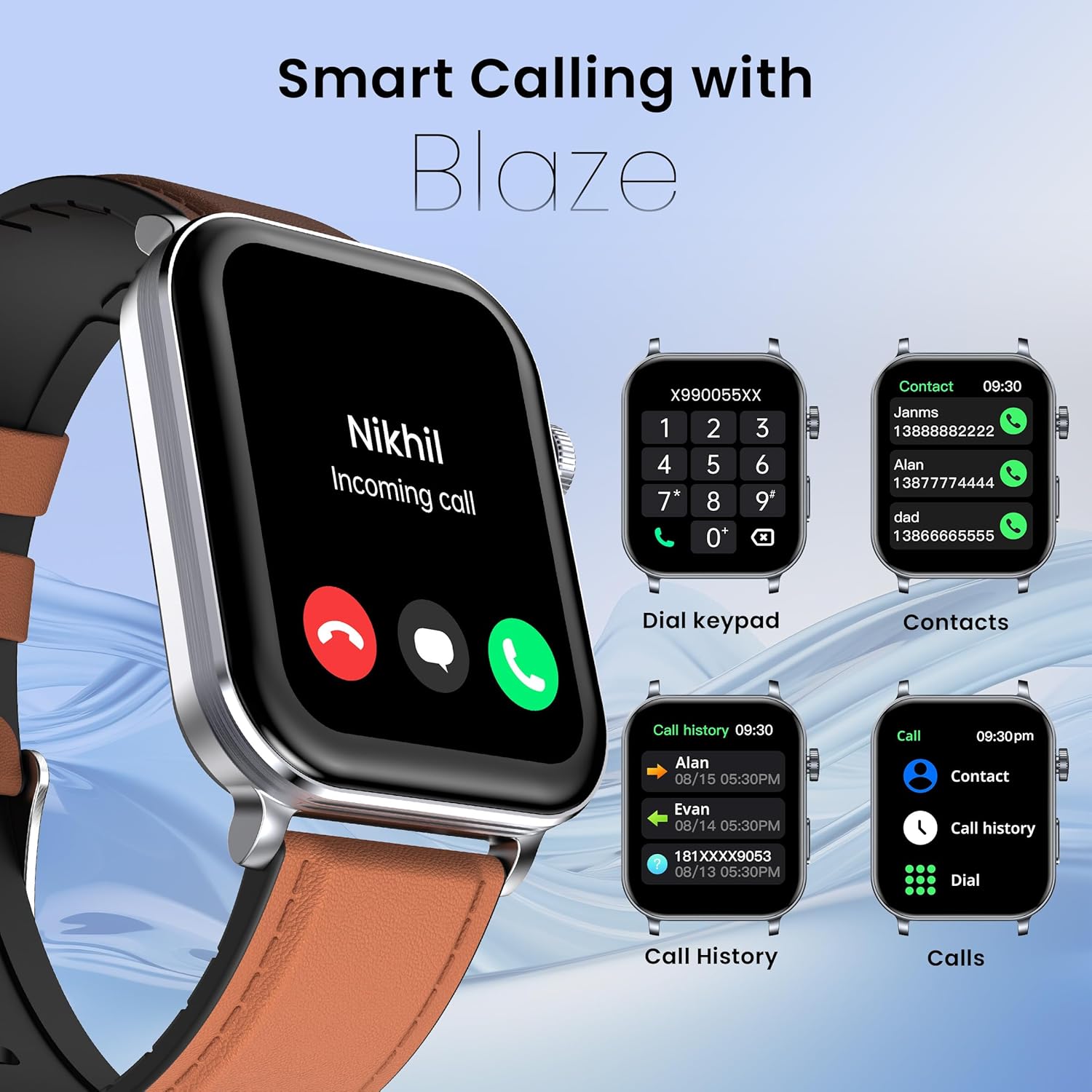
Image: Bluetooth calling features on the CELLECOR M9 Pro Blaze, including incoming call display, dial pad, and contact list.
4.4. Voice Assistance
Activate the voice assistant feature to perform tasks hands-free. Simply speak commands to set reminders, check weather, or control other functions.
4.5. פונקציונליות מסך מפוצל
The split screen feature allows you to view and interact with multiple applications or features simultaneously, enhancing multitasking efficiency.
5. תכונות עיקריות
5.1. Display and Customization
- צג AMOLED בגודל 2.01 אינץ': Experience vibrant colors and deep blacks with a resolution of 240x296 pixels.
- בהירות שיא של 900 ניטים: Ensures excellent visibility even in direct sunlight.
- תמיד בתצוגה: Keep essential information visible without needing to activate the screen.
- Unlimited Watch Faces: Personalize your smartwatch with over 100+ watch faces available through the companion app.

Image: The enhanced brightness of the CELLECOR M9 Pro Blaze's 900 Nits display compared to an ordinary display.

Image: A selection of multiple watch faces available for the CELLECOR M9 Pro Blaze.
5.2. עמידות למים (IP67)
The M9 Pro Blaze is IP67 rated, meaning it is resistant to dust and can withstand immersion in water up to 1 meter for 30 minutes. It is suitable for daily use and light water exposure, but not recommended for swimming or diving.
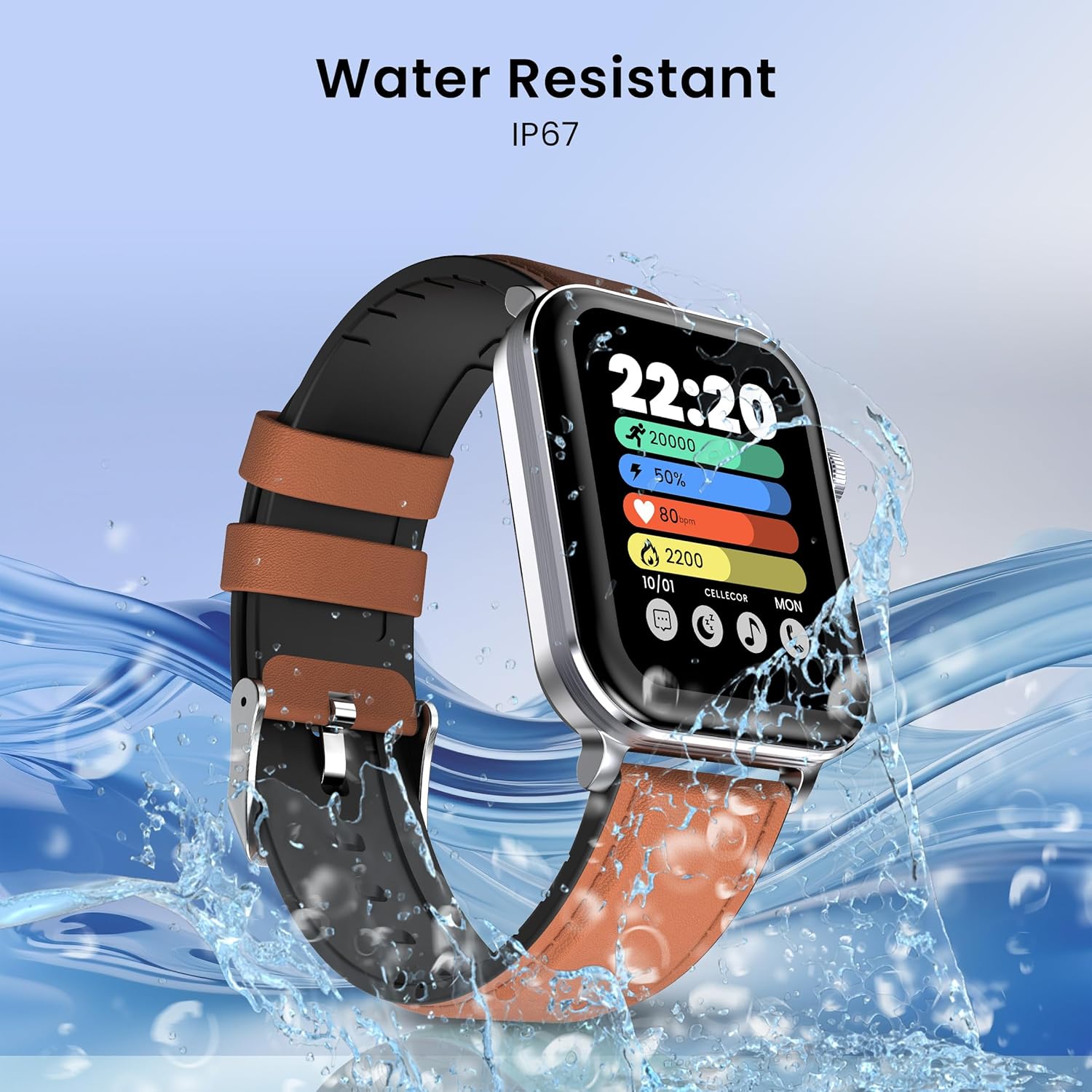
Image: The CELLECOR M9 Pro Blaze demonstrating its IP67 water resistance.
5.3. ניטור בריאות
Monitor your well-being with comprehensive health tracking features:
- ניטור קצב הלב: Continuous heart rate tracking to help you understand your cardiovascular health.
- ניטור SpO2: מדוד את רמות רוויון החמצן בדם שלך.
- ניטור מתח: עקבו אחר רמות הלחץ שלכם לאורך היום.
- ניטור שינה: נתח את דפוסי השינה שלך, כולל שינה עמוקה, שינה קלה וזמני ערות.
- מעקב וסת: עבור משתמשות, מעקב אחר מחזורי הווסת וחיזוי חלונות פוריות.
5.4. מצבי ספורט
With over 100+ sports modes, the M9 Pro Blaze helps you track a wide range of physical activities, providing detailed data to help you achieve your fitness goals.

Image: The CELLECOR M9 Pro Blaze supports over 100 sports modes for comprehensive activity tracking.
6. תחזוקה וטיפול
6.1. ניקוי השעון החכם שלך
- נגבו את השעון והרצועה באופן קבוע בעזרת מטלית רכהamp בַּד.
- הימנע משימוש בכימיקלים קשים או חומרים שוחקים.
- ודא שמגעי הטעינה נקיים ויבשים לפני הטעינה.
6.2. הנחיות לעמידות במים
- The IP67 rating means the watch is protected against dust and temporary immersion in water (up to 1 meter for 30 minutes).
- Do not wear the watch while swimming, showering with hot water, or in saunas/steam rooms.
- הימנעו מחשיפת השעון למים במהירות גבוהה או לשינויי טמפרטורה פתאומיים.
- אם השעון נרטב, יבשו אותו היטב לפני טעינה או שימוש בכפתורים.
6.3. Battery Life Tips
- To extend battery life (up to 5-7 days), reduce screen brightness, limit notifications, and disable features like Always On Display when not needed.
- הימנעו מטמפרטורות קיצוניות, אשר עלולות להשפיע על ביצועי הסוללה.
7. פתרון תקלות
If you encounter issues with your CELLECOR M9 Pro Blaze, refer to the following common solutions:
| בְּעָיָה | פתרון אפשרי |
|---|---|
| השעון לא נדלק | ודא שהשעון טעון במלואו. לחץ והחזק את הכפתור בצד למשך 10 שניות לפחות. |
| לא ניתן להתאים לסמארטפון | Check if Bluetooth is enabled on your phone. Ensure the watch is within range. Restart both the watch and phone. Clear app cache. |
| נתוני בריאות לא מדויקים | ודאו שהשעון צמוד לפרק כף היד, לא צמוד מדי או רפוי מדי. נקו את החיישן בגב השעון. |
| הודעות לא התקבלו | Check app notification settings on your phone and within the companion app. Ensure the watch is connected via Bluetooth. |
| מסך מגע לא מגיב | הפעל מחדש את השעון. ודא שהמסך נקי ויבש. |
8. מפרטים
| תכונה | פְּרָט |
|---|---|
| מותג | CELLECOR |
| שם הדגם | SW-M9-PRO-BLAZE |
| סוג תצוגה | AMOLED |
| גודל מסך | 2.01 אינץ' |
| הַחְלָטָה | 240 x 296 |
| בְּהִירוּת | 900 Nits Peak Brightness |
| מַעֲרֶכֶת הַפעָלָה | אנדרואיד (תואם) |
| קיבולת אחסון זיכרון | 32 מגה-בייט |
| קישוריות | בלוטות' |
| קיבולת סוללה | 290 מיליamp שעות |
| חיי סוללה ממוצעים | עד 7 יום |
| זמן טעינה | 120 דקות |
| עמידות במים | IP67 |
| מידות המוצר | 4.5 x 3.78 x 1.05 ס"מ |
| משקל פריט | 45 גרם |
| תכונות מיוחדות | Voice Assistance, Bluetooth Calling, 100+ Sports Modes, Split Screen, Rotating Crown, Health Tracking (HR, SpO2, Stress, Sleep, Menstrual), Unlimited Watch Faces, Notifications, Remote Camera/Music Control, Password Lock, Find Phone/Watch |
9. אחריות ותמיכה
Your CELLECOR M9 Pro Blaze Smartwatch comes with a אחריות לשנה from the date of purchase. Please refer to the included Warranty Card for detailed terms and conditions. For technical support, service, or warranty claims, please contact CELLECOR customer service through the contact information provided on the warranty card or the official CELLECOR webאֲתַר.