
DieHard DH-20002-01
מדריך למשתמש לתחנת כוח ניידת DieHard 500 וואט
Model: DH-20002-01
1. הקדמה
This manual provides essential information for the safe and efficient operation of your DieHard Portable Power Station 500-Watt. Please read this manual thoroughly before using the product and keep it for future reference. This portable power station is designed to provide reliable power for various applications, including home backup, weather emergencies, outdoor recreation, and job site use.

Image 1.1: The DieHard Portable Power Station 500-Watt, a compact and powerful unit with a blue handle and multiple output ports.
2. תכונות מוצר
The DieHard Portable Power Station offers a range of features designed for versatility and reliability:
- DieHard Legacy: Over 50 years of providing dependable solutions for power needs, built on innovation, durability, and reliability.
- יכולת כוח: Equipped with a 519.48Wh lithium-ion battery, providing 500 Watts of continuous AC power with up to 1000-Watt peak abilities. Capable of running computer equipment, TVs/monitors, lights, fans, game consoles, kitchen appliances, and more.
- הִטַלטְלוּת: Designed to be compact, lightweight, and travel-friendly. Weighing 15 pounds and measuring 12.3" x 7.5" x 7.5", ideal for easy transport and most outdoor activities.
- קלט כוח: Supports charging via optional DieHard Portable Solar Panels (120-Watt or 200-Watt), standard AC wall outlet, or DC car charger.
- תפוקת חשמל: Features a 10-Watt Wireless Charging Pad, 2 AC outlets, 3 USB ports, 1 USB-C port, 2 DC ports, and 1 Car Charger port.
- פלט גל פלט: Pure Sine Wave optimized output, resulting in a stable and clean power supply ideal for powering sensitive electronics without interference or damage.
- בטיחות ועמידות: Weather-Resistant and built to last, incorporates overcharging, temperature, and low battery protection, safeguarding your devices and the power station itself.
- ידידותי לסביבה: Embrace sustainable energy with solar panel's green charging capabilities, reducing reliance on the grid and minimizing your carbon footprint.
3. רכיבים נגמרוview
Familiarize yourself with the various parts and ports of your DieHard Portable Power Station for optimal use.

תמונה 3.1: מפורט view of the DieHard Portable Power Station's smart display and various input/output ports.
- תצוגת מסך LCD: מציג את רמת הסוללה, את עוצמת הקלט/פלטtage, ומחווני סטטוס.
- לחצן הפעלה/כיבוי: מפעיל או מכבה את היחידה.
- כפתור הדלקה/כיבוי של האור: שולט על תאורת ה-LED המובנית.
- לחצן AC ON/OFF: Activates or deactivates the AC output ports.
- קלט DC: Port for charging the power station via AC adapter or car charger.
- PV Input (10-28V): Port for connecting compatible solar panels for charging.
- Cigarette Lighter Socket Output (12V 10A): Standard 12V DC output.
- DC Output (12V 5A): Two dedicated 12V DC output ports.
- יציאת USB-A: Three standard USB ports for charging mobile devices.
- יציאת USB-C: One USB-C port for faster charging of compatible devices.
- שקעי AC: שני שקעי AC סטנדרטיים להפעלת מכשירי חשמל ביתיים.
- משטח טעינה אלחוטי: Located on top for compatible devices.
- Anti-collision Strip: Protective strips on the sides for durability.
4. התקנה
Follow these steps for the initial setup of your DieHard Portable Power Station:
- לִפְרוֹק: הוציאו בזהירות את תחנת הכוח ואת כל האביזרים מהאריזה.
- לִבדוֹק: בדקו את המכשיר לאיתור נזקים גלויים. אם הוא ניזוק, אין להשתמש בו ופנו לתמיכת הלקוחות.
- חיוב ראשוני: Before first use, fully charge the power station using the provided AC adapter. Connect the AC adapter to the DC Input port and plug it into a wall outlet. The LCD screen will indicate charging status.
- מיקום: הנח את תחנת הכוח על משטח יציב ושטוח באזור מאוורר היטב, הרחק מאור שמש ישיר, מקורות חום ולחות.
5. הוראות הפעלה
Operating your DieHard Portable Power Station is straightforward. Follow these guidelines to power your devices.

Image 5.1: The DieHard Power Station powering multiple devices for a family, demonstrating its versatility.
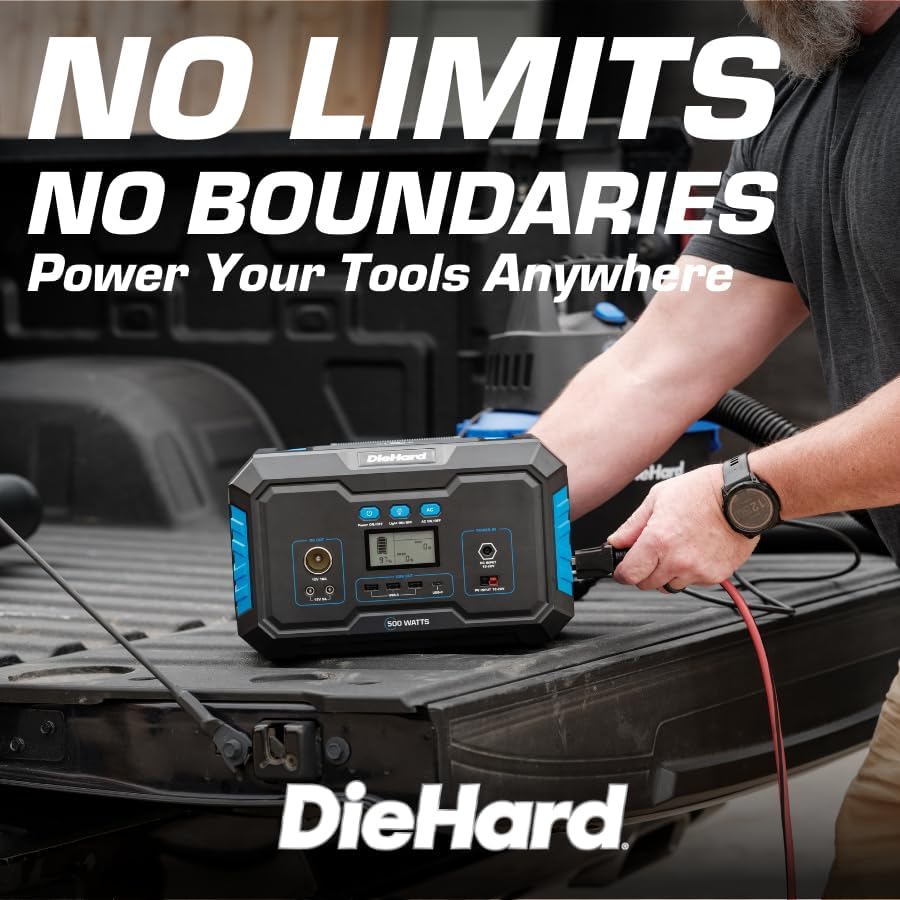
Image 5.2: A DieHard Power Station being used to power tools in a truck bed, highlighting its portability for job sites.

תמונה 5.3: דוגמהamples of device runtimes, showing the power station can run a 32" TV for 7 hours or a mini fridge for 5 hours.
- הפעלה: Press and hold the 'Power ON/OFF' button for a few seconds until the LCD screen illuminates.
- בחר פלט:
- For AC devices, press the 'AC ON/OFF' button. The AC icon will appear on the display.
- For DC devices (including car charger and 12V DC ports), ensure the unit is powered on. The DC output is typically active by default.
- For USB devices, simply plug them into the USB-A or USB-C ports. These are usually active when the unit is on.
- For wireless charging, place your compatible device on the wireless charging pad on top of the unit.
- חבר התקנים: Plug your devices into the appropriate output ports. Monitor the LCD screen to see the output wattage וחיי הסוללה הנותרים.
- כיבוי: When finished, disconnect all devices. Press and hold the 'Power ON/OFF' button until the LCD screen turns off. If AC output was used, press the 'AC ON/OFF' button to turn it off first.
6. מידע על טעינה
Your DieHard Portable Power Station can be charged using multiple methods:

Image 6.1: The DieHard Power Station connected to solar panels, demonstrating its solar charging capability.

Image 6.2: Detailed chart showing estimated charging times for the 500W power station using different input methods.
- AC Adapter (Wall Outlet): Connect the provided AC adapter to the DC Input port.
- פאנל סולארי (אופציונלי): Connect a compatible DieHard 120-Watt or 200-Watt Portable Solar Panel to the PV Input port. Charging time will vary based on sunlight intensity and panel wattage.
- Car Charger (12V): Use the car charger cable to connect the power station to your vehicle's 12V cigarette lighter socket. This method is most efficient when the car engine is running.
Estimated Charging Times (500-Watt Model):
- From AC Adapter: Approximately 6 - 7 hours
- From Solar Charging 120W: Approximately 6 - 9 hours (depending on solar conditions)
- From Solar Charging 200W: Approximately 5 - 6 hours (depending on solar conditions)
- From Car Charger 12V: Approximately 7 - 8 hours (when car running)
7. בטיחות ועמידות
Your DieHard Portable Power Station is built with multiple safety features. Please observe the following precautions:
- אין לחשוף את היחידה לטמפרטורות קיצוניות, לאור שמש ישיר למשך תקופות ממושכות או לחות גבוהה.
- יש לוודא אוורור נאות במהלך השימוש והטעינה כדי למנוע התחממות יתר.
- הימנעו מהפלת היחידה או מחשיפתה לפגיעות חזקות.
- Do not disassemble, repair, or modify the unit yourself. Contact qualified service personnel for any repairs.
- הרחק מהישג ידם של ילדים וחיות מחמד.
- השתמשו רק בכבלים ובמתאמים מקוריים או תואמים שאושרו.
- The unit incorporates overcharging, temperature, and low battery protection to safeguard both the power station and connected devices.
8. תחזוקה
Proper maintenance will extend the lifespan and ensure optimal performance of your power station:
- ניקוי: השתמשו במטלית רכה ויבשה לניקוי החלק החיצוני של היחידה. אין להשתמש בחומרי ניקוי שוחקים או ממסים.
- אִחסוּן: If storing for an extended period, charge the unit to approximately 50-80% every 3-6 months to maintain battery health. Store in a cool, dry place.
- טיפול בסוללה: Avoid fully discharging the battery frequently. Recharge promptly after use.
- אוורור: ודאו שפתחי האוורור נקיים מאבק ופסולת.
9. פתרון תקלות
If you encounter issues with your power station, refer to the table below for common problems and solutions:
| בְּעָיָה | סיבה אפשרית | פִּתָרוֹן |
|---|---|---|
| היחידה לא נדלקת. | הסוללה התרוקנה לחלוטין. | טען את תחנת הכוח באמצעות מתאם ה-AC. |
| יציאת AC לא עובדת. | AC output not activated. | Press the 'AC ON/OFF' button to activate AC output. |
| Device not charging from USB/DC. | היחידה לא דולקת; בעיה בכבל. | Ensure unit is on. Try a different cable or port. |
| Overload warning on display. | Connected device exceeds power station's output limit. | Disconnect the device. Check device wattage and ensure it's within the power station's limits. |
| התחממות יתר של היחידה. | Poor ventilation; prolonged high load. | Ensure vents are clear. Reduce load or allow unit to cool down. |
10. מפרטים
Detailed technical specifications for the DieHard Portable Power Station 500-Watt:

Image 10.1: Dimensions of the DieHard 500-Watt Portable Power Station.
| מִפרָט | עֵרֶך |
|---|---|
| מותג | DieHard |
| מספר דגם | DH-20002-01 |
| מהtagה (רציף) | 500 וואט |
| מהtagה (שיא) | 1000 וואט |
| קיבולת סוללה | 519.48Wh |
| סוג סוללה | ליתיום-יון |
| משקל פריט | 15.1 פאונד |
| מידות המוצר (L x W x H) | 12.3 אינץ' x 7.5 אינץ' x 7.5 אינץ' |
| פלט AC כרךtage | 110 וולט |
| תדר פלט AC | 60 הרץ |
| צורת גל פלט | גל סינוס טהור |
| סך כל שקעי החשמל | 10 (2 AC, 3 USB-A, 1 USB-C, 2 DC, 1 Car Charger, 1 Wireless Charging Pad) |
| Charging Input Options | AC Adapter, Solar Panel (10-28V), Car Charger (12V) |
| צֶבַע | כְּחוֹל |
| UPC | 810133980120 |
11. אחריות ותמיכה
For warranty information, product registration, and customer support, please refer to the official DieHard webאתר או צרו קשר עם מחלקת שירות הלקוחות שלהם. שמרו את קבלת הרכישה כהוכחת קנייה עבור כל תביעת אחריות.
רִשְׁמִי Webאֲתַר: www.diehard.com
For further assistance, please reach out to DieHard customer support through the contact information provided on their official webאֲתַר.