
1. הקדמה
Thank you for choosing the EasySMX T37 Wireless Switch Pro Controller. This manual provides detailed instructions for setting up, operating, maintaining, and troubleshooting your controller. Please read this manual carefully before use to ensure optimal performance and longevity of your device. This controller is compatible with Nintendo Switch, Switch Lite, and Switch OLED consoles.
2. המוצר נגמרview
The EasySMX T37 is a wireless gamepad designed for an enhanced gaming experience on Nintendo Switch systems. It features an ergonomic design, dual turbo vibration, and 6-axis gyro motion control.

תמונה 2.1: חזית view of the EasySMX T37 Wireless Switch Pro Controller, showcasinצורתו הארגונומית וסידור הכפתורים.
3. התקנה
3.1 צימוד עם נינטנדו סוויץ'
- הפעל את קונסולת הנינטנדו סוויץ' שלך.
- מתפריט HOME בחר בקרים > שנה אחיזה/סדר.
- On the EasySMX T37 controller, press and hold the כפתור SYNC (located on the top edge of the controller) for 3 seconds until the LED indicators start flashing rapidly.
- Once the controller is successfully paired, the player LED(s) on the bottom of the controller will light up solid.
3.2 טעינת הבקר
Connect the provided USB-C charging cable to the USB-C port on the controller and the other end to a USB power source (e.g., Switch dock, USB wall adapter, computer USB port). The LED indicators will show charging status and turn off when fully charged.
4. הוראות הפעלה
4.1 בקרות בסיסיות
The controller features standard button layouts for Nintendo Switch compatibility:
- כפתורי A/B/X/Y: כפתורי פעולה.
- D-Pad: קלט כיווני.
- מקלות אנלוגיים שמאל/ימין: Movement and camera control.
- L/R/ZL/ZR Buttons: כפתורי כתף והדק.
- כפתור בית: Returns to the Switch HOME Menu.
- כפתור צילום: מצלם צילומי מסך.
- כפתורי פלוס (+) / מינוס (-): הפעלה/בחירת פונקציות.

Image 4.1: A user holding the EasySMX T37 controller, demonstrating the comfortable grip and accessible button placement during gameplay.
4.2 פונקציית טורבו
The Turbo function allows for rapid, automatic pressing of a button, useful in action or arcade games.
- הפעלת טורבו: לחץ והחזק את לחצן הפעולה הרצוי (A/B/X/Y/L/R/ZL/ZR), לאחר מכן לחץ על כפתור טורבו (T button). The button will now auto-fire.
- התאם את מהירות הטורבו: תוך כדי החזקת כפתור טורבו, הזיז את Right Analog Stick Up or Down to cycle through three speeds: 5 shots/s, 12 shots/s, and 20 shots/s.
- ביטול טורבו: Repeat the activation step (hold the action button, then press the Turbo button) or press and hold the כפתור טורבו for 5 seconds to clear all Turbo settings.
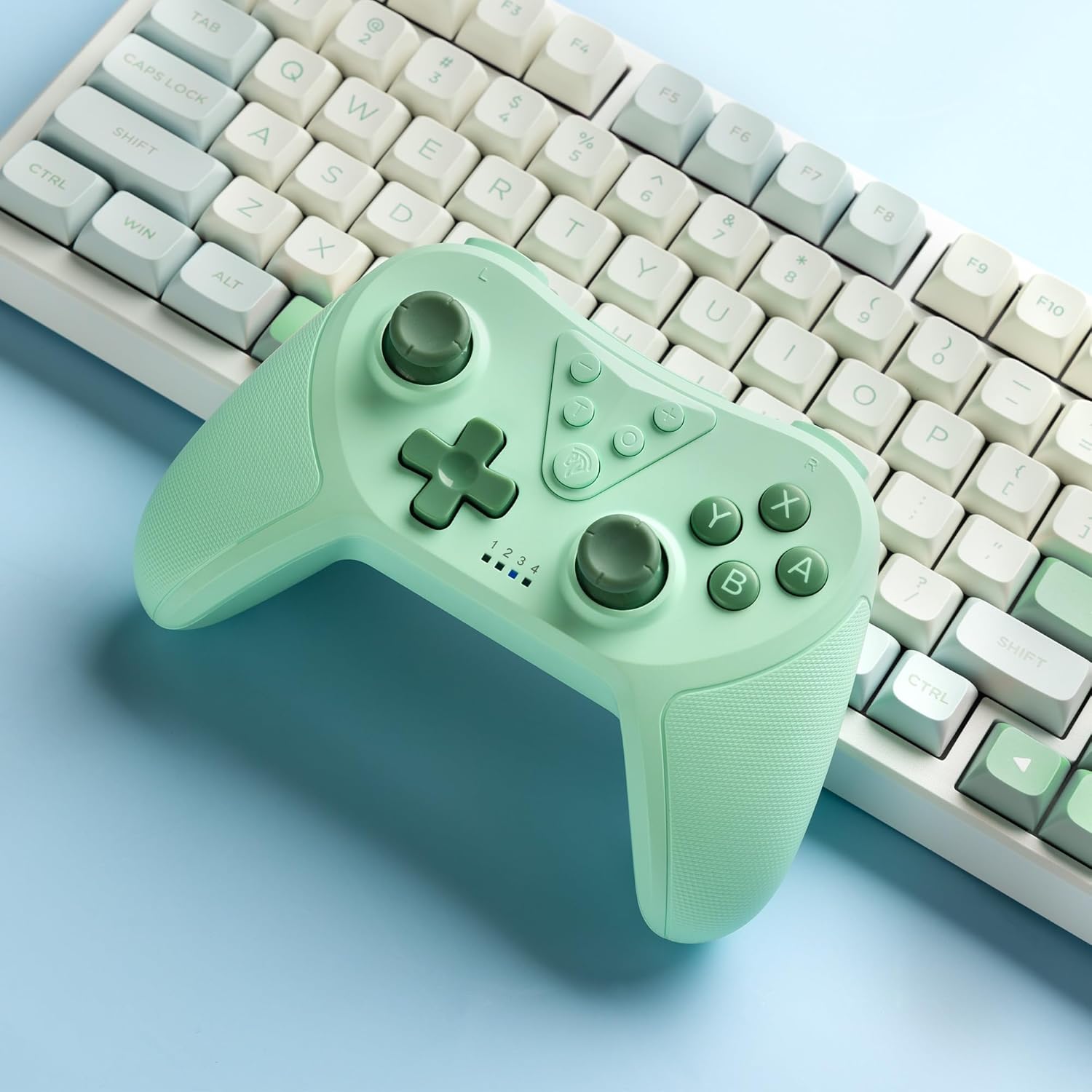
Image 4.2: Illustration of the Turbo function on the EasySMX T37 controller, showing the three adjustable speeds: 5, 12, and 20 shots per second.
4.3 התאמת רטט
The controller features dual motors for adjustable vibration feedback, enhancing immersion in games.
- התאם את עוצמת הרטט: לחץ והחזק את כפתור טורבו, ואז הזיז את Left Analog Stick Up or Down to cycle through four vibration levels: 0% (off), 30%, 70%, and 100%.

Image 4.3: Visual representation of the Dual Vibration feature on the EasySMX T37 controller, indicating four intensity levels from 0% to 100%.
4.4 בקרת תנועה ג'ירוסקופית בעלת 6 צירים
The built-in 6-axis gyroscope provides precise motion sensing, allowing for intuitive control in games that support motion input.

Image 4.4: Illustration depicting the 6-Axis Gyro Motion Control feature of the EasySMX T37 controller, showing how it interacts with a game on the Nintendo Switch screen.
5. תחזוקה
- ניקוי: השתמשו במטלית רכה ויבשה לניקוי הבקר. הימנעו משימוש בכימיקלים חזקים או בחומרים שוחקים.
- אִחסוּן: יש לאחסן את הבקר במקום קריר ויבש, הרחק מאור שמש ישיר וטמפרטורות קיצוניות.
- טיפול בסוללה: כדי להאריך את חיי הסוללה, הימנעו מפריקה מלאה של הבקר לעתים קרובות. טען אותו באופן קבוע, גם אם אינו בשימוש למשך תקופות ממושכות.
- הימנע מטיפות: הגן על הבקר מפני נפילות ופגיעות, אשר עלולות לגרום נזק לרכיבים הפנימיים.
6. פתרון תקלות
6.1 הבקר לא מתחבר
- ודא שהבקר טעון.
- Verify the Switch console is updated to the latest system version.
- Try re-pairing the controller by following the steps in Section 3.1.
- If issues persist, try resetting the controller by inserting a thin object into the small reset hole (if present, usually on the back) for a few seconds.
6.2 Buttons Unresponsive or Lagging
- ודא שהבקר טעון במלואו.
- Move closer to the Switch console to ensure a strong wireless connection.
- בדוק אם יש חסימות פיזיות או פסולת סביב הכפתורים.
- התאם מחדש את הבקר.
6.3 Controller Not Charging
- ודא שכבל ה-USB-C מחובר היטב גם לבקר וגם למקור החשמל.
- נסה להשתמש בכבל USB-C או במתאם מתח אחר.
- ודא שמקור הכוח תקין.
7. מפרטים
- דֶגֶם: T37
- קישוריות: אלחוטי (Bluetooth)
- תְאִימוּת: נינטנדו סוויץ', סוויץ' לייט, סוויץ' OLED
- תכונות: Dual Turbo Function, Adjustable Vibration, 6-Axis Gyro Motion Control, Ergonomic Design
- Product Identifier (ASIN): B0CTTWN84L
8. אחריות ותמיכה
למידע על אחריות, תמיכה טכנית או סיוע נוסף, אנא עיינו במדריך הרשמי של EasySMX webאתר או צרו קשר ישירות עם תמיכת הלקוחות שלהם. שמרו את קבלת הרכישה שלכם לצורך תביעות אחריות.