
1. הקדמה
Thank you for choosing the LEVOIT LPF-R432-WEU Pedestal Fan. This fan is designed to provide powerful and efficient air circulation, ensuring a comfortable environment in your home or office. With its quiet operation, versatile oscillation, and smart features, it offers a superior cooling experience. Please read this manual thoroughly before use to ensure proper operation and maintenance.
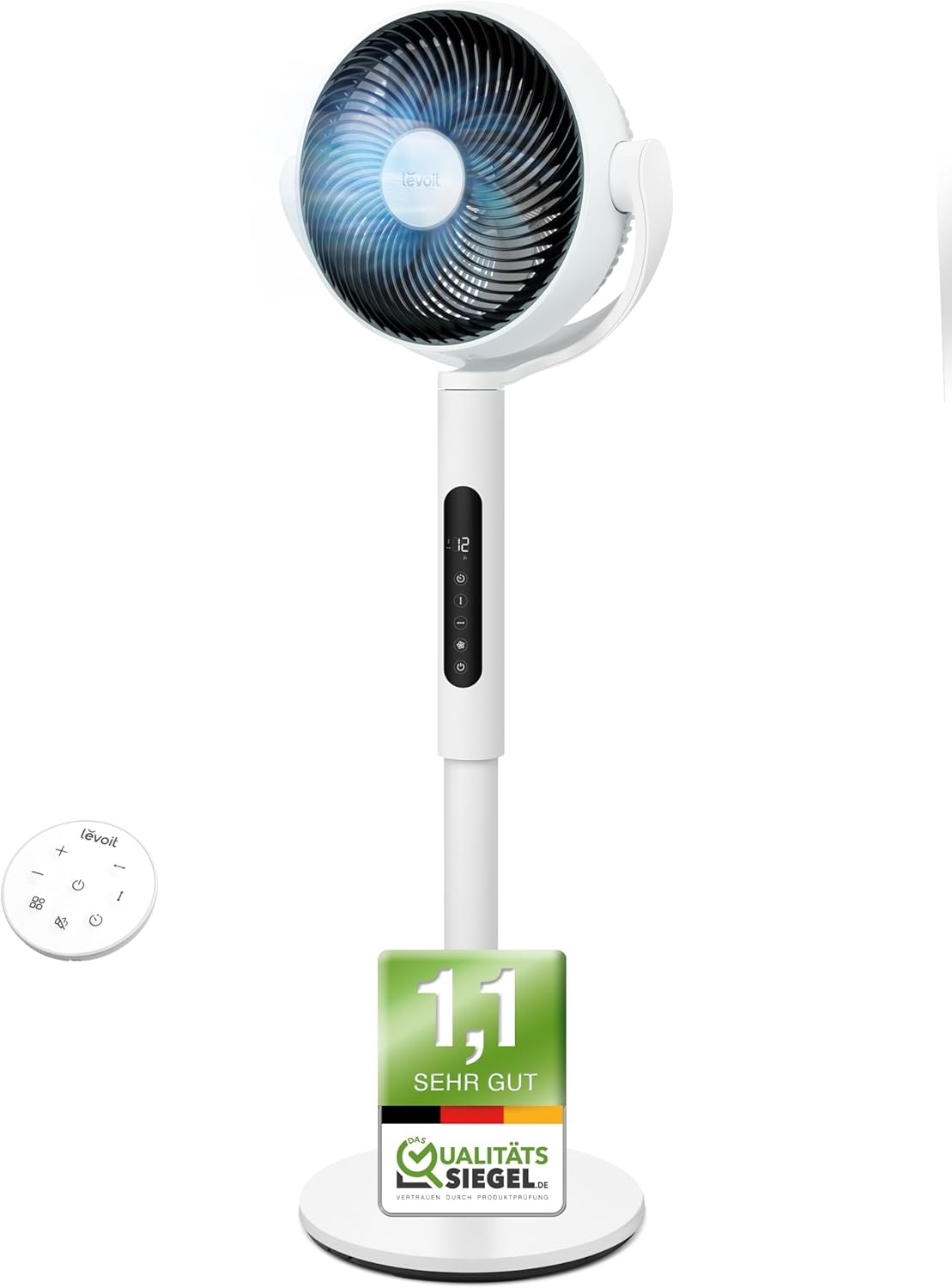
Image: The LEVOIT LPF-R432-WEU Pedestal Fan, showcasing its sleek white design and integrated remote control.
2. הוראות בטיחות חשובות
כדי להפחית את הסיכון לשריפה, התחשמלות או פציעה, אנא הקפידו על אמצעי הזהירות הבאים:
- יש לנתק תמיד את המאוורר משקע החשמל לפני ניקוי, ביצוע תחזוקה או כאשר אינו בשימוש.
- אין להפעיל את המאוורר עם כבל או תקע פגומים. אם הכבל או התקע פגומים, פנו לתמיכת הלקוחות.
- הרחק את כבל החשמל ממשטחים מחוממים.
- אין לטבול את המאוורר במים או בנוזלים אחרים.
- אין להכניס אצבעות או חפצים זרים לפתחים כלשהם של המאוורר.
- ודאו שהמאוורר ממוקם על משטח יציב ומאוזן כדי למנוע ממנו להתהפך.
- מכשיר זה אינו מיועד לשימוש על ידי אנשים (כולל ילדים) עם יכולות פיזיות, חושיות או נפשיות מופחתות, או חוסר ניסיון וידע, אלא אם כן הם קיבלו פיקוח או הדרכה לגבי השימוש במכשיר על ידי אדם האחראי לבטיחותם.
- יש לפקח על ילדים כדי להבטיח שהם לא ישחקו עם המכשיר.
- אין להשתמש במאוורר בחוץ או במקומות רטובים.
3. תכולת החבילה
אנא בדקו את החבילה עבור הפריטים הבאים:
- LEVOIT Pedestal Fan (Main Unit)
- הרכבה בסיסית
- שְׁלַט רָחוֹק
- כבל חשמל
- מדריך למשתמש (מסמך זה)
4. התקנה והרכבה
The LEVOIT Pedestal Fan requires minimal assembly. Follow these steps to set up your fan:
- הסר בזהירות את כל הרכיבים מהאריזה.
- Attach the main fan unit to the base assembly. Ensure it clicks securely into place.
- הנח את המאוורר על משטח יציב וישר.
- Connect the power cord to the fan and then plug it into a standard electrical outlet.

Image: Diagram illustrating the simple assembly process of the LEVOIT Pedestal Fan, showing the main unit connecting to the base.
5. הוראות הפעלה
Your LEVOIT Pedestal Fan offers various settings for optimal comfort.
5.1. הפעלה/כיבוי
לחץ על לחצן ההפעלה בלוח הבקרה של המאוורר או על השלט רחוק כדי להפעיל או לכבות את המאוורר.
5.2. הגדרות מהירות
Adjust the fan speed using the '+' and '-' buttons on the control panel or remote. The fan features 12 adjustable speed levels to suit your preference, from a gentle breeze to powerful air circulation.
5.3. תנודה
Activate the oscillation feature to distribute air across a wider area. The fan supports both horizontal (up to 90°) and vertical (up to 120°) oscillation for comprehensive room coverage.

Image: Visual representation of the LEVOIT Pedestal Fan's automatic oscillation capabilities, showing 90° horizontal and 120° vertical movement for wide air distribution.
5.4. פונקציית טיימר
Set the fan to automatically turn off after a specified period using the timer button. This is useful for energy saving or for use during sleep.
5.5. מצב לילה
For undisturbed sleep, activate the Night Mode. In this mode, the fan operates at a very low noise level (as low as 20 dB) and the display lights can be turned off.

Image: The LEVOIT Pedestal Fan operating in a bedroom setting, illustrating its quiet 20 dB operation and screen dimming feature for peaceful sleep.
5.6. חיישן חכם
The integrated smart sensor can automatically adjust the fan speed based on the room's temperature, optimizing comfort and energy consumption.
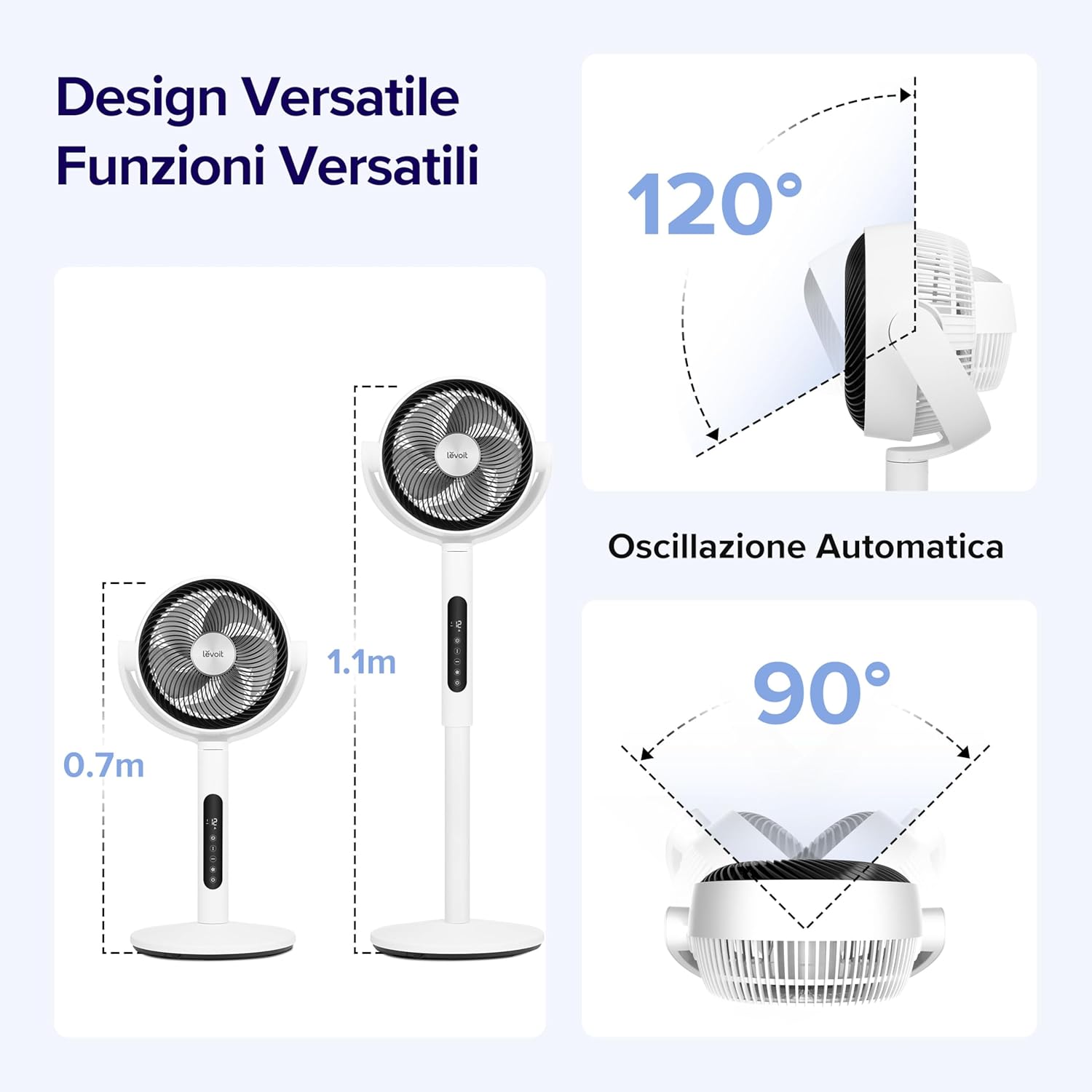
Image: A visual demonstrating the smart sensor technology of the LEVOIT Pedestal Fan, which intelligently adjusts fan speed according to ambient room temperature for energy efficiency.
5.7. שלט רחוק
The fan comes with a convenient remote control for easy operation from a distance. The remote control is magnetic and can be stored securely on the fan unit itself.

תמונה: תקריב view of the magnetic remote control for the LEVOIT Pedestal Fan, showing it being attached to the fan for convenient storage.
6. תחזוקה
ניקוי ותחזוקה קבועים יסייעו להאריך את חיי המאוורר שלכם ולהבטיח ביצועים אופטימליים.
6.1. ניקוי המאוורר
- נתק תמיד את המאוורר לפני הניקוי.
- נגבו את החלק החיצוני של המאוורר בעזרת מטלית רכהamp בַּד. אין להשתמש בחומרי ניקוי שוחקים או ממסים.
- For thorough cleaning, the front grille and fan blades can be easily detached. Rotate the front grille to unlock and remove it.
- Wash the detached grille and blades with mild soap and water. Ensure they are completely dry before reattaching.
- Reassemble the fan by aligning the components and rotating the grille back into its locked position.

Image: Illustration showing the ease of disassembling the LEVOIT Pedestal Fan's front grille and blades for cleaning, emphasizing the simple rotation and washing process.
6.2. אחסון
כאשר המאוורר אינו בשימוש למשך תקופות ממושכות, יש לאחסן אותו במקום קריר ויבש, רצוי באריזתו המקורית, כדי להגן עליו מפני אבק ונזק.
7. פתרון תקלות
אם נתקלתם בבעיות כלשהן עם המאוורר שלכם, אנא עיינו בבעיות הנפוצות ובפתרונות הבאות:
| בְּעָיָה | סיבה אפשרית | פִּתָרוֹן |
|---|---|---|
| המאוורר לא נדלק. | לא מחובר לחשמל; שקע החשמל לא עובד; כפתור ההפעלה לא לחוץ. | ודא שהמאוורר מחובר היטב לשקע תקין. לחץ על כפתור ההפעלה. |
| זרימת אוויר חלשה. | Fan speed too low; Air intake/outlet blocked; Fan blades dirty. | Increase fan speed. Ensure no obstructions. Clean fan blades and grilles. |
| המאוורר רועש. | המאוורר אינו על משטח ישר; חלקים רופפים; חסימה. | Place fan on a stable, level surface. Check for any loose components or foreign objects. |
| השלט רחוק לא עובד. | Batteries dead; Obstruction between remote and fan. | החלף את סוללות השלט. ודא שקו ראייה פתוח למקלט המאוורר. |
8. מפרטים
| תכונה | פְּרָט |
|---|---|
| מותג | לויט |
| מספר דגם | LPF-R432-WEU |
| צֶבַע | לָבָן |
| מידות (L x W x H) | 31.75 x 36.83 x 111 ס"מ |
| מִשׁקָל | 7.5 קילוגרם |
| כּוֹחַ | 21 וואט |
| כרך ידtage | 120.0 וולט |
| חוֹמֶר | פּלָסטִי |
| רמת רעש | 20 dB (מינימום) |
| תכונות מיוחדות | Portable, Lightweight, Oscillating, Timer, Remote Controlled, Smart Sensor |
| תְנוּדָה | Up to 90° Horizontal, Up to 120° Vertical |
| מקור כוח | חשמלי עם כבלים |
9. אחריות ותמיכה
For warranty information and customer support, please refer to the warranty card included with your product or visit the official LEVOIT website. Do not attempt to repair the fan yourself, as this may void the warranty.