
1. המוצר נגמרview
The Docooler IPX7 Waterproof Bluetooth Portable Shower Speaker is designed for audio playback in various environments, including wet conditions. It features Bluetooth 5.0 connectivity, an LED display, FM radio, and a light show function. The speaker is equipped with a removable suction cup for versatile placement.

Image: Docooler IPX7 Waterproof Bluetooth Portable Shower Speaker, showcasinהעיצוב והתכונות שלו.
2. תכולת החבילה
ודא שכל הפריטים נמצאים בחבילה:
- Docooler IPX7 Waterproof Bluetooth Portable Shower Speaker
- כבל טעינה USB-C
- כוס יניקה נשלפת
- מדריך למשתמש
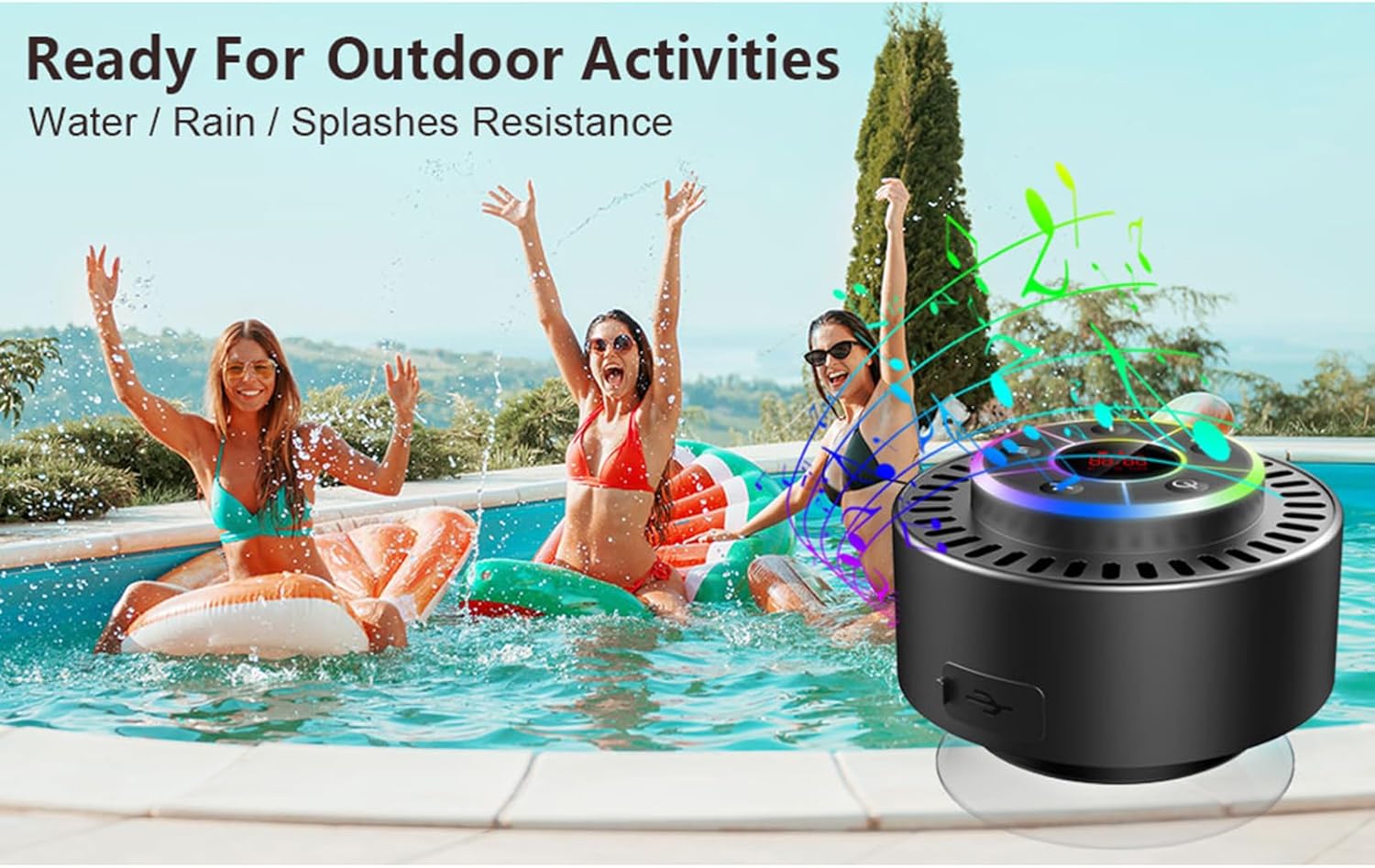
Image: The speaker, USB-C charging cable, and user manual as included in the package.
3. התקנה
3.1 טעינת הרמקול
Before initial use, fully charge the speaker. Connect the provided USB-C charging cable to the speaker's charging port and the other end to a USB power adapter (not included) or a computer's USB port. The LED display will indicate charging status.
3.2 Attaching the Suction Cup
To attach the suction cup, ensure both the speaker's back surface and the desired mounting surface are clean and dry. Press the suction cup firmly against the surface until it adheres securely. For best results, slightly moisten the suction cup before application.
3.3 הפעלה/כיבוי
- כדי להפעיל: לחץ והחזק את כפתור הפעלה (
 ) for approximately 3 seconds until the LED display illuminates.
 - כדי לכבות: לחץ והחזק את כפתור הפעלה for approximately 3 seconds until the LED display turns off.
4. הוראות הפעלה
4.1 פונקציות כפתורים
תמונה: מפורט view of the speaker's control panel, indicating the function of each button.
| לַחְצָן | פונקציה (לחיצה קצרה) | פונקציה (לחיצה ארוכה) |
|---|---|---|
| כפתור הפעלה () | Toggle LED light show modes | הפעלה/כיבוי |
| כפתור M | Switch between Bluetooth and FM Radio modes | לא |
| לחצן הפעלה/השהה () | Play/Pause music; Answer/End calls; Auto-scan in FM mode | דחה שיחה נכנסת |
| Previous Song / Volume Down (-) | Previous song (Bluetooth); Previous station (FM) | הורד נפח |
| Next Song / Volume Up (+) | Next song (Bluetooth); Next station (FM) | הגדל את הווליום |
4.2 זיווג בלוטות '
When powered on, the speaker automatically enters Bluetooth pairing mode. The LED display will show 'BT'.
- Ensure Bluetooth is enabled on your device (smartphone, tablet, laptop).
- חפש available Bluetooth devices and select "Docooler Speaker" from the list.
- Once connected, the speaker will emit an audible confirmation, and the 'BT' indicator on the LED display will stabilize.

Image: The speaker demonstrating connectivity with a phone, tablet, and computer via Bluetooth.
4.3 צימוד סטריאו אלחוטי אמיתי (TWS)
To achieve 3D stereo sound, two Docooler speakers can be paired together.
- ודא ששני הרמקולים דולקים ואינם מחוברים לשום מכשיר Bluetooth אחר.
- ברמקול אחד (זה יהיה הרמקול הראשי), לחצו והחזיקו את לחצן הפעל/השהה for 2-3 seconds until you hear a pairing tone.
- שני הרמקולים יתחברו זה לזה באופן אוטומטי.
- לאחר הצימוד, חברו את המכשיר לרמקול הראשי באמצעות Bluetooth כמתואר בסעיף 4.2. כעת האודיו יתנגן דרך שני הרמקולים בסטריאו.

Image: Two Docooler speakers wirelessly connected to a computer, illustrating the True Wireless Stereo (TWS) feature.
מצב רדיו 4.4 FM
To switch to FM Radio mode:
- הקש על כפתור M to cycle through modes until 'FM' appears on the LED display.
- סריקה אוטומטית: במצב FM, לחצו לחיצה קצרה על לחצן הפעל/השהה to automatically scan and save available radio stations.
- תחנה להחלפה: השתמש ב- Previous Song / Volume Down (-) ו Next Song / Volume Up (+) לחצנים כדי לנווט בתחנות שמורות.
- התאם את עוצמת הקול: לחץ לחיצה ארוכה על Previous Song / Volume Down (-) or Next Song / Volume Up (+) כפתורים לכוונון עוצמת הקול.
מופע אור LED 4.5
The speaker features a beat-driven LED light show with seven colors.
- שנה מצב אור: לחץ קצר על כפתור הפעלה to cycle through different light show patterns or to lock a single color.
- כיבוי אורות: המשך ללחוץ על כפתור הפעלה until the lights turn off.
4.6 שיחות ללא ידיים
כאשר מחובר באמצעות בלוטות', המיקרופון המובנה מאפשר שיחות ללא ידיים.
- תשובה לשיחה: לחץ קצר על לחצן הפעל/השהה.
- סיום שיחה: לחץ קצר על לחצן הפעל/השהה במהלך שיחה.
- דחה שיחה: לחץ לחיצה ארוכה על לחצן הפעל/השהה.
4.7 מידע על תצוגת LED
The LED display shows the current time and battery level in Bluetooth mode. In FM radio mode, it displays the frequency.
5. תחזוקה
5.1 עמידות למים (IPX7)
The speaker is IPX7 waterproof, meaning it can be submerged in up to 1 meter (3 feet) of water for up to 30 minutes. Ensure the charging port cover is securely closed before exposing the speaker to water. After exposure to water, wipe the speaker dry with a soft cloth.
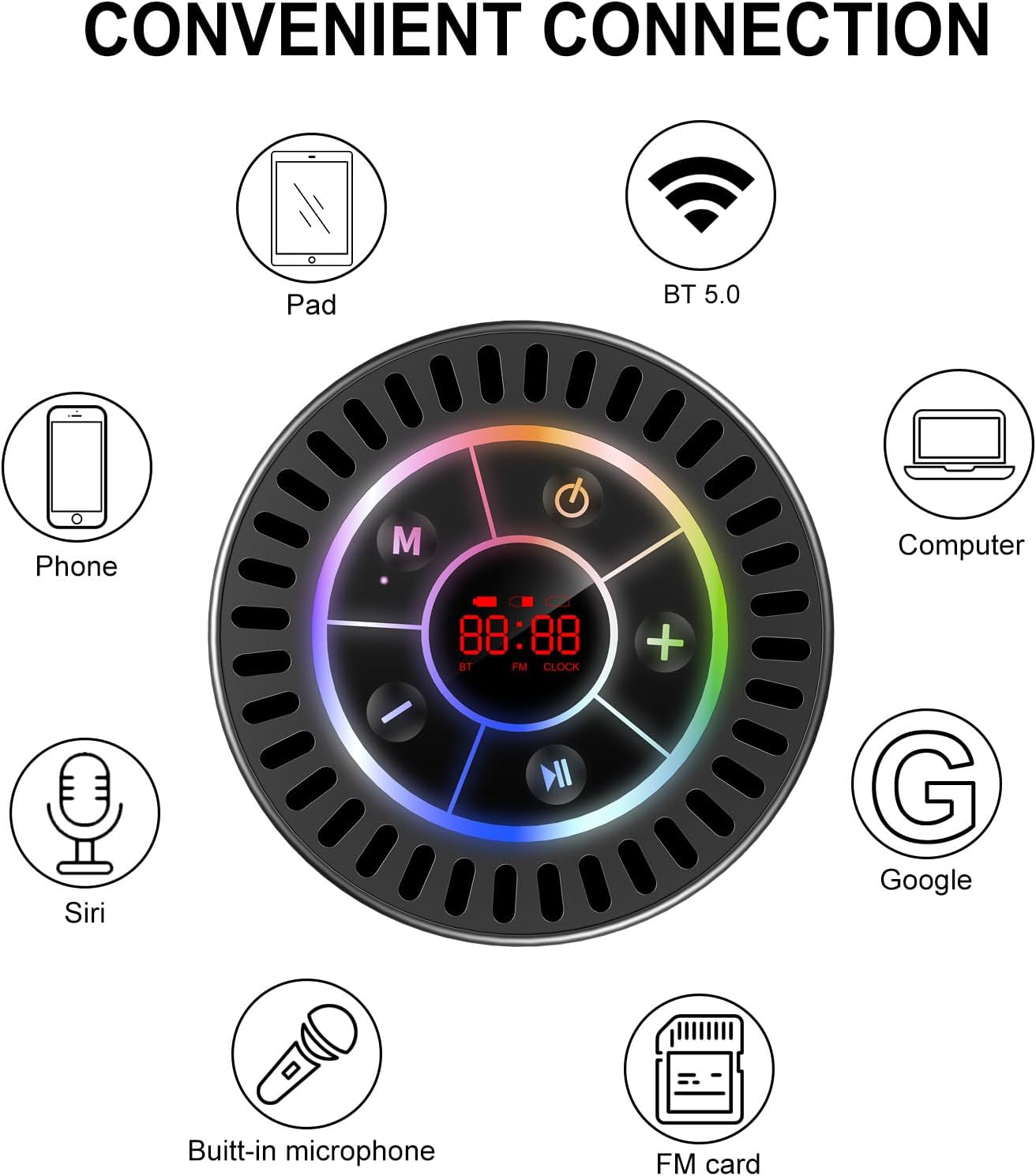
Image: The Docooler speaker attached to a shower wall, demonstrating its waterproof capability.
5.2 ניקוי
נקה את הרמקול עם רך, דamp מטלית. אין להשתמש בחומרי ניקוי שוחקים, אלכוהול או ממסים כימיים, מכיוון שאלה עלולים לפגוע במשטח או ברכיבים הפנימיים.
5.3 אחסון
יש לאחסן את הרמקול במקום קריר ויבש, הרחק מאור שמש ישיר וטמפרטורות קיצוניות. אם מאחסנים אותו למשך זמן ממושך, יש לטעון את הסוללה מעת לעת כדי לשמור על אורך חייה.
6. פתרון תקלות
- הרמקול לא נדלק: Ensure the battery is charged. Connect the speaker to a power source using the USB-C cable and try again.
- לא ניתן להתאים באמצעות Bluetooth:
- Ensure the speaker is in Bluetooth pairing mode ('BT' flashing on display).
- ודא ש-Bluetooth מופעל במכשיר שלך ושהוא נמצא בטווח של 15 מטרים מהרמקול.
- אם בוצעה התאמה בעבר, נסה לשכוח את המכשיר בטלפון שלך ולבצע התאמה מחדש.
- הפעל מחדש את הרמקול ואת מכשיר ה-Bluetooth שלך.
- קליטת רדיו FM גרועה: FM radio reception can be affected by location and environmental factors. Try repositioning the speaker or using it in an open area. The charging cable can sometimes act as an antenna to enhance signal.
- אין צליל או עוצמת קול נמוכה:
- בדוק את עוצמת הקול הן ברמקול והן במכשיר המחובר.
- Ensure the speaker is properly paired and not connected to another device.
- אם משתמשים ב-TWS, ודאו ששני הרמקולים מותאמים כראוי זה לזה ולאחר מכן למכשיר שלכם.
- Speaker starts at full volume: Some units may default to a high volume upon power-on. Immediately adjust the volume using the '-' button to a comfortable level after turning the speaker on.
- Suction cup does not hold: Ensure the mounting surface is clean, smooth, and dry. Slightly moisten the suction cup before pressing it firmly onto the surface. Avoid porous or textured surfaces.
7. מפרטים

תמונה: פיצוץ view showing the internal components of the Docooler speaker, highlighting its sound technology.
| תכונה | פְּרָט |
|---|---|
| מותג | דוקולר |
| מספר דגם | SMT4782513347516YX |
| טכנולוגיית קישוריות | בלוטות' 5.0 |
| טווח בלוטות' | עד 15 מטר |
| רמת עמידות במים | IPX7 (עמיד למים) |
| רמקול כוח פלט מרבי | 5 וואט |
| תגובת תדר | 100 הרץ |
| מצב פלט שמע | Stereo, Surround (with TWS) |
| יחס אות לרעש | 95 dB |
| מספר מיקרופונים | 1 (מובנה) |
| מקור כוח | מופעל על סוללה |
| שיטת בקרה | לַחְצָן |
| משקל פריט | 300 גרם |
| מכשירים תואמים | מחשב נייד, נגן MP3, סמארטפון, טאבלט, טלוויזיה |
8. אחריות ותמיכה
8.1 מידע אחריות
This Docooler speaker comes with a limited warranty. For specific terms and conditions, please refer to the warranty card included in your package or contact Docooler customer support.
8.2 תמיכת לקוחות
For further assistance, technical support, or warranty claims, please visit the official Docooler website or contact their customer service department. Contact information can typically be found on the product packaging or the brand's online store.