
1. הקדמה
This manual provides essential information for the safe and efficient operation of your LG F4WT2009S3W washing machine. Please read it thoroughly before installation and use, and keep it for future reference. This front-loader washing machine features a 9 kg capacity, Inverter technology, Dual Spray System, and a maximum spin speed of 1400 RPM.
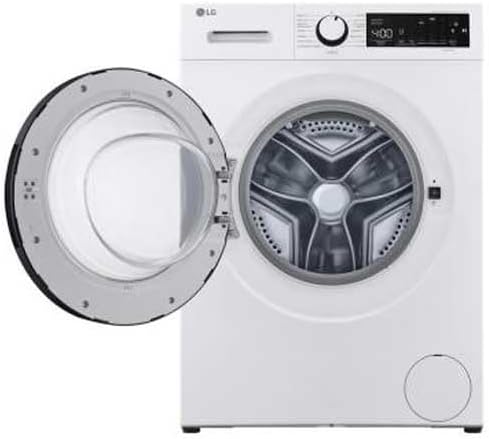
תמונה: חזית view of the LG F4WT2009S3W washing machine with the door closed.
2. מידע בטיחות
Always follow basic safety precautions to reduce the risk of fire, electric shock, or injury when using your appliance.
- ודא שהמכשיר מקורק כהלכה.
- אל תאפשר לילדים לשחק על המכשיר או בתוכו.
- הרחק חומרים דליקים מהמכשיר.
- אין להפעיל את המכשיר אם הוא פגום או לא תקין.
- נתקו את המכשיר מהחשמל לפני ניקוי או ביצוע כל תחזוקה.
- The appliance is equipped with a Child Lock feature to prevent accidental operation.
3. התקנה והתקנה
3.1 פירוק
Remove all packaging materials, including the transit bolts from the rear of the machine. Keep packaging materials out of reach of children.
3.2 דרישות מיקום
Install the washing machine on a firm, level surface. Ensure there is adequate space around the appliance for ventilation and maintenance. The dimensions of the appliance are approximately 58.2 cm (D) x 60 cm (W) x 85 cm (H).
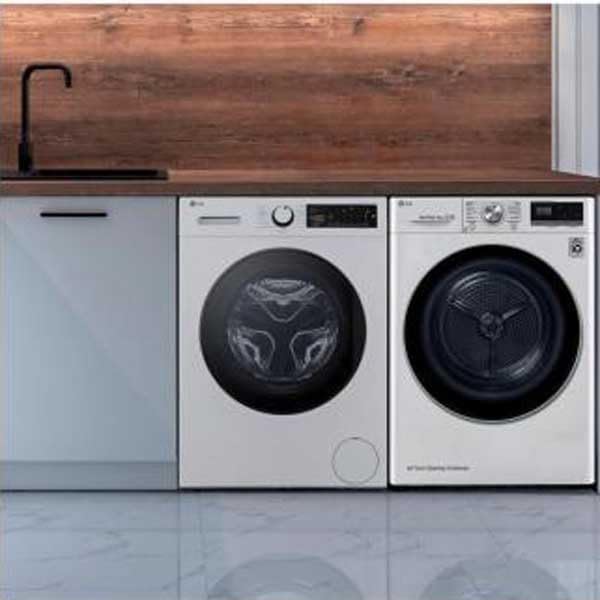
Image: The LG washing machine positioned next to a dryer, illustrating typical installation space requirements.
3.3 חיבור אספקת מים
Connect the provided fill hose to the water inlet valve on the back of the washing machine and to a cold water tap. Ensure connections are tight to prevent leaks.
3.4 חיבור צינור ניקוז
Securely connect the provided drain hose to a standpipe or laundry tub, ensuring it is properly routed to prevent kinks or blockages.
3.5 חיבור מתח
Plug the power cord into a grounded 230 VAC electrical outlet. Do not use extension cords or adapters.
3.6 יישור המכשיר
Adjust the leveling feet at the bottom of the washing machine to ensure it is stable and level. An unlevel machine can cause excessive vibration and noise during operation.
4. הוראות הפעלה
4.1 לוח הבקרה נגמרview
The washing machine features a touch control panel and an LED display for easy program selection and monitoring.

תמונה: מפורט view of the washing machine's control panel, showing the rotary dial and LED display.
4.2 טעינת כביסה
Open the front-loader door and place laundry loosely into the drum. Do not overload the machine beyond its 9 kg capacity. Overloading can reduce washing performance and damage the appliance.
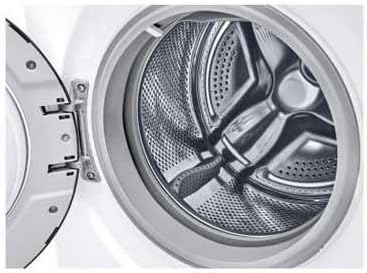
תמונה: פנים view of the stainless steel drum of the LG washing machine.
4.3 הוספת חומר ניקוי ומרכך
Pull out the detergent dispenser drawer. Add the appropriate amount of detergent to the main wash compartment and fabric softener to the designated compartment. Refer to detergent packaging for dosage recommendations.
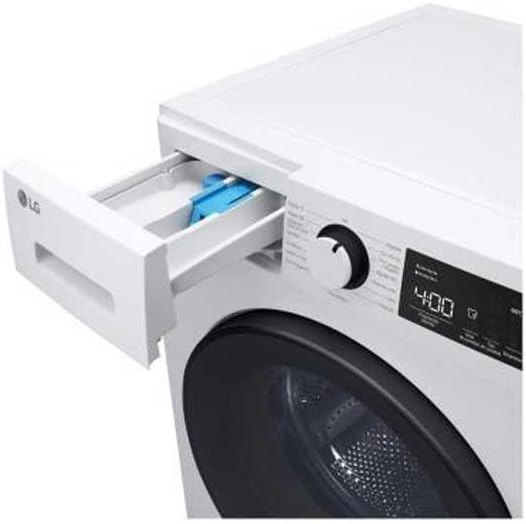
Image: The detergent dispenser drawer pulled open, showing compartments for detergent and softener.
4.4 בחירת תוכנית כביסה
Turn the program selector dial or use the touch controls to choose a suitable wash program. Available programs include:
- Super Fast 12-minute program: Ideal for lightly soiled items or clothes needed quickly.
- Daily 60-minute program: Suitable for everyday laundry.
- Dual Spray System: Enhances washing and rinsing performance by continuously circulating water and spraying it onto clothes.
- Soil Level Selection: Choose from 3 soil levels to adjust wash intensity.
4.5 התחלת מחזור
לחץ על כפתור התחלה/השהיה כדי להתחיל את מחזור הכביסה שנבחר. צג ה-LED יציג את הזמן שנותר.
4.6 פונקציית נעילת ילדים
To activate or deactivate the Child Lock, press and hold the designated button (refer to your control panel for specific icon) for a few seconds. This prevents children from changing settings or opening the door during operation.
5. תחזוקה וטיפול
5.1 ניקוי מתקן חומר הניקוי
Regularly remove and clean the detergent dispenser drawer to prevent residue buildup. Rinse it under running water and dry thoroughly before reinserting.
5.2 ניקוי התוף
The stainless steel drum can be cleaned periodically using a drum clean cycle (if available) or by running an empty hot wash with a washing machine cleaner.
5.3 ניקוי מסנן הניקוז
Locate the drain filter (usually at the bottom front of the machine), open the cover, and carefully remove the filter. Clean any lint or debris and reinsert it securely.
5.4 ניקוי חיצוני
נגבו את המשטחים החיצוניים של מכונת הכביסה בעזרת מטלית רכהamp מטלית. הימנעו מחומרי ניקוי שוחקים או ממסים.
6. פתרון תקלות
אם נתקלתם בבעיות במכונת הכביסה שלכם, עיינו בפתרונות הנפוצים הבאים לפני פנייה לשירות.
| בְּעָיָה | סיבה אפשרית | פִּתָרוֹן |
|---|---|---|
| המכונה לא מתחילה | Power cord unplugged, door not closed properly, power outage | Check power connection, ensure door is latched, check household circuit breaker. |
| מים לא מתמלאים | Water tap closed, fill hose kinked, water pressure too low | פתח את ברז המים, יישר את הצינור, בדוק את אספקת המים. |
| מים לא מתנקזים | Drain hose kinked or blocked, drain filter clogged | בדוק ונקה את צינור הניקוז, נקה את מסנן הניקוז. |
| רעידות/רעש מוגזמות | Machine not level, transit bolts not removed, unbalanced load | Adjust leveling feet, ensure transit bolts are removed, redistribute laundry evenly. |
| קוד שגיאה מוצג | Specific malfunction | Refer to the full service manual for specific error code meanings and solutions, or contact customer support. |
7. מפרטים
Below are the technical specifications for the LG F4WT2009S3W washing machine.
| תכונה | מִפרָט |
|---|---|
| מספר דגם | F4WT2009S3W |
| יְכוֹלֶת | 9 קילוגרם |
| מהירות סיבוב מקסימלית | 1400 סל"ד |
| מידות (D x B x H) | 58.2D x 60B x 85H סנטימטרים |
| מִשׁקָל | 76 קילוגרם |
| גישה למיקום | טוען קדמי |
| סוג בקרה | לָגַעַת |
| כרך ידtage | 230 VAC |
| חומר תוף | נירוסטה |
| תכונות מיוחדות | Child Lock, Dual Spray System, Inverter |
| רכיבים כלולים | Drain Hose, Power Cord, Fill Hose |
8. אחריות ותמיכה
For warranty information, please refer to the documentation provided at the time of purchase or contact your retailer. For technical support, service, or to order replacement parts, please contact LG customer service directly. You can find contact details on the official LG webאתר עבור האזור שלך.