
1. הקדמה
This manual provides detailed instructions for the installation, operation, and maintenance of your Luqeeg Digital Door Viewer. Please read this manual thoroughly before using the product to ensure proper function and safety. Keep this manual for future reference.
2. תכונות מוצר
- תצוגת LCD בגודל 2.4 אינץ': Provides a clear and vivid view of visitors at your door.
- 0.3MP Professional Camera: Captures crisp images for easy identification, even in low light conditions.
- עדשת זווית רחבה 120°: מציע מגוון רחב view of your doorstep, minimizing blind spots and enhancing security.
- מבנה סגסוגת אבץ עמיד: Engineered for superior wear resistance and impact strength, preventing prying and smashing.
- ספק כוח כפול: Operates using either 3 x 1.5V AAA batteries (not included) or a 5V 1A USB power source for continuous operation.
- הפעלת תצוגה אוטומטית: The screen automatically displays the outside view when the doorbell is pressed, providing convenience for all users.
3. תכולת החבילה
ודא שכל הפריטים נמצאים בחבילה:
- 1 x Digital Door Viewer Camera Unit
- 1 x Digital Door Viewer Monitor Unit
- 1 x Accessory Kit (includes 2 x Washers, 8 x Screws)
- 1 x מדריך למשתמש
Note: AAA batteries and a small memory card are not included and must be purchased separately.
4. המוצר נגמרview
Familiarize yourself with the components of your Luqeeg Digital Door Viewאה.

Figure 4.1: Monitor Unit Components
- מסך LCD: מציג את החי view מהמצלמה.
- Monitoring/Power On/Off Button: Press to activate the screen or power the device on/off.
- ממשק USB: For connecting a 5V 1A USB power source.
- Small Memory Card Slot: Insert a memory card (not included) for potential recording features (if supported by firmware).

Figure 4.2: Monitor Unit Rear View (תא הסוללה)
- תא סוללות: Houses 3 x AAA batteries (not included).
5. מדריך התקנה
The Luqeeg Digital Door Viewer is designed for simple installation, fitting standard door peephole holes without requiring special tools.
5.1 הכנה
- Ensure your door has an existing peephole or a suitable hole for installation.
- Gather necessary components: Camera unit, Monitor unit, washers, and screws.
- Prepare 3 x AAA batteries (not included) or a 5V 1A USB power source.
5.2 שלבי התקנה

איור 5.1: התקנה מעלview
- Step 1: Remove Existing Peephole (if applicable)
Carefully unscrew and remove any existing traditional peephole from your door. - Step 2: Insert Camera Unit
From the outside of the door, insert the camera unit through the peephole hole. Ensure the camera is facing outwards and is flush with the door surface. - Step 3: Secure Monitor Unit
From the inside of the door, connect the cable from the camera unit to the monitor unit. Align the monitor unit with the camera unit and secure it to the door using the provided screws and washers. Ensure the monitor is firmly attached and stable.
5.3 הפעלת המכשיר
- כוח סוללה: Open the battery compartment on the back of the monitor unit and insert 3 x AAA batteries, observing correct polarity.
- USB כוח: Connect a 5V 1A USB power adapter (not included) to the USB interface on the side of the monitor unit. This can serve as a backup or primary power source.
6. הוראות הפעלה
6.1 הפעלה/כיבוי
- כדי להפעיל: Press and hold the Monitoring/Power On/Off button located below the LCD screen until the screen illuminates.
- כדי לכבות: Press and hold the Monitoring/Power On/Off button until the screen turns off.
6.2 Viewמבקרים
- יָדָנִי View: Press the Monitoring/Power On/Off button once to activate the screen and view the outside area. The screen will automatically turn off after a short period of inactivity to conserve power.
- אוֹטוֹמָטִי View: When someone presses your doorbell (if connected and compatible, or if the device detects motion/sound, depending on model features), the screen will automatically activate and display the outside view.
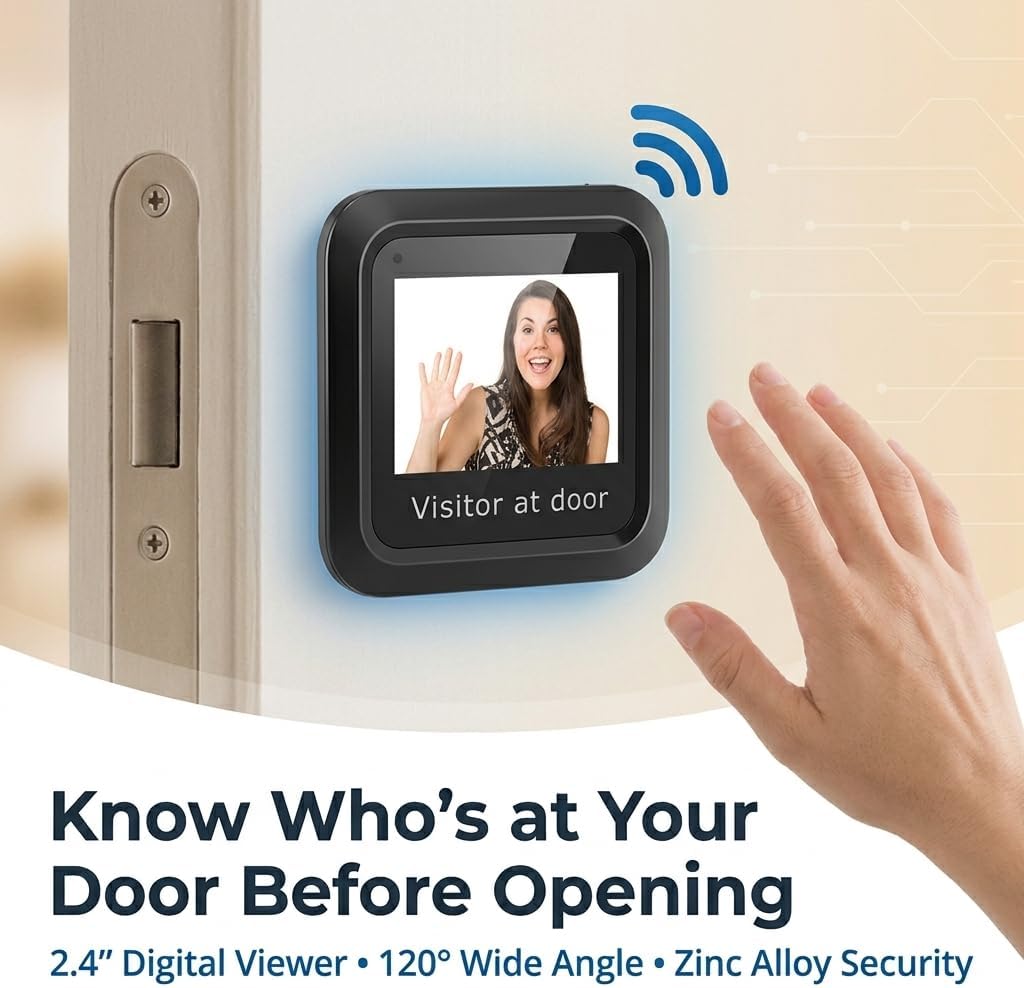
איור 6.1: Viewing a Visitor
6.3 Memory Card Usage (Optional)
If your model supports recording and you have inserted a small memory card into the slot:
- Refer to the on-screen menu or additional documentation for specific instructions on how to initiate recording, view playback, or manage stored footage.
7. תחזוקה
- ניקוי: השתמשו במטלית רכה ויבשה לניקוי המסך ועדשת המצלמה. הימנעו מחומרי ניקוי שוחקים או ממסים.
- החלפת סוללה: When the battery indicator shows low power, replace all 3 AAA batteries simultaneously. Do not mix old and new batteries.
- תנאים סביבתיים: Ensure the device is not exposed to extreme temperatures, direct sunlight for prolonged periods, or excessive moisture.
8. פתרון תקלות
| בְּעָיָה | סיבה אפשרית | פִּתָרוֹן |
|---|---|---|
| המכשיר לא נדלק. | סוללות חלשות או מתות. קוטביות סוללה שגויה. USB power not connected or faulty. | החלף סוללות בחדשות, תוך הקפדה על קוטביות נכונה. Check USB cable and power adapter connection. |
| Screen is blank or blurry. | עדשת המצלמה מלוכלכת. Poor connection between camera and monitor. תאורה לא מספקת בחוץ. | נקה את עדשת המצלמה עם מטלית רכה. Ensure the camera and monitor cables are securely connected. The device performs best in adequate lighting. |
| No image when doorbell is pressed. | Doorbell not connected or incompatible. הגדרות מכשיר. | Verify doorbell connection and compatibility with the digital viewאה. Check device settings for automatic activation options. |
| Image quality is poor compared to expectations. | Environmental factors (e.g., glare, extreme darkness). Camera lens obstruction. | ודא שעדשת המצלמה נקייה וללא חסימה. Image quality may vary based on external lighting conditions. |
9. מפרטים
| תכונה | פְּרָט |
|---|---|
| מספר דגם | Luqeegbupzxet1rs |
| גודל תצוגה | 2.4 אינץ' |
| רזולוציית מצלמה | 0.3 מגה פיקסל |
| Viewזווית | 120 מעלות |
| חומר בנייה | סגסוגת אבץ |
| ספק כוח | 3 x 1.5V AAA Batteries (not included) or 5V 1A USB |
| משקל פריט | 8.1 אונקיות |
| מידות חבילה | 7.87 x 4.72 x 1.97 אינץ' |
| רכיבים כלולים | 1 x Camera, 1 x Monitor, 1 x Accessory Kit (2 x Washers, 8 x Screws), 1 x Manual |
10. תמיכה
For any questions, technical assistance, or support regarding your Luqeeg Digital Door Viewer, please refer to the contact information provided with your purchase or visit the official Luqeeg website. Our customer support team is available to assist you.