
BOTSLAB R811
BOTSLAB 5MP Wireless Outdoor Doorbell Camera
דגם: R811
מָבוֹא
This manual provides detailed instructions for the installation, operation, and maintenance of your BOTSLAB 5MP Wireless Outdoor Doorbell Camera, Model R811. This device is designed to enhance your home security with advanced features such as 5MP resolution, 180-degree head-to-toe view, AI detection, two-way audio, and flexible storage options. Please read this manual thoroughly before using the product to ensure proper setup and functionality.
תוכן החבילה
Verify that all items listed below are included in your package. If any items are missing or damaged, please contact BOTSLAB customer support.
- פעמון דלת (x1)
- תחנת בסיס (x1)
- תושבת הרכבה (x1)
- Bracket Positioning Stickers (x1)
- 15-degree Mounting Bracket (x1)
- 15-degree Bracket Positioning Stickers (x1)
- Power Plug (x1)
- Installation Accessory Kit (x1)
- AC Cable Pack (x1)
- Ejector Pin (x1)
- מדריך התחלה מהירה (x1)
- Doorbell Button Sticker (x1)
- Parcel Sticker (x1)
- כבל טעינה (x1)
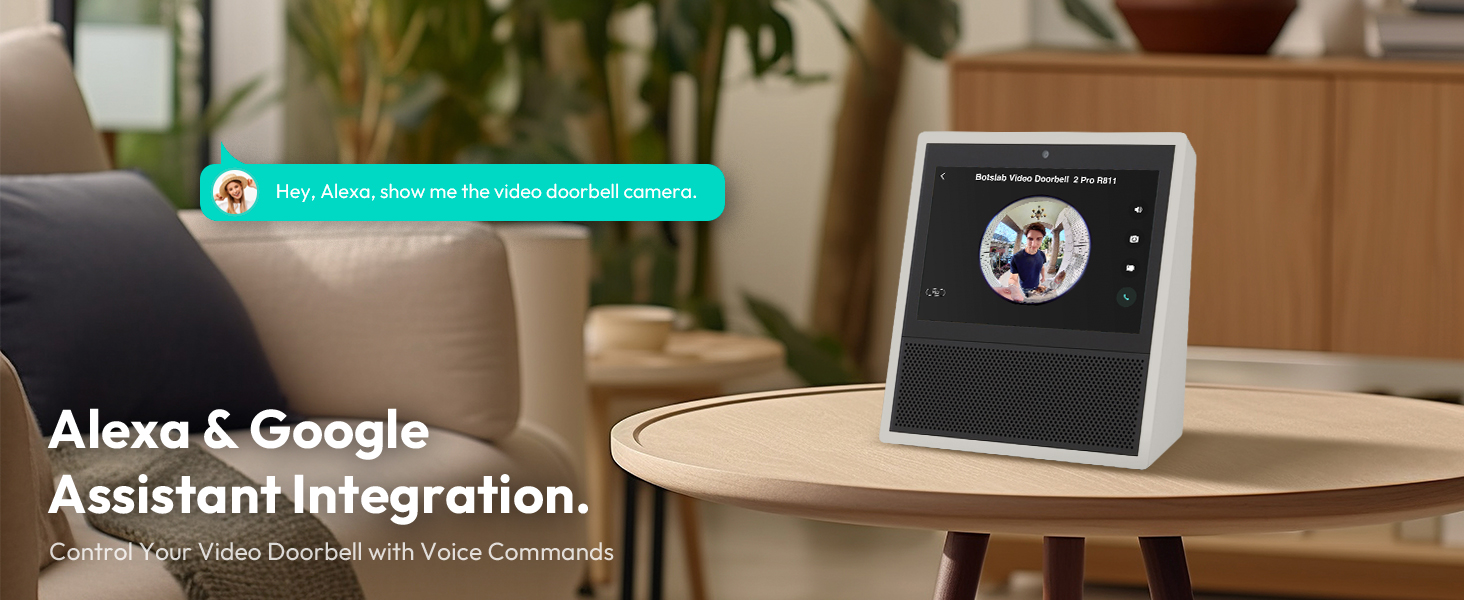
Image: Contents of the BOTSLAB Doorbell Camera package, including the doorbell unit, base station, mounting hardware, cables, and documentation.
התקנה והתקנה
The BOTSLAB Doorbell Camera offers flexible installation options, including battery-powered or wired connections, and can be mounted using adhesive or screws.
1. טעינת הסוללה
Before initial use, fully charge the doorbell's built-in 6400mAh lithium-ion battery using the provided charging cable. A full charge ensures optimal performance and battery life.

Image: The doorbell unit with its internal components visible, highlighting the 6400mAh rechargeable battery.
2. התקנת פעמון הדלת
Choose between adhesive or screw-in installation. Ensure the installation surface is flat, smooth, and clean for adhesive mounting. A 15-degree bracket is included for angled installations to optimize the viewזווית ing.
- הרכבה דבק: Apply the 3M VHB adhesive to the back of the mounting bracket and firmly press it onto the desired surface.
- Screw-in Mounting: Use the provided screws and anchors to secure the mounting bracket to the wall.
- חיבור קווי: If connecting to existing doorbell wiring (AC cable included), follow the instructions in the Quick Start Guide for wiring the doorbell to your existing chime.

Image: Illustration of the doorbell installation process, showing the mounting bracket, adhesive, and wired connection options.
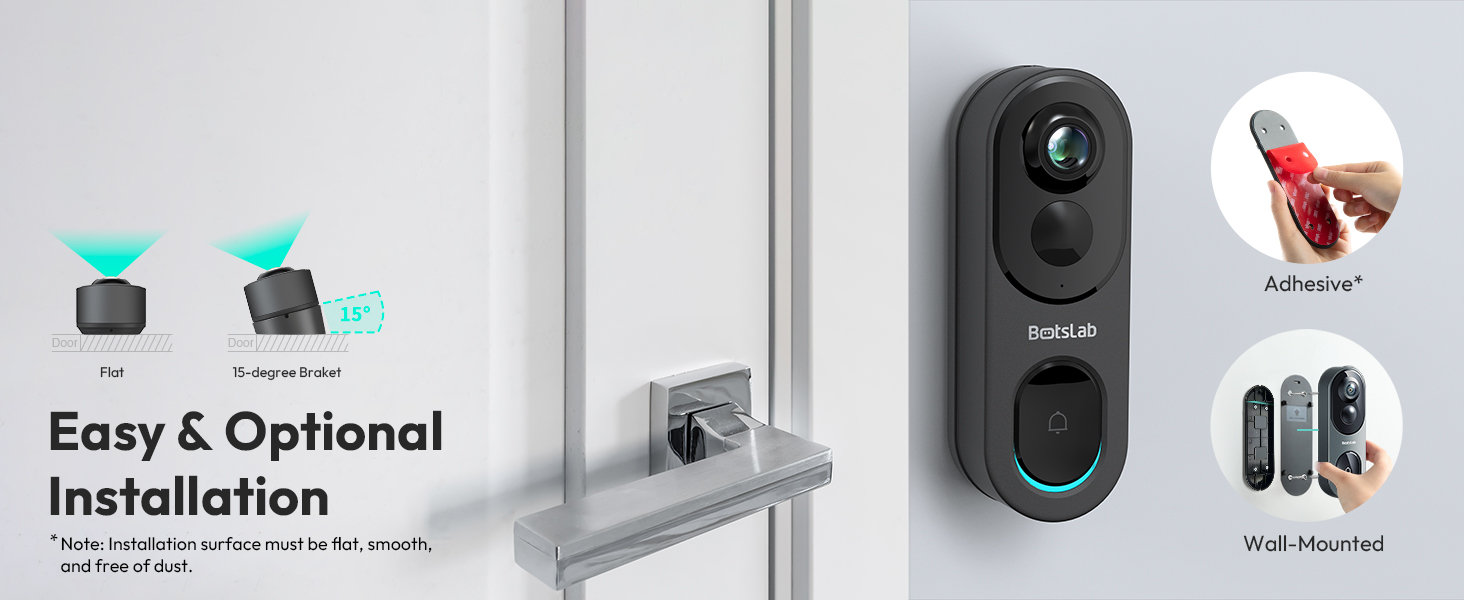
Image: Visual guide for easy and optional installation, demonstrating adhesive and wall-mounted methods, including the 15-degree bracket for angled views.
3. Connecting to Wi-Fi and App Setup
The doorbell supports both 2.4GHz and 5GHz Wi-Fi networks for a fast and stable connection. Download the Botslab APP from your device's app store (Google Play or Apple App Store) to set up and manage your doorbell camera.
- Download and install the Botslab APP.
- צור חשבון או היכנס.
- Follow the in-app instructions to add your new doorbell camera, connecting it to your home Wi-Fi network.
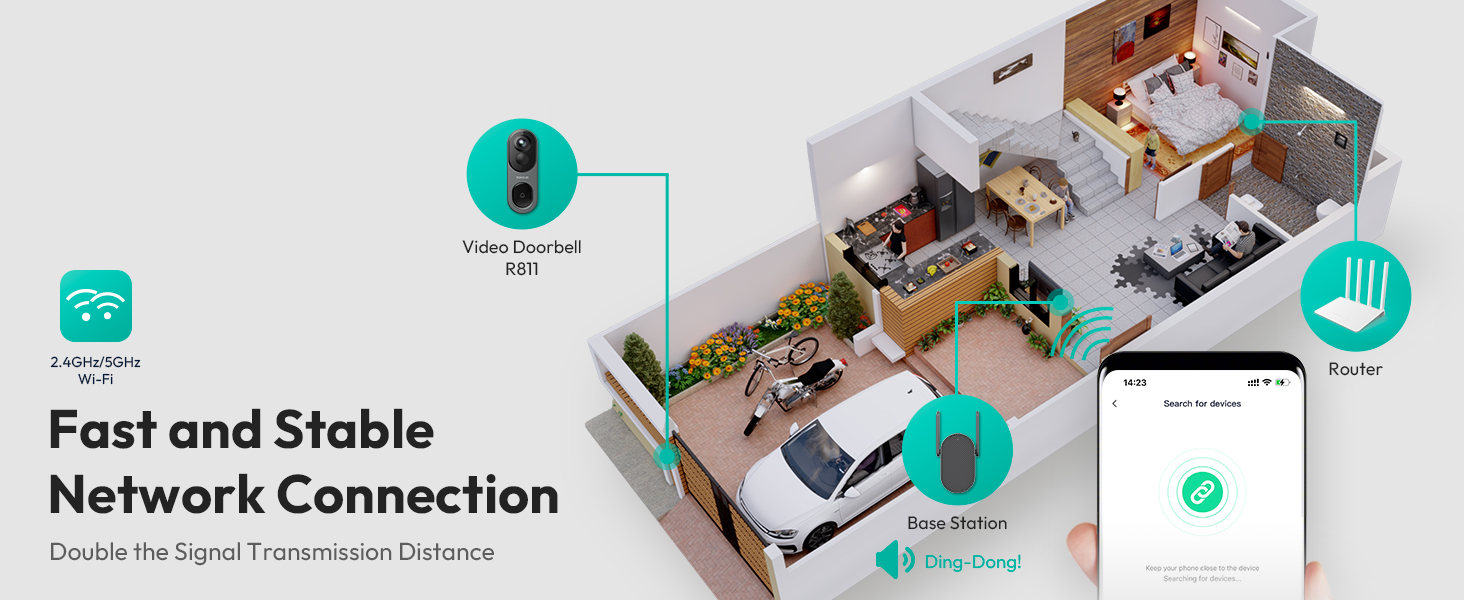
Image: Depiction of the network connection, illustrating how the doorbell, base station, and router work together for a stable 2.4GHz/5GHz Wi-Fi connection.
הוראות הפעלה
1. לחיות View והקלטה
Access the live feed of your doorbell camera through the Botslab APP. The camera provides a 5MP resolution with a 180-degree horizontal and 180-degree vertical panoramic view, ensuring a head-to-toe perspective of your visitors and surroundings.
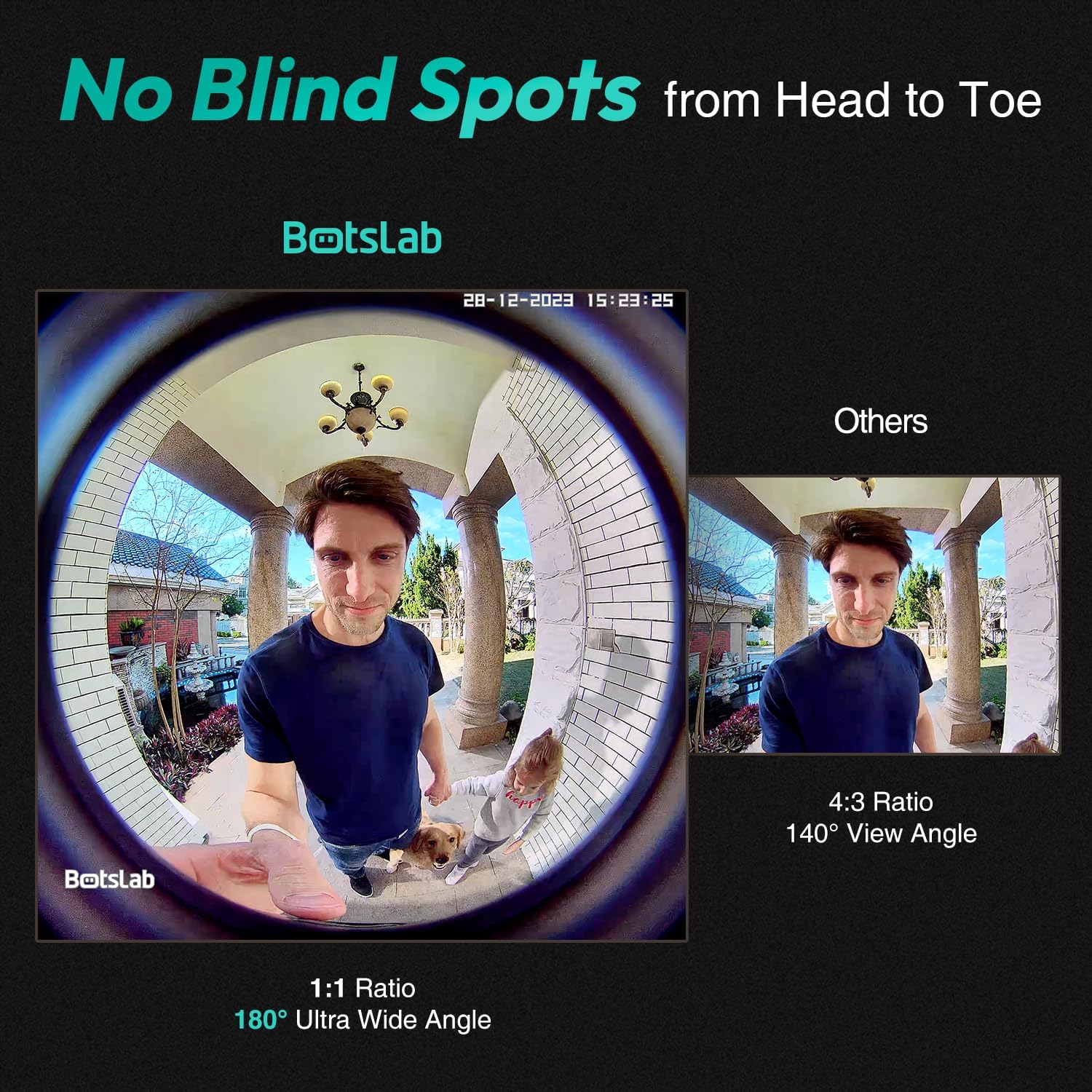
Image: A visual comparison demonstrating the 180-degree ultra-wide angle view of the Botslab doorbell, capturing a full head-to-toe perspective, compared to a narrower 140-degree view.
2. View מצבים
The camera offers four distinct view modes to suit your preference and monitoring needs:
- מצב פנורמי: Provides a wide, fisheye view of the entire area.
- מצב VR: Allows you to pan and tilt within the panoramic view.
- Horizontal Correction Mode: Corrects the fisheye distortion horizontally.
- Vertical Correction Mode: Corrects the fisheye distortion vertically.

Image: Display of the four available view modes: Panoramic, VR, Horizontal Correction, and Vertical Correction, demonstrating how they cover every angle.
3. זיהוי והתראות באמצעות בינה מלאכותית
Equipped with a professional AI chip, radar, and PIR detection, the doorbell camera accurately identifies human presence, lingering, and general motion, significantly reducing false alarms. You can customize detection distances and receive real-time alerts on your mobile device.

Image: A visual representation of how to personalize radar and PIR detection ranges, showing how the system reduces false alerts by focusing on specific areas.
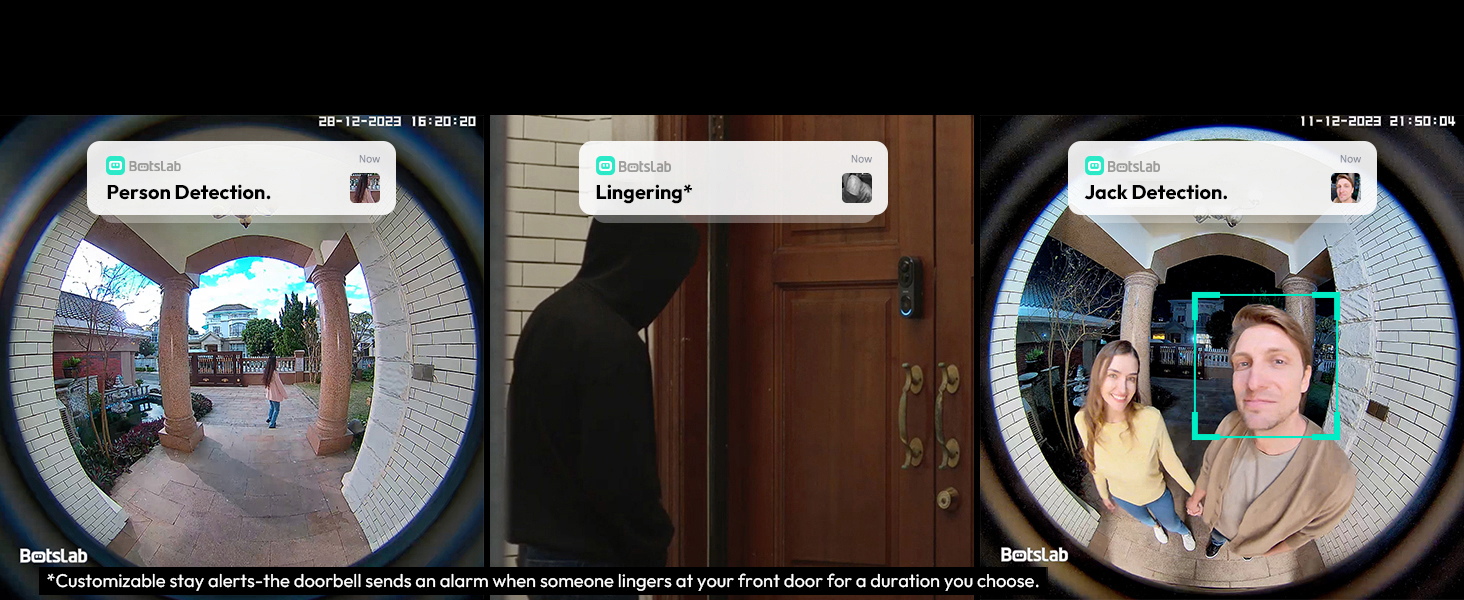
תמונה: דוגמהamples of AI detection alerts, including person detection, lingering detection (customizable stay alerts), and specific individual detection.
4. Two-Way Audio with Voice Modulation
Communicate with visitors at your door using the two-way audio feature. For added privacy and security, you can utilize the voice modulation feature to change your voice to male or funny tones.
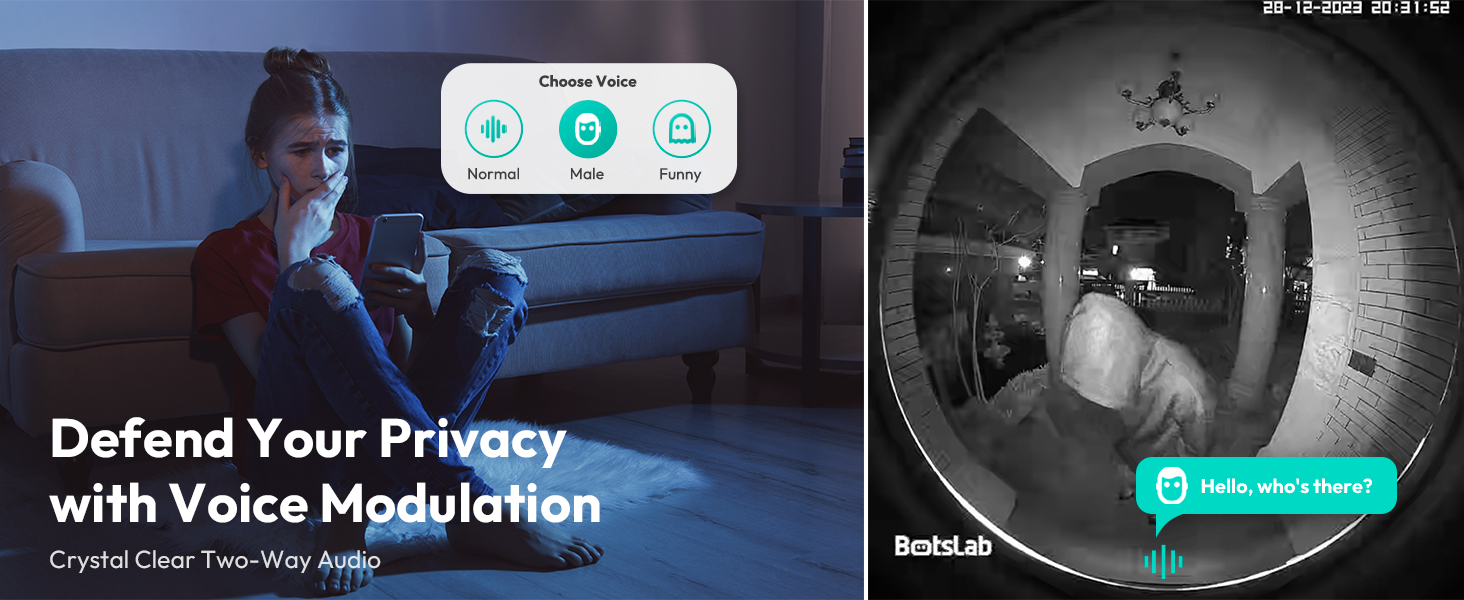
Image: Illustration of the voice modulation feature for two-way audio, allowing users to change their voice for enhanced privacy and security.
5. ראיית לילה
The doorbell camera features crystal IR night vision, providing clear visibility up to 24 feet in low-light conditions, ensuring detailed recordings even at night.

Image: Depiction of the crystal IR night vision capability, allowing the camera to recognize more details in dark environments.
6. אפשרויות אחסון
The R811 model includes built-in 32GB EMMC local storage, providing up to 365 days of video history based on 12 daily detections of 30 seconds each. Additionally, it offers free 2-day cloud video storage forever, ensuring your videos are securely backed up without monthly fees.

Image: Information on the storage features, highlighting the 32GB built-in local storage and the lifetime free cloud storage option.
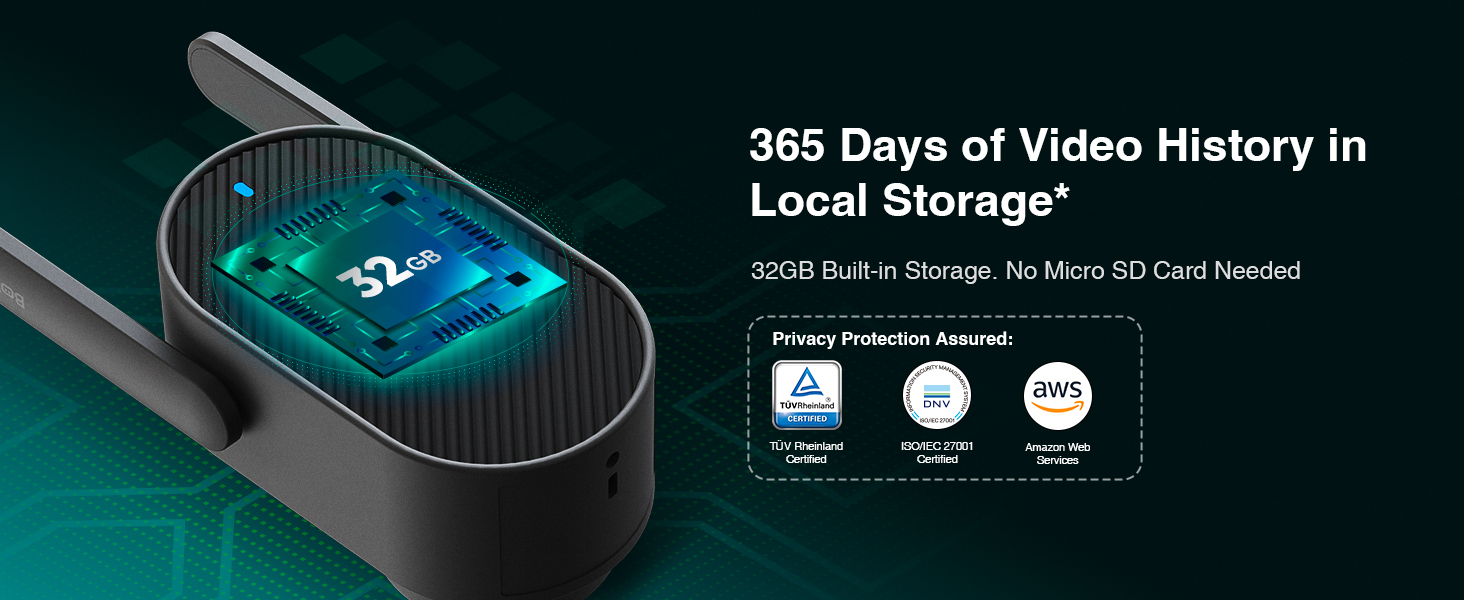
Image: Details on the 365 days of video history available with the 32GB built-in local storage, emphasizing no need for an SD card.
7. שילוב בית חכם
The BOTSLAB Doorbell Camera seamlessly integrates with Amazon Alexa and Google Assistant, allowing you to control your doorbell and view שידורים חיים באמצעות פקודות קוליות.
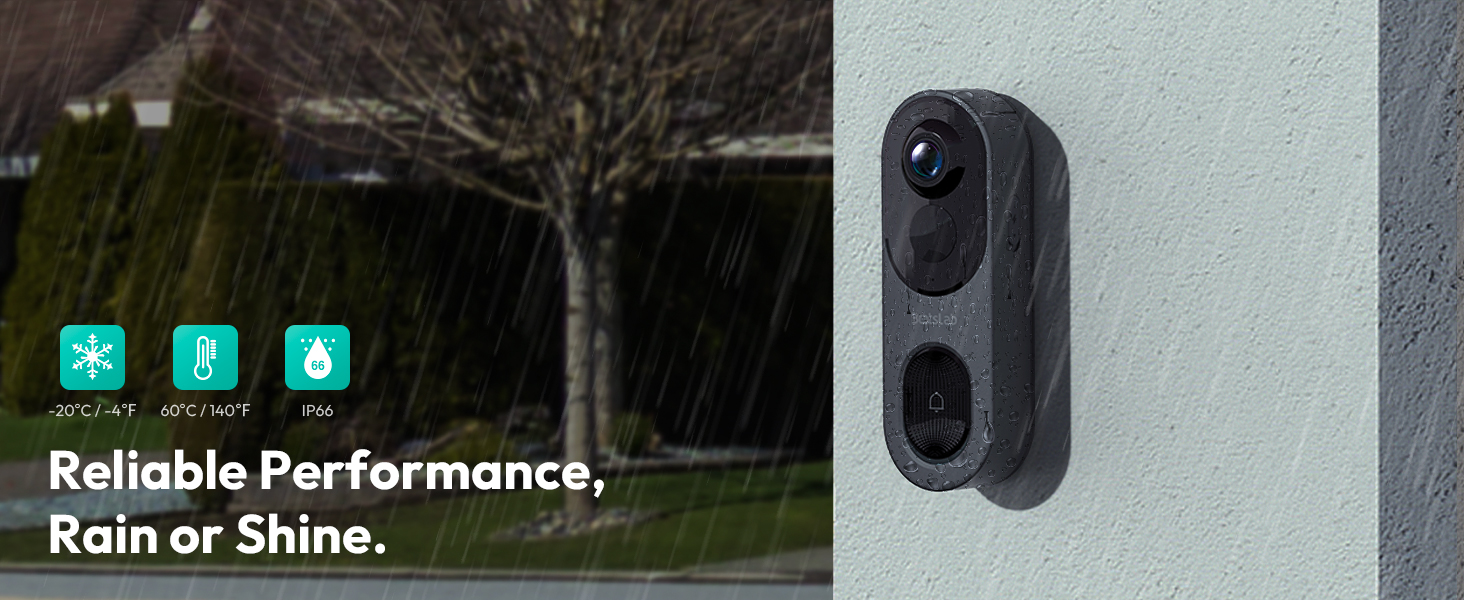
Image: Illustration of Alexa and Google Assistant integration, enabling voice control and viewing of the doorbell feed on smart displays.
8. שיתוף משפחתי
Share access to your doorbell camera with up to 5 users, allowing multiple family members to view live videos and receive alerts simultaneously.
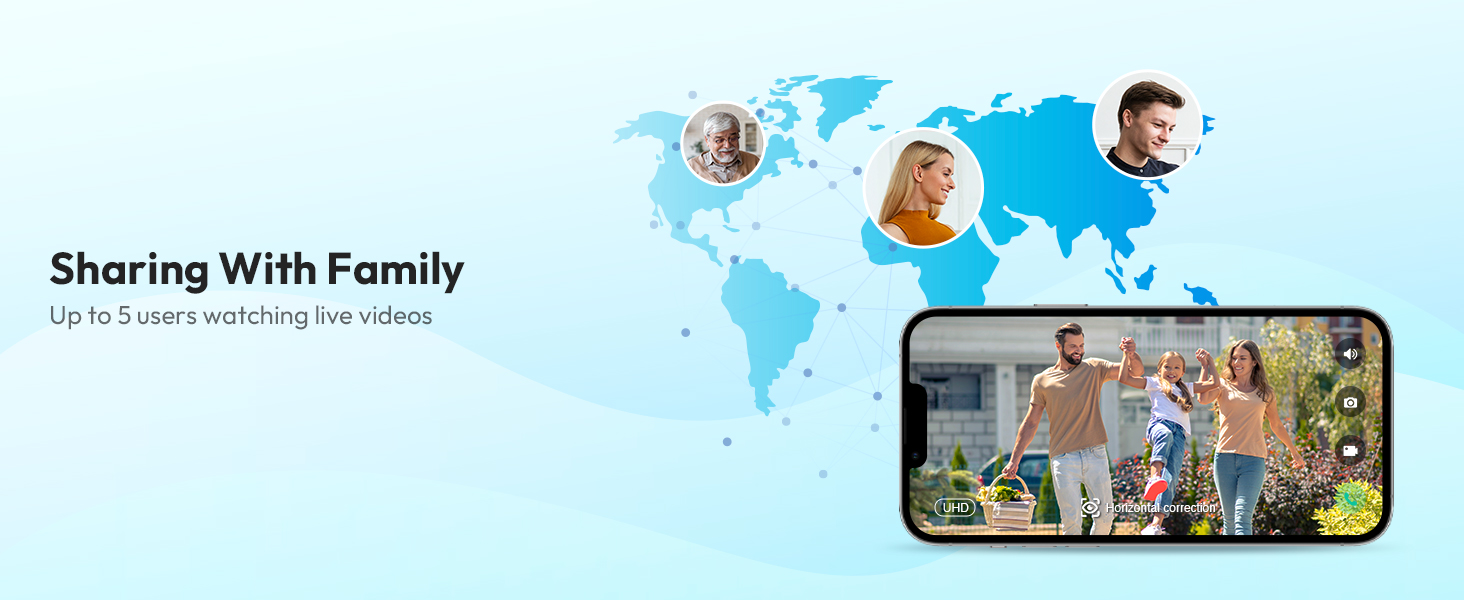
Image: Depiction of the family sharing feature, allowing up to 5 users to watch live videos from the doorbell camera.
תַחזוּקָה
1. ניהול סוללה
The doorbell camera is powered by a 6400mAh rechargeable battery. Monitor the battery level through the Botslab APP and recharge as needed using the provided charging cable. The doorbell can also be continuously powered if wired to an existing chime.
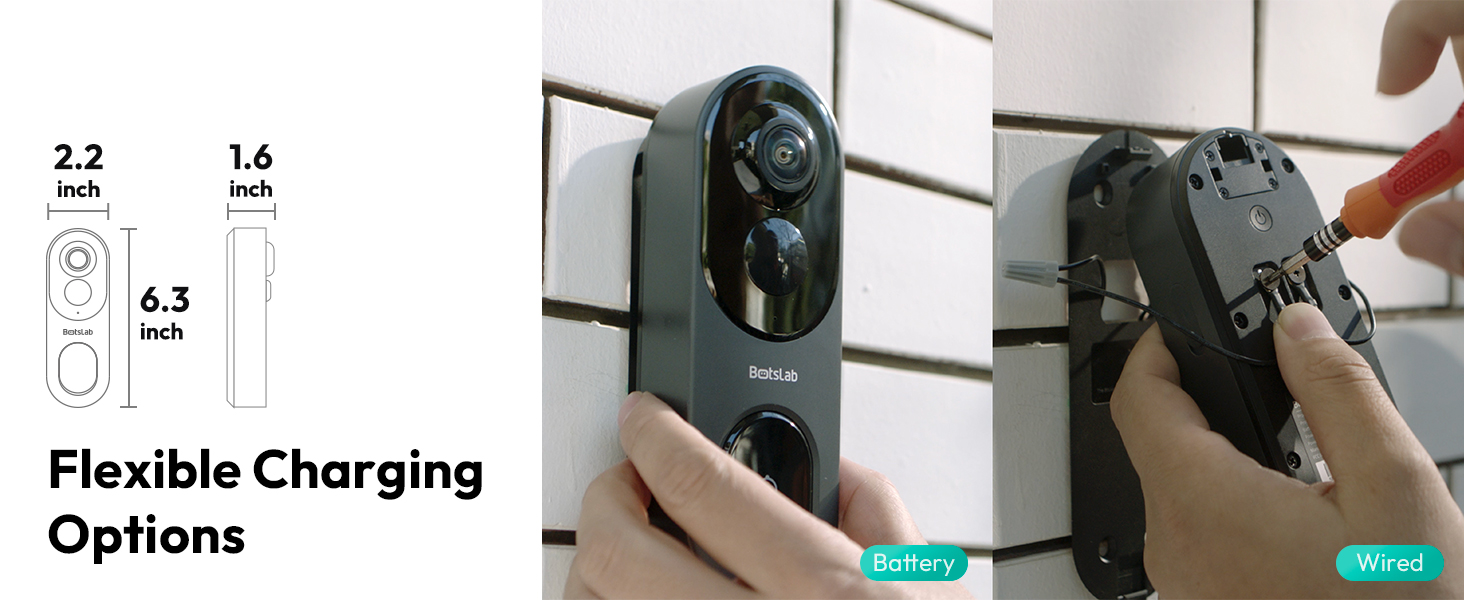
Image: Details on flexible charging options, illustrating both battery and wired power methods for the doorbell camera.
2. עמידות בפני מזג אוויר
The BOTSLAB Doorbell Camera is IP66 rated, ensuring reliable performance in various weather conditions, including rain, snow, and extreme temperatures ranging from -20°C (-4°F) to 60°C (140°F).

Image: Visual representation of the doorbell's reliable performance in various weather conditions, highlighting its IP66 waterproof rating and temperature tolerance.
3. ניקיון
נגבו את עדשת המצלמה וגוף המצלמה בעזרת מטלית רכהamp cloth as needed to remove dust and smudges. Avoid using harsh chemicals or abrasive materials that could damage the device.
פתרון בעיות
If you encounter any issues with your BOTSLAB Doorbell Camera, please refer to the following common troubleshooting steps:
- אין כוח: Ensure the battery is charged or the wired connection is properly installed.
- מצב לא מקוון: Check your Wi-Fi connection and ensure the doorbell is within range of your router or base station. Restart the doorbell and your router if necessary.
- איכות וידאו ירודה: Verify your Wi-Fi signal strength. Ensure the lens is clean and free from obstructions.
- התראות שווא: Adjust the AI detection sensitivity and customize the detection zones in the Botslab APP.
- בעיות שמע דו-כיווניות: Check the volume settings in the app and on your mobile device. Ensure there are no obstructions blocking the microphone or speaker on the doorbell.
For more detailed troubleshooting or persistent issues, please contact BOTSLAB customer support.
מפרטים
Key technical specifications for the BOTSLAB 5MP Wireless Outdoor Doorbell Camera (Model R811):
| תכונה | מִפרָט |
|---|---|
| מספר דגם | R811 |
| רזולוציית לכידת וידאו | 5MP |
| Viewזווית | 180 Degrees (Horizontal & Vertical) |
| תקשורת אלחוטית | 2.4/5GHz WiFi, Bluetooth |
| קיבולת סוללה | סוללת ליתיום-יון 6400mAh (כלולה) |
| אחסון מקומי | 32GB EMMC Built-in |
| אחסון בענן | Free 2-day cloud video forever |
| AI איתור | Person, Stay, Motion Detection (AI/Radar/PIR) |
| טווח ראיית לילה | עד 24 רגל |
| עמידות בפני מזג אוויר | IP66 |
| טמפרטורת הפעלה | -20°C עד 60°C (-4°F עד 140°F) |
| מידות (L x W x H) | 6 x 3 x 13 ס"מ |
| משקל פריט | 810 גרם |
| תְאִימוּת | Amazon Alexa, Google Assistant, Botslab App |

Image: A comparison table detailing the specifications of the R811 model against the R810 model.
אחריות ותמיכה
BOTSLAB is committed to providing high-quality products and excellent customer service.
מידע על אחריות
Your BOTSLAB Doorbell Camera (Model R811) comes with a אחריות יצרן לשנה ממועד הרכישה, הכולל פגמים בחומרים ובביצוע. אנא שמור את הוכחת הרכישה שלך לצורך תביעות אחריות.
תמיכת לקוחות
For any questions, technical assistance, or warranty inquiries, BOTSLAB offers comprehensive support:
- תמיכה טכנית לכל החיים: Assistance is available for the lifespan of your product.
- שירות לקוחות 24/7: צרו קשר בכל עת לקבלת תמיכה.
- משאבים מקוונים: לְבַקֵר global.botslab.com for FAQs and detailed setup videos.
- תמיכה בדוא"ל: פנה אלינו ב service@botslab.com.
- In-App Live Chat: Access live chat support through the Botslab APP: Me > Support > Live Chat.
- Botslab Users Group: Join the community on Facebook for peer support and updates.

Image: Information on Botslab's customer support channels and care policies, including warranty and technical assistance.
Ask a question about this manual
Ask about setup, troubleshooting, compatibility, parts, safety, or missing instructions. Manuals+ will review the question and use this page’s manual context to help answer it.