
1. הקדמה
This manual provides detailed instructions for the Edifier X5 Pro Active Noise Cancelling Earbuds. These earbuds feature hybrid active noise cancellation, AI-enhanced call clarity, fast charging, a dedicated game mode, app customization, and IP55 water resistance, all powered by True Wireless Bluetooth 5.3 technology.

Figure 1: Edifier X5 Pro Ivory Earbuds and Charging Case
2. מה בקופסה
The Edifier X5 Pro package includes the following components:
- Edifier X5 Pro Earbuds
- נרתיק טעינה
- כבל טעינה USB
- Ear Tips x 3 pairs (S, M, L)
- מדריך למשתמש

Figure 2: Included components of the Edifier X5 Pro package.
3. התקנה
3.1 צימוד ראשוני
- פתחו את מארז הטעינה. האוזניות ייכנסו אוטומטית למצב צימוד.
- במכשיר שלך (סמארטפון, טאבלט וכו'), הפעל את Bluetooth.
- חפש "EDIFIER X5 Pro" ברשימת התקני ה-Bluetooth הזמינים ובחרו בו כדי להתחבר.
- לאחר החיבור, יישמע צליל אישור דרך האוזניות.
3.2 Edifier ConneX App Installation
For enhanced features and customization, download the Edifier ConneX App from your device's app store. The app allows for personalized control settings, EQ adjustments, game mode activation, and the 'Find My Earbuds' function.

Figure 3: Edifier ConneX App interface for customization.
4. הוראות הפעלה
4.1 ביטול רעשים אקטיבי (ANC) וצליל סביבתי
The Edifier X5 Pro utilizes Hybrid ANC Technology to reduce ambient noise. You can switch between ANC On, Ambient Sound, and ANC Off modes via the Edifier ConneX App or through the touch controls on the earbuds.
- ANC פועל: Blocks out most surrounding noise for an immersive audio experience.
- צליל סביבתי: מאפשר לך לשמוע את סביבתך תוך כדי האזנה לשמע, שימושי למודעות בסביבות סואנות.
- ANC כבוי: מבטל את ביטול הרעשים.

איור 4: ביטול רעשים אקטיבי בשימוש.

Figure 5: Comparison of sound before and after ANC activation.
4.2 Immersive Sound Experience
The earbuds are equipped with 10mm large-size dynamic drivers and Titanium-coated diaphragms, delivering natural and balanced audio across various music genres.

Figure 6: Internal structure of the 10mm dynamic driver.
4.3 Clear Calls with AI Algorithm
The built-in microphone, enhanced with an AI algorithm, effectively reduces unwanted background noise, ensuring clear and faithful reproduction of the human voice during calls.

Figure 7: AI-enhanced call clarity.
4.4 Battery Life and Fast Charging
The earbuds offer up to 7 hours of playtime on a single charge. The charging case extends the total playtime to 31 hours. A quick 15-minute charge provides an additional 1 hour of playback time.
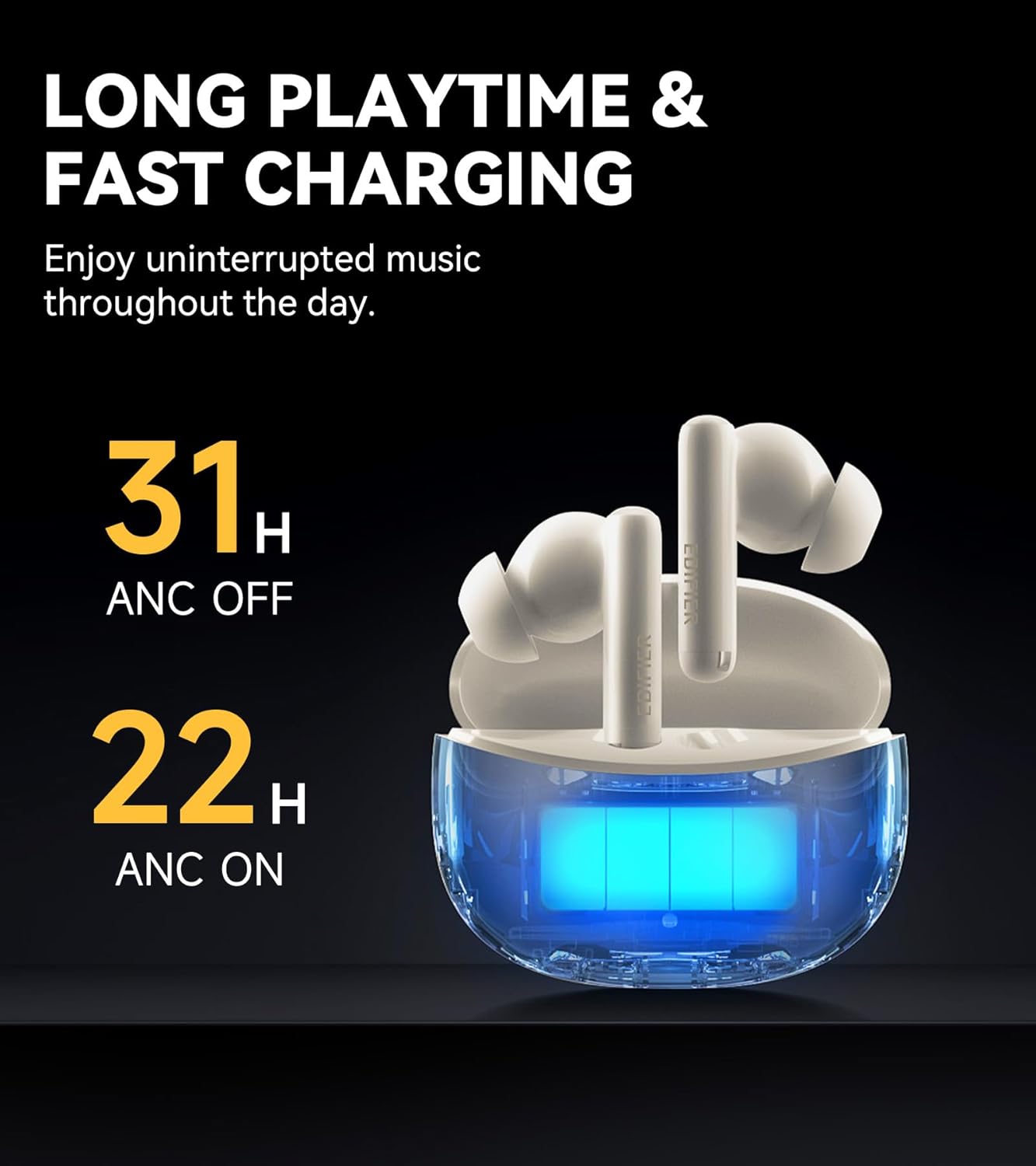
Figure 8: Battery life indicators for ANC on/off.
4.5 Advanced Bluetooth 5.3 Connectivity
Equipped with an advanced Bluetooth 5.3 chipset, the earbuds provide a fast and stable connection, ensuring smooth music playback, a seamless gaming experience, and clear calls with significantly low latency.

Figure 9: Bluetooth 5.3 chipset for stable connection.
4.6 App Customization and Game Mode
The Edifier ConneX App allows users to personalize control settings, select preset EQ modes, and activate a low-latency game mode for an optimized gaming experience. The app also includes a feature to locate your earbuds.

Figure 10: Low latency game mode for enhanced gaming.
4.7 עמידות למים ולאבק בתקן IP55
The earbuds are rated IP55 for dust and water resistance, making them suitable for use during workouts or in light rain conditions.

Figure 11: IP55 rating for dust and splash proofing.
5. תחזוקה
- נקו באופן קבוע את האוזניות ואת נרתיק הטעינה בעזרת מטלית רכה ויבשה.
- Avoid exposing the earbuds to extreme temperatures or direct sunlight for extended periods.
- ודא ששקע הטעינה נקי מאבק ופסולת.
- אחסן את האוזניות בתיק הטעינה שלהן כאשר אינן בשימוש כדי להגן עליהן ולשמור על חיי הסוללה.
6. פתרון תקלות
6.1 בעיות חיבור
- אוזניות לא מתחברות: Ensure the earbuds are charged and within range of your device. Turn Bluetooth off and on again on your device. Try resetting the earbuds (refer to the app or Edifier support for specific reset instructions).
- חיבור לסירוגין: Move closer to your device. Avoid environments with strong electromagnetic interference.
6.2 בעיות סאונד
- אין קול: Check the volume levels on both your device and the earbuds. Ensure the earbuds are properly connected.
- איכות סאונד ירודה: Ensure ear tips are correctly sized for a good seal. Clean any debris from the earbud nozzles.
6.3 בעיות טעינה
- האוזניות לא נטענות: Ensure the charging case has power. Check that the earbuds are correctly seated in the charging case. Clean the charging contacts on both the earbuds and the case.
- מארז טעינה לא נטען: Use the provided USB cable and a compatible power adapter. Check the cable and port for damage.
7. מפרטים
| תכונה | מִפרָט |
|---|---|
| שם הדגם | X5 Pro |
| מותג | עורך |
| בקרת רעש | ביטול רעשים אקטיבי |
| טכנולוגיית קישוריות | אַלחוּט |
| טכנולוגיית תקשורת אלחוטית | Bluetooth V5.3 |
| טווח בלוטות' | 10 מטר |
| גודל מנהל התקן שמע | 10 מילימטרים |
| סוג מנהל התקן שמע | מנהל התקן דינמי |
| עַכָּבָּה | 32 אוהם |
| שיטת בקרה | אפליקציה, מגע |
| רמת עמידות במים | IP55 (עמיד למים) |
| משקל פריט | 100 גרם |
| צֶבַע | שֶׁנהָב |
| תאריך ראשון זמין | 11 במרץ, 2024 |
8. סרטון מוצר רשמי
Video 1: Edifier X5 Pro Active Noise Cancelling Earbuds - An overview of features and design by EdifierDirect.
9. אחריות ותמיכה
The Edifier X5 Pro comes with a one-year warranty, ensuring product performance and providing reliable support. For further assistance, please refer to the official Edifier webאתר או צור קשר עם תמיכת הלקוחות.