1. הקדמה
Thank you for choosing the TOUS D-Bear Fresh Digital Watch. This manual provides detailed instructions for the proper setup, operation, and maintenance of your new timepiece. Please read this manual thoroughly to ensure optimal performance and longevity of your watch.
2. המוצר נגמרview
The TOUS D-Bear Fresh Digital Watch features a distinctive design with a rectangular stainless steel case, a transparent salmon-colored bracelet, and a digital display. It is equipped with a quartz movement and offers multiple functions including time, date, alarms, chronograph, and countdown timer.
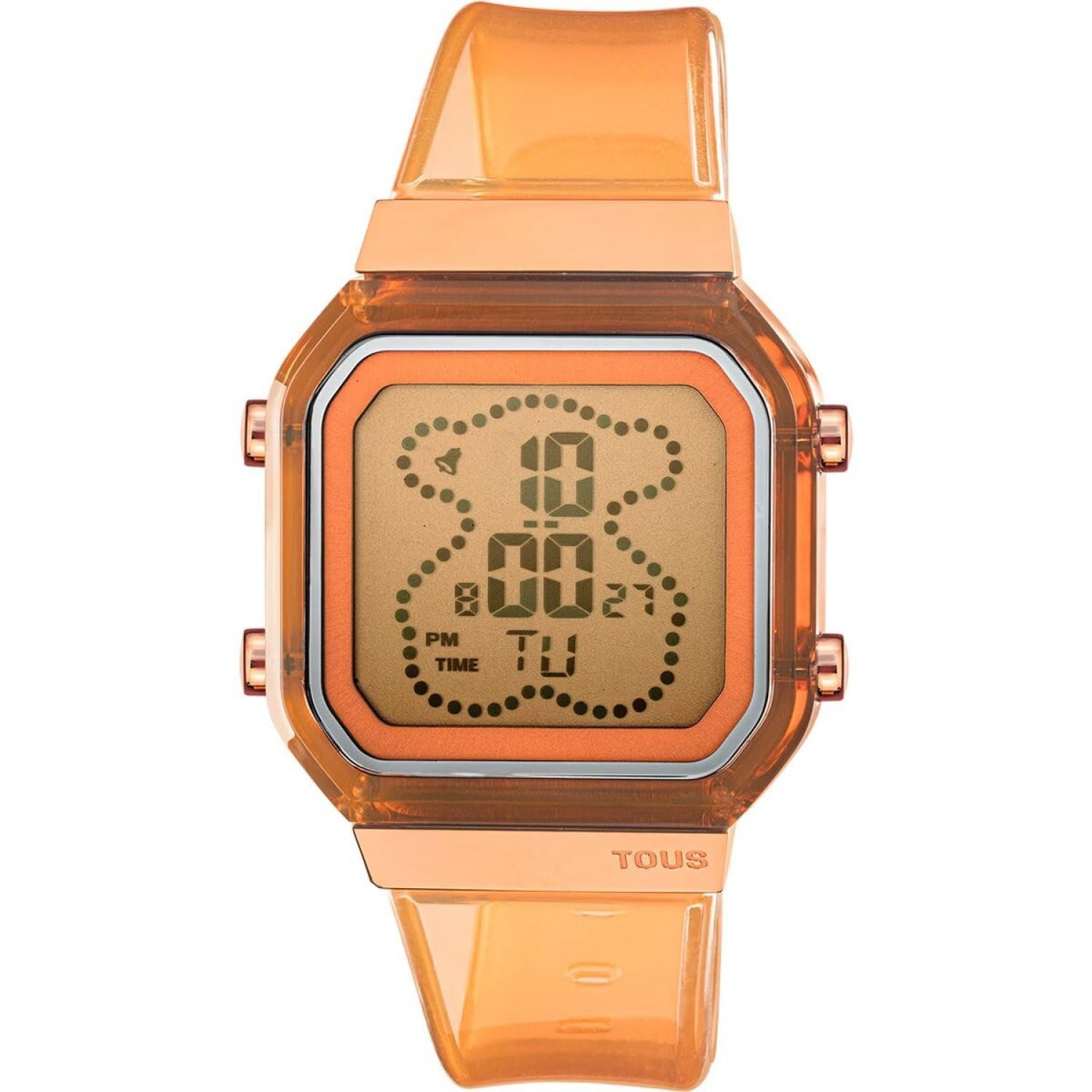
איור 2.1: חֲזִית view of the TOUS D-Bear Fresh Digital Watch. This image displays the watch's digital interface, showing the time and day of the week, along with the transparent salmon-colored strap and rose gold-toned case accents.

איור 2.2: בְּחֲזָרָה view of the TOUS D-Bear Fresh Digital Watch. This image highlights the stainless steel case back, which is engraved with essential product information including water resistance rating and model number.
תכונות עיקריות:
- Digital display for time, date, and functions.
- Hour in 12 or 24-hour format.
- Chronograph (1/100 seconds).
- טיימר ספירה לאחור.
- Five independent alarms.
- Hourlאות זמן y.
- Water resistance up to 3 ATM.
3. התקנה
3.1 הגדרה ראשונית
Upon first use, remove any protective films from the watch face or case back. Ensure the watch is securely fastened to your wrist using the buckle clasp.
3.2 הגדרת שעה ותאריך
Your watch typically has multiple buttons (e.g., Mode, Adjust, Start/Stop, Reset/Light) to navigate and set functions. The exact button layout may vary, but the general procedure is as follows:
- הקש על מצב לחץ שוב ושוב עד שתגיע למצב הגדרת זמן (מסומן לעתים קרובות על ידי ספרות מהבהבות).
- השתמש ב- לְהַתְאִים button to select the digit or setting you wish to change (e.g., hours, minutes, seconds, year, month, day).
- השתמש ב- התחל/עצור or Reset/Light כפתור כדי להגדיל או להקטין את הערך.
- Continue adjusting until all desired settings (time, date, 12/24-hour format) are correct.
- הקש על מצב button again to exit the Time Setting mode and return to normal time display.
4. פונקציות הפעלה
הקש על מצב button to cycle through the different operational modes: Time, Alarm, Chronograph, and Countdown Timer.
4.1 כרונוגרף (שעון עצר)
- היכנסו למצב כרונוגרף על ידי לחיצה על מצב button. The display will show '00:00:00'.
- הקש על התחל/עצור כפתור כדי להתחיל את הגדרת התזמון.
- הקש על התחל/עצור לחצן שוב כדי להשהות/להפסיק את התזמון.
- הקש על Reset/Light כפתור כדי לאפס את הכרונוגרף לאפס.
4.2 אזעקות
Your watch supports up to five independent alarms.
- היכנסו למצב התראה על ידי לחיצה על מצב לַחְצָן.
- השתמש ב- לְהַתְאִים button to select the alarm you wish to set (e.g., AL1, AL2).
- הקש על לְהַתְאִים כפתור כדי לבחור את ספרות השעה או הדקות.
- השתמש ב- התחל/עצור or Reset/Light כפתור כדי להגדיר את זמן ההתראה הרצוי.
- To activate/deactivate an alarm, typically press the התחל/עצור button while in Alarm mode (not setting the time). An alarm icon will appear/disappear.
4.3 טיימר ספירה לאחור
- היכנסו למצב טיימר ספירה לאחור על ידי לחיצה על מצב לַחְצָן.
- הקש על לְהַתְאִים כפתור כדי לבחור את ספרות השעה או הדקות.
- השתמש ב- התחל/עצור or Reset/Light button to set the desired countdown duration.
- הקש על התחל/עצור כפתור כדי להתחיל את הספירה לאחור.
- הקש על התחל/עצור לחץ שוב על הכפתור כדי להשהות/לחדש.
- הקש על Reset/Light לחצן כדי לאפס את הטיימר.
4.4 הוurly אות זמן
כדי להפעיל או לבטל את ה-hourly time signal (chime), navigate to the Time mode. Typically, pressing the לְהַתְאִים כפתור ולאחר מכן את התחל/עצור button (or a combination) will toggle the hourly chime on or off. A small icon (e.g., a bell) usually indicates its activation.
5. תחזוקה
5.1 ניקוי
נגבו את גוף השעון והרצועה באופן קבוע בעזרת מטלית רכה ויבשה. במקרה של לכלוך עיקש, נגבו מעטamp ניתן להשתמש בבד, ולאחר מכן ייבושו מיד. הימנעו משימוש בכימיקלים חזקים או בחומרים שוחקים.
5.2 עמידות למים (3 אטמוספרות)
Your watch is water resistant up to 3 ATM (30 meters). This means it is suitable for everyday use and can withstand splashes or brief immersion in water, such as washing hands or light rain. It is לֹא suitable for showering, bathing, swimming, diving, or any water sports. Do not operate buttons while the watch is wet.
5.3 החלפת סוללה
When the display becomes dim or functions become erratic, the battery may need replacement. Battery replacement should be performed by a qualified watch technician to ensure proper sealing and maintain water resistance.
6. פתרון תקלות
- התצוגה ריקה או עמומה: ייתכן שהסוללה חלשה או ריקה. עיין בסעיף 5.3 להחלפת סוללה.
- הזמן אינו נכון: The time may need to be reset. Refer to Section 3.2 for setting time and date. Ensure the 12/24-hour format is correctly selected.
- הכפתורים אינם מגיבים: Ensure the watch is dry. If the issue persists, there may be internal damage. Contact customer support.
- האזעקה לא נשמעת: Check if the alarm is activated (indicated by an alarm icon on the display). Ensure the alarm time is set correctly.
7. מפרטים
- מספר דגם: 3000131500
- חומר המארז: Stainless steel with pink IPRG finish
- צורת מארז: מַלבֵּנִי
- מידות המארז: 36.5 x 46.2 מ"מ
- חומר צמיד: Transparent, salmon-colored
- גָבִישׁ: Liquid and hardened
- תְנוּעָה: קְוָרץ
- סוג תצוגה: דִיגִיטָלי
- עמידות במים: 3 כספומט (30 מטר)
- סוג אבזם: אבזם אבזם
- פונקציות: Hour (12/24h), minutes, seconds, day, month, day of the week, hourly time signal, chronograph (1/100s), countdown timer, 5 alarms.
- ארץ מוצא: סְפָרַד
8. אחריות ותמיכה
Your TOUS D-Bear Fresh Digital Watch Model 3000131500 comes with a אחריות לשלוש שנים מתאריך הרכישה. אחריות זו מכסה פגמי ייצור בשימוש רגיל. היא אינה מכסה נזקים הנובעים מטיפול לא נכון, תאונות, תיקונים לא מורשים או בלאי רגיל.
For warranty claims, technical support, or service inquiries, please contact TOUS customer service or an authorized TOUS retailer. Please retain your proof of purchase for warranty validation.