
1. הקדמה
Thank you for choosing the HETP Magnetic Portable Charger Power Bank. This compact and powerful device is designed to provide convenient and reliable charging for your iPhone 15/14/13/12 series and other USB-C compatible devices. Featuring strong magnetic attachment, wireless charging, and a clear LCD display, it ensures you stay powered on the go. Please read this manual carefully before use to ensure optimal performance and safety.
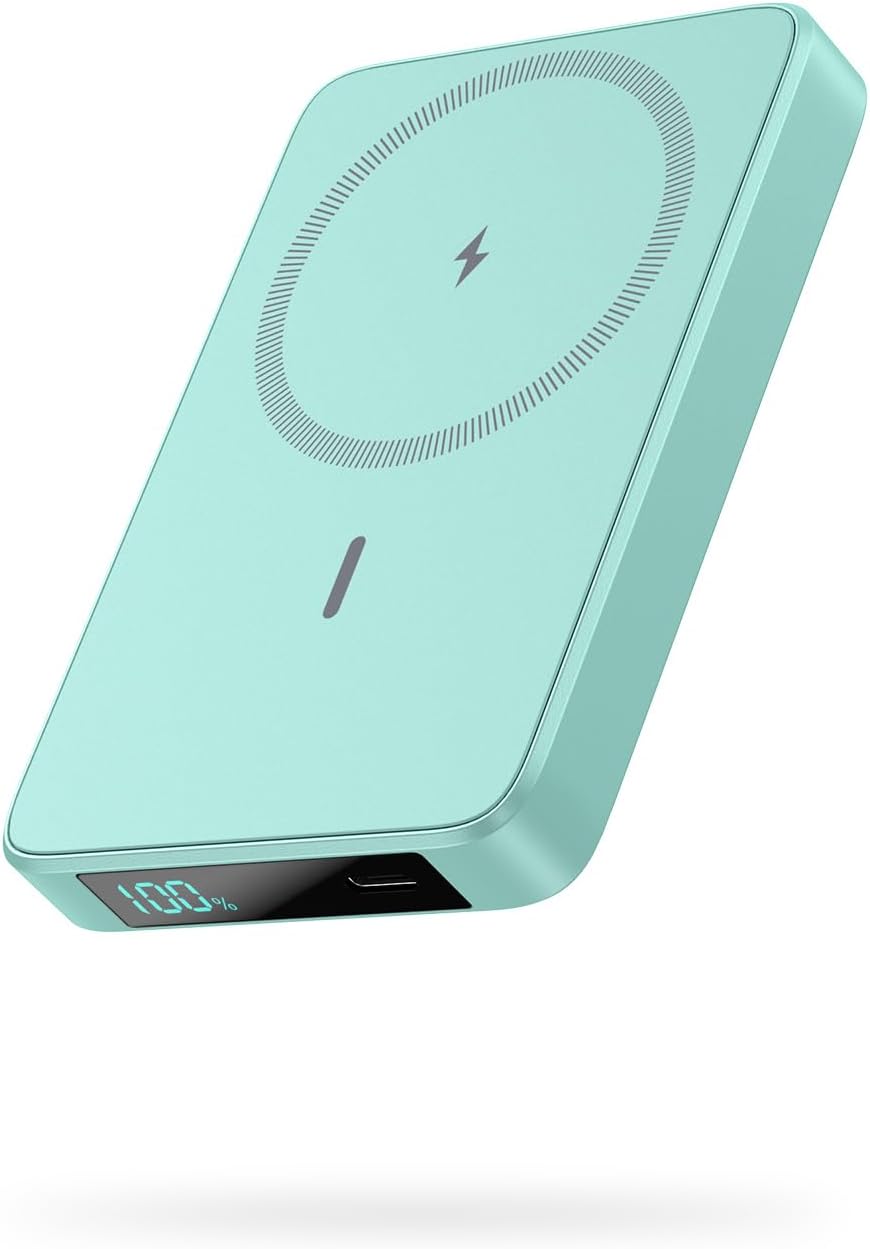
Image: The HETP Magnetic Portable Charger Power Bank in green, showcasing its sleek design and LCD display.
2. תכולת החבילה
אנא בדקו את החבילה עבור הפריטים הבאים:
- 1 x HETP Magnetic Wireless Power Bank (10800mAh)
- כבל טעינה 1 x USB-C
- 1 x מדריך למשתמש
- 1 x Dust-proof Portable Storage Bag
3. תכונות מוצר
- טעינה אלחוטית מגנטית: Specifically designed for iPhone 15/14/13/12 series and MagSafe compatible cases, providing 7.5W magnetic wireless charging.
- קיבולת גבוהה: Built-in 10800mAh battery capacity, capable of fully charging an iPhone 15 Pro up to 1.9 times.
- 20W PD USB-C Output: Fast charging for various devices via USB-C cable.
- תצוגת LCD: Clear digital display showing remaining battery percentage.
- קומפקטי ונייד: Ultra-slim design (3.99 x 2.59 x 0.78 inches, 0.39 lb) for easy portability.
- טעינת מעבר: Charge your phone wirelessly or via USB-C while simultaneously recharging the power bank.
- מערכת בטיחות רב-הגנה: כולל כרך יתרtagה, הגנה מפני טעינת יתר, זרם יתר וקצר חשמלי.
4. תחילת העבודה
4.1 חיוב ראשוני
Before first use, fully charge your HETP Magnetic Portable Charger Power Bank. Connect the provided USB-C cable to the power bank's USB-C port and the other end to a compatible USB wall adapter (not included).
4.2 בדיקת רמת הסוללה
The LCD display on the power bank will show the current battery percentage. It will illuminate automatically when charging or when a device is connected.
5. הוראות הפעלה
5.1 טעינת הסוללה
- Connect the USB-C charging cable to the power bank's USB-C port.
- Connect the other end of the cable to a USB-C wall charger or a computer's USB-C port.
- The LCD display will show the charging progress, indicating the battery percentagהגדלהasing.
5.2 Wireless Magnetic Charging (for iPhone 15/14/13/12 Series)
- Ensure your iPhone is a 15/14/13/12 series model or is equipped with a MagSafe compatible case.
- Align the back of your iPhone with the magnetic charging area of the power bank. The magnets will firmly snap into place.
- Wireless charging will begin automatically. The LCD display on the power bank will show the battery percentage.

Image: The power bank magnetically attaching to the back of an iPhone, demonstrating the "Power in a Snap" feature.
פֶּתֶק: For optimal magnetic attachment and charging, use with bare iPhone 15/14/13/12 series or MagSafe compatible cases. Non-magnetic cases may prevent proper attachment and charging.

Image: Illustration showing that the power bank charges effectively through magnetic cases, but not through non-magnetic cases.
5.3 Wired USB-C Charging
- Connect your device (e.g., smartphone, tablet) to the power bank's USB-C port using a compatible USB-C cable.
- The power bank will automatically detect the device and begin charging.

Image: Demonstrates simultaneous wireless charging and wired USB-C charging from the power bank, highlighting its versatility.
5.4 טעינת מעבר
The power bank supports pass-through charging, allowing you to charge your phone (wirelessly or via USB-C) while the power bank itself is being recharged. Simply connect the power bank to a power source and then connect your phone to the power bank.
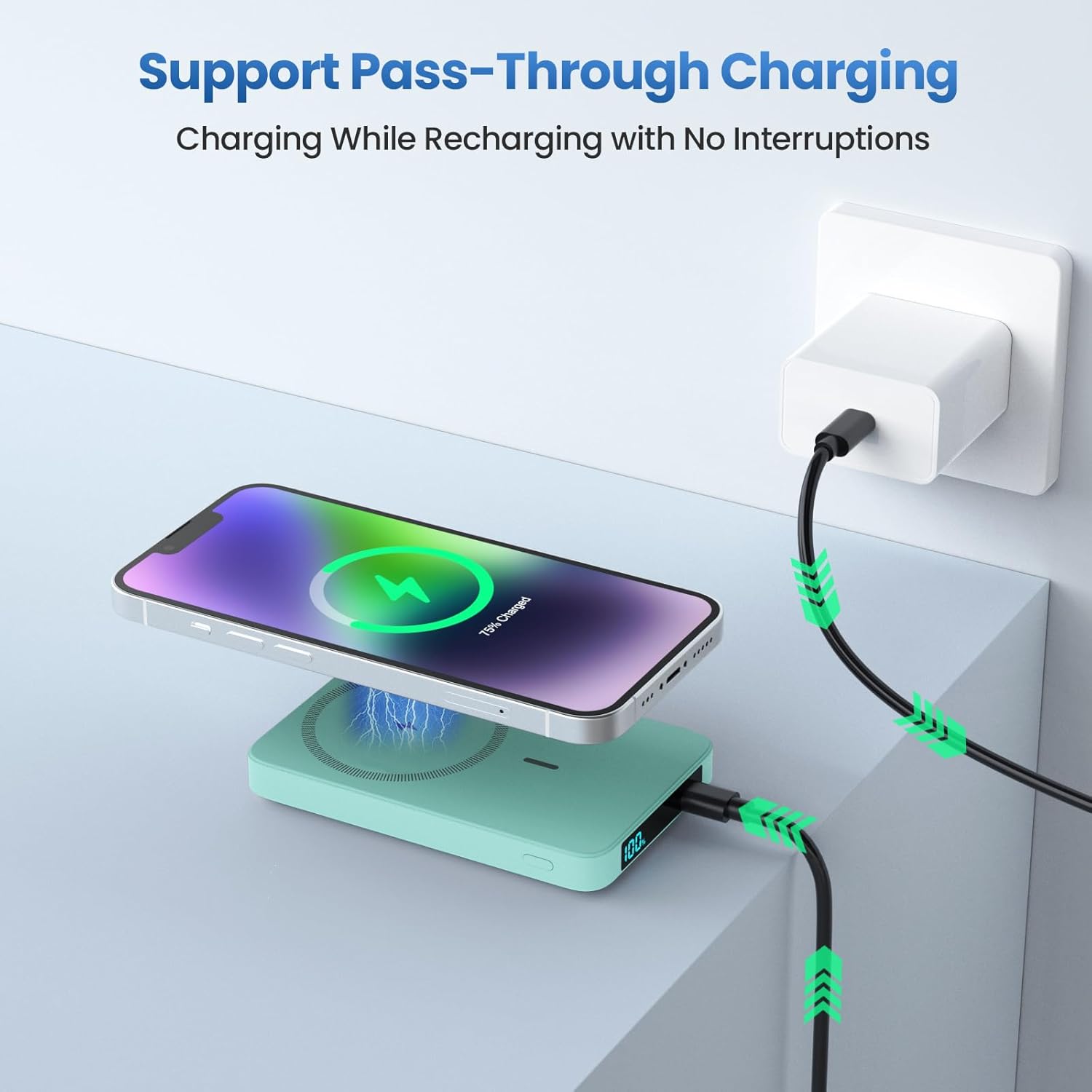
Image: Shows the power bank connected to a wall adapter for recharging, while simultaneously wirelessly charging an iPhone, illustrating the pass-through charging capability.
6. מידע בטיחות
- אין לחשוף את סוללת הסוללה לטמפרטורות קיצוניות (חמות או קור), לאור שמש ישיר או לחות גבוהה.
- אין לפרק, לשנות או לתקן את המכשיר בעצמך. פנה לאנשי שירות מוסמכים.
- הרחק ממים ומנוזלים אחרים.
- הימנע מהפלה או הכפיפה של בנק הכוח לפגיעות חזקות.
- אין להשתמש אם סוללת הסוללה פגומה או נפוחה.
- הרחק מהישג ידם של ילדים.
- Dispose of the power bank responsibly according to local regulations. Do not dispose of with household waste.
7. תחזוקה וטיפול
- נקו את סוללת הכוח בעזרת מטלית רכה ויבשה. אין להשתמש בחומרי ניקוי שוחקים או ממסים.
- אחסן את בנק הכוח במקום קריר ויבש כאשר אינו בשימוש.
- להשגת אורך חיים אופטימלי של הסוללה, יש לטעון ולפרוק את סוללת הכוח במלואה לפחות פעם בשלושה חודשים אם לא נעשה בה שימוש קבוע.
8. פתרון תקלות
| בְּעָיָה | סיבה אפשרית | פִּתָרוֹן |
|---|---|---|
| בנק החשמל לא נטען. | בעיה בכבל או במתאם; סוללת הסוללה ריקה לחלוטין. | Try a different USB-C cable or wall adapter. Ensure connections are secure. Allow a few minutes for the LCD to light up if fully discharged. |
| המכשיר לא נטען באופן אלחוטי. | Misalignment; non-MagSafe case; device incompatibility. | Ensure proper alignment. Remove non-MagSafe cases. Confirm your device supports wireless charging. |
| המכשיר לא נטען דרך USB-C. | Cable issue; power bank low on battery. | Try a different USB-C cable. Ensure the power bank has sufficient charge. |
| צג ה-LCD לא עובד. | Power bank fully discharged; internal fault. | טען את סוללת הכוח. אם הבעיה נמשכת, צור קשר עם תמיכת הלקוחות. |
9. מפרטים
- דֶגֶם: HX100M7
- קיבולת סוללה: 10800mAh
- פלט אלחוטי: 7.5W (Magnetic)
- כניסת/פלט USB-C: אספקת חשמל PD (20W)
- מידות: 3.99 x 2.59 x 0.78 אינץ' (כ-10.1 x 6.6 x 2.0 ס"מ)
- מִשׁקָל: 0.39 ליברות (כ-177 גרם)
- סוג סוללה: ליתיום פולימר
10. אחריות ותמיכה
HETP provides a worry-free 24-month warranty and lifetime technical support for this product. If you encounter any issues or have questions, please do not hesitate to contact our friendly customer service team. Refer to the contact information provided on the product packaging or the official HETP webאֲתַר.
Thank you for choosing HETP.