
מָבוֹא
Thank you for choosing the JSAUX 10000mAh Battery Pack. This device is designed to extend the playtime of your VR headset, such as the Oculus Quest 3, and provide portable power for other USB-C compatible devices. This manual will guide you through the setup, operation, maintenance, and troubleshooting of your new battery pack.
מידע בטיחות
- Do not expose the battery pack to extreme temperatures, direct sunlight, or fire.
- אין לפרק, לשנות או לנסות לתקן את המכשיר.
- הרחק את המכשיר ממים ומנוזלים אחרים.
- השתמשו רק בכבל USB-C המצורף או בכבל שווה ערך מאושר לטעינה.
- הרחק מהישג ידם של ילדים.
- Dispose of the battery pack according to local regulations.

תמונה: פנימי view of the JSAUX battery pack, illustrating its multiple protection features including over-charge, over-voltage, over-power, and over-temperature protection.
תוכן החבילה
ודא שכל הפריטים נמצאים בחבילה שלך:
- JSAUX 10000mAh Battery Pack (x1)
- כבל טעינה USB-C (x1)
תכונות המוצר
- Extended VR Playtime: Provides an additional 6-8 hours of VR gaming, depending on usage.
- Ergonomic Neck-Worn Design: Unique design for comfortable wear, reducing head-mounted weight and cable interference.
- טעינה מהירה: Supports up to 20W Power Delivery (PD) fast charging for efficient power delivery to your devices.
- תאימות USB-C אוניברסלית: Works seamlessly with Meta Quest 3, Meta Quest 2, Pico 4, Pico 4 Pro, HTC Vive, PSVR 2, and other USB-C enabled phones, tablets, and laptops.
- גמיש ועמיד: Constructed with skin-friendly, bendable, and twistable materials for enhanced comfort and longevity.
- הגנה חכמה: Built-in chip automatically detects optimal charging performance and protects against over-charge, over-voltage, over-power, and over-temperature.

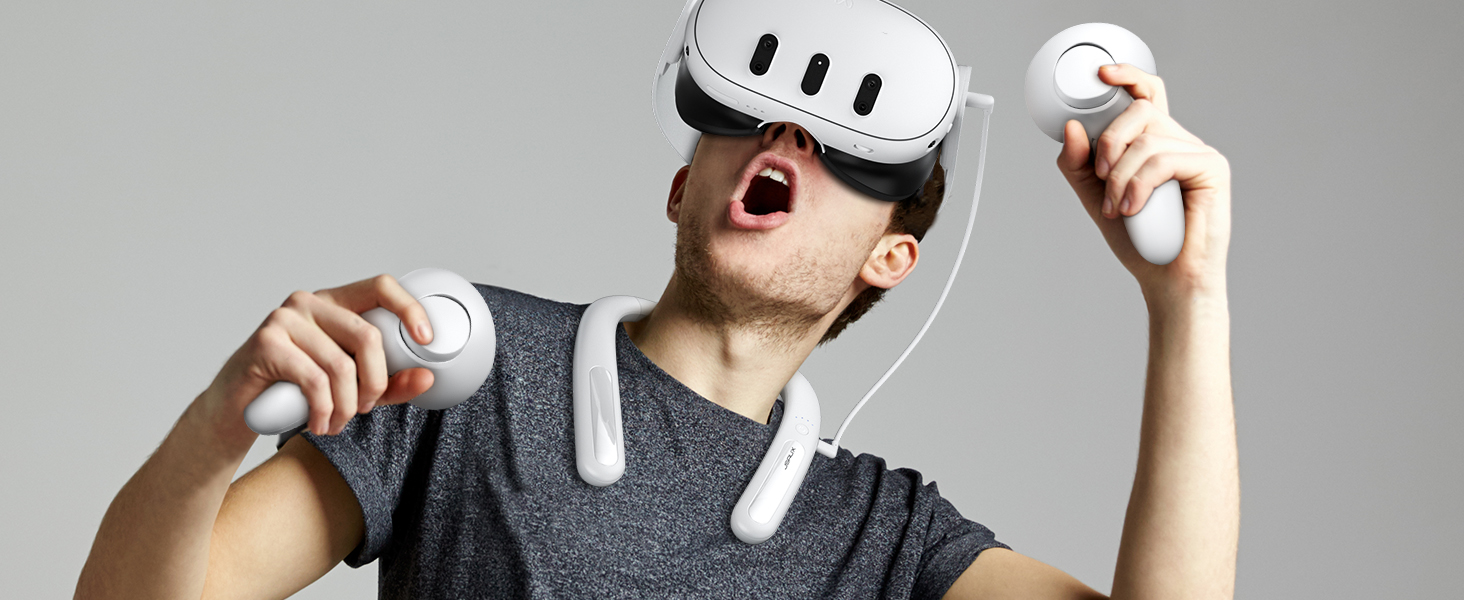
Image: A user enjoying VR with the JSAUX 10000mAh battery pack, highlighting its capacity to extend playtime.

Image: The JSAUX battery pack shown alongside multiple USB-C devices, including VR headsets, phones, and handheld consoles, emphasizing its broad compatibility.
הגדרה
- Charge the Battery Pack: Before first use, fully charge the JSAUX battery pack using the provided USB-C cable and a compatible power adapter (not included). Connect the cable to the Type-C1 (Input/Output) port on the battery pack. The indicator lights will show charging progress.
- Wear the Battery Pack: Gently bend the battery pack to fit comfortably around your neck. The flexible design allows for a custom fit.
- Connect to VR Headset: Use the provided USB-C cable to connect the Type-C2 (Output) port of the battery pack to your VR headset's charging port.
- כבלים מאובטחים: Ensure cables are routed safely to avoid entanglement during VR use.

Image: A user wearing the JSAUX battery pack, illustrating its adjustable and comfortable fit around the neck while using a VR headset.

Image: A visual comparison highlighting how the JSAUX neck-worn design reduces strain on the cervical spine compared to traditional head-mounted battery solutions.
הוראות הפעלה
טעינת ערכת הסוללות
- Connect the provided USB-C cable to the Type-C1 (Input/Output) port on the battery pack.
- Plug the other end of the cable into a USB power adapter (e.g., wall charger, computer USB port). For optimal charging speed, use a PD compatible charger.
- The indicator lights will illuminate to show the charging status.

Image: The JSAUX battery pack connected to a power source via its Type-C1 port, demonstrating the PD fast charging capability.
שימוש בתור Power Bank
- Connect your device (VR headset, phone, etc.) to the Type-C2 (Output) port of the battery pack using a USB-C cable.
- The battery pack will automatically begin charging your device.
- נוריות החיווי יציגו את רמת הסוללה שנותרה בסוללת הסוללה.
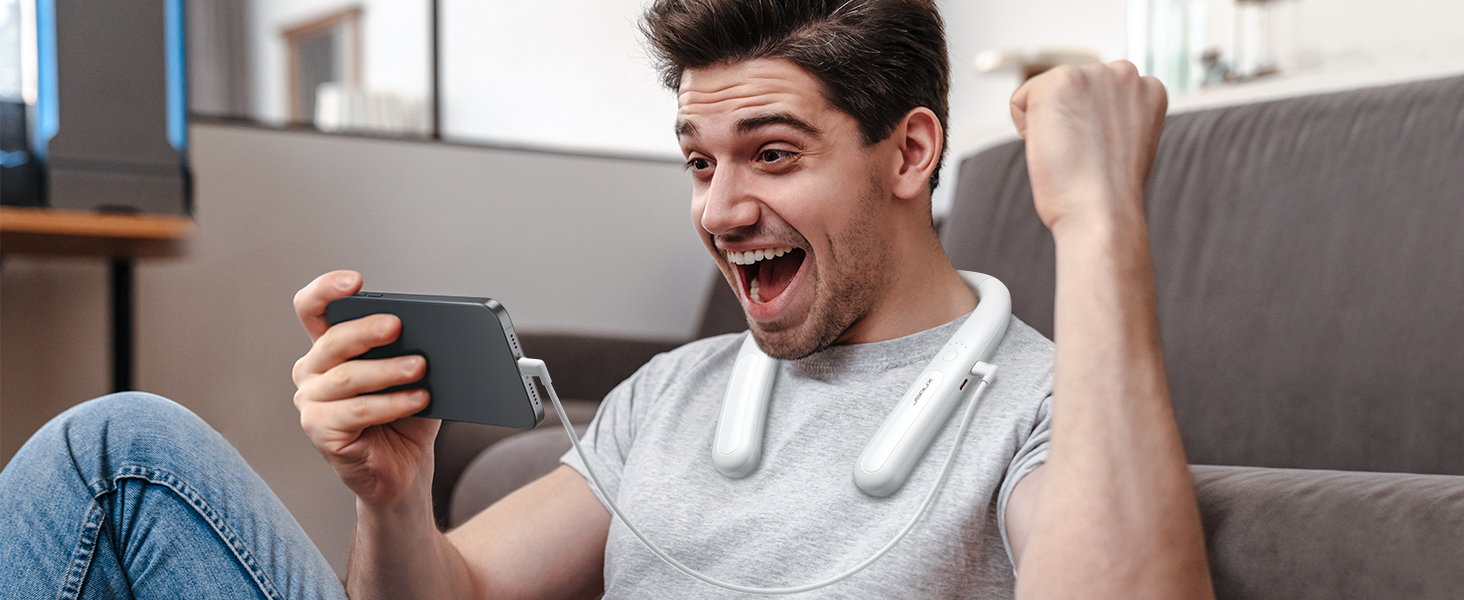
Image: The JSAUX battery pack connected to and charging a smartphone, demonstrating its versatility as a portable power bank.
נוריות חיווי
The battery pack features indicator lights to display its charge status:
- Four Lights Solid: 100% מחויב
- Three Lights Solid: טעונה מעל 75%.
- Two Lights Solid: טעונה מעל 50%.
- One Light Solid: טעונה מעל 25%.
- All Four Lights Flashing Simultaneously: Input/Output Anomaly (Error)
תמונה: מפורט view of the JSAUX battery pack's indicator lights, explaining what each light pattern signifies regarding battery level and potential anomalies.
תַחזוּקָה
- ניקוי: נגבו את המכשיר במטלית רכה ויבשה. אין להשתמש בכימיקלים חזקים או בחומרים שוחקים.
- אִחסוּן: Store the battery pack in a cool, dry place away from direct sunlight and extreme temperatures. For long-term storage, charge the battery to about 50-75% every three months to maintain battery health.
- טיפול בכבלים: הימנעו מכיפוף או פיתול יתר על המידה של כבל ה-USB-C כדי למנוע נזק.
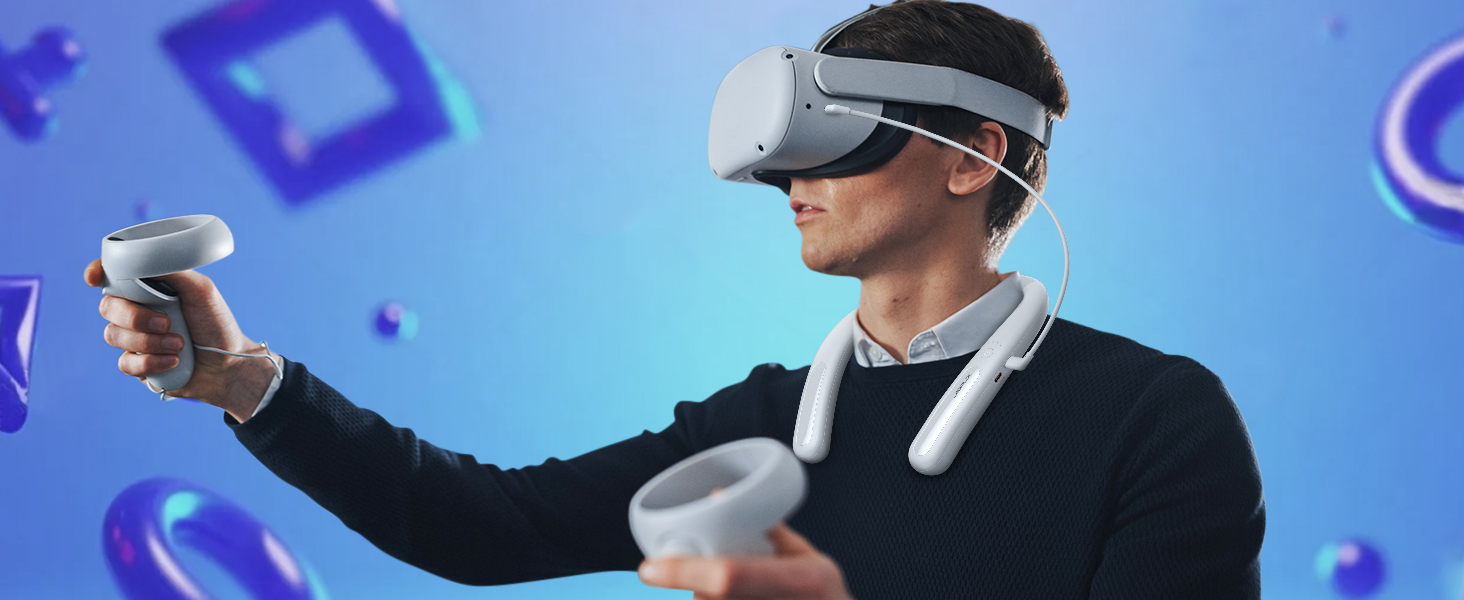
Image: The JSAUX battery pack shown in a flexible, twisted state, highlighting its durable and adaptable material for comfortable use and storage.
פתרון בעיות
- Device not charging from battery pack:
- ודא שחבילת הסוללה טעונה כראוי.
- Verify the USB-C cable is securely connected to both the battery pack's Type-C2 (Output) port and your device.
- נסה כבל USB-C אחר כדי לשלול תקלה בכבל.
- בדוק אם המכשיר שלך תואם לטעינה באמצעות USB-C.
- חבילת הסוללה לא נטענת:
- Ensure the USB-C cable is connected to the Type-C1 (Input/Output) port.
- Verify the power adapter is working and properly connected to a power source.
- נסה כבל USB-C וספק כוח אחרים.
- If all four indicator lights are flashing, there might be an input anomaly. Disconnect and reconnect the charger.
- Reduced playtime extension:
- The actual playtime extension depends on the power consumption of the VR game or application. More demanding games consume more power.
- ודא כי ערכת הסוללות טעונה במלואה לפני השימוש.
- Over time, all rechargeable batteries experience some capacity degradation.
מפרטים
| מספר דגם | PB2004A |
|---|---|
| קיבולת סוללה | 10000mAh |
| הרכב סוללה | לִיתִיוּם |
| פלט וואטtage | 20 וואט (מקסימום) |
| סוג מחבר | USB Type-C |
| מִשׁקָל | 137 גרם |
| יַצרָן | JSAUX |
| ארץ מוצא | סִין |
אחריות ותמיכה
JSAUX מספקת 18-month worry-free period for this product. If you encounter any issues or have questions, please contact our שירות לקוחות 24/7. We are committed to resolving your concerns within 24 hours.
For support, please visit the official JSAUX webאתר או צרו איתנו קשר דרך פלטפורמת הרכישה שלכם.
סרטון מוצר
וידאו: אוברview of the JSAUX 10000mAh Battery Pack, demonstrating its features, ergonomic design, and compatibility with VR headsets and other USB-C devices.