
1. הקדמה
The MAGIC-REFINER AKL680 is an ultra-thin wireless mechanical keyboard designed for versatility and comfort. It features an updated low-latency wireless chip, enabling connection to up to three wireless devices simultaneously: one via 2.4G wireless and two via Bluetooth. The compact 68-key layout prioritizes practicality, including a full set of arrow keys and frequently used control keys. This keyboard is battery-powered (batteries not included) and offers extended usage thanks to its smart hibernation function and non-backlit design.
This manual provides essential information for setting up, operating, and maintaining your keyboard.
2. תכולת החבילה
- 1 x MAGIC-REFINER AKL680 Wireless Mechanical Keyboard
- 1 x חולץ כובע מפתחות
- 1 x USB Receiver (2.4G dongle)
- 1 x מדריך למשתמש
3. המוצר נגמרview
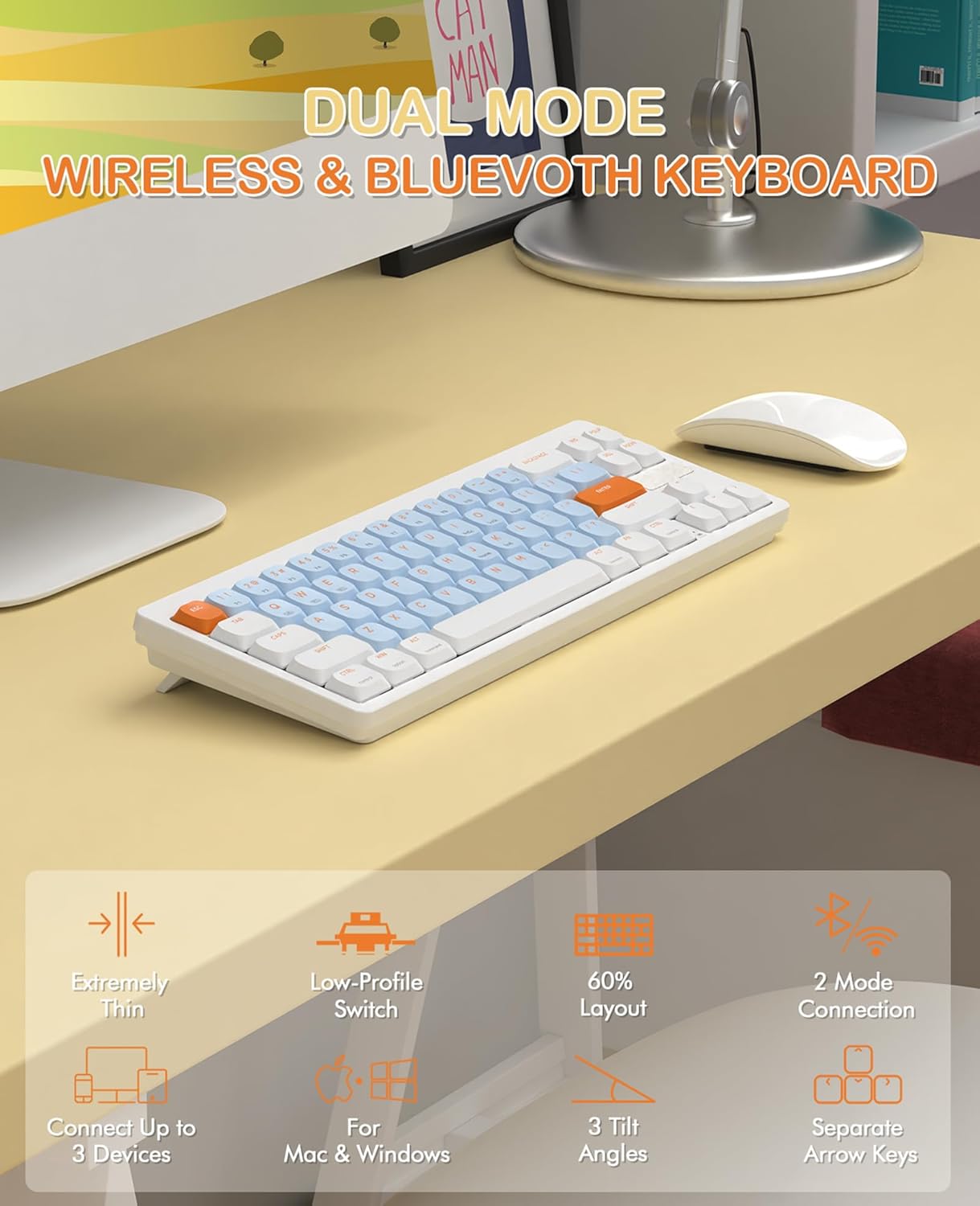
Image 3.1: The MAGIC-REFINER RKL680 keyboard showcasing its dual wireless modes and compact design with low-profile switches and adjustable tilt angles.
תכונות עיקריות:
- עיצוב דק במיוחד: מקצוען רזהfile and lightweight (450g) for portability and reduced wrist strain.
- Dual Wireless Modes: Supports 2.4 GHz wireless and Bluetooth 5.0 connectivity.
- קישוריות מרובת מכשירים: Connects up to three devices simultaneously (1 x 2.4G, 2 x Bluetooth).
- פריסת 68 מקשים: Compact yet practical, including dedicated arrow keys and essential control keys.
- Low-Profile מתגים חומים מגעיים: Ensures faster response, easier typing, and quiet operation with tactile feedback.
- זוויות הטיה מתכווננות: כפוליםtage kickstands provide 3 different typing angles for ergonomic comfort.
- כיסויי מפתח עמידים: Double-shot ABS keycaps are oil and wear-resistant.
- תאימות מערכת רחבה: Supports Windows XP/7/8/10/11, Mac OS, Android, and iOS.
- חיי סוללה ארוכים: Non-backlit design and smart hibernation allow up to 6 months of use (batteries not included).
4. התקנה
4.1 התקנת סוללה
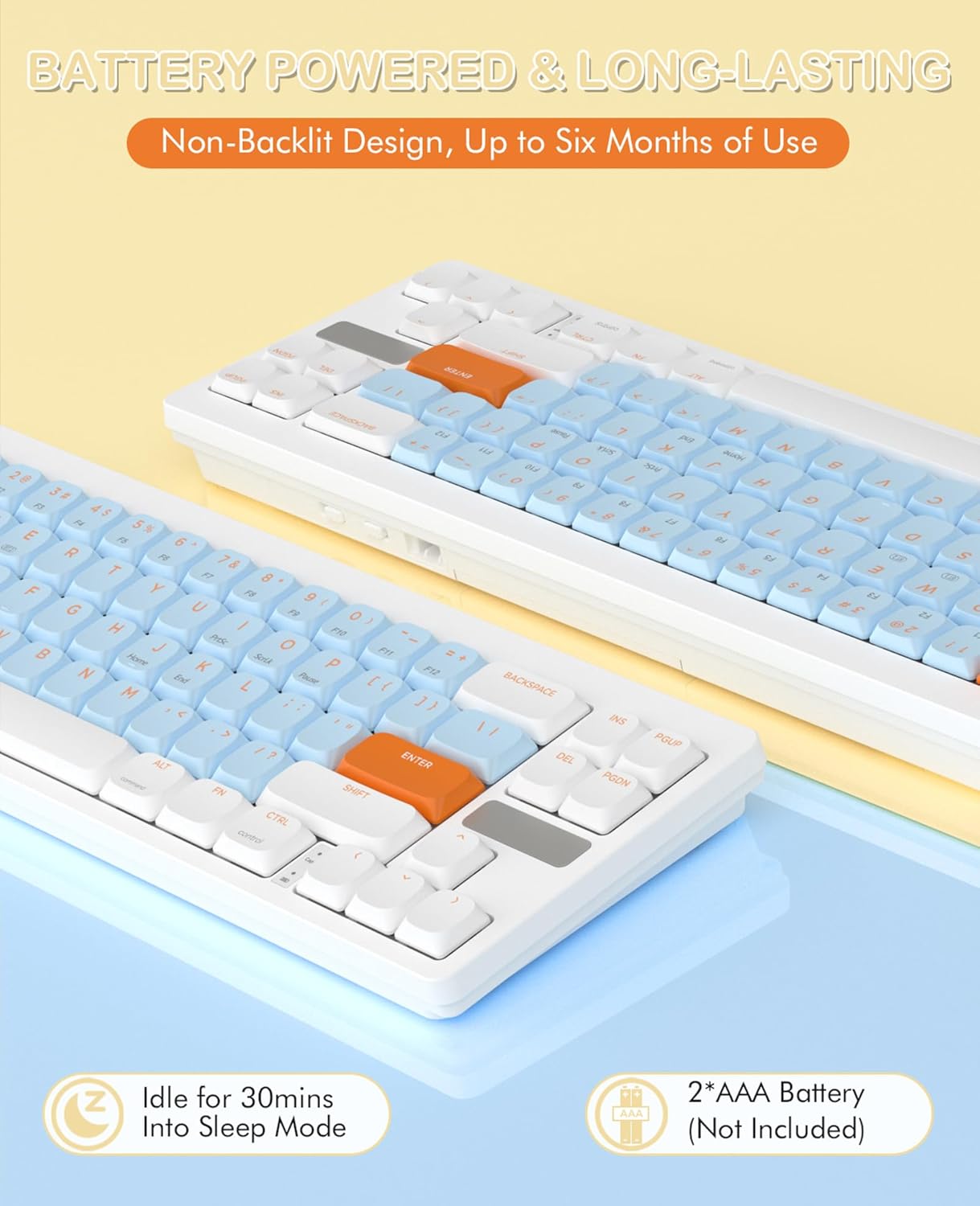
Image 4.1: The keyboard requires two AAA batteries, which are not included in the package. Locate the battery compartment on the underside of the keyboard.
- אתר את מכסה תא הסוללה בחלק התחתון של המקלדת.
- החלק או פתח בעדינות את המכסה.
- הכניסו שתי סוללות AAA, תוך הקפדה על קוטביות נכונה (+/-).
- סגור היטב את מכסה תא הסוללות.
4.2 קישוריות

Image 4.2: The keyboard supports simultaneous connections to up to three devices using 2.4GHz wireless and Bluetooth 5.0.
מצב אלחוטי 2.4 GHz:
- Locate the USB receiver (dongle) in the package.
- חבר את מקלט ה-USB ליציאת USB-A זמינה במחשב שלך.
- במקלדת, לחץ על Fn + Q to switch to 2.4G wireless mode. The keyboard should automatically connect.
Bluetooth Mode (up to 2 devices):
- במקלדת, לחץ על Fn + W or Fn + E כדי לבחור ערוץ Bluetooth.
- המקלדת תיכנס למצב צימוד.
- On your device (PC, laptop, smartphone, tablet), open Bluetooth settings.
- חפש available devices and select "AKL680" or "AKL6802" (depending on the channel selected) to pair.
- Once paired, the keyboard will be connected. Repeat for a second Bluetooth device using the other channel.
4.3 System Switching (Windows/Mac)

Image 4.3: The keyboard supports both Windows and Mac operating systems, allowing seamless switching.
The keyboard features a toggle switch to adapt its layout for Windows or Mac OS. Locate the switch on the back or side of the keyboard and set it to the appropriate operating system for optimal key functionality.
5. הוראות הפעלה
5.1 צירופי מקשי FN
The Function (Fn) key allows access to secondary functions printed on certain keys. Press and hold the Fn ולאחר מכן לחץ על מקש הפונקציה הרצוי.
- Fn + Q: Switch to 2.4G wireless mode.
- Fn + W: Switch to Bluetooth device 1.
- Fn + E: Switch to Bluetooth device 2.
- Other Fn combinations may be indicated on the keycaps for multimedia control or system functions (e.g., F1-F12, volume control).
5.2 כוונון ארגונומי
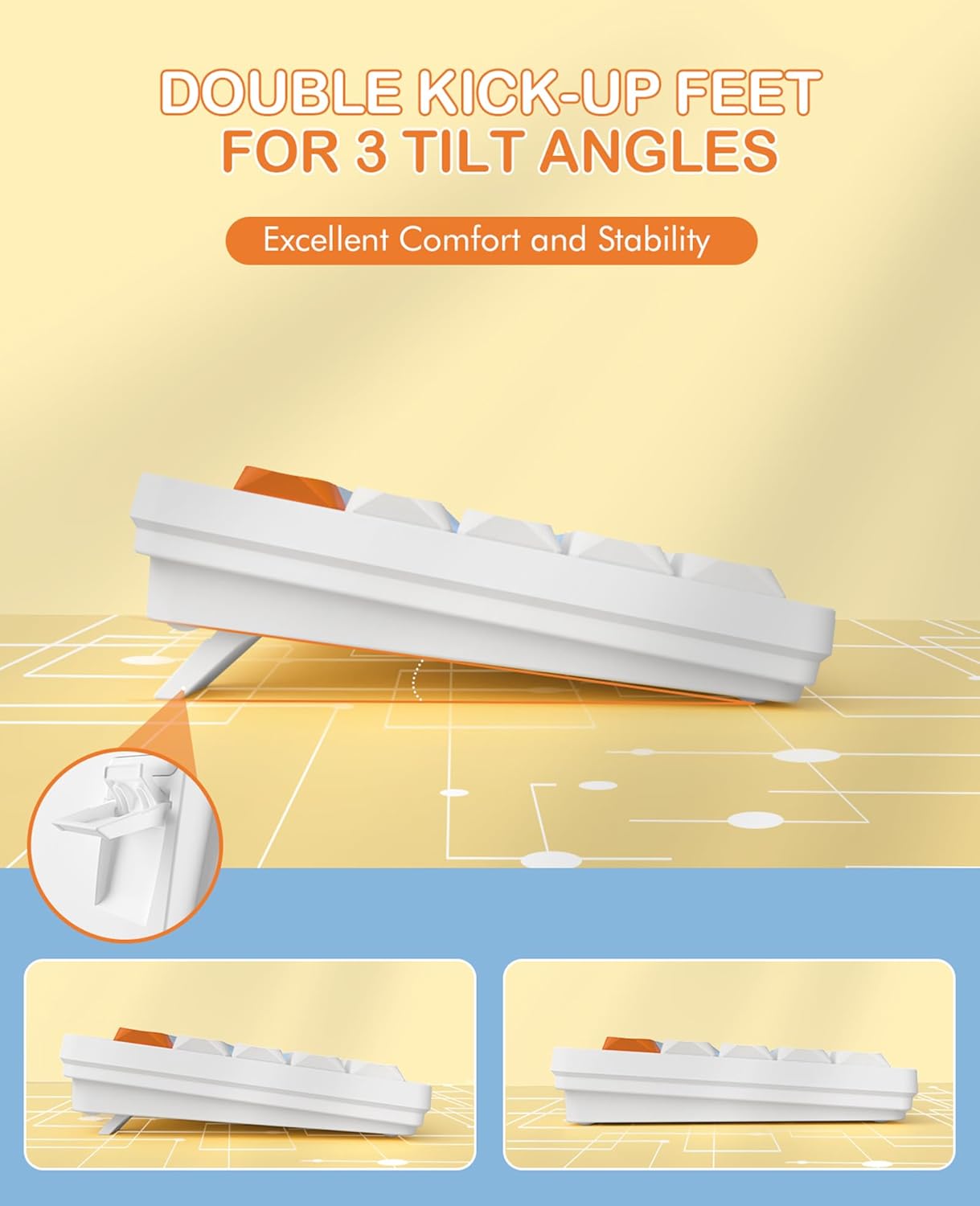
Image 5.1: The keyboard features dual-stage kickstands for three adjustable tilt angles, enhancing typing comfort.
The keyboard is equipped with dual-stage kickstands on its underside. Extend these feet to adjust the typing angle to one of three available positions, optimizing comfort and reducing wrist strain during prolonged use.
6. תחזוקה
6.1 ניקוי המקלדת
- Turn off the keyboard and disconnect it from any devices.
- השתמש במטלית רכה נטולת מוך מעט דampened with water or a mild cleaning solution to wipe the keycaps and surface. Avoid excessive moisture.
- For deeper cleaning, use the provided keycap puller to carefully remove keycaps. Clean the switches and keyboard plate with compressed air or a small brush.
- Ensure all parts are completely dry before reattaching keycaps and using the keyboard.
6.2 החלפת סוללה
When the keyboard's performance degrades or it stops responding, it may be time to replace the batteries. Follow the steps in Section 4.1 to replace the two AAA batteries.
7. פתרון תקלות
- המקלדת לא מגיבה:
- ודא שהסוללות מותקנות כראוי ושהן טעונות מספיק. החלף אותן במידת הצורך.
- Check that the keyboard is powered on.
- Verify the correct connection mode (2.4G or Bluetooth) is selected using Fn+Q or Fn+W/E.
- עבור מצב 2.4G, ודא שמקלט ה-USB מחובר היטב למכשיר שלך. נסה יציאת USB אחרת.
- For Bluetooth mode, ensure Bluetooth is enabled on your device and the keyboard is paired. Try re-pairing the keyboard.
- Ensure the system switch (Windows/Mac) is set correctly for your operating system.
- חיבור לסירוגין או השהיה:
- קרב את המקלדת למכשיר שלך כדי להפחית הפרעות.
- Avoid using the keyboard near other wireless devices that may cause interference.
- ודא שמנהלי ההתקנים של המכשיר שלך מעודכנים.
- מקשים ספציפיים שלא עובדים:
- Carefully remove the keycap using the keycap puller and check for any debris obstructing the switch. Clean if necessary.
- ודא שמכסה המקשים מונח כראוי על המתג.
8. מפרטים

תמונה 8.1: פרט של ה-low-profile design and mechanical switches, highlighting the slim profile.
| מותג | זיקוק קסם |
| מספר דגם | AKL680 |
| צֶבַע | Blue (silent brown switches) |
| מספר מפתחות | 68 |
| טכנולוגיית קישוריות | אלחוטי 2.4 גיגה-הרץ / בלוטות' 5.0 |
| מכשירים תואמים | מחשב נייד, מחשב אישי, סמארטפון, טאבלט |
| תמיכה במערכת הפעלה | חלונות XP/7/8/10/11, מערכת הפעלה מק, אנדרואיד, iOS |
| מידות מקלדת | מידות: 31.2 אורך x 10.2 רוחב x 4.2 גובה סנטימטרים (כ-12.3 x 4 x 1.65 אינץ') |
| חוֹמֶר | Plastic or aluminum |
| תכונות מיוחדות | Lightweight, Ultra-thin, Low-profile switches, Adjustable tilt angles |
| מקור כוח | 2 x סוללות AAA (לא כלולות) |
| אפקטי תאורה | ללא תאורה אחורית |
9. אחריות ותמיכה
For warranty information and technical support, please refer to the documentation provided with your purchase or contact MAGIC-REFINER customer service through their official webהאתר או הקמעונאי שבו המוצר נרכש.