
Docooler 14 Inch 2-in-1 Touchscreen Laptop
Docooler 14 Inch 2-in-1 Touchscreen Laptop User Manual
Model: 14 Inch 2-in-1 Touchscreen Laptop
1. המוצר נגמרview
The Docooler 14 Inch 2-in-1 Touchscreen Laptop is a versatile computing device designed for both productivity and entertainment. Featuring a 4K UHD IPS display and a 360-degree convertible design, it adapts to various usage scenarios, from traditional laptop mode to tablet mode. Powered by an Intel N95 processor, it offers efficient performance for daily tasks.

Image: The Docooler 14 Inch 2-in-1 Touchscreen Laptop in its tent configuration, showcasing its flexible design and vibrant display.
2. תכולת החבילה
אנא ודא שכל הפריטים נמצאים בחבילה:
- Docooler 14 Inch 2-in-1 Touchscreen Laptop
- כבל טעינה
- מדריך למשתמש
3. תחילת העבודה
3.1 הגדרה ראשונית
- טעינת המחשב הנייד: Before first use, connect the charging cable to the laptop's USB-C port and plug it into a power outlet. Allow the battery to charge fully.
- הפעלה: Press and hold the power button located on the side of the laptop until the screen illuminates.
- הגדרת Windows: פעל לפי ההנחיות שעל המסך כדי להשלים את ההתקנה הראשונית של Windows 11, כולל בחירת שפה, חיבור רשת ויצירת חשבון משתמש.
4. Understanding Your Laptop
4.1 תכונות עיקריות
- לְהַצִיג: 14-inch 4K UHD (3840x2160) IPS touchscreen with 500 Nits brightness for a clear visual experience.
- מעבד: Equipped with the 12th Gen Intel N95 CPU (4-core, 4-thread, up to 3.4GHz) for efficient performance.
- זיכרון ואחסון: 12GB LPDDR5 4800MHz high-frequency memory and 512GB/1TB NVMe SSD for fast operation and ampלאחסון.
- עיצוב להמרה: 360-degree flip-and-fold design allows for multiple modes of use.
- מסך מגע: 10-level multi-touch screen with gravity sensing for intuitive interaction.
- בִּטָחוֹן: Fingerprint unlock for quick and secure access.
- מִקלֶדֶת: מקלדת עם תאורה אחורית להקלדה נוחה בתנאי תאורה שונים.
- קישוריות: Dual-band Wi-Fi (2.4G/5.0G Hz 802.11ac) and Bluetooth for stable wireless connections.

Image: Visual representation of the laptop's 4K UHD display capabilities, highlighting its high resolution and brightness.

Image: Illustration of the Intel N95 12th Generation processor, emphasizing its role in the laptop's performance.
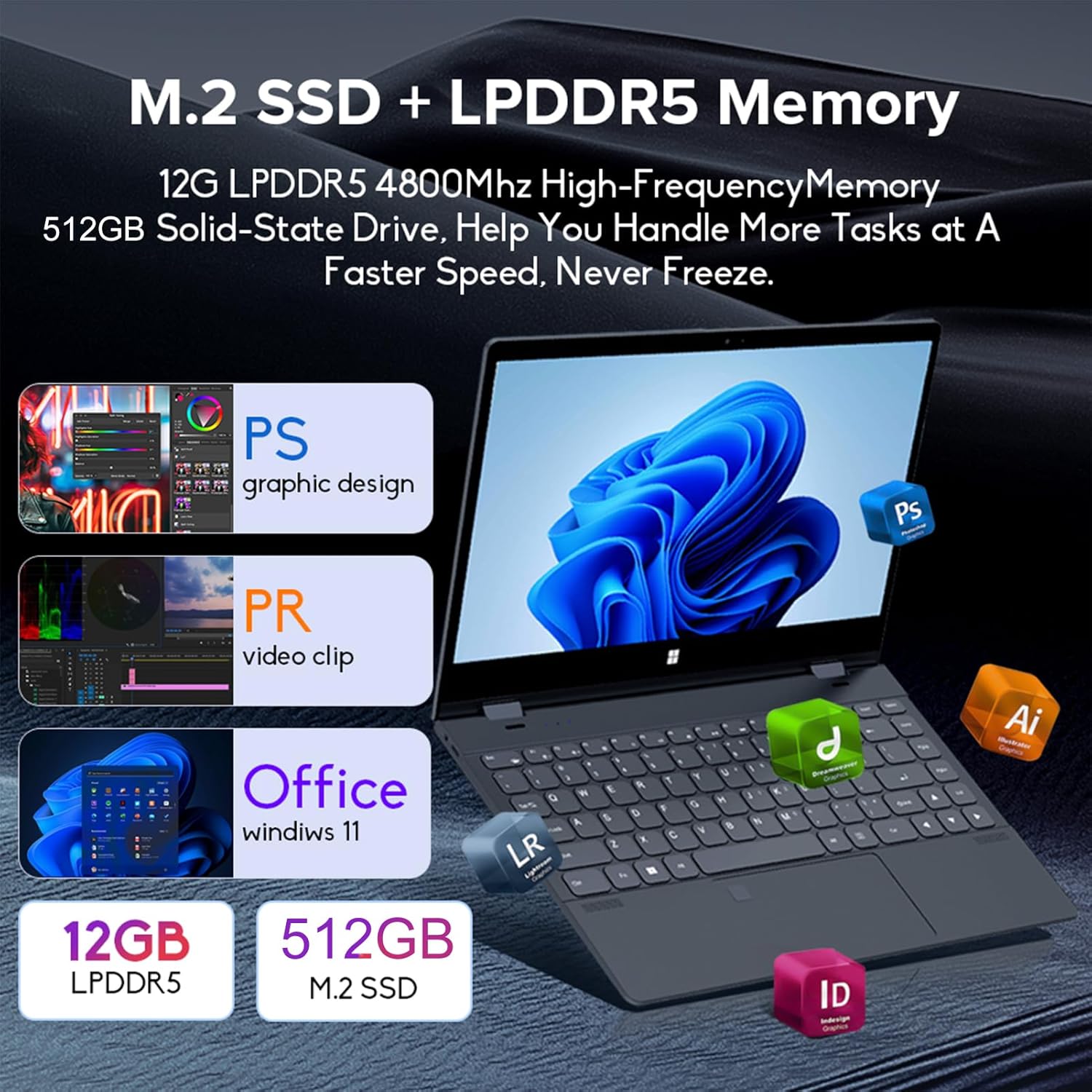
Image: Depiction of the laptop's memory and storage, showing 12GB LPDDR5 RAM and 512GB/1TB M.2 SSD, suitable for various applications.
4.2 יציאות ומחברים
הכירו את היציאות הזמינות במחשב הנייד שלכם:
- USB-C (עם כל התכונות): Supports audio, video, data transmission, and PD2.0 fast charging.
- USB 3.0: לחיבור התקני USB.
- כניסת שמע: עבור אוזניות או רמקולים חיצוניים.
- DC In: Power input (if applicable, though USB-C is primary charging).
- קורא כרטיסי TF: עבור כרטיסי זיכרון.

תמונה: מפורט view of the laptop's side ports, including USB-C, USB 3.0, audio jack, and TF card slot.
4.3 מצבי המרת
The 360-degree hinge allows the laptop to transform into four distinct modes:
- Notebook Mode: Traditional laptop experience for typing and productivity.
- מצב טאבלט: Fold the screen back completely for a tablet experience, ideal for touch-based applications and gaming.
- Viewing Mode (Tent Mode): Stand the laptop in a tent shape for watching videos or presentations.
- Conference Mode (Stand Mode): Flip the keyboard under the screen to share content easily in a group setting.

Image: Visual guide demonstrating the four convertible modes of the laptop: Notebook, Tablet, Viewing, and Conference.
5. תפעול
5.1 שימוש במסך המגע
The 10-point multi-touch screen allows for intuitive navigation. Use gestures similar to a smartphone or tablet. The gravity sensing feature enhances the experience, especially in tablet mode.

Image: Demonstrates the ease of touchscreen operation and the benefit of gravity sensing for gaming.
5.2 Using the Backlit Keyboard and Fingerprint Unlock
- מקלדת עם תאורה אחורית: Press the Function (Fn) key combined with the appropriate F-key (usually F3 or F4, check keyboard icons) to toggle the keyboard backlight on/off or adjust its brightness.
- נעילת טביעות אצבע: Set up your fingerprint in Windows Settings > Accounts > Sign-in options. Once configured, you can unlock your laptop quickly by placing your registered finger on the fingerprint sensor.
5.3 חיבור ל-Wi-Fi ול-Bluetooth
The laptop supports dual-band Wi-Fi (2.4G/5.0G Hz 802.11ac) and Bluetooth for wireless connectivity.
- Wi-Fi: Click the Wi-Fi icon in the taskbar, select your desired network, enter the password if prompted, and click Connect.
- בלוטות': Go to Windows Settings > Bluetooth & devices. Ensure Bluetooth is turned on, then click 'Add device' to pair with Bluetooth peripherals like headphones or mice.

Image: Visual representation of the laptop's dual-band Wi-Fi and Bluetooth connectivity features.
6. תחזוקה וטיפול
- ניקוי: השתמש במטלית רכה נטולת מוך מעט דampשטפו את הצג במים או בחומר ניקוי למסכים. עבור המקלדת והמארז, השתמשו במטלית יבשה ורכה. הימנעו מכימיקלים חזקים.
- טיפול בסוללה: To prolong battery life, avoid fully discharging the battery frequently. Store the laptop in a cool, dry place when not in use for extended periods.
- אוורור: ודא שפתחי האוורור של המחשב הנייד אינם חסומים כדי למנוע התחממות יתר. השתמש במחשב הנייד על משטח קשה ושטוח.
- עדכוני תוכנה: עדכן באופן קבוע את מערכת ההפעלה ומנהלי ההתקנים שלך כדי להבטיח ביצועים ואבטחה מיטביים.
7. פתרון תקלות
| בְּעָיָה | פתרון אפשרי |
|---|---|
| המחשב הנייד לא נדלק. | Ensure the charging cable is securely connected and the power outlet is functional. Allow the laptop to charge for at least 30 minutes before attempting to power on again. |
| בעיות חיבור Wi-Fi. | Restart your router and modem. On the laptop, disable and re-enable Wi-Fi. Ensure you are within range of the Wi-Fi signal. |
| מסך המגע לא מגיב. | Restart the laptop. Check for any physical obstructions on the screen. Ensure Windows updates are current. |
| תאורת המקלדת האחורית לא עובדת | Press Fn + F-key (check keyboard icon) to toggle or adjust backlight brightness. Ensure drivers are up to date. |
| המחשב הנייד פועל לאט. | סגור יישומים מיותרים. בדוק אם יש תהליכים ברקע. ודא שיש מספיק מקום אחסון פנוי. הפעל סריקת מערכת לאיתור תוכנות זדוניות. |
8. מפרט טכני
| תכונה | מִפרָט |
|---|---|
| גודל מסך | 14 אינץ' |
| הַחְלָטָה | 3840 x 2160 פיקסלים (4K UHD) |
| מעבד | אינטל N95 (עד 3.4GHz) |
| גודל זיכרון RAM מותקן | 12 GB LPDDR5 |
| תיאור הדיסק הקשיח | 512GB/1TB NVMe SSD |
| מַעֲרֶכֶת הַפעָלָה | Windows 11 Home |
| מעבד גרפי | כרטיס גרפי אינטל UHD (משולב) |
| קישוריות אלחוטית | 2.4G/5.0G Hz 802.11ac Wi-Fi, Bluetooth |
| סך כל יציאות USB | 2 (including 1 full-featured USB-C) |
| צֶבַע | אפור כסף |
| משקל פריט | 3.46 פאונד (1570 גרם) |
| מידות חבילה | 15.35 x 9.84 x 3.35 אינץ' |
| ארץ מוצא | סִין |
9. אחריות ותמיכה
For warranty information and technical support, please refer to the documentation provided with your purchase or visit the official Docooler webאתר. שמור את הוכחת הרכישה שלך לצורך תביעות אחריות.
Docooler is committed to providing quality products and customer satisfaction. For further assistance, please contact Docooler customer service.
Note: Protection plans may be available for extended coverage. Please check with your retailer for details.
Ask a question about this manual
Ask about setup, troubleshooting, compatibility, parts, safety, or missing instructions. Manuals+ will review the question and use this page’s manual context to help answer it.