
מָבוֹא
Thank you for choosing the LIORQUE S7509 Projection Alarm Clock. This manual provides detailed instructions for setting up and operating your new device. Please read it carefully to ensure proper use and to fully utilize all features.
תוכן החבילה
בעת פירוק האריזה, אנא ודאו שכל הפריטים הבאים נמצאים:
- LIORQUE S7509 Projection Alarm Clock
- מתאם מתח
- כבל חשמל USB
- מדריך למשתמש

Image: The LIORQUE S7509 Projection Alarm Clock, its power adapter, USB cable, and user manual are displayed next to the product box. Product dimensions are indicated as 18cm (7.1in) width, 9.8cm (3.9in) height, and 5cm (2in) depth.
תכונות המוצר נגמרוview
The LIORQUE S7509 Projection Alarm Clock is designed to enhance your daily routine with its versatile features:
- הקרנה מסתובבת 180°: Project the time onto your ceiling or wall with adjustable brightness.
- תצוגת LED גדולה: Clear time display with 4 adjustable brightness levels.
- אזעקות כפולות: Set two separate alarms for different schedules.
- רדיו FM: Enjoy your favorite radio stations with 15 preset memory slots and 15 adjustable volume levels.
- פונקצית נודניק: Provides an extra 9 minutes of sleep.
- טיימר שינה: מכבה אוטומטית את הרדיו לאחר פרק זמן מוגדר (5-90 דקות).
- פורמט 12/24 שעות: Easily switch between time formats.
- סוללה מובנית: לחשמל גיבוי במהלך היציאהtages.

Image: The LIORQUE S7509 Projection Alarm Clock is shown with its digital display set to 22:30. Surrounding icons highlight key features including 12/24 hour time, adjustable brightness, FM radio, snooze function, dual alarms, time projection, built-in battery, and a sleep timer.
הוראות התקנה
1. חיבור חשמל
Connect the provided USB power cable to the alarm clock and plug the adapter into a standard wall outlet. The display will light up, indicating the device is powered on.

Image: The LIORQUE S7509 Projection Alarm Clock is shown on a bedside table, connected to a wall outlet via its power adapter. The clock displays 8:30, illustrating its readiness for use after power connection.
2. הגדרת זמן ראשונית
- לחץ והחזק את זמן מוגדר button (usually labeled with a clock icon) for 3 seconds to enter time setting mode.
- השתמש ב- שָׁעָה ו דַקָה buttons (often labeled with '+' and '-' or arrows) to adjust the current time.
- לִלְחוֹץ זמן מוגדר שוב כדי לאשר ולצאת.
3. פורמט 12/24 שעות
While in time setting mode, or by a dedicated button (refer to specific button labels on your device), you can toggle between 12-hour (with AM/PM indicator) and 24-hour formats.
הוראות הפעלה
1. הגדרת אזעקות
השעון תומך בשני אזעקות עצמאיות (אזעקה 1 ואזעקה 2).
- לחץ והחזק את התראה 1 or התראה 2 button for 3 seconds. The alarm time will flash.
- השתמש ב- שָׁעָה ו דַקָה כפתורים כדי להגדיר את זמן ההתראה הרצוי.
- הקש על אַזעָקָה לחצן שוב כדי לאשר את הזמן.
- You can then select the alarm sound (buzzer or FM radio) and alarm volume.
- הקש על אַזעָקָה button one more time to save settings and activate the alarm. An alarm icon will appear on the display.

Image: Two LIORQUE S7509 Projection Alarm Clocks are displayed side-by-side. One shows an alarm set for 8:30, labeled 'Workday', and the other shows 10:00, labeled 'Weekend', demonstrating the dual alarm capability.
2. פונקציית הקרנה
The projector allows you to display the time on your ceiling or wall.
- הפעל/השבת: הקש על הקרנה button (often labeled with a projection icon) to turn the projection on or off.
- התאם את הבהירות: לחץ שוב ושוב על הקרנה button to cycle through 3 brightness levels (Low, Medium, High) or turn it off.
- סובב הקרנה: The projector lens can be physically rotated 180° to adjust the angle of the projected time.

Image: The LIORQUE S7509 Projection Alarm Clock is shown in a bedroom, projecting the time '22:30' onto the ceiling. Below, three smaller images illustrate the three adjustable brightness levels for the projection.

Image: The LIORQUE S7509 Projection Alarm Clock is depicted with its projection arm extended, casting the time '12:45' onto a nearby surface. This image demonstrates the adjustable angle and direction of the projection feature.
3. הצגת בהירות
Adjust the main display brightness to your preference.
- הקש על דימר button (or similar, often labeled with a sun icon) to cycle through 4 levels of display brightness.
- The levels typically range from brightest to off, allowing for comfortable viewביום או בלילה.

Image: The LIORQUE S7509 Projection Alarm Clock shows the time 22:30. Below, four distinct panels illustrate the four adjustable levels of screen brightness, ranging from completely off to maximum illumination, allowing users to select the appropriate brightness for night vision.
4. רדיו FM
האזינו לתחנות הרדיו FM האהובות עליכם.
- הפעלה/כיבוי: הקש על רָדִיוֹ כפתור כדי להפעיל או לכבות את רדיו ה-FM.
- סריקה אוטומטית: לחץ והחזק את רָדִיוֹ button for 3 seconds to automatically scan and save up to 15 FM stations.
- Change Stations: השתמש ב- הקודם הבא × buttons (or '+' and '-') to switch between saved stations.
- התאם את עוצמת הקול: השתמש ב- נפח +/- buttons to adjust the radio volume through 15 levels.

Image: The LIORQUE S7509 Projection Alarm Clock displays 'FM 7.84' on its screen, surrounded by graphic representations of radio waves indicating different FM frequencies (e.g., FM90.2, FM95.6, FM96.8, FM97.5, FM98.5). The image also highlights that the device can store 15 favorite radio stations and has 15 adjustable volume levels.
5. פונקציית נודניק
כאשר נשמעת אזעקה, לחצו על הכפתור הגדול נודניק / אור button on top of the clock. The alarm will pause for 9 minutes and then sound again.
6. טיימר שינה
טיימר השינה מאפשר לרדיו להשמיע נגן למשך זמן מוגדר לפני שהוא נכבה אוטומטית.
- בזמן שהרדיו מתנגן, לחצו על הלחצן לִישׁוֹן כפתור (או דומה).
- לחץ שוב ושוב על לִישׁוֹן button to cycle through preset sleep times (e.g., 5, 10, 15, 30, 60, 90 minutes).
- הרדיו יכבה אוטומטית לאחר הזמן שנבחר.
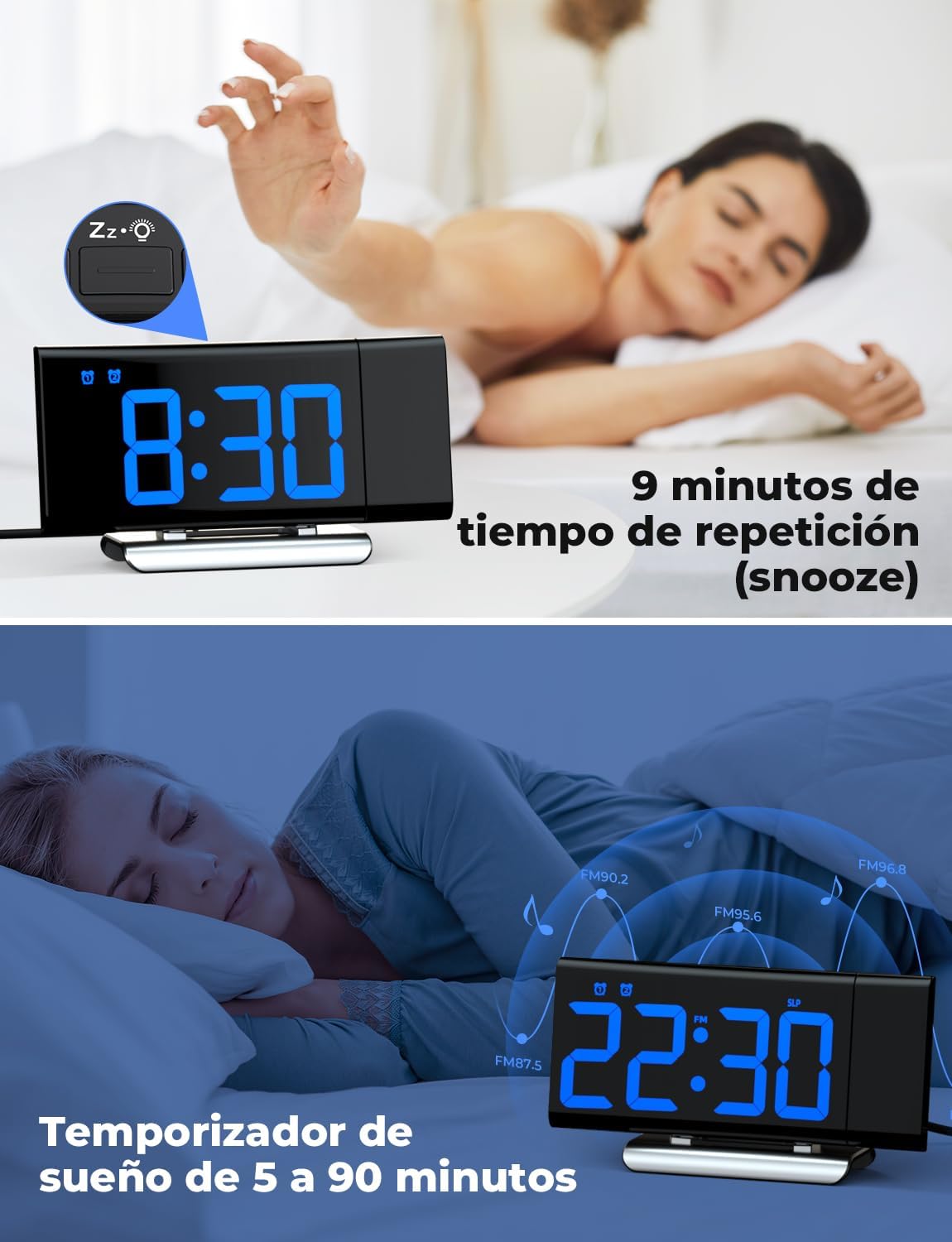
Image: The top section shows a person reaching for the snooze button on the LIORQUE S7509 Projection Alarm Clock, which displays 8:30, indicating a 9-minute snooze period. The bottom section features the clock displaying 22:30 with radio waves, illustrating the sleep timer function which can be set from 5 to 90 minutes, with a person sleeping peacefully in the background.
תַחזוּקָה
To ensure the longevity and optimal performance of your LIORQUE S7509 Projection Alarm Clock, follow these simple maintenance guidelines:
- ניקוי: Use a soft, dry cloth to wipe the surface of the clock. Do not use abrasive cleaners, solvents, or chemical sprays, as these can damage the finish and electronic components.
- הסרת אבק: Gently wipe the projector lens with a soft, lint-free cloth to maintain clear projection quality.
- מיקום: הנח את השעון על משטח יציב ושטוח, הרחק מאור שמש ישיר, מקורות חום ולחות מוגזמת.
- כּוֹחַ: Always use the provided power adapter. If the clock is not used for an extended period, you may unplug it. The built-in battery will retain settings for a short duration.
פתרון בעיות
אם נתקלתם בבעיות כלשהן עם השעון המעורר שלכם, אנא עיינו בבעיות הנפוצות ובפתרונות הבאות:
| בְּעָיָה | סיבה אפשרית | פִּתָרוֹן |
|---|---|---|
| תצוגת השעון ריקה. | אין כוח או כוח אוtage. | Ensure the power adapter is securely plugged into the clock and a working outlet. Check if the display brightness is set to 'off'. |
| ההקרנה מטושטשת או לא ברורה. | Incorrect focus or distance. | Adjust the distance of the clock from the projection surface. Ensure the projector lens is clean. |
| האזעקה לא נשמעת. | האזעקה לא הופעלה או שעוצמת הקול נמוכה מדי. | Verify that the alarm icon is displayed on the screen. Check the alarm volume setting. Ensure the alarm time is correctly set. |
| קליטת רדיו FM גרועה. | אות או מיקום אנטנה חלשים. | Extend the FM antenna fully. Reposition the clock to improve reception. |
| הכפתורים אינם מגיבים. | תקלת תוכנה זמנית. | Unplug the power adapter for a few seconds, then plug it back in to reset the device. |
מפרטים
| תכונה | פְּרָט |
|---|---|
| מידות המוצר | 10.5 x 3.81 x 6.2 ס"מ; 340 גרם |
| מספר דגם | S7509 |
| מותג | LIORQUE |
| צֶבַע | כְּחוֹל |
| סוג תצוגה | דִיגִיטָלי |
| מקור כוח | Both: Battery and AC power (with adapter) |
| צוּרָה | מַלבֵּנִי |
| נוֹהָג | מקורה |
| חומר מסגרת | מַתֶכֶת |
| סוללות כלולות | כֵּן |
| סוג הרכבה | משטח שולחן |
| שָׁעוֹן מְעוֹרֵר | כֵּן |
| מספר פריטים | 1 |
אחריות ותמיכה
The LIORQUE S7509 Projection Alarm Clock comes with a manufacturer's warranty. For specific details regarding warranty coverage and duration, please refer to the warranty card included in your package or contact LIORQUE customer support.
If you require further assistance, have questions, or encounter issues not covered in this manual, please contact LIORQUE customer support. Contact information can typically be found on the product packaging, the official LIORQUE webבאתר, או דרך הקמעונאי שלך.