
1. הקדמה
תודה על הרכישהasing the MUSE M-15 Alarm Clock Radio. This manual provides essential information for the safe and efficient operation of your device. Please read it thoroughly before use and retain it for future reference.
2. מידע בטיחות
- מקור כוח: Use only the specified battery type (1 AA battery). Ensure correct polarity when inserting batteries.
- מים ולחות: Do not expose the device to water, rain, or excessive moisture. Avoid placing it near liquids.
- חוֹם: הרחק את המכשיר ממקורות חום כגון רדיאטורים, אוגרי חום, תנורים או מכשירים אחרים (כולל ampמחצבים) המייצרים חום.
- ניקוי: נקה רק עם מטלית יבשה. אין להשתמש בחומרי ניקוי נוזליים או בחומרי ניקוי אירוסולים.
- שֵׁרוּת: אל תנסה לתת שירות למוצר זה בעצמך. הפנה את כל השירות לאנשי שירות מוסמכים.
- רְשׁוּת: Dispose of batteries and the device according to local regulations. Do not dispose of batteries in fire.
3. המוצר נגמרview
Familiarize yourself with the components of your MUSE M-15 Alarm Clock Radio.
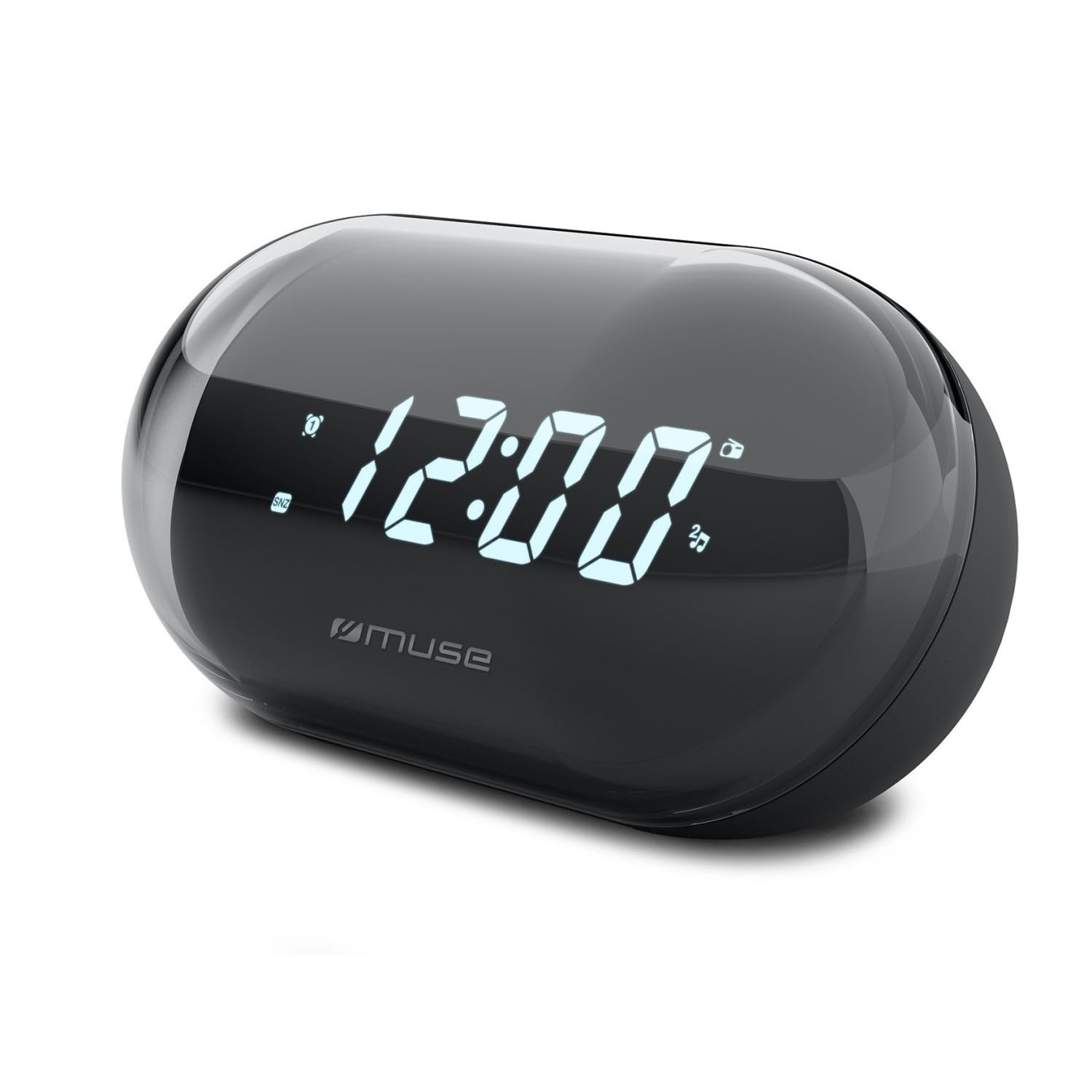
תמונה: חזית view of the MUSE M-15 Alarm Clock Radio, showing the digital display and control buttons.
בקרות ותכונות:
- תצוגה דיגיטלית: Shows time, alarm status, and radio frequency.
- כפתור הגדרת זמן: Used to adjust the current time.
- כפתור הגדרת אזעקה: Used to set and activate/deactivate the alarm.
- Tuning Buttons (+/-): Used to adjust radio frequency.
- בקרת עוצמת הקול: מכוונן את רמת פלט השמע.
- לחצן הפעלה / מצב: Turns the device on/off and switches between radio and clock modes.
- כפתור נודניק: משתיק זמנית את האזעקה.
- תא סוללות: Located on the back, for 1 AA battery.
4. התקנה
4.1 התקנת סוללה
- אתר את מכסה תא הסוללה בגב היחידה.
- החלק או הרם את המכסה כדי לפתוח את התא.
- Insert one (1) AA battery, ensuring the correct polarity (+ and -) matches the diagram inside the compartment.
- החזר היטב את מכסה תא הסוללות.
Note: The MUSE M-15 is battery-powered and does not require an external power adapter.
5. הוראות הפעלה
5.1 קביעת השעה
- במצב שעון, לחץ והחזק את המקש לחצן הגדרת זמן עד שספרות השעות יתחילו להבהב.
- השתמש ב- Tuning Buttons (+/-) כדי לכוון את השעה. לחץ על לחצן הגדרת זמן שוב כדי לאשר את השעה ולעבור לדקות.
- השתמש ב- Tuning Buttons (+/-) כדי לכוונן את הדקות. לחץ על לחצן הגדרת זמן one more time to save the time and exit time setting mode.
5.2 הגדרת האזעקה
- לחץ והחזק את לחצן הגדרת אזעקה until the alarm hour digits begin to flash.
- השתמש ב- Tuning Buttons (+/-) to adjust the alarm hour. Press the לחצן הגדרת אזעקה שוב כדי לאשר ולעבור לדקות.
- השתמש ב- Tuning Buttons (+/-) to adjust the alarm minutes. Press the לחצן הגדרת אזעקה one more time to save the alarm time.
- כדי להפעיל או לבטל את האזעקה, לחצו לחיצה קצרה על לחצן הגדרת אזעקה. An alarm icon will appear on the display when activated.
5.3 Using the Radio
- הקש על לחצן הפעלה/מצב to switch to radio mode. The display will show the radio frequency.
- השתמש ב- Tuning Buttons (+/-) to manually tune to your desired radio station.
- כוונן את עוצמת הקול באמצעות בקרת עוצמת הקול.
- כדי לכבות את הרדיו, לחץ על לחצן הפעלה/מצב again to return to clock mode or turn off the device.
5.4 פונקציית נודניק
כאשר האזעקה נשמעת, לחץ על כפתור נודניק to temporarily silence the alarm for a few minutes. The alarm will sound again after the snooze period ends.
6. תחזוקה
6.1 ניקוי
Wipe the exterior of the device with a soft, dry cloth. Do not use abrasive cleaners, waxes, or solvents as they may damage the finish.
6.2 החלפת סוללה
When the display dims or the device functions become erratic, it is time to replace the battery. Follow the battery installation steps in Section 4.1.
7. פתרון תקלות
| בְּעָיָה | סיבה אפשרית | פִּתָרוֹן |
|---|---|---|
| המכשיר לא מופעל. | הסוללה מתה או שהוכנסה בצורה שגויה. | Replace the AA battery or check its polarity. |
| האזעקה לא נשמעת. | האזעקה לא מופעלת או שעוצמת הקול נמוכה מדי. | Ensure the alarm icon is visible on the display. Increase the volume. |
| קליטת רדיו גרועה. | אות חלש או הפרעות. | Reposition the device or extend the antenna (if applicable). Try tuning to a stronger station. |
| Time/Alarm settings reset. | כוח הסוללה נמוך מדי. | החלף את סוללת AA. |
8. מפרטים
- דֶגֶם: MUSE M-15
- מידות המוצר (L x W x H): 15 x 3.81 x 10 ס"מ (5.9 x 1.5 x 3.9 אינץ ')
- מִשׁקָל: 300 גרם (0.66 פאונד)
- מקור כוח: 1 x סוללת AA (לא כלול)
- סוג תצוגה: דִיגִיטָלי
- תכונות: Alarm, Radio, Digital Time Display
- סוג הרכבה: הר שולחן
9. אחריות ותמיכה
This product is covered by a standard manufacturer's warranty. For detailed warranty information, please refer to the warranty card included with your purchase or visit the official MUSE webאֲתַר.
For technical support, troubleshooting assistance, or spare parts inquiries, please contact MUSE customer service through their official webאתר או פרטי הקשר המופיעים באריזת המוצר.
Please have your model number (M-15) and purchase date available when contacting support.