
1. Introduction to the KEF LS60 Wireless System
The KEF LS60 Wireless System is an all-in-one speaker system designed to deliver high-fidelity sound. It integrates advanced acoustic technologies to provide a comprehensive audio experience for various home entertainment needs. This system supports streaming from diverse sources and offers connectivity to a wide range of home audio devices.
- סאונד High Fidelity: Delivers sound up to 24bit/384kHz, combining KEF's key technologies for exceptional audio quality.
- Versatile Wired Connectivity: Supports various wired sources including turntables, CD players, game consoles, and TVs via HDMI (eARC). Dedicated outputs are available for adding one or two KEF subwoofers.
- Extensive Wireless Compatibility: Features out-of-the-box wireless support for Wi-Fi, Apple AirPlay 2, Google Chromecast, and Bluetooth. Stream directly from Amazon Music, Qobuz, Deezer, Spotify Connect, Tidal Connect, QPlay, and Roon Ready (expected Fall 2022) via the KEF Connect app. Supports PCM files up to 24bit/384kHz, MQA decoding, and DSD.
- Flexible Interspeaker Connection: Offers both low-latency intelligent wireless interspeaker connection (up to 24bit/96kHz) and wired connection (up to 24bit/192kHz) for optimized performance and reduced clutter.
- חָזָק Ampליפיקציה: Equipped with a highly optimized mixture of bespoke Class AB and Class D amplification, delivering a combined 1400 Watts of audiophile-grade power across high, medium, and low frequencies within each speaker.
2. מה בקופסה
Upon unboxing your KEF LS60 Wireless System, you should find the following items:
- 1 Pair LS60 Speakers
- שְׁלַט רָחוֹק
- 1 Set Power Cables
- 1 Interconnect Cable
- מדריך להתחלה מהירה
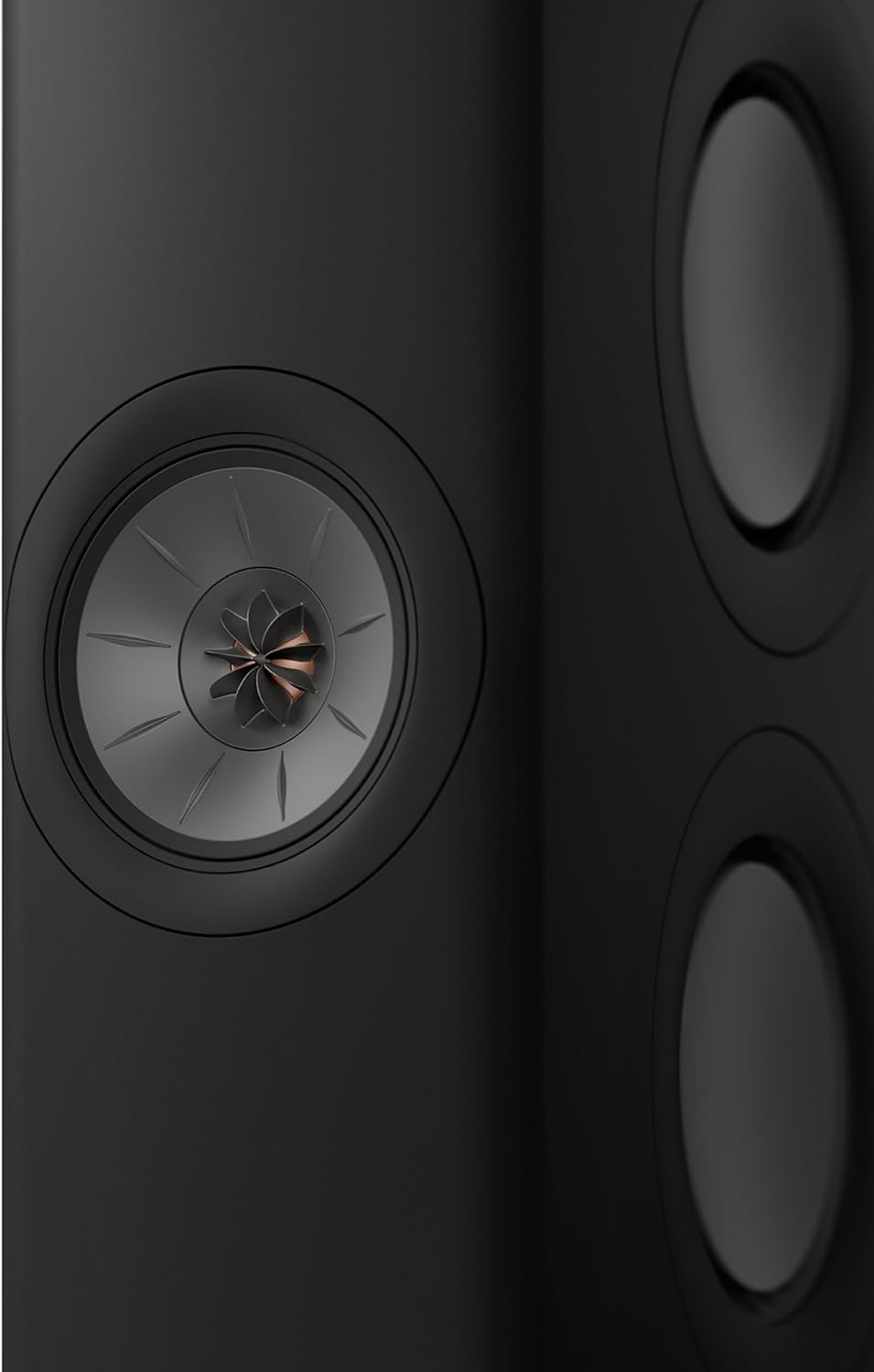
Image: The KEF LS60 Wireless System components, including the two speakers, remote control, power cables, interconnect cable, and quick start guide.
3. מדריך התקנה
Follow these steps to set up your KEF LS60 Wireless System:
- מיקום: Position your LS60 speakers in your desired listening area. Ensure adequate space around each speaker for optimal sound dispersion. The speakers can be floor-standing or placed on suitable furniture.
- חיבור חשמל: Connect each speaker to a power outlet using the provided power cables. The LS60 system features active amplification within each speaker.
- Interspeaker Connection (Optional but Recommended for Best Performance):
- חיבור קווי: For the highest resolution audio (up to 24bit/192kHz) and most robust connection, use the supplied interconnect cable to link the primary and secondary speakers.
- חיבור אלחוטי: The speakers can also connect wirelessly (up to 24bit/96kHz) for a cable-free setup. This can be configured via the KEF Connect app.
- חיבור מקור:
- טֵלֶוִיזִיָה: Connect your TV using an HDMI (eARC) cable to the primary speaker for high-quality audio.
- Other Wired Sources: Use the optical, coaxial, or auxiliary inputs for devices like CD players, game consoles, or laptops.
- Subwoofer: If adding KEF subwoofers, connect them to the dedicated subwoofer outputs on each speaker.
- חיבור רשת: Connect the primary speaker to your home network via Wi-Fi or an Ethernet cable for streaming services and firmware updates.
- אפליקציית KEF Connect: Download the KEF Connect app on your smartphone or tablet. The app will guide you through the final setup steps, including connecting to your Wi-Fi network, pairing speakers, and configuring audio settings.

Image: The rear panel of the KEF LS60 Wireless primary speaker, highlighting the HDMI (eARC), Optical, Coaxial, Aux, USB, Network, and Subwoofer output connections.
Video: An official KEF video showcasing the LS60 Wireless system, its design, and key features. This video provides a visual overview של המוצר ויכולותיו.
4. הוראות הפעלה
The KEF LS60 Wireless System offers multiple ways to control your audio experience:
4.1 KEF Connect App Control
The KEF Connect app is your central hub for controlling the LS60 system. It allows you to:
- Select Sources: Switch between wired inputs (HDMI, Optical, Coaxial, Aux) and wireless streaming options (Wi-Fi, Bluetooth, AirPlay 2, Chromecast).
- Access Streaming Services: Directly stream from integrated services like Amazon Music, Qobuz, Deezer, Spotify Connect, Tidal Connect, and QPlay.
- התאם את הגדרות EQ: Fine-tune the sound to your preference and room acoustics. Options include Desk mode, Wall mode, Treble trim, Phase correction, Bass extension, High-pass frequency, Sub out low-pass frequency, and Sub gain.
- Manage Volume and Balance: Control the overall volume, set maximum volume limits, and adjust left/right balance.
- עדכוני קושחה: Check for and install the latest firmware to benefit from performance improvements and new features.

Image: A screenshot of the KEF Connect app, illustrating the various streaming services and EQ settings available for customization.
שלט רחוק 4.2
A dedicated remote control is included for convenient access to essential functions:
- הפעלה/כיבוי
- עוצמת הקול מעלה/הנמכת
- לְהַשְׁתִיק
- בחירת מקור
- בקרות הפעלה (הפעלה/השהיה, דילוג על רצועה)
4.3 פקדים על הרמקול
The primary speaker features a top touch panel with basic controls:
- הפעלה/כיבוי
- בחירת מקור
- עוצמת הקול מעלה/הנמכת
- לְהַשְׁתִיק

Image: A close-up of the top panel of the KEF LS60 Wireless speaker, showing the integrated touch controls for power, source, volume, and mute.
5. מפרטים
| תכונה | פְּרָט |
|---|---|
| מותג | KEF |
| שם הדגם | LS60 |
| רמקול כוח פלט מרבי | 1400 וואט |
| טכנולוגיית קישוריות | בלוטות', קואקסיאלי, HDMI, אופטי, Wi-Fi |
| מצב פלט שמע | סטריאו |
| סוג הרכבה | קומה עומדת |
| חומר המארז | אֲלוּמִינְיוּם |
| סוג רמקול | מִגדָל |
| תכונות נוספות | Amazon Music, Apple Airplay 2, Google Chromecast, Spotify Connect, TIDAL Connect |
| צֶבַע | Black (Carbon Black variant) |
| סוג אחריות | יצרן שנה |
| שיטת בקרה | Remote, App Control, Button |
| מידות פריט D x W x H | 15.5" D x 40.94" W x 42.9" H |
| משקל פריט | 139 פאונד |
| מכשירים תואמים | Smartphone, Tablet, Television, Laptop |
| מקור כוח | חשמלי עם כבלים |
| מספר ערוצי אודיו | 2.0 |
| טכנולוגיה אלחוטית | איירפליי, בלוטות', Wi-Fi |
| טכנולוגיית קישוריות סאבוופר | חוטי |
| סוג מנהל התקן שמע | דרייבר היברידי |
| גודל מנהל התקן שמע | 19 מילימטרים |
6. תחזוקה
To ensure the longevity and optimal performance of your KEF LS60 Wireless System, follow these maintenance guidelines:
- ניקוי: נגבו בעדינות את משטחי הרמקול בעזרת מטלית רכה, יבשה ונטולת סיבים. הימנעו משימוש בחומרי ניקוי שוחקים, ממסים או תרסיסים כימיים, מכיוון שאלה עלולים לפגוע בגימור.
- נִעוּר: Regularly dust the speaker grilles and surfaces to prevent dust buildup, which can affect sound quality and aesthetics.
- אוורור: Ensure that the speakers have adequate ventilation. Do not block any vents, as this can lead to overheating.
- תנאים סביבתיים: Avoid exposing the speakers to extreme temperatures, high humidity, direct sunlight, or moisture. Keep them away from heat sources and liquids.
- ניהול כבלים: Periodically check all cable connections (power, interconnect, source) to ensure they are secure and free from damage. Avoid bending cables sharply.
- עדכוני קושחה: Regularly check for and install firmware updates via the KEF Connect app to benefit from performance improvements and new features.
7. פתרון תקלות
If you encounter issues with your KEF LS60 Wireless System, try the following solutions:
- אין צליל:
- Ensure both speakers are powered on and connected to a power source.
- Verify that the correct input source is selected on the KEF Connect app or remote control.
- Check all audio cables (HDMI, Optical, Coaxial, Aux) for secure connections.
- ודא שהעוצמה אינה מושתקת או מוגדרת נמוך מדי.
- If using wireless interspeaker connection, try switching to a wired connection for improved stability.
- בעיות קישוריות (Wi-Fi/Bluetooth):
- Ensure your Wi-Fi network is active and the speakers are within range.
- Restart your Wi-Fi router and the KEF LS60 speakers.
- Reconnect the speakers to your Wi-Fi network via the KEF Connect app.
- For Bluetooth, ensure the speakers are in pairing mode and your device's Bluetooth is enabled.
- Consider using a wired Ethernet connection for network stability if Wi-Fi issues persist.
- סאונד מעוות:
- בדוק את מקור השמע לאיתור עיוות.
- Reduce the volume level on both the speakers and the source device.
- Adjust the EQ settings in the KEF Connect app, particularly treble and bass, to suit your room and preferences.
- הדובר לא מגיב:
- Perform a power cycle by unplugging the speakers from the power outlet for a few minutes, then plugging them back in.
- Check the remote control batteries and ensure there are no obstructions between the remote and the speakers.
8. אחריות ותמיכה
The KEF LS60 Wireless System comes with a אחריות יצרן לשנה. אחריות זו מכסה פגמים בחומרים ובעבודה בשימוש רגיל.
For technical support, service, or warranty claims, please refer to the contact information provided in your Quick Start Guide or visit the official KEF webאתר. שמור את הוכחת הרכישה שלך לצורך אימות האחריות.