
COCOCAM ZY-C2
COCOCAM 2PCS Solar Camera Outdoor Wireless User Manual
Model: ZY-C2
1. הקדמה
Thank you for choosing the COCOCAM 2PCS Solar Camera Outdoor Wireless. This manual provides detailed instructions for the installation, operation, and maintenance of your new security cameras. Please read this manual thoroughly before use to ensure proper functionality and safety.

Image: Two COCOCAM ZY-C2 solar cameras, showcasing their design and integrated solar panels.
2. מה בקופסה
אנא בדוק את תוכן החבילה שלך כדי לוודא שכל הפריטים נמצאים:
- 2 x COCOCAM ZY-C2 Solar Security Cameras
- 2 x Solar Panels (integrated or separate, depending on model variant)
- 2 סוגרי הרכבה
- ברגי הרכבה ותקעים לקיר
- כבל טעינה USB
- מדריך למשתמש (מסמך זה)
3. המוצר נגמרview
The COCOCAM ZY-C2 is a high-performance outdoor security camera designed for comprehensive surveillance. Key features include:
- רזולוציית 2K QHD: Delivers crisp 3MP image quality for clear video monitoring.
- Flexible 360° Coverage: Features 355° pan and 120° tilt rotation, controllable via the Cloudage/Cococam app, ensuring no blind spots.
- מופעל על ידי אנרגיה סולארית ואלחוטי לחלוטין: Equipped with a solar panel and 5200mAh rechargeable batteries for continuous power, eliminating the need for frequent charging.
- זיהוי תנועה של בינה מלאכותית: Optimized algorithms enhance human-like recognition, reducing false alarms. Supports optional paid features for pet, car, and package recognition.
- ראיית לילה צבעונית: Provides clear, full-color video even in low-light conditions, alongside traditional infrared night vision.
- אודיו דו-כיווני: מיקרופון ורמקול מובנים מאפשרים תקשורת בזמן אמת.
- עמידות בפני מזג אוויר IP66: Designed to withstand various weather conditions, operating reliably from -25°C to 60°C (-13°F to 140°F).
- אנטנות כפולות: 4DBi dual antennas ensure stronger and more stable 2.4GHz Wi-Fi reception.

Image: The camera's dual solar panel design, illustrating 365-day power capability.

Image: Comparison of color night vision and infrared night vision, highlighting the camera's low-light capabilities.
4. מדריך התקנה
4.1 טעינת הסוללה
Although solar-powered, it is recommended to fully charge the camera's internal battery via the USB port before the first use. Connect the camera to a 5V/2A USB power adapter (not included) using the provided USB cable. The charging indicator light will show the charging status.
4.2 התקנת אפליקציה ויצירת חשבון
- Download the 'Cloudage' or 'Cococam' app from your smartphone's app store (iOS or Android).
- פתחו את האפליקציה ופתחו חשבון חדש באמצעות כתובת הדוא"ל שלכם.
- עקוב אחר ההנחיות שעל המסך כדי להשלים את תהליך ההרשמה.
4.3 Camera Pairing with Wi-Fi
- ודא שרשת ה-Wi-Fi שלך היא 2.4GHz. המצלמה אינה תומכת ב-Wi-Fi 5GHz.
- In the app, tap '+' or 'Add Device' to add a new camera.
- בחר את דגם המצלמה המתאים או סרוק את קוד ה-QR שעל המצלמה.
- Follow the in-app instructions to connect the camera to your Wi-Fi network. This typically involves generating a QR code on your phone screen for the camera to scan.
- Once connected, you will hear a confirmation sound from the camera, and it will appear in your app's device list.
4.4 התקנה פיזית
Choose a suitable outdoor location for installation, ensuring the solar panel receives adequate direct sunlight throughout the day. The camera can be mounted on a wall or ceiling.
- סמנו את נקודות הקידוח באמצעות תושבת ההרכבה כתבנית.
- קדחו חורים והכניסו תקעים לקיר במידת הצורך.
- אבטחו את תושבת ההרכבה למשטח בעזרת ברגים.
- Attach the camera to the mounting bracket and adjust its angle for optimal viewing.
- Ensure the solar panel is positioned to maximize sun exposure.

Image: An outdoor mounted camera illustrating its pan and tilt range for comprehensive monitoring.
5. הוראות הפעלה
5.1 בשידור חי View ובקרת PTZ
Open the Cloudage/Cococam app and select your camera from the device list to access the live viewמכאן, תוכלו:
- הזזה/הטיה: Drag your finger across the screen to remotely adjust the camera's horizontal (355°) and vertical (120°) viewזוויות.
- זום דיגיטלי: Pinch to zoom in or out on the live feed for more detail.
- Snapshot/Record: Capture still images or record video clips directly to your phone.
5.2 זיהוי תנועה והתראות מבוססות בינה מלאכותית
The camera uses advanced AI to detect motion and send instant alerts to your smartphone.
- הפעל/השבת: Navigate to camera settings in the app to enable or disable motion detection.
- התאמת רגישות: Adjust the detection sensitivity to minimize false alarms.
- גילוי אנושי: Enable AI human detection for more accurate alerts.
- Paid Features: Optional paid features allow for recognition of pets, cars, and packages.
- שיטות התראה: Configure push notifications, light warnings, sound warnings, or audible/light warnings via the app.
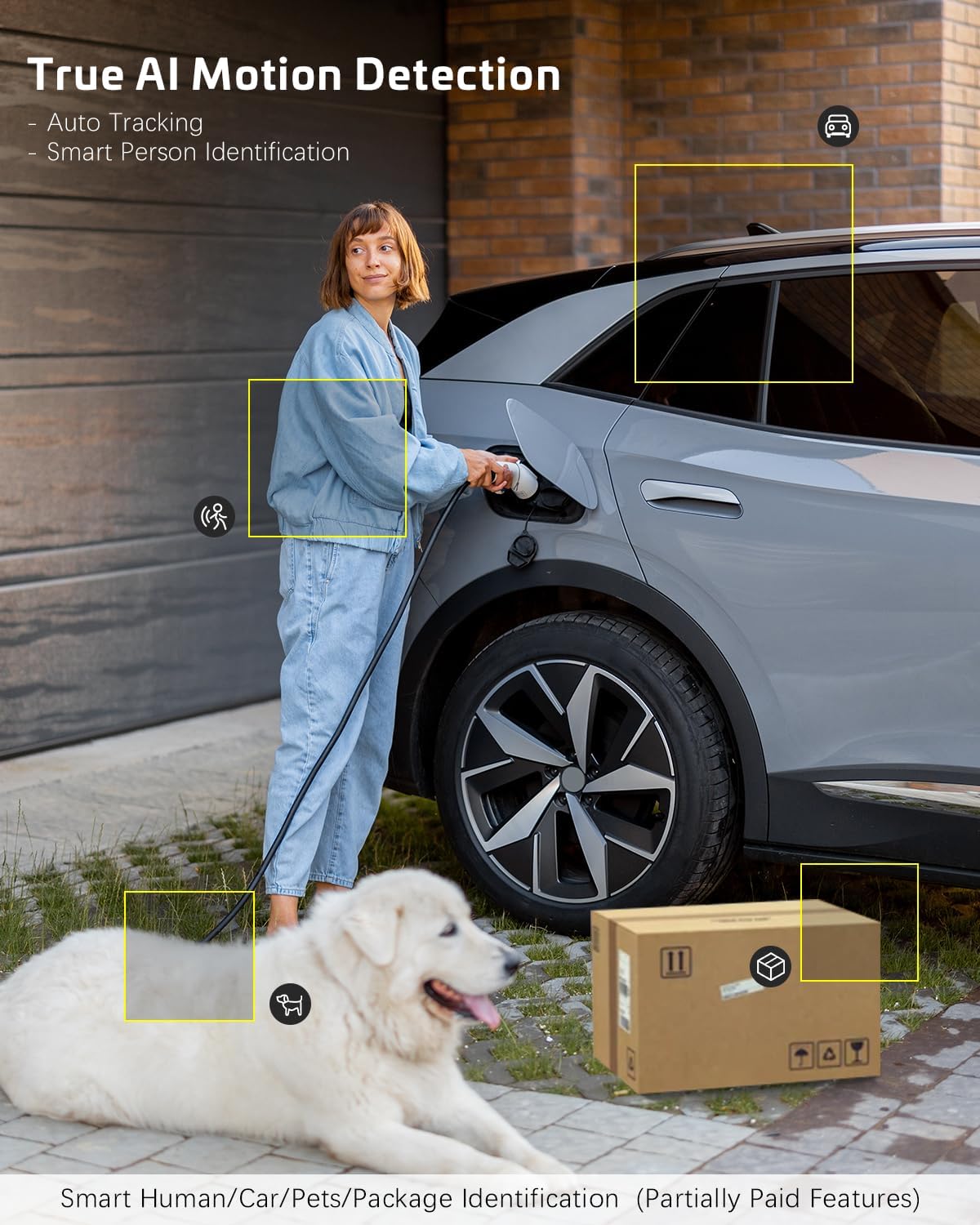
Image: AI motion detection in action, highlighting its ability to identify various objects like people, vehicles, and packages.
5.3 מצבי ראיית לילה
המצלמה תומכת בשני מצבי ראיית לילה:
- ראיית לילה צבעונית: Utilizes built-in spotlights to provide full-color video in dark environments.
- ראיית לילה אינפרא אדום: Uses infrared LEDs for black-and-white video in complete darkness.
- You can switch between these modes or set them to automatic in the app settings.
5.4 שמע דו-כיווני
כדי להשתמש בתכונת השמע הדו-כיווני:
- בשידור חי view, הקש על סמל המיקרופון כדי לדבר דרך הרמקול של המצלמה.
- הקש על סמל הרמקול כדי להאזין לשמע מהמיקרופון של המצלמה.
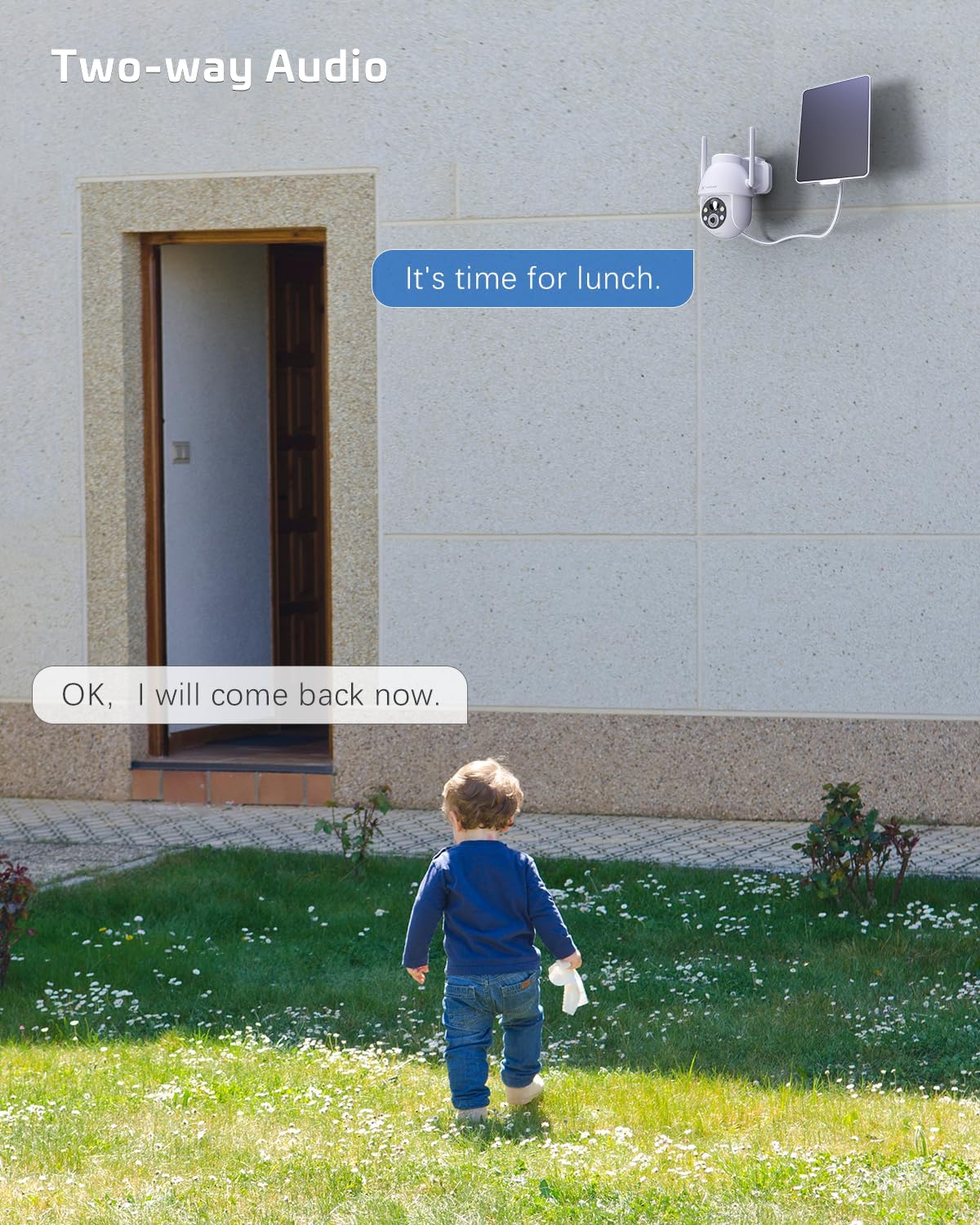
Image: A visual representation of the two-way audio feature, showing communication between a person and the camera.
5.5 אפשרויות אחסון
The camera offers flexible storage solutions for recorded footage:
- אחסון כרטיסי TF: Supports up to 128GB TF (microSD) card (not included) for local storage. Insert the card into the designated slot on the camera.
- אחסון בענן: A cloud storage service is available (paid feature) for secure, off-site storage of your video recordings. All cloud video is encrypted.
5.6 שיתוף רב משתמשים
You can easily share camera access with family members or friends:
- In the app, go to the camera settings and find the 'Share Device' option.
- Generate a QR code or invite link for others to scan or click, granting them access to the camera feed.
6. תחזוקה
To ensure optimal performance and longevity of your COCOCAM security camera:
- ניקוי רגיל: נגבו מעת לעת את עדשת המצלמה ואת פאנל הסולארי בעזרת מטלית רכהamp מטלית להסרת אבק ופסולת. אין להשתמש בכימיקלים חזקים.
- עדכוני קושחה: Check the app regularly for firmware updates. Keeping your camera's firmware up-to-date ensures the latest features and security patches.
- בריאות הסוללה: While solar-powered, ensure the solar panel is free from obstructions to maintain optimal battery charge. In prolonged periods of low sunlight, consider manually charging the camera via USB.
- תנאים סביבתיים: The camera is IP66 weatherproof, but extreme conditions outside its operating temperature range (-25°C to 60°C / -13°F to 140°F) may affect performance.

Image: The camera operating effectively in rainy conditions, highlighting its IP66 weatherproof design.
7. פתרון תקלות
7.1 Camera Offline / Disconnected
- אות Wi-Fi: Ensure the camera is within range of your 2.4GHz Wi-Fi router and the signal strength is adequate.
- הגדרות נתב: Verify that your router's settings are not blocking the camera. Restarting the router may help.
- ספק כוח: Check if the camera has sufficient battery charge. Ensure the solar panel is clean and receiving sunlight.
- לְתַקֵן: אם הבעיות נמשכות, נסה לזווג מחדש את המצלמה עם האפליקציה.
7.2 Motion Detection Issues (Too Many/Few Alerts)
- רְגִישׁוּת: Adjust the motion detection sensitivity in the app settings. Lower sensitivity for fewer false alarms, higher for more detections.
- אזור זיהוי: If available, configure specific detection zones to focus on critical areas and ignore irrelevant motion.
- זיהוי אנושי בינה מלאכותית: ודא שזיהוי אנושי באמצעות בינה מלאכותית מופעל כדי לסנן תנועות שאינן אנושיות.
7.3 איכות תמונה ירודה
- ניקיון העדשה: נקו את עדשת המצלמה כדי להסיר כל כתמים או לכלוך.
- מהירות רשת: Ensure your internet connection is stable and fast enough for 2K video streaming.
- ראיית לילה: If image quality is poor at night, check if the night vision mode is set correctly (color or infrared) and if the spotlights/IR LEDs are unobstructed.
7.4 הסוללה לא נטענת
- פאנל סולארי: ודאו שהפאנל הסולארי נקי וממוקם כך שיקבל אור שמש ישיר במשך מספר שעות ביום.
- חיבור כבל: בדוק את החיבור בין הפאנל הסולארי למצלמה.
- Manual Charge: Try charging the camera directly via the USB port to confirm the battery is functional.
8. מפרטים
| תכונה | מִפרָט |
|---|---|
| דֶגֶם | ZY-C2 |
| רזולוציית לכידת וידאו | 1440p (2K QHD) |
| טכנולוגיית קישוריות | אלחוטי (Wi-Fi 2.4GHz, Bluetooth) |
| מקור כוח | מופעל על ידי סוללה, מופעל על ידי סוללות |
| קיבולת סוללה | 5200mAh (נטענת) |
| קיבולת אחסון זיכרון | 128 GB (TF card, not included) |
| זווית פאן / הטיה | פאן 355°, הטיה של 120° |
| דירוג עמיד בפני מזג אוויר | IP66 |
| טמפרטורת הפעלה | -25°C עד 60°C (-13°F עד 140°F) |
| סוג הרכבה | מתקן לתקרה, מתקן לקיר |
| מערכת הפעלה תואמת | iOS, אנדרואיד |
| מידות (L x W x H) | 18 x 17 x 14 ס"מ |
| משקל פריט | 1.3 ק"ג |
9. אחריות ותמיכה
COCOCAM provides a אחריות לשנה for its cameras. If you encounter any problems using our products or require technical assistance, please do not hesitate to contact our customer support team. Refer to the contact information provided on the product packaging or the official COCOCAM webאתר לערוצי תמיכה.
We are committed to providing high-quality service and ensuring your satisfaction with our products.
Ask a question about this manual
Ask about setup, troubleshooting, compatibility, parts, safety, or missing instructions. Manuals+ will review the question and use this page’s manual context to help answer it.