
1. המוצר נגמרview
The Roku 40" Select Series 1080p Full HD Smart RokuTV offers a seamless entertainment experience with its integrated Roku platform. Enjoy bright, full HD picture quality and clear audio. The customizable home screen provides quick access to streaming apps, inputs, and free live TV. This model features a bezel-less design and comes with a voice remote for easy navigation.
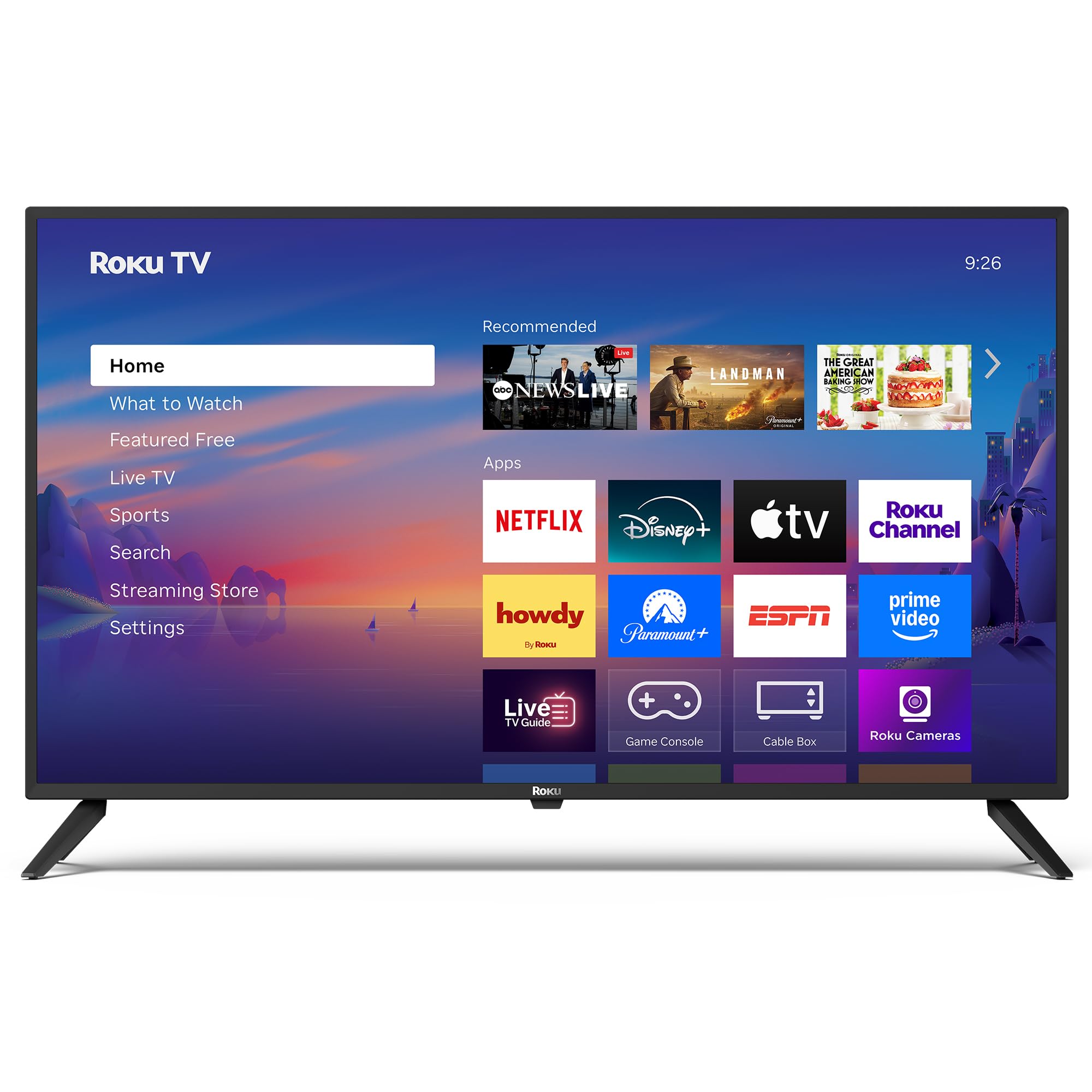
תמונה: חזית view of the Roku 40" Select Series Full HD Smart TV.
2. מה בקופסה
- Roku 40” Select Series Full HD Smart TV
- Roku voice remote with batteries
- מעמדי טלוויזיה (2)
- Stand screws (4)
- מדריך למשתמש (מסמך זה)

Image: Diagram illustrating the components included in the Roku TV package.
3. מדריך התקנה
3.1 חיבור מעמדי הטלוויזיה
- הנח בזהירות את הטלוויזיה כשמסך הטלוויזיה כלפי מטה על משטח רך ונקי כדי למנוע שריטות.
- יישרו כל מעמד טלוויזיה עם חורי הברגים המתאימים בתחתית הטלוויזיה.
- Insert the provided screws into the holes and tighten them securely with a screwdriver.
- Ensure both stands are firmly attached before proceeding.
3.2 חיבור חשמל והתקנה ראשונית
- Connect the power cord to the TV and then to a standard electrical outlet (100-240 VAC, 50-60 Hz).
- Insert the AAA batteries into the Roku voice remote.
- לחץ על כפתור ההפעלה בשלט הרחוק כדי להפעיל את הטלוויזיה.
- פעל לפי ההוראות שעל המסך כדי לבחור את השפה שלך, להתחבר לרשת ה-Wi-Fi שלך ולהפעיל את חשבון Roku שלך.
- The TV will guide you through adding your preferred streaming apps and setting up any connected devices.

תמונה: תקריב view of the TV's side panel, showing various input ports like HDMI, USB, and antenna connection.
4. Operating Your Roku TV
4.1 ניווט במסך הבית
The Roku home screen provides a centralized hub for all your entertainment. Easily access streaming apps, connected devices (like game consoles or cable boxes), and free live TV channels. The interface is designed for quick and intuitive navigation using your Roku voice remote.

Image: The Roku TV home screen, showing a grid of streaming applications and input selections.
4.2 שימוש בשלט הקולי
The included voice remote simplifies your TV experience. Use voice commands to search for movies, shows, or songs across thousands of streaming apps. Dedicated shortcut buttons provide instant access to popular services like Netflix, Disney+, and Apple TV. Volume controls are conveniently located on the side of the remote.

Image: Close-up of the Roku voice remote, highlighting the voice command button and dedicated app shortcuts.
4.3 הגדרות תמונה וקול
The Roku TV delivers a bright, full HD picture with exceptional clarity. It features direct LED backlighting for better brightness and uniformity. Enhanced audio output is provided by built-in speakers. You can adjust picture modes, screen brightness, and other advanced settings through the TV's menu to optimize your viewניסיון.
4.4 שילוב בית חכם
The Roku TV is compatible with various smart home ecosystems, including Apple AirPlay 2, Apple Home, Alexa, and Google Home. This allows for integrated control and seamless interaction with your existing smart devices.

Image: Icons representing compatibility with various smart home platforms.
5. תחזוקה
To ensure the longevity and optimal performance of your Roku TV, follow these maintenance guidelines:
- ניקוי המסך: Use a soft, lint-free cloth specifically designed for electronics. Gently wipe the screen to remove dust and smudges. Avoid harsh chemicals or abrasive materials.
- ניקוי החלק החיצוני: Wipe the TV's exterior with a soft, dry cloth. Do not use liquid cleaners directly on the TV.
- אוורור: ודאו שפתחי האוורור של הטלוויזיה אינם חסומים כדי למנוע התחממות יתר. שמרו על מרווח מספיק סביב הטלוויזיה לזרימת אוויר.
- ניהול צריכת חשמל: נתקו את הטלוויזיה משקע החשמל במהלך סופות ברקים או כאשר היא נותרת ללא השגחה למשך תקופות ארוכות.
6. פתרון תקלות
If you encounter issues with your Roku TV, try the following basic troubleshooting steps:
- אין כוח: Ensure the power cord is securely plugged into both the TV and the electrical outlet. Check if the outlet is functioning by plugging in another device.
- אין תמונה/קול: Verify that the correct input source is selected on the TV. Check all cable connections (HDMI, AV, etc.) for looseness.
- שלט לא מגיב: Replace the batteries in the remote. Ensure there are no obstructions between the remote and the TV. Re-pair the remote if necessary (refer to the on-screen instructions during initial setup or the Roku support site).
- בעיות חיבור לרשת: Restart your Wi-Fi router and modem. Go to the TV's network settings to reconnect to your Wi-Fi network.
- אפליקציה קופאת/קריסה: Restart the specific app. If the issue persists, restart the TV by unplugging it from the power outlet for 30 seconds and then plugging it back in.
For more detailed troubleshooting or persistent issues, visit the official Roku support webאֲתַר.
7. מפרטים
| תכונה | פְּרָט |
|---|---|
| גודל מסך | 40 אינץ' |
| מותג | רוקו |
| מספר דגם | 40R2A5R |
| טכנולוגיית תצוגה | LED |
| הַחְלָטָה | 1080p HD מלא |
| קצב רענון | 60 הרץ |
| מַעֲרֶכֶת הַפעָלָה | Roku OS |
| תכונות מיוחדות | Bezel-Less Design, Voice Remote |
| טכנולוגיית קישוריות | HDMI, USB, Wi-Fi |
| סך כל יציאות HDMI | 3 |
| Total USB 3.0 Ports | 1 |
| מצב פלט שמע | משופר |
| שיטת בקרה | בקרת אפליקציה, שלט רחוק, שליטה קולית |
| Screen Mirroring Technology | AirPlay 2, Miracast |
| מידות המוצר (D x W x H) | 8.7" D x 35.5" W x 22.6" H |
| Item Weight Without Stand | 11.2 פאונד |
| תקן VESA להרכבה | 200 x 100 מ"מ |
8. אחריות ותמיכה
8.1 אחריות מוגבלת
Roku warrants the hardware of this device against defects in materials and workmanship under normal use for a period of one (1) year from the date of purchase ("Warranty Period"), provided it is used in accordance with the provided documentation. If a hardware defect is determined during the Warranty Period, Roku's sole obligation and your exclusive remedy will be to either repair or replace the unit with a new or rebuilt device, at Roku's option.
Important information about warranty returns and replacements is available on the Roku support site.
8.2 Product Returns
You may return a device for any reason, subject to the terms of the applicable return policy:
- Within thirty (30) days from the date of purchase from Roku.
- Within the applicable return period if purchased from an authorized reseller or distributor.
Additional details regarding product returns can be found on the Roku support site.