
מָבוֹא
The JDIAG TPMS Relearn Tool T508 is designed to activate and reset Tire Pressure Monitoring System (TPMS) sensors in various vehicle models. This tool facilitates the relearning process after tire rotation, sensor replacement, or seasonal tire changes, ensuring accurate tire pressure monitoring.
It supports tire sensors operating at 315 MHz or 433 MHz frequencies.
המוצר נגמרview
The JDIAG T508 tool features a compact design with an LCD screen and intuitive button controls for easy navigation and operation.
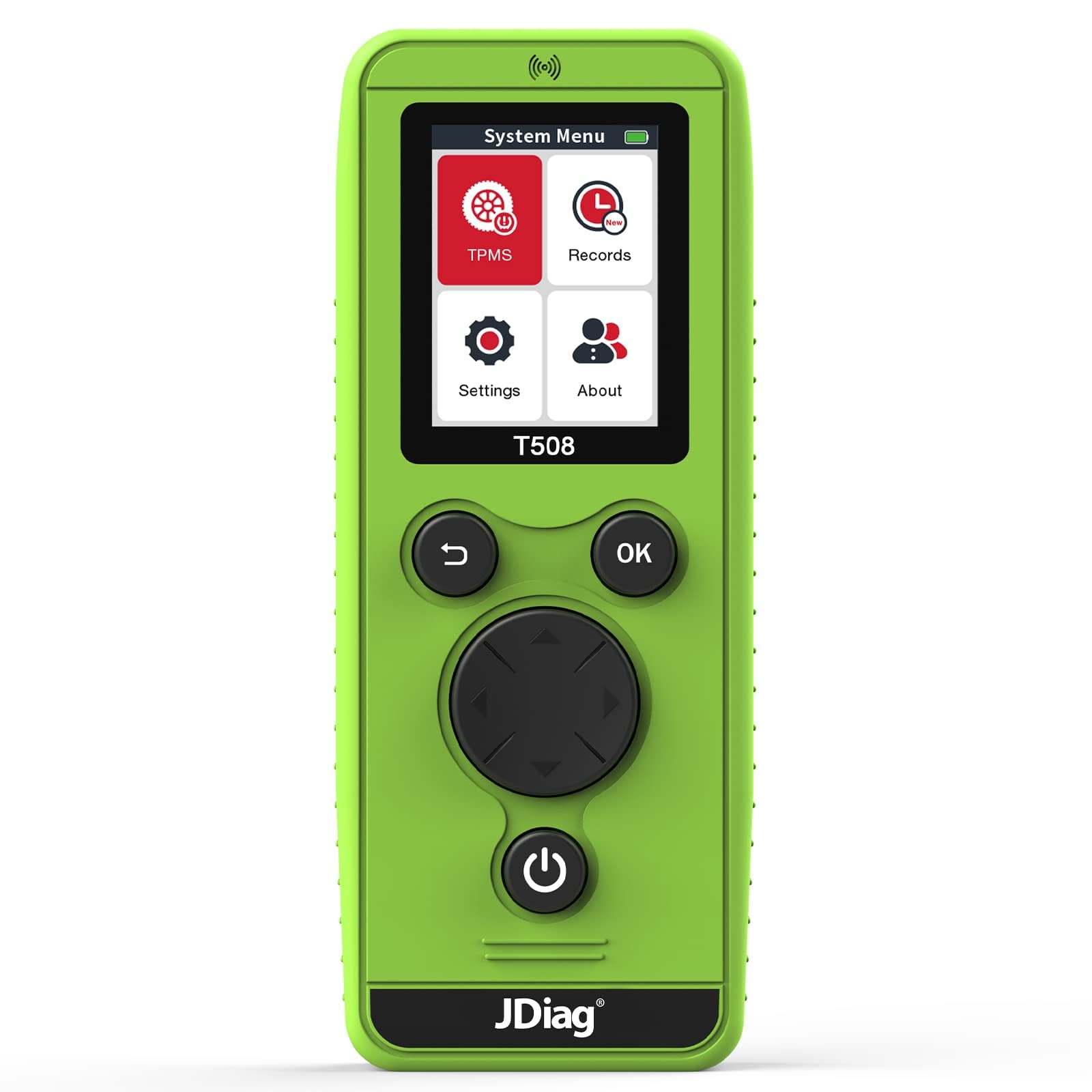
תמונה: חזית view of the JDIAG TPMS Relearn Tool T508.
רכיבי מכשיר ובקרה

תמונה: מפורט view of the JDIAG T508 tool with labeled components and controls.
- אַנטֶנָה: Located at the top for signal transmission and reception.
- ממשק USB: For connecting to a computer to perform firmware upgrades.
- מָסָך: Displays the system menu, vehicle information, and relearn procedures.
- TPMS System Menu: Select to choose vehicle brand and year for TPMS relearn.
- רשומות: View previously tested vehicle data.
- הגדרות: Adjust language, region, power-off time, and other device preferences.
- אוֹדוֹת: מציג מידע בסיסי על המכשיר.
- מקש אחורה: Returns to the main menu (long press).
- מקש אישור: Confirms selections and initiates relearn procedures.
- מקשי ניווט (למעלה, למטה, שמאלה, ימינה): לניווט בתפריטים.
- מקש הפעלה: Turns the device on/off (long press).
- תא סוללות: Located at the back, requires 3 AA batteries.
הגדרה
התקנת סוללה
- Locate the battery compartment on the back of the T508 tool.
- פתח את מכסה תא הסוללות.
- הכניסו 3 סוללות AA חדשות, תוך הקפדה על קוטביות נכונה (+/-).
- סגור היטב את מכסה תא הסוללות.
הערה חשובה: New AA batteries are required for optimal performance. The signal strength of the TPMS tool is affected by battery voltage.
הפעלה ראשונית
Long press the Power Key (⏻) to turn on the device. The main menu will appear on the screen.
Operating Instructions: TPMS Sensor Activation
Follow these steps to activate and relearn TPMS sensors:

Image: Visual guide illustrating the four steps for TPMS sensor activation.
- Step 1: Enter TPMS System. From the main menu, select the 'TPMS' option. Choose your car's brand and year.
- Step 2: Set Vehicle to Learning Mode. Ensure your vehicle is in TPMS learning mode. Refer to your vehicle's owner's manual or the 'Relearn Procedure' option within the T508 tool (after selecting your vehicle) for specific instructions on how to enter learning mode.
- Step 3: Scan Single Sensor. Select 'Scan Single Sensor' on the T508. Place the tool's antenna near the tire valve stem, against the tire sidewall. Press the 'OK' key to initiate the relearn process for that tire. The vehicle's horn will typically chirp once to confirm successful reset of the tire.
- Step 4: Complete Relearn Sequence. Proceed to relearn the remaining tires in the following order: Front Left, Front Right, Rear Left, Rear Right. The vehicle's horn will chirp twice, indicating that the entire tire relearn process is complete.
Ensure the tool's antenna is correctly positioned during scanning for optimal signal reception.
תאימות לרכב
The JDIAG T508 TPMS Relearn Tool is compatible with a wide range of vehicles equipped with 315 MHz or 433 MHz TPMS sensors. Supported brands include, but are not limited to:
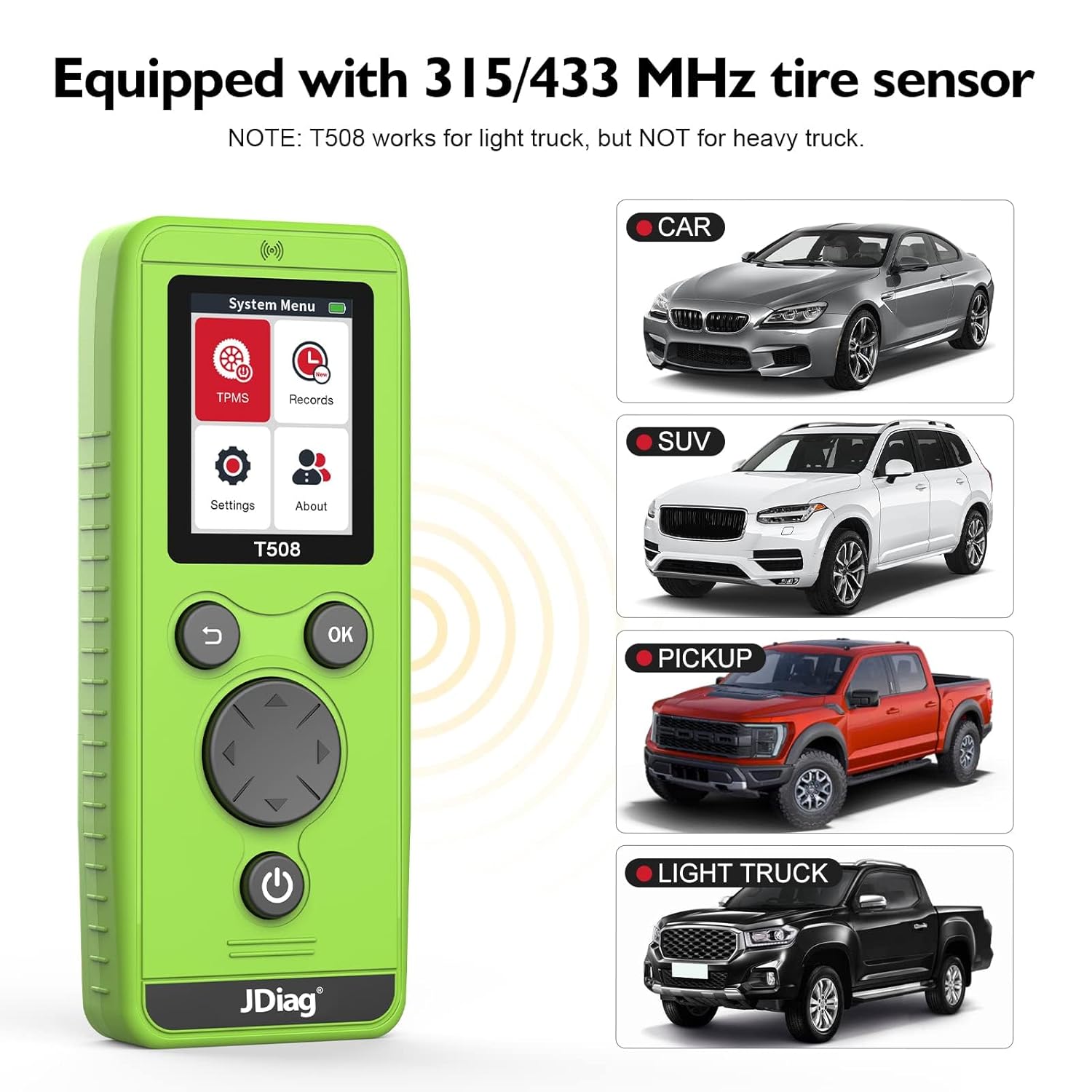
Image: The JDIAG T508 tool is compatible with various vehicle types including cars, SUVs, pickups, and light trucks.
- General Motors (GM) Series: Buick, Cadillac, Chevrolet, GMC, Opel, Saturn.
- Ford Series: F150, F250, Focus, Mustang, Lincoln, Mercury.
- Chrysler Series: Chrysler, Dodge, RAM, Jeep.
- Volkswagen Series.
- Volvo, Skoda.
- Mercedes, BMW.
- ועוד.
פֶּתֶק: For Subaru, Toyota, Honda, and similar vehicles, an additional OBD tool may be required to assist the T508 in entering learning mode and completing the tire pressure relearn process. The T508 is designed for light trucks but is not compatible with heavy trucks and vans.
הערות וטיפים חשובים
- Always use new AA batteries for optimal signal strength and performance.
- Ensure the antenna is correctly positioned on the tire sidewall near the valve stem during the scanning process.
- For certain vehicle brands (e.g., Subaru, Toyota, Honda), an OBD tool might be necessary in conjunction with the T508 to complete the TPMS relearn procedure.
- The device firmware can be upgraded via USB cable. Check the manufacturer's webאתר לעדכונים האחרונים.

Image: Illustration of the T508's signal strength and range during operation.
תַחזוּקָה
- שמרו על ניקיון המכשיר, אבק ולחות. השתמשו במטלית רכה ויבשה לניקוי.
- Store the tool in a cool, dry place when not in use.
- הסר את הסוללות אם המכשיר לא ישמש למשך תקופה ממושכת כדי למנוע דליפות.
- הימנע מלהפיל את המכשיר או לחשוף אותו למכות חזקות.
פתרון בעיות
| בְּעָיָה | סיבה אפשרית | פִּתָרוֹן |
|---|---|---|
| המכשיר לא נדלק. | סוללות חלשות או מתות; התקנה שגויה של הסוללה. | החליפו בסוללות AA חדשות, תוך הקפדה על קוטביות נכונה. |
| Sensor not activating/relearning. | Vehicle not in learning mode; incorrect tool positioning; weak battery signal; incompatible sensor frequency. | Verify vehicle is in learning mode. Reposition the tool closer to the valve stem. Replace device batteries. Confirm sensor frequency (315/433 MHz). |
| Inconsistent signal or activation. | נפח סוללה נמוךtage; antenna not correctly aligned. | Ensure fresh batteries are used. Adjust antenna position for better contact with the tire sidewall. |
מפרטים
- מותג: JDiag
- דֶגֶם: T508 Relearn tool
- מספר חלק של יצרן: T508
- מקור כוח: מופעל על ידי סוללה (3 סוללות AA, לא כלולות)
- מַעֲרֶכֶת הַפעָלָה: לינוקס
- Supported TPMS Frequencies: 315 מגה-הרץ, 433 מגה-הרץ
- קישוריות: USB for upgrades
אחריות ותמיכה
For warranty information, technical support, or service inquiries, please contact JDiag customer service directly. Refer to the product packaging or the official JDiag website for contact details and the most current warranty policy.