
1. הקדמה
This manual provides essential information for setting up, operating, and maintaining your SOUYIE Smart Watch T19Pro. Please read it thoroughly to ensure proper use and to maximize the device's capabilities.
תמונה: חזית view of the SOUYIE Smart Watch T19Pro.

Image: SOUYIE Smart Watch T19Pro in multiple colors, highlighting its role as a personal health assistant.
2. תכולת החבילה
The SOUYIE Smart Watch T19Pro package includes the following items:
- 1 x SOUYIE Smart Watch T19Pro
- 1 x מדריך למשתמש
- 1 x רצועת סיליקון TPU
- 1 x כבל טעינה מגנטי USB
3. תחילת העבודה
3.1. טעינת ההתקן
Before initial use, fully charge your SOUYIE Smart Watch T19Pro. The watch features a 280mAh battery. A full charge takes approximately 2 hours, providing about 7 days of daily use and up to 30 days of standby time.
- Connect the USB magnetic charging cable to a compatible USB power source.
- Attach the magnetic end of the cable to the charging points on the back of the smartwatch. Ensure proper alignment for a secure connection.
- תצוגת השעון תציג את מצב הטעינה.

Image: The SOUYIE Smart Watch T19Pro connected to its magnetic charging cable, illustrating charging duration and battery longevity.
3.2. App Installation and Bluetooth Pairing
To unlock the full potential of your SOUYIE Smart Watch T19Pro, download and install the companion application on your smartphone. The watch is compatible with Android (5.0 and above) and iOS (9.0 and above).
- Scan the QR code provided in the included user manual or search for the "Da Fit" app in your smartphone's app store (Google Play Store for Android, Apple App Store for iOS).
- Install the "Da Fit" application.
- ודא שה-Bluetooth מופעל בטלפון החכם שלך.
- Open the "Da Fit" app and follow the on-screen instructions to add your device. Select "T19Pro" from the list of available devices to pair.
- אשר את בקשת הצימוד הן בטלפון החכם והן בשעון החכם.
Video: Demonstrates the process of connecting the SOUYIE Smart Watch T19Pro to a smartphone via Bluetooth using the companion app.
3.3. Setting Up Notifications
Once paired, you can configure your smartwatch to receive notifications from your smartphone.
- Open the "Da Fit" app on your smartphone.
- Navigate to the "Notifications" section within the app.
- Enable notifications for desired applications (e.g., Phone, Messages, WhatsApp, Facebook, Twitter, Instagram, Skype, etc.).
- The smartwatch will vibrate and display incoming calls or messages on its screen.
Video: Illustrates how to enable and manage message notifications for the SOUYIE Smart Watch T19Pro through the companion app.
4. תכונות ופונקציות עיקריות
4.1. Display and Customization
The SOUYIE Smart Watch T19Pro features a 1.96-inch high-definition large screen for clear visual display. It includes a rotary button on the side for navigation and switching watch faces.
- ניווט מסך: Swipe across the touchscreen to access different functions and menus.
- כפתור סיבובי: Use the rotary button to scroll through pages or switch watch faces.
- פנים לצפות: The "Da Fit" app offers over 100 different watch faces. You can also customize the watch face with your own photos.

Image: Close-up of the SOUYIE Smart Watch T19Pro's 1.96-inch HD screen and its functional rotary button.
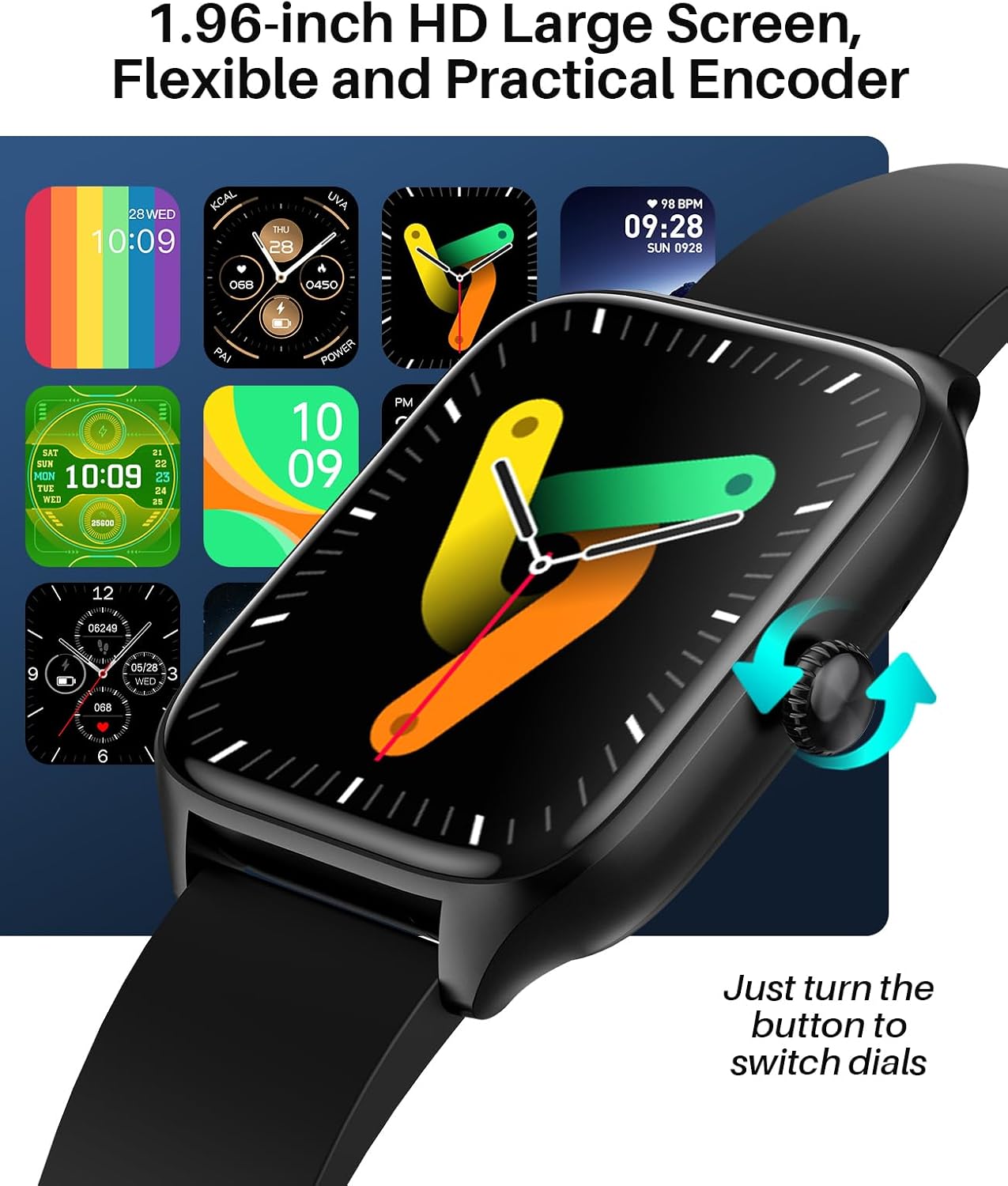
Image: A variety of digital and analog watch faces available for the SOUYIE Smart Watch T19Pro.
4.2. ניטור בריאות
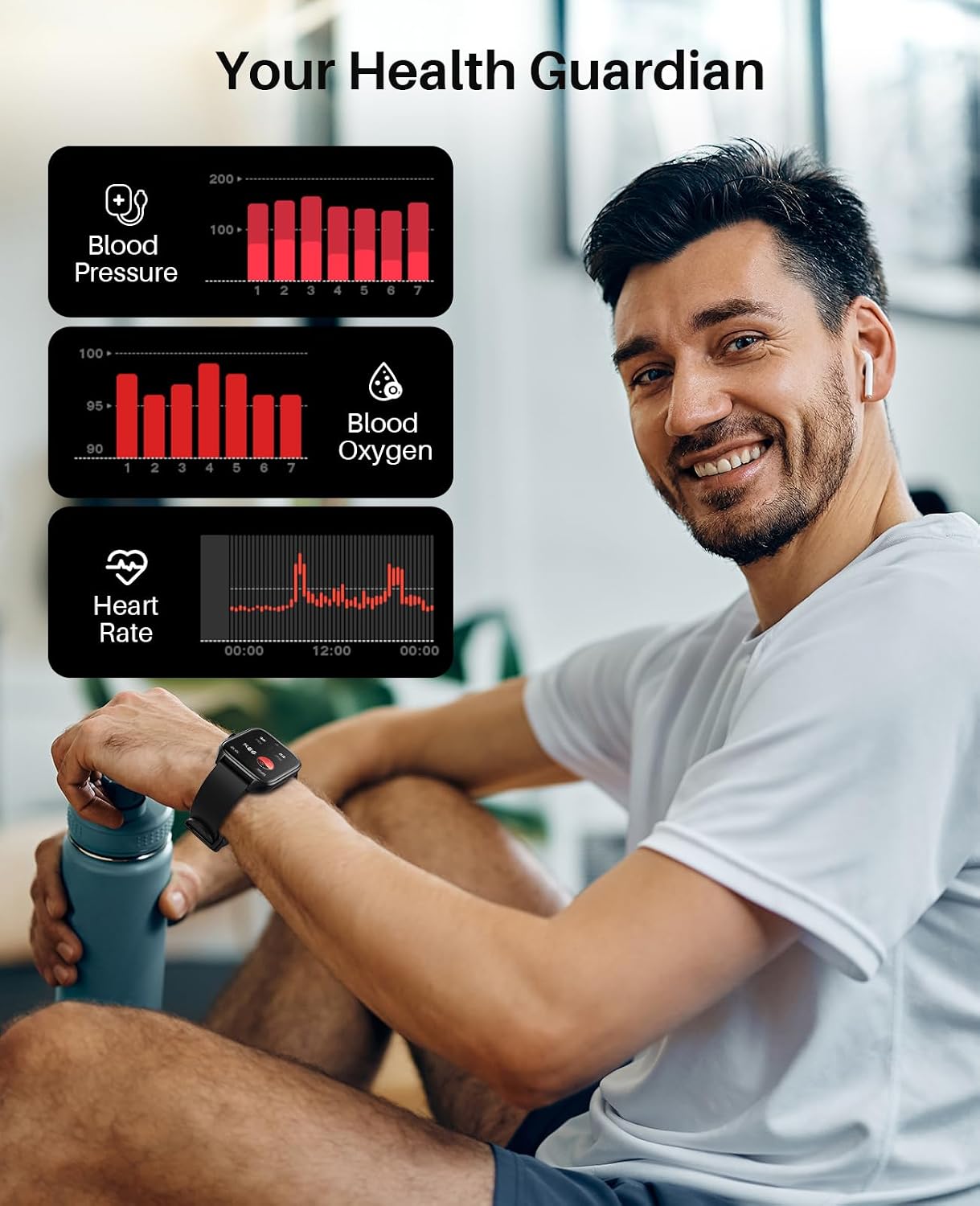
The SOUYIE Smart Watch T19Pro utilizes optical sensors to monitor various health metrics.
- מד דופק: עוקב אחר קצב הלב שלך באופן רציף.
- מד חמצן בדם (SpO2): מודד את רמות החמצן בדם.
- מוניטור לחץ דם: מספק קריאות לחץ דם.
- מעקב שינה: Monitors your sleep quality, including awake, light, REM, and restful sleep stages.

Image: A user wearing the SOUYIE Smart Watch T19Pro, with graphical representations of blood pressure, blood oxygen, and heart rate data.

Image: A woman sleeping while wearing the SOUYIE Smart Watch T19Pro, displaying sleep duration, heart rate, stress levels, and blood oxygen saturation.
4.3. מעקב כושר
The smartwatch is equipped with features to track your physical activity.
- מעקב אחר פעילות: Records your daily activity.
- מד צעדים: Counts your steps.
- מעקב קלוריות: Estimates calories burned during activities.
- מצבי ספורט: Over 100 built-in exercise modes to record workout time and calories burned.

Image: A man playing tennis while wearing the SOUYIE Smart Watch T19Pro, with icons representing over 100 sports modes.
4.4. תכונות תקשורת
Stay connected with your SOUYIE Smart Watch T19Pro.
- שיחות בלוטות': Make and answer calls directly from your watch when connected via Bluetooth.
- הודעות הודעה: Receive alerts for text messages and app notifications (e.g., WhatsApp, Facebook, Twitter).
- עוזר קול בינה מלאכותית: השתמש בפקודות קוליות עבור פונקציות שונות.

Image: The SOUYIE Smart Watch T19Pro showing a Bluetooth call interface, with various messaging and social media app icons indicating notification capabilities.
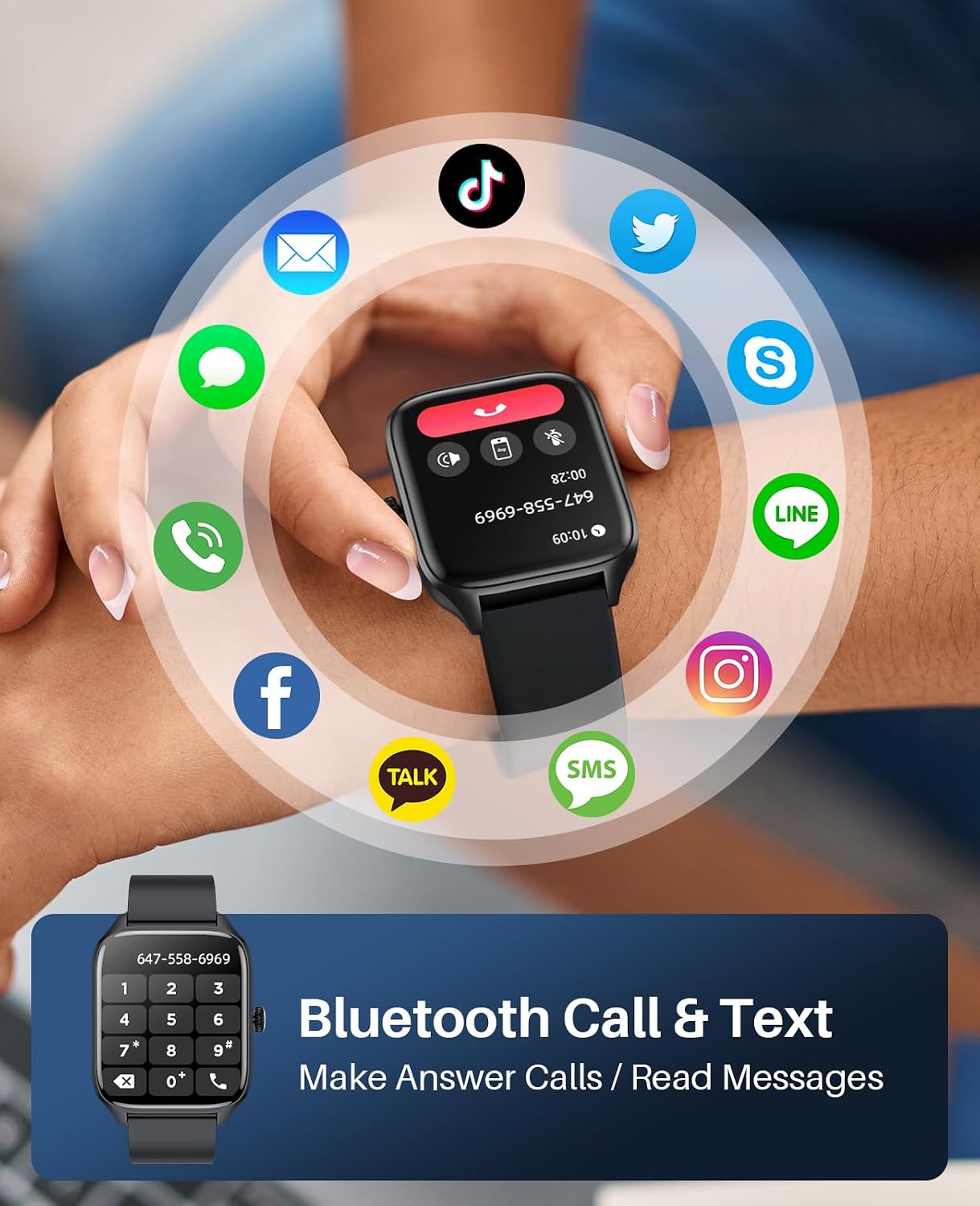
Image: The SOUYIE Smart Watch T19Pro displaying options for dialing, answering, rejecting calls, viewing contacts, and message reminders.

Image: The SOUYIE Smart Watch T19Pro showing the voice assistant interface with example commands like "Please turn off the alarm" and "How's the weather today?".
4.5. פונקציות חכמות נוספות
The T19Pro offers a range of practical tools for daily convenience.
- בקרת מוזיקה
- מַחשְׁבוֹן
- תזכורת בישיבה
- משחקים מזדמנים
- שָׁעוֹן מְעוֹרֵר
- סטוֹפֶּר
- מַד חוֹם
- בקרת מצלמה מרחוק
- Live Weather Updates

Image: A man wearing the SOUYIE Smart Watch T19Pro, showcasing its multifunctional smart assistant features including alarm, calculator, music player, timer, and flashlight.
5. עמידות במים
The SOUYIE Smart Watch T19Pro has an IP67 waterproof rating. This means it is resistant to splashes, rain, and brief immersion in water. It can be used for daily activities such as cold showers or washing hands. It is not recommended for swimming, diving, or exposure to hot water or steam.

Image: A man by a pool wearing the SOUYIE Smart Watch T19Pro, illustrating its IP67 waterproof capability for daily use.
6. מפרטים
| תכונה | מִפרָט |
|---|---|
| מספר דגם | T19Pro |
| מידות המוצר | 5.51 x 3.86 x 1.1 אינץ' |
| משקל פריט | 1.87 אונקיות (53 גרם) |
| גודל מסך | 1.96 אינץ' |
| מַעֲרֶכֶת הַפעָלָה | Android (5.0 and above) & iOS (9.0 and above) |
| טכנולוגיית קישוריות | בלוטות' |
| קיבולת סוללה | 280 מיליamp Hours (280mAh) |
| זמן טעינה | בערך שעתיים |
| חיי סוללה לשימוש אופייני | בערך 7 ימים |
| זמן המתנה | בערך 30 ימים |
| עמידות במים | IP67 |
| תכונות מיוחדות | Activity tracker, alarm clock, blood pressure monitor, calorie tracker, camera, heart rate monitor, notifications, oximeter (SpO2), pedometer, phone, sleep monitor, text messaging, heart rate display, thermometer, AI voice assistant, music control, multi-dial switching, calculator, sedentary reminder, casual games, remote camera control, live weather, custom wallpapers. |
7. טיפול ותחזוקה
- ניקוי: נקו באופן קבוע את השעון החכם והרצועה שלכם בעזרת מטלית רכה ויבשה. במידת הצורך, השתמשו במטלית מעט דחוסה.amp מטלית וסבון עדין, לאחר מכן לשטוף ולייבש היטב.
- הימנע מכימיקלים: Do not use harsh chemicals, cleaning solvents, or strong detergents, as they may damage the watch's finish or components.
- טֶמפֶּרָטוּרָה: הימנעו מחשיפת השעון לטמפרטורות קיצוניות (חמות או קור) או לאור שמש ישיר למשך תקופות ממושכות.
- אִחסוּן: כאשר אינו בשימוש, יש לאחסן את השעון במקום קריר ויבש.
8. פתרון תקלות
- שעון לא נדלק: ודא שהשעון טעון במלואו. חבר אותו למטען והמתן מספר דקות לפני שתנסה להפעיל אותו.
- בעיות חיבור: Verify that Bluetooth is enabled on your smartphone and the "Da Fit" app is open. Try restarting both your phone and the smartwatch.
- הודעות שלא התקבלו: Check the "Notifications" settings in the "Da Fit" app to ensure that notifications are enabled for the desired applications. Also, check your phone's system notification settings for the app.
- קריאות לא מדויקות: ודאו שהשעון צמוד לפרק כף היד, לא צמוד מדי או רפוי מדי. נקו את החיישנים בגב השעון.
- המסך לא מגיב: נסה להפעיל מחדש את השעון. אם הבעיה נמשכת, ודא שהמסך נקי ויבש.
9. אחריות ותמיכה
SOUYIE smartwatches are supported by a commitment to service quality.
- מדיניות החזרות: מוצעת מדיניות החזרה חינם תוך 30 יום.
- אַחֲרָיוּת: המוצר כולל אחריות לשנה.
- תמיכת לקוחות: 24/7 customer support is available. For assistance, please contact SOUYIE customer service through your purchase platform (e.g., "Find order --- Contact seller" on Amazon).