
1. המוצר נגמרview
The Creator C420 is a specialized OBD2 diagnostic scanner designed for BMW and Mini vehicles. It provides comprehensive system diagnostics and advanced service reset functions, in addition to standard OBD2 capabilities for all OBD2 compliant vehicles. This manual provides instructions for its proper setup, operation, and maintenance.
2. תכולת החבילה
ודא שכל הפריטים המפורטים להלן כלולים בחבילה שלך:
- 1 x Creator C420 BMW Code Reader
- 1 x תיק נשיאה
- 1 x קורא כרטיסים
- 1 x כבל USB
- 1 x מדריך למשתמש (מסמך זה)
3. הגדרה וחיבור
Follow these steps to connect the C420 scanner to your vehicle:
- אתר את יציאת ה-OBD-II: The OBD-II port is typically located under the dashboard on the driver's side of the vehicle. Refer to your vehicle's owner's manual if you cannot locate it.
- חבר את הסורק: Plug the C420's OBD-II connector firmly into the vehicle's OBD-II port.
- הפעלה: The scanner will power on automatically once connected to the vehicle's OBD-II port, drawing power directly from the vehicle. Ensure the vehicle's ignition is in the 'ON' position (engine off or running, depending on the diagnostic task).
- Adapter for Older Models: For BMW and Mini vehicles manufactured between 1997-2004, a 20-pin adapter (not included) may be required to connect the C420 scanner.

Image: The Creator C420 scanner with its OBD-II connector, ready for connection to a vehicle.
4. הוראות הפעלה
The C420 features a 2.4" TFT 240K true color LCD display and a silicone keypad for navigation. The menu layout is designed for ease of use.
4.1. כיסוי רכב
The Creator C420 is compatible with most BMW and Mini models from 2001 and newer. Specific series covered include:
- סדרת 1: E81, E82, E87, E88, F20, F21
- סדרת 2: F22, F23, F45, F46, F87
- סדרת 3: E46, E90, E91, E92, E93, F30, F31, F34, F35, F80
- סדרת 4: F32, F33, F36, F82, F83
- סדרת 5: E39, E60, E61, F07(GT), F10, F11, F18
- סדרת 6: E63, E64, F06, F12, F13
- סדרת 7: E38, E65, E66, E68, F01, F02, F03, F04, G11, G12
- סדרה א': I01, I12
- סדרת X: X1: E84/F48/F49, X3: E83/F25, X4: F26, X5: E53/E70/F15/F85, X6: E71/E72/F16/F86
- סדרת Z: Z3: E36, Z4: E85/E86/E89
- מיני: R50, R52, R53, R55, R56, R57, R58, R59, R60, R61, F54, F55, F56, F57

Image: Detailed list of BMW and Mini series and chassis codes supported by the C420 scanner.
4.2. אבחון מערכת מלא
The C420 supports diagnostic functions for all major vehicle systems, allowing you to read and clear trouble codes. Systems include, but are not limited to:
- מנוע (ENG)
- מערכת בלימה נגד נעילה (ABS)
- Supplemental Restraint System (SRS / Airbag)
- חיישן זווית היגוי (SAS)
- בלם חניה אלקטרוני (EPB)
- מערכת ניהול סוללות (BMS)
- מודול בקרת הילוכים (TCM)
- מערכת ניטור לחץ אוויר בצמיגים (TPMS)
- Immobilizer System (IMMO)
- Air Conditioning / HVAC
- מודול בקרת גוף (BCM)
- מערכת דלק

Image: Visual representation of the full system diagnostic capabilities of the C420 scanner.
4.3. Advanced Reset Features
The C420 offers several advanced service reset functions specifically for BMW and Mini vehicles:
- איפוס CBS: איפוס שירות מבוסס מצב.
- רישום סוללה: רושם מצבר חדש למערכת הרכב.
- איפוס שמן: מאפס את נורית שירות השמן לאחר החלפת שמן.
- ABS Reset: Resets the Anti-lock Braking System.
- איפוס SRS: Resets the Supplemental Restraint System (Airbag).
- איפוס SAS: Resets the Steering Angle Sensor.
- איפוס EPB: Resets the Electronic Parking Brake.
- שירות DPF: Diesel Particulate Filter service functions.
- יישור גוף המצערת: מבצע הסתגלות לגוף המצערת.
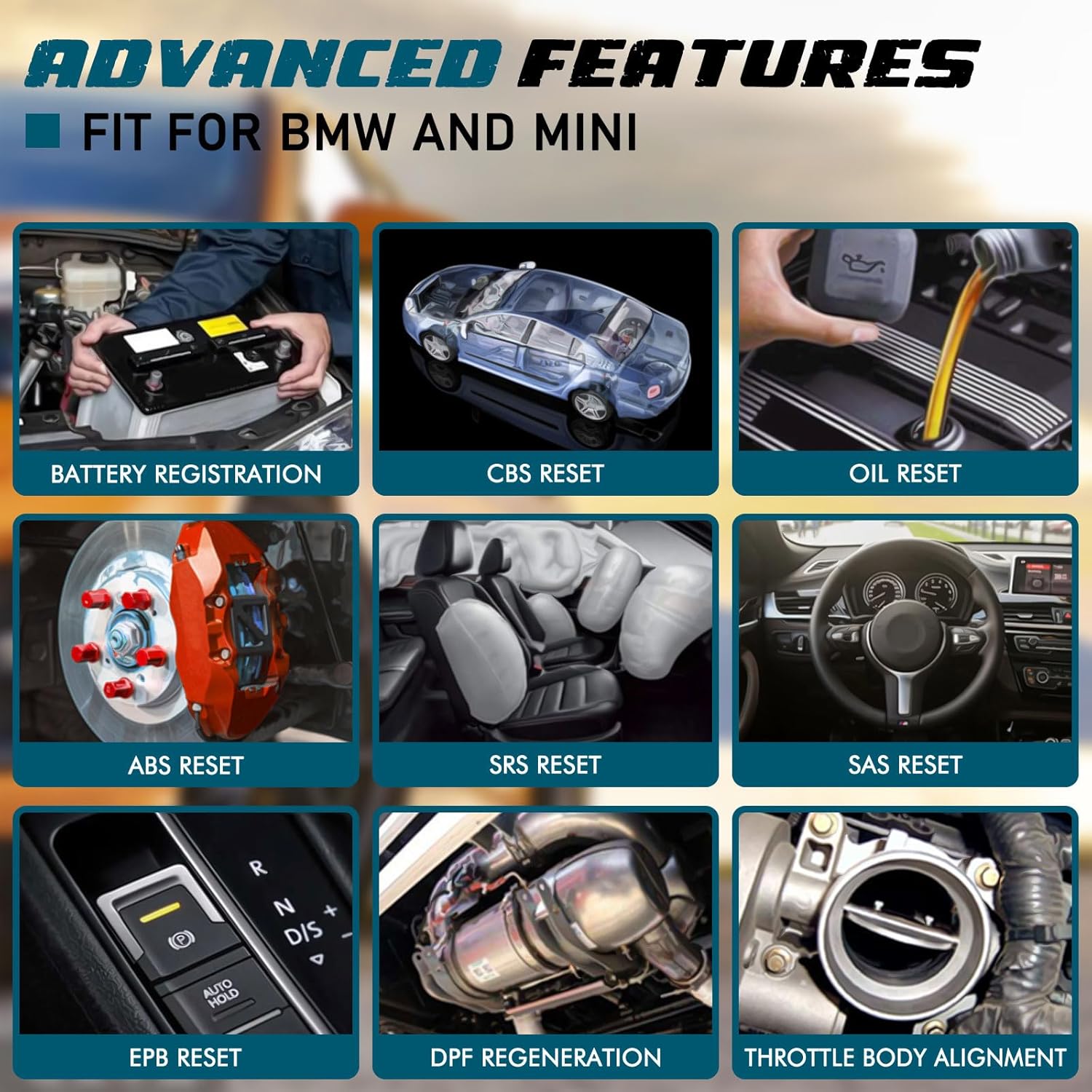
תמונה: דוגמהamples of advanced features available on the C420, including battery registration, CBS reset, and oil reset.
Battery Registration Specifics:
The battery registration function does not support vehicles manufactured before 2004, nor does it support the following E chassis models: 3_Series E46, 5_Series E39, 7_Series E38, X3_E83, X5_E53, Z3_E36, Z4_E85/E86, MINI_R50/R51/R52/R53. For these specific models, direct battery replacement is sufficient as registration is not required. The battery registration function is intended for batteries of the same type and capacity as the original.

Image: Step-by-step screen prompts for performing battery registration using the C420 scanner.
4.4. פונקציות OBD2 אוניברסליות
In addition to BMW/Mini specific functions, the C420 also serves as a universal OBD2 code reader for all OBD2 compliant vehicles, supporting functions such as:
- Turn-Off Malfunction Indicator Light (MIL)
- סטטוס מוכנות I/M
- בדיקת סוללה
- זרמי נתונים חיים
- מידע על הרכב (VIN, CID, CVN)
- מבחן צג על הלוח
- הקפאת נתוני מסגרת
- בדיקת DTC
- בדיקת חיישן O2

Image: The C420 display showing various universal OBD2 functions and icons for supported languages.
5. תחזוקה
5.1. עדכוני תוכנה
The Creator C420 supports lifetime free software upgrades. New parameters, functions, and the latest vehicle data are regularly updated. To update the software:
- Visit the official Creator website to download the update tool and latest software package.
- Connect the C420 scanner to your computer using the provided USB cable.
- Follow the instructions provided with the update tool to install the new software.
5.2. טיפול במכשיר
- שמור על המכשיר נקי ויבש.
- Store the device in its rugged drop-proof carrying case when not in use to prevent damage.
- הימנעו מחשיפת המכשיר לטמפרטורות קיצוניות או לאור שמש ישיר למשך תקופות ממושכות.
6. פתרון תקלות
- המכשיר לא נדלק: Ensure the scanner is securely connected to the vehicle's OBD-II port and the vehicle's ignition is in the 'ON' position. Check the vehicle's fuse for the OBD-II port if the issue persists.
- Limited information displayed: If using on a non-BMW/Mini vehicle, the scanner will only provide universal OBD2 functions. For BMW/Mini, ensure the correct vehicle model is selected if prompted.
- Navigation difficulties: The menu system requires selection of vehicle model and series for specific functions. Use the 'OK' button to confirm selections and the 'ESC' button to go back.
- בעיות עדכון: Ensure a stable internet connection during software updates. If the update fails, try a different USB port or computer.
7. מפרטים
| תכונה | מִפרָט |
|---|---|
| מותג | יוֹצֵר |
| מספר דגם | Creator C420 for BMW |
| מקור כוח | ממשק OBD-II |
| מַעֲרֶכֶת הַפעָלָה | SCM |
| גודל מסך | 2.4 אינץ' |
| רזולוציה מקורית | 240K |
| מספר פריטים | 1 |
8. אחריות ותמיכה
8.1. אחריות
The Creator C420 comes with a 12-month manufacturer's warranty from the date of purchase. Please retain your proof of purchase for warranty claims.
8.2. תמיכה טכנית
Creator offers lifetime free software upgrades and dedicated technical support. For assistance with product operation, troubleshooting, or software updates, please refer to the contact information provided on the official Creator website or in the product packaging. Technical support is available to assist with any inquiries.