
מָבוֹא
תודה על הרכישהasing the Emerson EPD-1001 Portable 10-inch DVD Player. This manual provides essential information for setting up, operating, and maintaining your device. Please read these instructions carefully before use to ensure proper functionality and to maximize your viewניסיון.
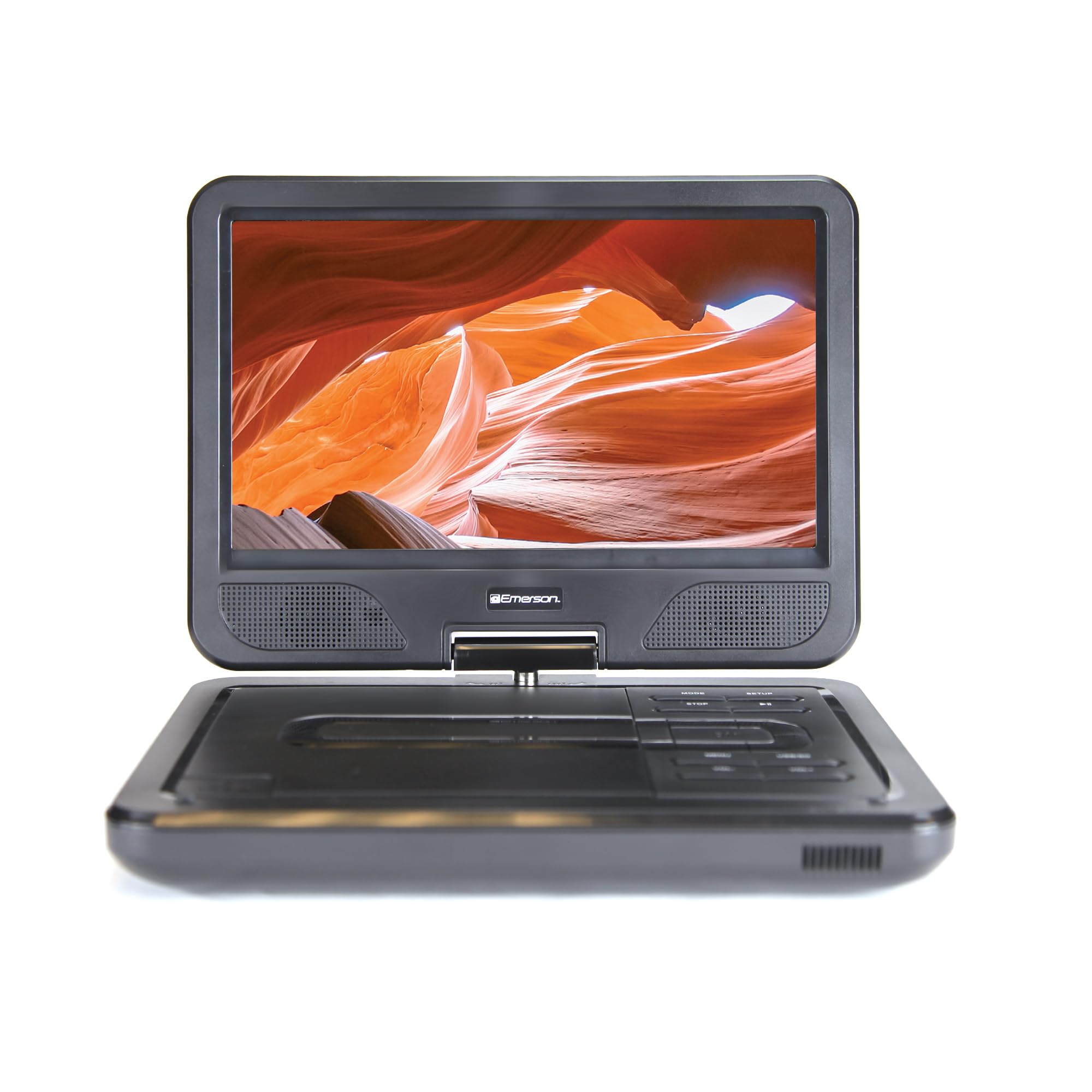
Image: The Emerson EPD-1001 Portable 10-inch DVD Player shown with its screen open, displaying a vibrant image.
מה יש בקופסה
ודא שכל הפריטים נמצאים באריזה:
- Emerson EPD-1001 Portable 10-inch DVD Player
- שְׁלַט רָחוֹק
- מתאם מתח AC
- כבל DC לרכב
- כבל AV
- מדריך למשתמש (מסמך זה)
- תעודת אחריות

Image: The Emerson EPD-1001 Portable 10-inch DVD Player displayed alongside its remote control.
תכונות המוצר
- מסך מסתובב 10 אינץ': The large 10-inch screen swivels 180 degrees, allowing for flexible viewזוויות.
- רמקול מובנה: Integrated speaker provides clear audio for an immersive experience.
- סוללה נטענת: Enjoy portable viewing with the built-in rechargeable battery, offering hours of playback.
- שְׁלַט רָחוֹק: Navigate menus and control playback effortlessly with the included remote.
- עיצוב קומפקטי: Lightweight and compact for easy transport during travel.
- תאימות לפורמטים מרובים: Supports a wide range of DVD formats, as well as media from USB flash drives and SD cards.
סרטון: מוצר 360 מעלות מעלview of the Emerson EPD-1001 Portable DVD Player, showcasinראה את עיצובו ותכונותיו מנקודות מבט שונות.
הגדרה
- פריקת אריזה: הוצא בזהירות את כל הרכיבים מהאריזה. שמור את האריזה לאחסון או למשלוח עתידי.
- טעינת הסוללה: Before first use, fully charge the internal rechargeable battery. Connect the AC power adapter to the DC IN 9-12V port on the DVD player and plug it into a standard wall outlet. The charging indicator light will illuminate. A full charge typically takes several hours.
- Car Power (Optional): For in-car use, connect the DC car cord to the DC IN 9-12V port and plug the other end into your vehicle's 12V accessory socket.
- External Display Connection (Optional): To connect to an external display (e.g., TV), use the provided AV cable. Connect the AV OUT port on the DVD player to the corresponding AV IN ports on your television.

Image: A hand plugging a 12V car adapter into a vehicle's power outlet, demonstrating how to power the DVD player on the go.
הוראות הפעלה
הפעלה/כיבוי
- להפעלה, לחץ והחזק את כּוֹחַ כפתור עד שהמסך יידלק.
- כדי לכבות, לחץ והחזק את המקש כּוֹחַ לחצן שוב עד שהמסך יכבה.
Inserting and Playing a DVD
- Open the disc cover by gently lifting the לִפְתוֹחַ בְּרִיחַ.
- Place a DVD disc onto the spindle with the label side facing up. Gently press the center of the disc to secure it.
- סגור את מכסה הדיסק.
- The player will automatically detect the disc and begin playback. If not, press the PLAY/PAUSE לַחְצָן.
שימוש במסך המסתובב
The screen can be rotated up to 180 degrees. Gently swivel the screen to your desired viewing angle. You can also fold the screen flat against the base for a tablet-like viewניסיון.

Image: A woman using the Emerson EPD-1001 Portable DVD Player, demonstrating the swivel screen feature for comfortable viewing.
Media Playback (USB/SD Card)
- הכנס כונן הבזק מסוג USB לתוך USB יציאה או כרטיס SD לתוך כרטיס זיכרון חָרִיץ.
- השתמש ב- MODE button on the player or remote to select the appropriate input (USB or SD).
- נווט בין המדיה שלך files using the arrow buttons and press לְהַכנִיס לשחק.

Image: A hand inserting a USB flash drive into the side port of the portable DVD player, illustrating media playback from external storage.
שימוש בשלט רחוק
Point the remote control directly at the infrared sensor on the DVD player. The remote allows access to functions such as Play, Pause, Stop, Fast Forward, Rewind, Chapter Skip, Volume Control, Menu Navigation, and Input Selection.
פלט אודיו
- רמקולים מובנים: Audio will play automatically through the integrated speakers. Adjust volume using the VOL+ ו כרך- כפתורים.
- שקע אוזניות: For private listening, plug standard 3.5mm headphones into the אֹזְנִית jack. This will mute the built-in speakers.
תַחזוּקָה
- ניקוי: Use a soft, dry cloth to clean the exterior of the DVD player. For the screen, use a soft, lint-free cloth specifically designed for electronics screens. Do not use liquid cleaners or abrasive materials.
- טיפול בדיסק: Handle discs by their edges. Keep discs clean and free of scratches. Use a soft, lint-free cloth to wipe discs from the center outwards if cleaning is necessary.
- טיפול בסוללה: To prolong battery life, avoid fully discharging the battery frequently. If storing the device for an extended period, charge the battery to approximately 50% and store in a cool, dry place. Recharge every few months to prevent deep discharge.
- אִחסוּן: Store the DVD player in a cool, dry environment away from direct sunlight, extreme temperatures, and excessive dust.
פתרון בעיות
| בְּעָיָה | סיבה אפשרית | פִּתָרוֹן |
|---|---|---|
| הנגן לא נדלק. | הסוללה התרוקנה או שמתאם החשמל אינו מחובר. | Connect the AC power adapter and allow the battery to charge. Ensure the power button is pressed and held. |
| אין תמונה על המסך. | Disc is dirty/scratched, incorrect input selected, or screen is folded incorrectly. | Clean the disc. Ensure the screen is properly opened and swiveled. If connected to an external display, verify AV cable connections and TV input selection. |
| אין קול. | Volume is too low, headphones are connected, or disc has no audio track. | Increase the volume. Disconnect headphones if using built-in speakers. Check disc for audio content. |
| הדיסק לא מתנגן או מדלג. | הדיסק מלוכלך, שרוט או בפורמט לא תואם. | Clean the disc thoroughly. Try a different disc. Ensure the disc format is supported by the player. |
| השלט רחוק לא עובד. | Batteries are dead or remote is not pointed at sensor. | Replace remote control batteries. Ensure direct line of sight to the player's IR sensor. |
מפרטים
| תכונה | פְּרָט |
|---|---|
| מותג | אמרסון |
| מספר דגם | EPD-1001 |
| גודל מסך | 10 אינץ' |
| סוג תצוגה | LCD |
| רזולוציה מקורית | 1280x720 |
| טכנולוגיית קישוריות | USB |
| מכשירים תואמים | Mobile Phone, Television (via AV out) |
| סוג מדיה | DVD, CD, MP3, USB, SD Card |
| מידות פריט (L x W x H) | אורך 10 אינץ', רוחב 1.8 אינץ', גובה 7.35 אינץ' |
| משקל פריט | 2.2 פאונד |
| צֶבַע | שָׁחוֹר |
| אפשרויות חשמל | Built-in rechargeable battery, AC adapter, 12V car adapter |

Image: A diagram illustrating the dimensions (length, width, height) and weight of the Emerson EPD-1001 Portable DVD Player.
אחריות ותמיכה
The Emerson EPD-1001 Portable 10-inch DVD Player comes with a warranty covering 1 Year for Parts ו 90 Days for Labor מתאריך הרכישה.
For technical support, warranty claims, or service inquiries, please contact the manufacturer, Naxa Electronics, Inc. Refer to the warranty card included in your product packaging for specific contact details and procedures.
אנא שמור את הוכחת הרכישה שלך לצורך אימות האחריות.