
Adobe B0CJLLNBKK
Adobe Photoshop 2023 Complete Guide for Beginners
Master the Art of Digital Editing
מָבוֹא
This comprehensive guide is designed for beginners to Adobe Photoshop 2023, providing a thorough walkthrough of its most useful features. Whether you are an aspiring graphic designer, a photographer, or simply new to digital editing, this manual will help you unlock your creative potential.
It covers everything from basic photo corrections and interface familiarity to advanced techniques like compositing, typography, and the use of Neural Filters. The aim is to provide a solid foundation and practical knowledge for mastering Adobe Photoshop 2023.
התקנה והתקנה
Before you begin using Adobe Photoshop 2023, ensure your system meets the minimum requirements and follow these steps for proper installation.
דרישות מערכת
- מַעֲרֶכֶת הַפעָלָה: Windows 10 (64-bit) version 1909 or later; macOS Catalina (version 10.15) or later.
- מעבד: Intel or AMD processor with 64-bit support; 2 GHz or faster processor with SSE 4.2 or later.
- אַיִל: 8 GB (16 GB or more recommended).
- שטח דיסק קשיח: 4 GB of available hard-disk space; additional space required for installation.
- כרטיס מסך: GPU with DirectX 12 support; 2 GB of GPU memory (4 GB or more recommended).
- רזולוציית צג: 1280 x 800 display at 100% UI scaling (1920 x 1080 or greater recommended).
שלבי התקנה
- רכישה והורדה: Obtain Adobe Photoshop 2023 from the official Adobe website. Log in to your Adobe account and download the installer.
- הפעל את תוכנת ההתקנה: אתר את קובץ ההתקנה שהורדת file (לְמָשָׁל,
Photoshop_Installer.exeorPhotoshop_Installer.dmg) and double-click to run it. - פעל לפי ההנחיות שעל המסך: The Adobe Creative Cloud desktop application will guide you through the installation process. You may need to sign in with your Adobe ID.
- בחר מיקום התקנה: Choose the desired installation location or accept the default.
- התקנה מלאה: Wait for the installation to complete. This may take several minutes depending on your internet speed and system performance.
- Launch Photoshop: Once installed, you can launch Adobe Photoshop 2023 from your applications folder or the Creative Cloud desktop application.
הוראות הפעלה
This section covers the fundamental aspects of operating Adobe Photoshop 2023, from navigating the interface to performing basic editing tasks.
Interface Familiarity
Upon launching Photoshop, you will see the main workspace. Key areas include:
- שורת התפריטים: At the top, containing File, Edit, Image, Layer, etc.
- סרגל אפשרויות: Below the menu bar, changes based on the selected tool.
- לוח כלים: On the left, contains various editing tools.
- Document Window: The central area where your images are displayed and edited.
- לוחות: On the right (e.g., Layers, Properties, Adjustments), providing access to various functions.

Figure 1: Front cover of the "Adobe Photoshop 2023 Complete Guide for Beginners" book. This image displays the title, author, and a vibrant illustration, representing the creative potential unlocked by the software.
Basic Photo Corrections
Learn to make fundamental adjustments to your images:
- פְּתִיחָה Files: עבור אל File > פתח or drag and drop an image into Photoshop.
- חיתוך ושינוי גודל: Use the Crop Tool (C) to trim images. Use תמונה > גודל תמונה כדי להתאים מידות.
- בהירות וניגודיות: נווט אל Image > Adjustments > Brightness/Contrast to modify exposure.
- איזון צבע: לְהִשְׁתַמֵשׁ Image > Adjustments > Color Balance to correct color casts.
Working with Layers
Layers are fundamental to non-destructive editing in Photoshop. Each element of your design can reside on its own layer.
- Creating New Layers: לחצו על סמל "שכבה חדשה" בחלונית השכבות.
- Layer Visibility: Toggle the eye icon next to a layer to hide or show it.
- Layer Opacity: Adjust the transparency of a layer using the Opacity slider in the Layers panel.
- Layer Blending Modes: Experiment with different blending modes to achieve various effects.
Selections and Masks
Precise selections are crucial for targeted edits. Masks allow for non-destructive hiding of parts of a layer.
- Selection Tools: Use the Marquee Tool (M), Lasso Tool (L), Quick Selection Tool (W), or Magic Wand Tool (W).
- Refine Edge/Select and Mask: For complex selections, use the "Select and Mask" workspace.
- מסכות שכבות: Add a layer mask to a layer and paint with black to hide, white to reveal, and gray for partial transparency.
Advanced Features and Techniques
This section delves into more sophisticated functionalities within Adobe Photoshop 2023.
Compositing and Retouching
- Content-Aware Fill: לְהִשְׁתַמֵשׁ Edit > Content-Aware Fill to intelligently remove unwanted objects.
- Healing Brush and Clone Stamp: Tools for repairing imperfections and duplicating areas of an image.
- Frequency Separation: An advanced retouching technique for separating texture and tone.
Typography and Vector Drawing
- Type Tool (T): Create and edit text layers.
- Character and Paragraph Panels: Control font, size, leading, kerning, and paragraph formatting.
- Pen Tool (P): Create precise vector paths and shapes.
- Shape Tools: Draw rectangles, ellipses, and other geometric shapes.
Neural Filters
Explore the power of AI-driven editing with Neural Filters:
- גישה למסננים: עבור אל Filter > Neural Filters.
- Smart Portrait: Adjust facial features, expressions, and age.
- Landscape Mixer: Blend landscapes and change seasons.
- Colorize: Automatically add color to black and white images.
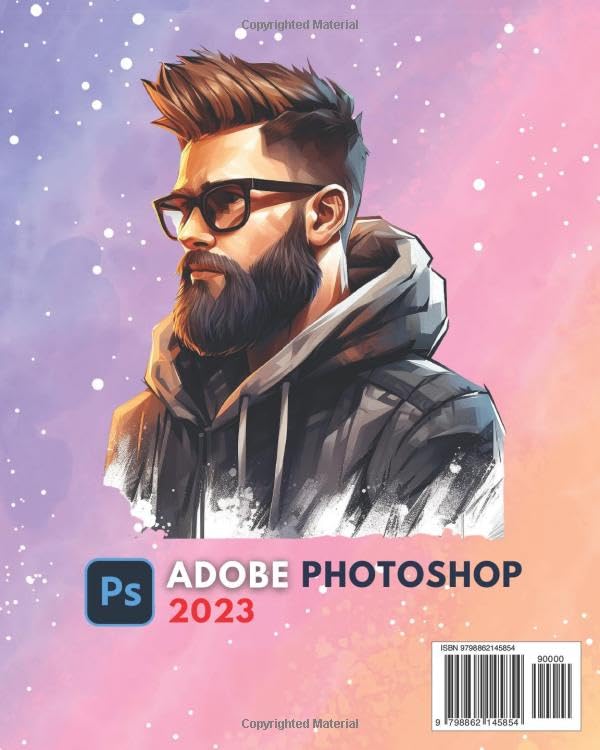
Figure 2: Back cover of the "Adobe Photoshop 2023 Complete Guide for Beginners" book. This image features a different artistic illustration and includes ISBN and barcode information.
תחזוקה ואופטימיזציה
To ensure optimal performance and prevent issues, regular maintenance of your Photoshop installation and system is recommended.
- שמור את התוכנה מעודכנת: Regularly check for updates via the Adobe Creative Cloud desktop application to benefit from new features, bug fixes, and performance improvements.
- Clear Photoshop Cache: עבור אל Edit > Purge > All to clear Photoshop's internal caches. This can free up memory and disk space.
- Manage Scratch Disk: Photoshop uses a scratch disk for temporary storage. Ensure you have sufficient free space on your designated scratch disk (Edit > Preferences > Scratch Disks).
- Optimize Performance Settings: Adjust performance settings in עריכה > העדפות > ביצועים. Allocate more RAM to Photoshop if your system allows, and ensure "Use Graphics Processor" is enabled.
- לְאַרגֵן Files: Keep your project files and assets organized to improve workflow and reduce load times.
פתרון בעיות נפוצות
This section addresses common problems users might encounter and provides solutions.
| בְּעָיָה | פִּתָרוֹן |
|---|---|
| Photoshop is slow or unresponsive. | Check performance settings (עריכה > העדפות > ביצועים), ensure sufficient RAM allocation, clear cache (Edit > Purge > All), and verify scratch disk space. Update graphics drivers. |
| Tools or panels are missing. | עבור אל חַלוֹן menu and ensure the desired tool or panel is checked. You can also reset your workspace via Window > Workspace > Reset [Workspace Name]. |
| לא ניתן לשמור files or "Could not save because of program error." | Check disk space on your save location and scratch disk. Try saving to a different location. Reset Photoshop preferences (hold Ctrl+Alt+Shift on startup for Windows, Cmd+Option+Shift for Mac). |
| Images appear pixelated or blurry. | Ensure you are working with high-resolution images. Check image size (תמונה > גודל תמונה). Avoid excessive upscaling. Verify display settings. |
מפרטים
Key specifications related to the "Adobe Photoshop 2023 Complete Guide for Beginners" book.
- ASIN: B0CJLLNBKK
- מוֹצִיא לָאוֹר: פורסם באופן עצמאי
- תאריך פרסום: 22 בספטמבר 2023
- שָׂפָה: אַנגְלִית
- אורך הדפסה: 440 עמודים
- ISBN-13: 979-8862145854
- משקל פריט: 2.36 פאונד
- מידות: 8 x 1 x 10 אינץ'
אחריות ותמיכה
This guide is a published book and does not come with a software warranty. For support related to Adobe Photoshop 2023 software, please refer to the official Adobe resources.
Official Adobe Support
- Adobe Help Center: helpx.adobe.com/support.html
- Adobe Community Forums: community.adobe.com
- Adobe Photoshop User Guide: helpx.adobe.com/photoshop/user-guide.html
Book-Related Inquiries
For inquiries regarding the content of this book, please contact the publisher or author through their respective channels, typically found on the publisher's webבאתר או בתוך עמודי ההקדמה של הספר.
Ask a question about this manual
Ask about setup, troubleshooting, compatibility, parts, safety, or missing instructions. Manuals+ will review the question and use this page’s manual context to help answer it.