
1. הקדמה
Thank you for choosing the Xtorm Fuel Series 5 Powerbank. This manual provides essential information for the safe and efficient use of your new portable charger. Please read this manual thoroughly before using the device and keep it for future reference.
2. המוצר נגמרview
The Xtorm Fuel Series 5 Powerbank is a high-capacity portable charger designed to keep your devices powered on the go. It features a robust 10,000 mAh battery, multiple fast-charging ports, and a durable design made from GRS certified recycled plastic.

This image displays the Xtorm Fuel Series 5 Powerbank in its elegant dusk white color, highlighting its compact design, the integrated digital percentage display, and the various charging ports located at the bottom.
תכונות עיקריות:
- קיבולת 10,000 mAh: מספק טעינות מרובות עבור טלפונים חכמים ומכשירים קטנים אחרים.
- טעינה מהירה: Equipped with a 20W USB-C Power Delivery (PD) port for rapid charging.
- יציאות מרובות: Includes two USB-C ports (20W PD, 18W) and one USB-A port (18W) for simultaneous charging of up to three devices.
- תצוגה דיגיטלית: אחוזים בזמן אמתtage display for remaining battery life and fast charge indication.
- Sustainable Material: Constructed using GRS certified recycled plastic.

א מפורט view of the power bank's charging interface, featuring two USB-C ports and one USB-A port, indicating their respective power outputs.
3. התקנה
מה יש בקופסה:
- Xtorm Fuel Series 5 Powerbank
- כבל טעינה USB-C
- מדריך למשתמש (מסמך זה)
חיוב ראשוני:
Before first use, it is recommended to fully charge your Xtorm Fuel Series 5 Powerbank. Connect the included USB-C cable to the power bank's input USB-C port and plug the other end into a compatible USB wall charger (not included). The digital display will show the charging progress. A full charge takes approximately 2.5 hours.
4. הוראות הפעלה
טעינת בנק הכוח:
- Locate the USB-C input port on the power bank.
- Connect one end of the USB-C cable to this port.
- Connect the other end of the USB-C cable to a USB wall adapter or a computer's USB port.
- The digital display will illuminate, showing the current charge percentage and indicating that the power bank is charging.
טעינת המכשירים שלך:
The power bank can charge smartphones, tablets, and other USB-powered devices. It features two USB-C ports and one USB-A port.
- חברו את כבל הטעינה של המכשיר ליציאה המתאימה בסוללת הכוח (USB-C או USB-A).
- חבר את הקצה השני של הכבל למכשיר שלך.
- סוללת הטעינה תתחיל לטעון את המכשיר שלך באופן אוטומטי. הצג הדיגיטלי יציג את הטעינה שנותרה בסוללת הטעינה.
- You can charge multiple devices simultaneously using the available ports.
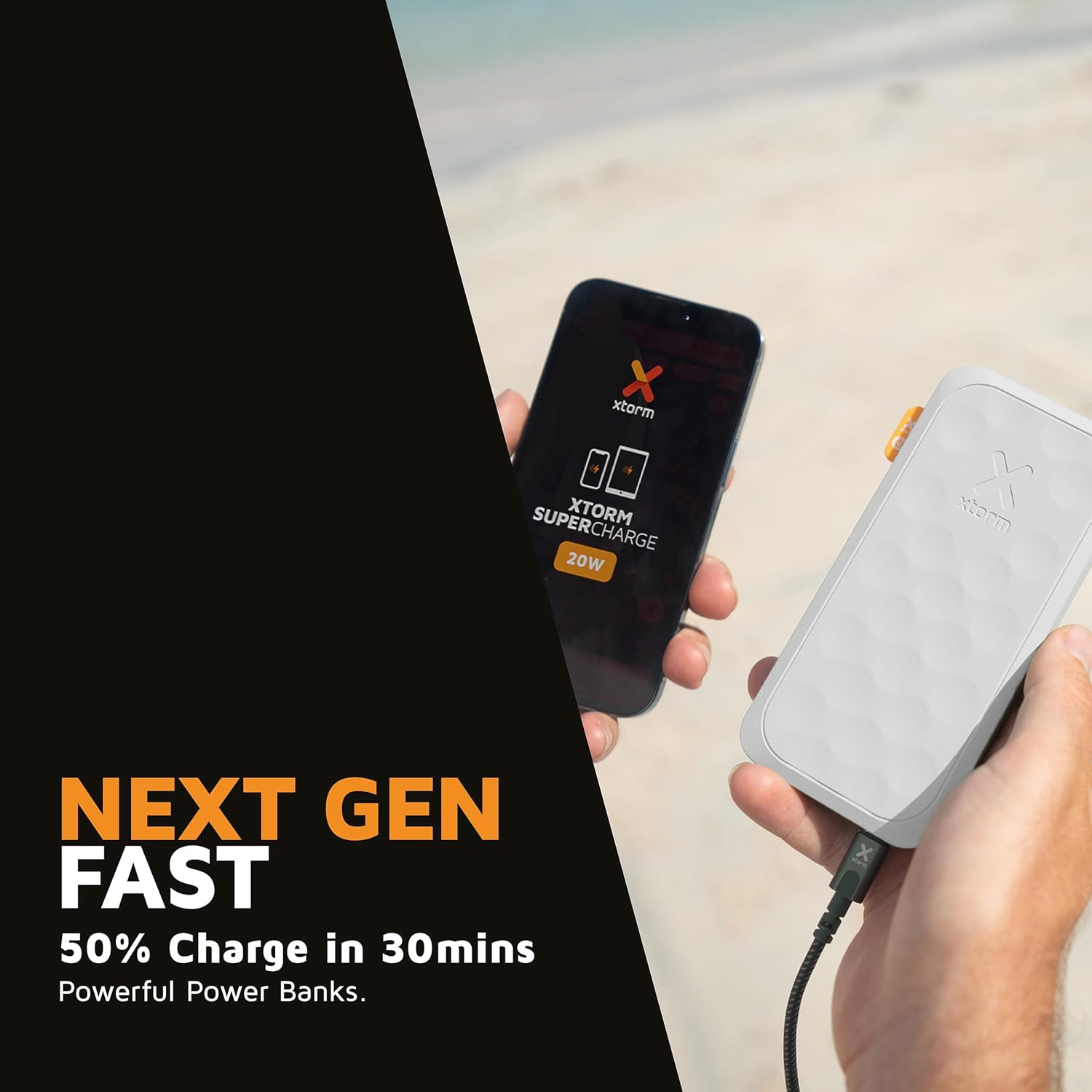
This image shows the Xtorm Fuel Series 5 Powerbank actively charging a smartphone, demonstrating its portable use case for on-the-go power.

This diagram provides a clear breakdown of the power bank's ports, showing the 20W USB-C PD output, an 18W USB-C output, and an 18W USB-A output, along with the 20W USB-C PD input.
5. תחזוקה וטיפול
- ניקוי: השתמשו במטלית רכה ויבשה לניקוי סוללת הכוח. אין להשתמש בכימיקלים חזקים או בחומרים שוחקים.
- אִחסוּן: יש לאחסן את סוללת הסוללה במקום קריר ויבש, הרחק מאור שמש ישיר וטמפרטורות קיצוניות.
- חיי סוללה: כדי להאריך את חיי הסוללה, יש לטעון ולפרוק את סוללת הכוח במלואה לפחות פעם בשלושה חודשים אם אינה בשימוש קבוע.
- הימנע מטיפות: While designed to be robust, avoid dropping the power bank or subjecting it to strong impacts.
6. פתרון תקלות
בעיות ופתרונות נפוצים:
- בנק כוח לא נטען:
- ודא שכבל הטעינה מחובר היטב הן לסוללת הכוח והן למקור הכוח.
- נסה מתאם USB לקיר או יציאת USB אחרת.
- ודא שכבל הטעינה אינו פגום.
- המכשיר לא נטען מסוללת הכוח:
- ודאו שסוללת הכוח טעונה מספיק (בדקו את הצג הדיגיטלי).
- נסה כבל טעינה אחר עבור המכשיר שלך.
- Try connecting your device to a different port on the power bank. Note that one of the USB-C ports is specifically for fast charging (20W PD); if your device is older or not compatible with PD, try the other USB-C port or the USB-A port.
- הפעל מחדש את המכשיר שלך.
- טעינה איטית:
- ודא שאתה משתמש בכבל תואם לטעינה מהירה ושהמכשיר שלך תומך בטעינה מהירה.
- When charging multiple devices simultaneously, the output power per port may be reduced.
7. מפרטים
| שם הדגם | FS5100 |
| קיבולת סוללה | 10,000 מיליאמפר/שעה (מיליampלפני שעה) |
| הרכב סוללה | ליתיום-פולימר |
| קלט (USB-C) | 20W USB-C Power Delivery (PD) |
| פלט 1 (USB-C) | 20W USB-C Power Delivery (PD) |
| פלט 2 (USB-C) | 18W USB-C |
| פלט 3 (USB-A) | 18W USB-A |
| סך הכל כרךtage | 20 וולט |
| סוג מחבר | USB סוג A, USB סוג C |
| תכונות מיוחדות | Digital Display, Fast Charge, Portable |
| שימוש מומלץ | סמארטפון, טאבלט |
8. מידע בטיחות
Your Xtorm Fuel Series 5 Powerbank is designed with multiple safety features to ensure reliable operation. Please adhere to the following safety guidelines:
- אין לחשוף את סוללת הכוח לטמפרטורות קיצוניות (מעל 45 מעלות צלזיוס או מתחת ל-0 מעלות צלזיוס).
- אין לפרק, לשנות או לנסות לתקן את המכשיר.
- יש להרחיק ממים, לחות וחומרים דליקים.
- אין להשתמש אם סוללת הסוללה פגומה או נפוחה באופן גלוי.
- יש להשליך את סוללת החירום באחריות בהתאם לתקנות המקומיות.
- The power bank features a 6-layered safety check including temperature control, short circuit protection, overload protection, and high-efficiency components. It is also designed to be airport-proof.

An infographic detailing the comprehensive safety mechanisms built into the power bank, including temperature control, short circuit protection, overload protection, A-Class components, secured power management, and high efficiency, ensuring safe and reliable operation.
9. אחריות ותמיכה
For warranty information and customer support, please refer to the Xtorm official webאתר או צור קשר עם הספק המקומי שלך. שמור את הוכחת הרכישה שלך עבור כל תביעת אחריות.
For further assistance or technical inquiries, please visit www.xtorm.eu.