

1. הקדמה
The PETLIBRO Automatic Cat Feeder (Model PLAF108) is designed to provide convenient and reliable feeding for your pets. This Wi-Fi enabled dispenser features a built-in rechargeable battery, allowing for flexible placement and uninterrupted operation. Control feeding schedules and monitor your pet's meals remotely via the dedicated mobile application.
- Intelligent Feeding: Connects to 2.4GHz Wi-Fi networks for remote scheduling and portion control via the PETLIBRO mobile app.
- סוללה נטענת: Built-in lithium battery provides up to 30 days of operation on a full charge, offering placement flexibility.
- 24/7 Wireless Connectivity: Ensures stable connection and emergency feeding even during power outages.
- Overeating Prevention: Secure lid mechanism prevents pets from accessing food outside scheduled times.
- תחזוקה קלה: Designed for simple disassembly and cleaning of components.
2. רכיבי המוצר
Familiarize yourself with the main parts of your PETLIBRO Automatic Cat Feeder:
- מיכל מזון: Stores dry pet food.
- מִכסֶה: Secures the food hopper, features a press-to-lock mechanism.
- יחידת בסיס: Contains the electronic components, battery, and dispensing mechanism.
- קערת נירוסטה: Food-grade bowl for pet feeding.
- Dispenser Outlet: Where food is dispensed into the bowl.
- יציאת חשמל: לחיבור המטען.
- נורית חיווי Wi-Fi: מציג מצב חיבור.
- Manual Feed Button: Allows for immediate, unscheduled feeding.
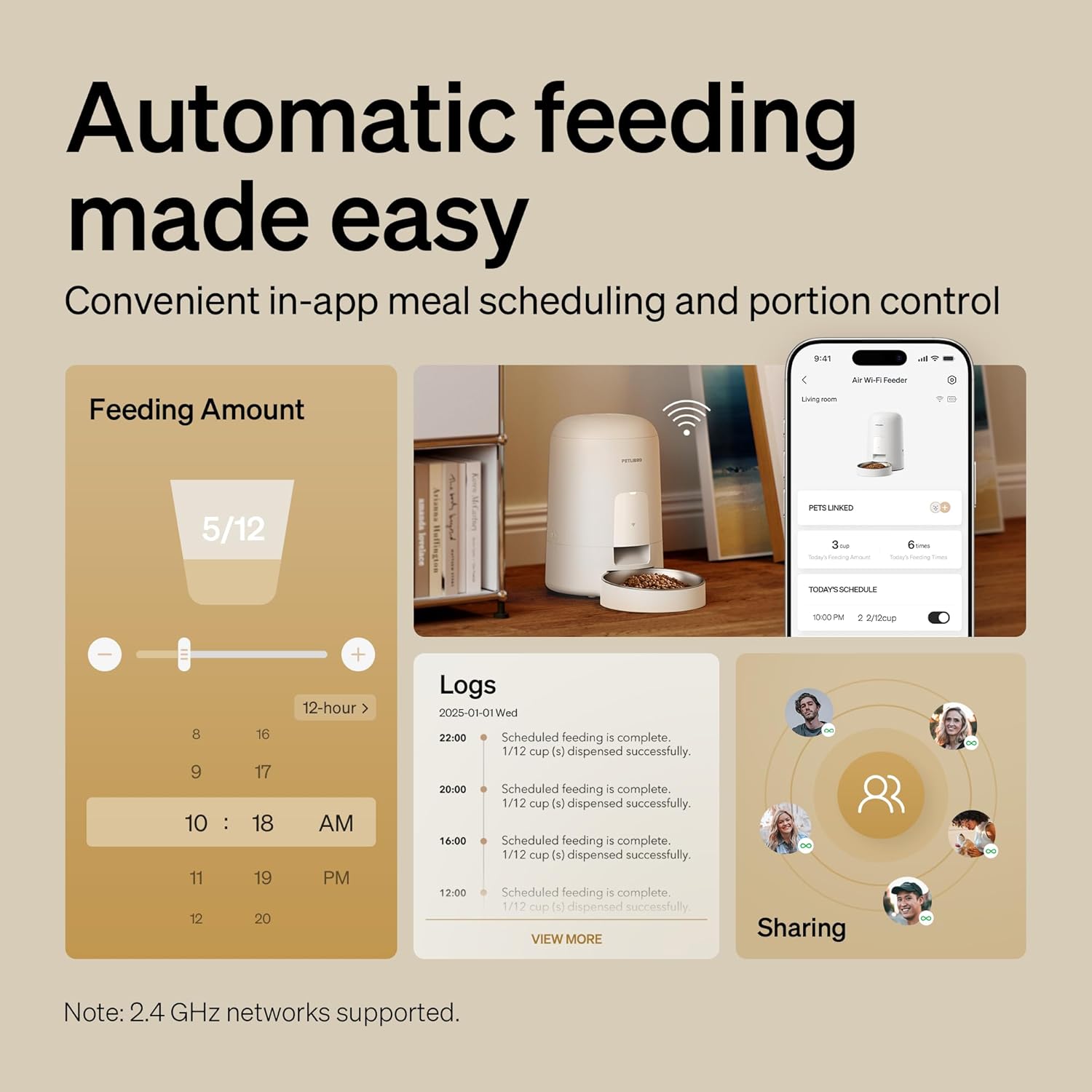
תמונה: מעלview of the feeder and its app interface, highlighting automatic feeding features and logs.
3. מדריך התקנה
3.1 פריקה וטעינה ראשונית
- הסר בזהירות את כל הרכיבים מהאריזה.
- Connect the charger to the feeder's power port and plug it into a wall outlet. Allow the feeder to fully charge for approximately 8 hours before first use. The battery indicator will show charging status.
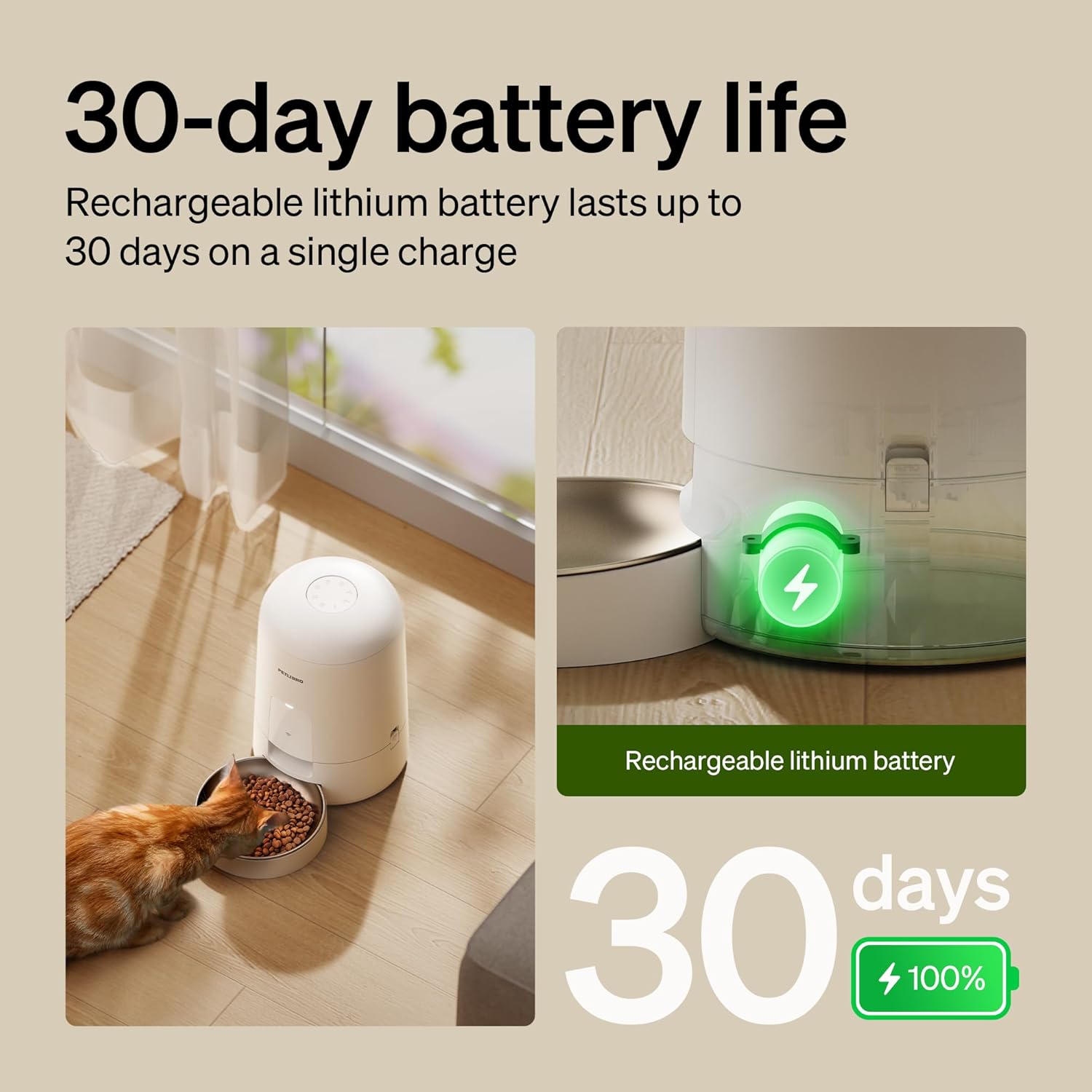
Image: The feeder in use with a cat, illustrating its 30-day battery life and rechargeable nature.
3.2 התקנת אפליקציה וחיבור Wi-Fi
- Download the "PETLIBRO" mobile app from your device's app store.
- Open the app and follow the on-screen instructions to create an account and add your new feeder.
- ודא שרשת ה-Wi-Fi שלך 2.4GHz. The feeder does not support 5GHz networks.
- Follow the app's prompts to connect the feeder to your home Wi-Fi network. The Wi-Fi indicator light on the feeder will confirm successful connection.
חָשׁוּב: Keep the feeder indoors. Only supports 2.4GHz networks.
3.3 Filling the Food Hopper
- פתחו את מכסה מיכל המזון.
- Pour dry kibble into the hopper. Ensure the kibble diameter is between 2-15mm to prevent jamming.
- Securely close the lid using the press-to-lock mechanism to prevent pets from accessing food and maintain freshness.

Image: Detail of the spill-proof lid design, showing how it locks to secure pet food.
4. הוראות הפעלה
4.1 Setting Feeding Schedules (App Control)
The PETLIBRO app allows you to customize your pet's feeding schedule:
- Open the PETLIBRO app on your smartphone.
- Navigate to the feeder's control interface.
- Select "Schedule" or "Feeding Plan" to set meal times and portion sizes. You can typically set 0-10 meals per day, with a maximum of 2/3 cups per meal.
- Save your settings. The feeder will automatically dispense food according to your programmed schedule.

Image: Remote pet feeding via the app, showing a user interacting with the app and a cat near the feeder.
4.2 האכלה ידנית
To dispense food immediately outside of the scheduled times:
- דרך האפליקציה: On the app's main screen for the feeder, locate the "Feed Now" or "Manual Feed" option. You can usually select the portion size before dispensing.
- On Feeder: Press the manual feed button located on the feeder's base unit. This will dispense a single portion of food.
4.3 Monitoring and Notifications
- The app provides real-time feeding logs, allowing you to track when and how much food was dispensed.
- Receive instant notifications for important events, such as low food levels or low battery power.
5. תחזוקה וניקיון
ניקוי קבוע מבטיח ביצועים והיגיינה אופטימליים עבור חיית המחמד שלכם.
5.1 פירוק לצורך ניקוי
The PETLIBRO feeder is designed for easy disassembly:
- Ensure the feeder is unplugged and powered off.
- Remove the food hopper from the base unit. The easy-lock design allows for quick removal.
- Separate the stainless steel bowl from the base.
- Disassemble any other detachable components as per the quick guide.

Image: Detachable components of the feeder being cleaned under running water in a sink.
5.2 הוראות ניקוי
- Wash the food hopper, lid, and stainless steel bowl with mild soap and water. Rinse thoroughly.
- DO NOT wash the main base unit with water. נגב את יחידת הבסיס עם המודעהamp בד בלבד.
- Ensure all washed components are completely dry before reassembling and refilling with food.
5.3 Kibble Recommendations
- Use dry kibble with a diameter between 2-15mm.
- Do not use wet pet food or kibble larger than 15mm, as this can cause jamming.
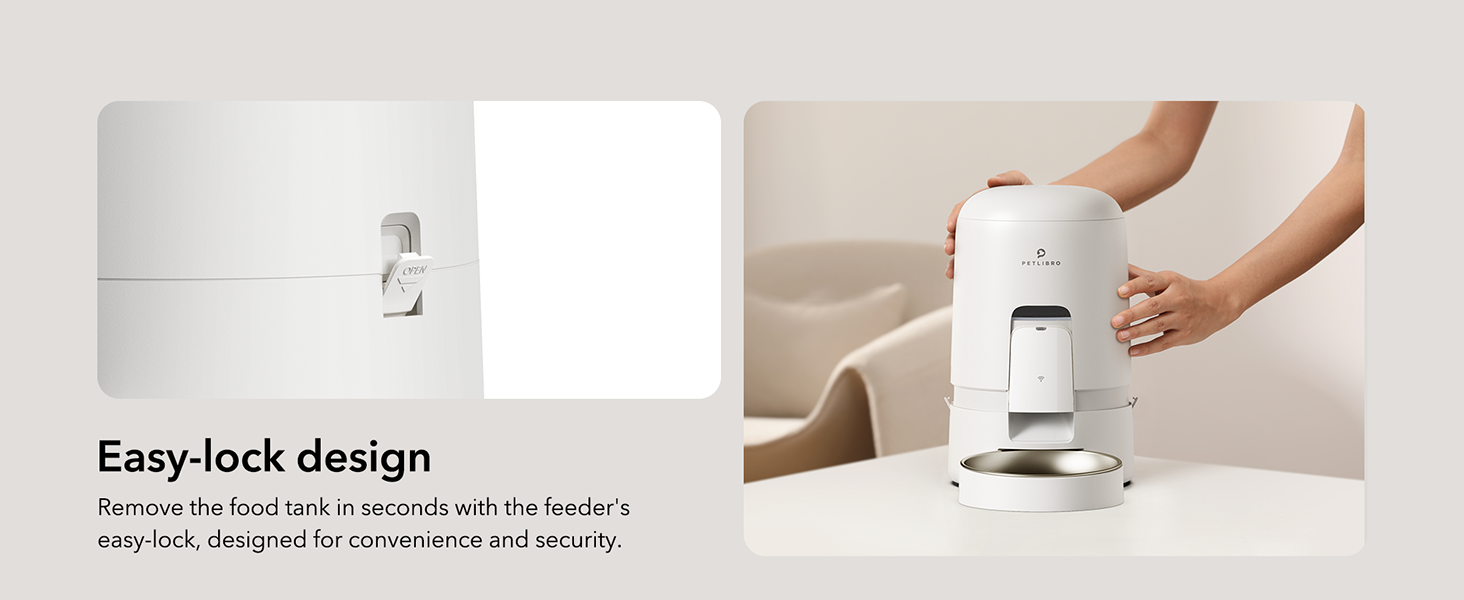
Image: Visual guide for recommended kibble sizes (2-15mm) and compatible food types (dry, freeze-dried, air-dried, mixed food).
6. פתרון תקלות
| בְּעָיָה | סיבה אפשרית | פִּתָרוֹן |
|---|---|---|
| מתקן האכלה לא מחלק אוכל. | Food hopper empty; kibble jammed; power issue; incorrect schedule. | Refill hopper; check kibble size (2-15mm); ensure feeder is charged/plugged in; verify app schedule. |
| ניתוק Wi-Fi. | Router issue; feeder out of range; 5GHz network used. | Restart router; move feeder closer to router; ensure 2.4GHz network is used. The built-in battery ensures emergency feeding even if Wi-Fi temporarily disconnects. |
| Pet knocks over feeder/bowl. | Feeder not stable; bowl not securely attached. | Place feeder in a stable location or against a wall; ensure bowl is properly seated. The spill-proof design minimizes mess if tipped. |
| האפליקציה לא מתחברת למזין. | Incorrect Wi-Fi password; feeder not in pairing mode; app issue. | Re-enter Wi-Fi password; follow app instructions to re-pair; restart app and feeder. |
If you encounter issues not listed here, please refer to the אחריות ותמיכה סעיף ליצירת קשר.
7. מפרט מוצר
| תכונה | פְּרָט |
|---|---|
| שם הדגם | air automatic cat feeder (PLAF108) |
| מותג | פטליבר |
| יְכוֹלֶת | 2 ליטר |
| צֶבַע | לָבָן |
| חוֹמֶר | אקרילוניטריל בוטאדיאן סטירן, נירוסטה |
| מידות (LxWxH) | 7.68 x 7.68 x 11.42 אינץ' |
| משקל פריט | 3.66 פאונד (1.66 קילוגרם) |
| מקור כוח | Rechargeable Lithium Battery (30-day life), Charger |
| קישוריות | Wi-Fi (2.4GHz בלבד) |
| גודל אגזוז | 2-15mm diameter dry kibble |
| מקסימום ארוחות/יום | 0-10 ארוחות |
| Max Portion/Meal | 2/3 כוסות |
| מין מטרה | Cat, Small to Medium Animals |
| רכיבים כלולים | WiFi automatic pet feeder*1, Stainless Steel Bowl*1, Charger*1, Quick Guide*1, User Manual*1 |
8. אחריות ותמיכה
Your PETLIBRO Automatic Cat Feeder comes with a 24 חודשים אחריות מתאריך הרכישה.
For technical support, warranty claims, or any questions regarding your product, please contact PETLIBRO customer service. You can find more information and contact details on the official PETLIBRO webאתר או דרך דף החנות שלהם באמזון:
Visit the PETLIBRO Store on Amazon
Please have your model number (PLAF108) and purchase details ready when contacting support.