
1. הקדמה
The TYLT Power Bottle 2.0 is an innovative solution combining a 24-ounce stainless steel water bottle with a removable 5700mAh magnetic portable power bank. This versatile product is designed to keep you hydrated and your devices charged, making it ideal for daily use, travel, and outdoor activities.
תכונות מפתח כוללות:
- פונקציונליות כפולה: Hydration bottle and portable power bank.
- בנייה פרימיום: Double-layered, vacuum-insulated stainless steel keeps liquids cold for up to 26 hours or hot for up to 17 hours.
- טעינה נוחה: 5700mAh lithium-ion battery supports both magnetic-enabled wireless charging and wired USB-C charging.
- עיצוב ידידותי למשתמש: Wide mouth for ice cubes, fits most cup holders, BPA/BPS-free, and features a durable carry lanyard.
- תחזוקה קלה: Removable battery base allows for hassle-free cleaning of the bottle.
2. רכיבי המוצר
The TYLT Power Bottle 2.0 consists of the following main components:
- Stainless Steel Bottle Body: The main insulated vessel for liquids.
- Screw Cap with Lanyard: The top closure for the bottle, featuring an integrated carry strap.
- Removable Power Bank Base: The bottom section containing the 5700mAh battery, wireless charging pad, and USB-A/USB-C ports.
- כבל טעינה USB-C: For charging the power bank and wired device charging. (Stored in the base compartment).

Figure 1: The TYLT Power Bottle 2.0, showcasing its sleek black design and integrated power bank.
3. התקנה ושימוש ראשוני
3.1 פריקה ובדיקה
Carefully remove all components from the packaging. Inspect the bottle and power bank for any signs of damage. Ensure all listed components are present.
3.2 Initial Charging of Power Bank
- Unscrew the power bank base from the bottom of the bottle by twisting counter-clockwise.
- Locate the USB-C charging cable stored within the power bank base compartment.
- Connect the USB-C end of the cable to the USB-C port on the power bank base.
- Connect the USB-A end of the cable to a compatible USB power adapter (not included) and plug it into a wall outlet.
- The LED indicator lights on the power bank base will illuminate to show charging progress. A full charge is indicated when all four lights are solid.
- Once fully charged, disconnect the cable and store it back in the power bank base compartment. Reattach the power bank base to the bottle by twisting clockwise until secure.

Figure 2: Detaching the power bank base for charging or cleaning.
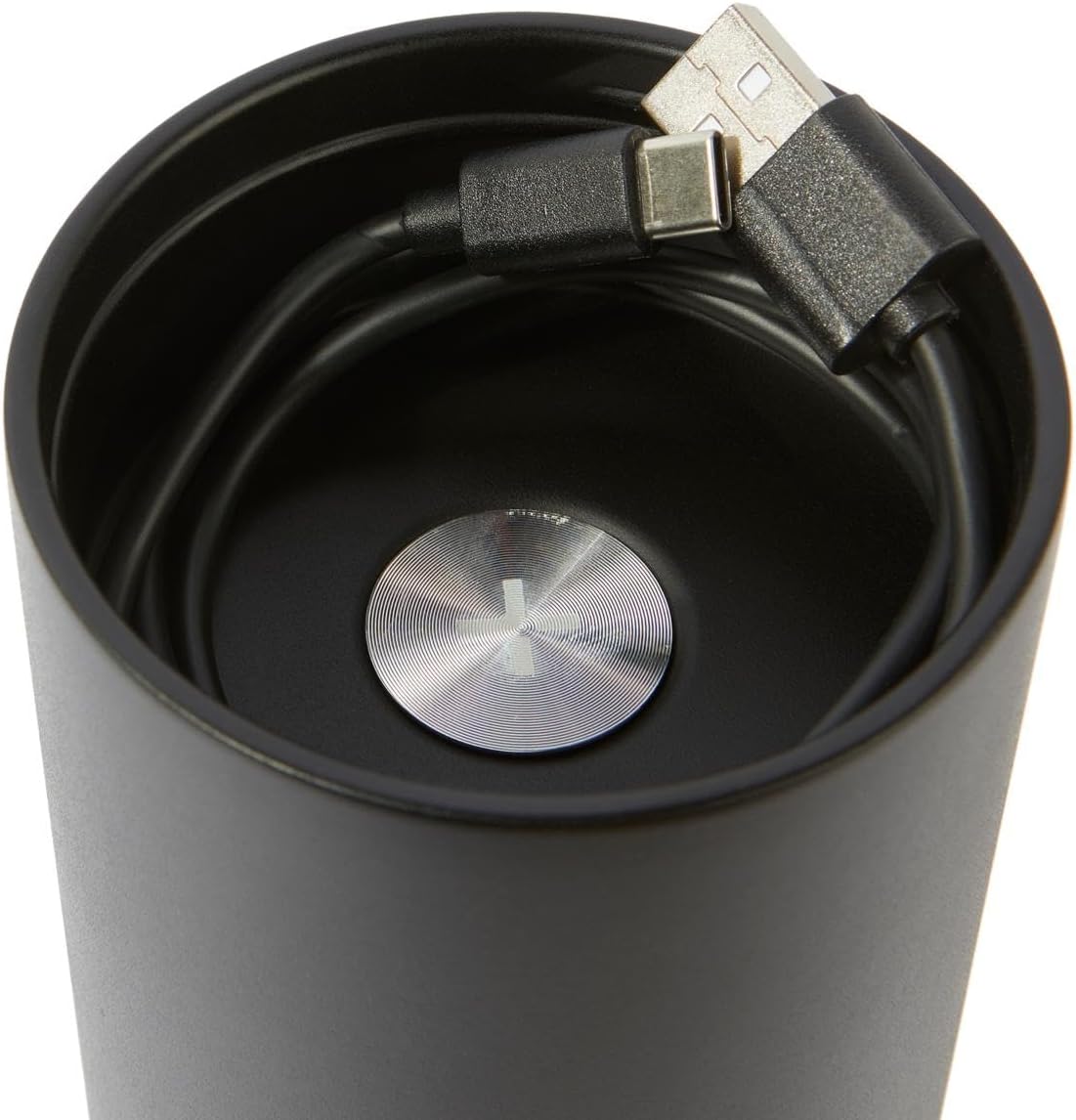
Figure 3: The convenient storage compartment for the USB-C charging cable within the power bank base.
4. הוראות הפעלה
4.1 Using the Water Bottle
- Unscrew the top cap of the bottle.
- Fill the bottle with your desired beverage. The wide mouth accommodates most ice cubes.
- Securely screw the cap back on to prevent leaks.
- The double-layered, vacuum-insulated design will maintain beverage temperature (cold for up to 26 hours, hot for up to 17 hours).

Figure 4: The wide mouth opening of the bottle, designed for easy filling and cleaning.
4.2 שימוש בסוללת הכוח
The power bank offers two charging methods: wireless and wired.
Wireless Charging (Magnetic-enabled devices):
- Ensure the power bank base is charged (check LED indicators).
- Unscrew the power bank base from the bottle.
- Place your magnetic-enabled wireless charging device (e.g., compatible smartphone) directly onto the top surface of the power bank base. Ensure proper alignment for optimal charging.
- המכשיר אמור להתחיל להיטען באופן אוטומטי.
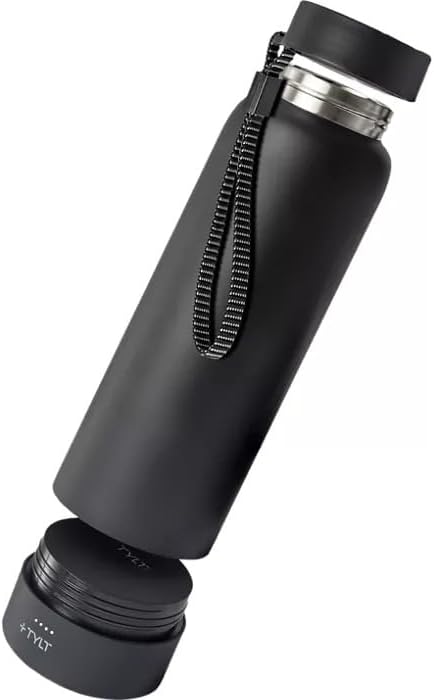
Figure 5: Wireless charging a smartphone using the detached power bank base.
Wired Charging (USB-A or USB-C):
- Ensure the power bank base is charged.
- Unscrew the power bank base from the bottle.
- Open the protective flap on the side of the power bank base to reveal the USB-A and USB-C ports.
- Connect your device's charging cable to the appropriate port (USB-A or USB-C) on the power bank base.
- חבר את הקצה השני של הכבל למכשיר שלך.
- The device should begin charging.

Figure 6: Wired charging a smartphone using the power bank base.
בדיקת רמת הסוללה:
Press the power button on the power bank base to illuminate the LED indicator lights, showing the remaining charge. Four lights indicate a full charge, three lights indicate approximately 75% charge, and so on.
5. תחזוקה וטיפול
5.1 Cleaning the Bottle
- Always unscrew and remove the power bank base before cleaning the bottle.
- The stainless steel bottle and cap are שטיפת ידיים בלבדאין להכניס אותם למדיח כלים.
- Wash with warm, soapy water and rinse thoroughly. Use a bottle brush for best results.
- אפשר לכל החלקים להתייבש לחלוטין לפני ההרכבה מחדש.
5.2 Caring for the Power Bank
- The power bank base is waterproof, but it is recommended to wipe it clean with a damp cloth. Do not submerge it in water or place it in a dishwasher.
- Ensure the protective flap over the USB ports is closed when not in use to prevent dust and moisture ingress.
- אחסן את בנק הכוח במקום קריר ויבש כאשר אינו בשימוש.
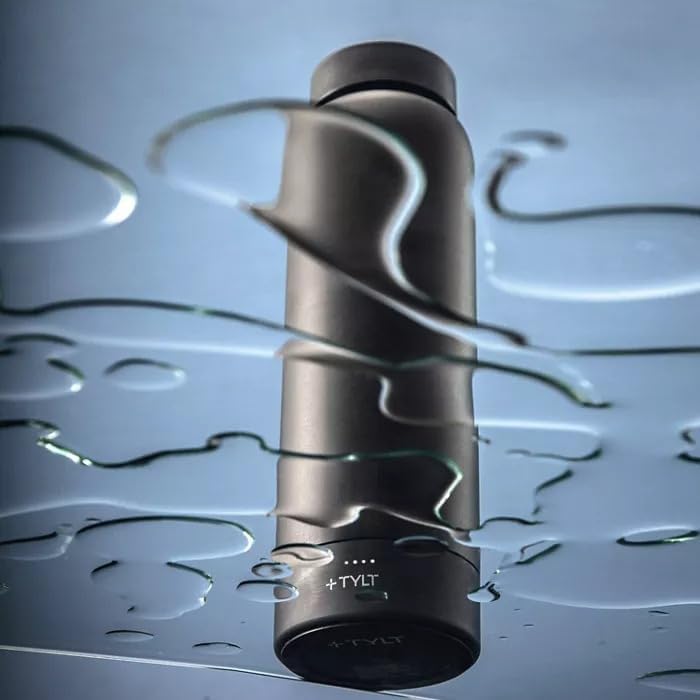
Figure 7: The power bank base is designed to be waterproof, allowing for safe use around liquids.
6. פתרון תקלות
| בְּעָיָה | סיבה אפשרית | פִּתָרוֹן |
|---|---|---|
| המכשיר לא נטען באופן אלחוטי. | Device not aligned correctly; power bank low on charge; device not wireless charging compatible. | Ensure device is centered on the power bank. Recharge the power bank. Verify your device supports magnetic-enabled wireless charging. |
| המכשיר לא נטען דרך חיבור קווי. | Cable faulty; power bank low on charge; port dirty. | Try a different charging cable. Recharge the power bank. Check ports for debris and clean gently if necessary. |
| דליפות מהבקבוק. | Cap not tightened properly; seal damaged or missing. | Ensure the cap is securely tightened. Check the silicone seal inside the cap for proper placement and any damage. Replace if necessary. |
| המשקה לא נשאר חם/קר. | Cap not sealed; bottle damaged. | Ensure the cap is tightly sealed. Inspect the bottle for dents or damage that could compromise insulation. |
| Power bank not turning on/off consistently. | Incorrect button press; internal issue. | The power button is touch-sensitive and may require a double-tap to activate/deactivate. If issues persist, contact customer support. |
7. מפרטים
- מותג: TYLT
- דֶגֶם: Power Bottle 2.0
- יְכוֹלֶת: 24 אונקיות (1.5 פאונד)
- חוֹמֶר: נירוסטה
- צֶבַע: שָׁחוֹר
- קיבולת בנק כוח: 5700mAh סוללת ליתיום יון
- שיטות טעינה: Magnetic-enabled Wireless, Wired (USB-A, USB-C)
- שמירת טמפרטורה: Cold up to 26 hours, Hot up to 17 hours
- מידות: 10 x 4 x 4 אינץ'
- משקל פריט: 8 אונקיות
- הוראות טיפול: Hand Wash Only (Bottle & Cap), Wipe Clean (Power Bank)
- בטוח למדיח כלים: לֹא
- BPA/BPS-Free: כֵּן
- UPC: 849944080996
- ASIN: B0CHCCRMLX
8. אחריות ותמיכה
8.1 מידע אחריות
For detailed warranty information regarding your TYLT Power Bottle 2.0, please refer to the official TYLT website or contact TYLT customer support directly. Warranty terms and conditions may vary.
8.2 תמיכת לקוחות
If you encounter any issues or have questions not covered in this manual, please contact TYLT customer support for assistance. Contact information can typically be found on the official TYLT webבאתר או על אריזת המוצר.
אתה יכול לבקר ב TYLT Store on Amazon למידע נוסף על המוצר וקישורי תמיכה אפשריים.