
About Your Ray-Ban Meta Smart Glasses
Tap into timeless style and advanced technology designed to help you move effortlessly through life. Collaborate with Meta AI* on ideas and answers based on what you see. Capture photos and videos from your POV, listen to music, make calls and even send texts on the fly—all without taking out your phone. From legendary Wayfarer to trendsetting Skyler, these are statement-making frames with a slim, comfortable fit that are perfect for everyday wear. Whether you’re remembering a parking spot or translating foreign languages in real-time, get the most out of life with Ray-Ban Meta glasses.
תכונות מפתח
- Hands-Free Capture: Record exactly what you see and hear with an ultra-wide 12 MP camera and a five-mic system. Livestream directly to Facebook and InstagRAM.
- אודיו עם אוזן פתוחה: Enjoy music, podcasts, and calls through discreet open-ear speakers, allowing you to stay aware of your surroundings.
- Meta AI Integration: Get real-time answers and context-rich suggestions based on your surroundings, all from your smart glasses.
- תקשורת ללא ידיים: Make calls, send texts, and join meetings via Bluetooth directly from your glasses.
- תרגום בזמן אמת: Experience live translations between French, Italian, Spanish, English, German, and Portuguese without needing Wi-Fi.
- בקרות פרטיות: Manage voice commands and other privacy preferences through intuitive settings.
תוכן החבילה
Your Ray-Ban Meta Smart AI Glasses package includes the following items:
- Ray-Ban Meta Smart AI Glasses
- נרתיק טעינה
- מטלית לניקוי
- מדריך למשתמש
- מדריך להתחלה מהירה

Image: Ray-Ban Meta Smart Glasses shown inside their brown leather charging case.
Video: A user unboxes the Ray-Ban Meta Smart Glasses, showcasing the charging case, glasses, and included accessories like the cleaning cloth and quick start guide.
תחילת העבודה
הגדרה ראשונית
- הורד את המטא View אפליקציה: Scan the QR code provided in the Quick Start Guide or search for 'Meta View' in your device's app store.
- טען את המשקפיים שלך: Place your glasses in the charging case. Ensure the charging contacts align. The case itself can be charged via the USB-C port.
- התאמה למכשיר שלך: Follow the on-screen instructions in the Meta View app to pair your glasses via Bluetooth.
Video: A user demonstrates how to charge the Ray-Ban Meta Wayfarer Smart Glasses by placing them into their charging case and connecting the case via USB-C.
Using Your Smart Glasses
לכידת תמונות וסרטונים
Capture photos and videos from your perspective with the integrated 12 MP ultra-wide camera. Simply tap the capture button on the temple or use voice commands like "Hey Meta, take a photo."

Image: A woman wearing Ray-Ban Meta Smart Glasses, with text highlighting the built-in HD camera and voice command feature.
Video: A user demonstrates how to record video using the Ray-Ban Meta Smart Glasses, showing the process of starting and stopping recording and importing the video to a smartphone.
תכונות אודיו
Listen to music, podcasts, and other audio content through the discreet open-ear speakers. These speakers deliver quality audio without blocking ambient noises, keeping you aware of your surroundings. You can also manage playback and volume via touch controls on the temples.

Image: A man wearing Ray-Ban Meta Smart Glasses, with text highlighting the open-ear audio feature for listening to music without blocking ambient sounds.
Meta AI and Voice Commands
Engage with Meta AI to get real-time answers and context-rich suggestions. Simply activate Meta AI with a voice command to ask questions about your surroundings, get directions, or summarize information.

Image: A man wearing Ray-Ban Meta Smart Glasses, with text indicating interaction with Meta AI for real-time suggestions and answers.
שיחות והודעות
Take calls, text friends, or join work meetings hands-free. The integrated microphones and open-ear speakers allow for seamless communication directly from your glasses via Bluetooth.
תרגום חי
Utilize the live translation feature to hear real-time translations between supported languages, such as French, Italian, Spanish, English, German, and Portuguese. This feature operates without Wi-Fi, making it ideal for travel.

Image: A man wearing Ray-Ban Meta Smart Glasses, with text explaining the live translation feature for real-time language conversion.
בקרות פרטיות
Your privacy is paramount. The Ray-Ban Meta glasses provide controls to manage your data. You can enable or disable voice commands at any time and adjust other privacy settings through the Meta View אפליקציה.
טעינה וסוללה
The Ray-Ban Meta Smart Glasses are designed for extended use, with fully charged glasses lasting up to four hours with moderate use. The included charging case provides an additional 32 hours of charge, allowing you to recharge your glasses multiple times on the go. Simply place the glasses in the case to begin charging.

Image: A person holding the brown leather charging case for the Ray-Ban Meta Smart Glasses, with text detailing the battery life of the glasses and the additional charge provided by the case.
Fit and Lenses
גודל מסגרת
The Ray-Ban Meta Wayfarer glasses are available in different sizes to ensure a comfortable and secure fit. Use your face width to determine the best frame size for you. Regular frames offer a balanced, natural fit, while large frames provide comfort for wider faces.
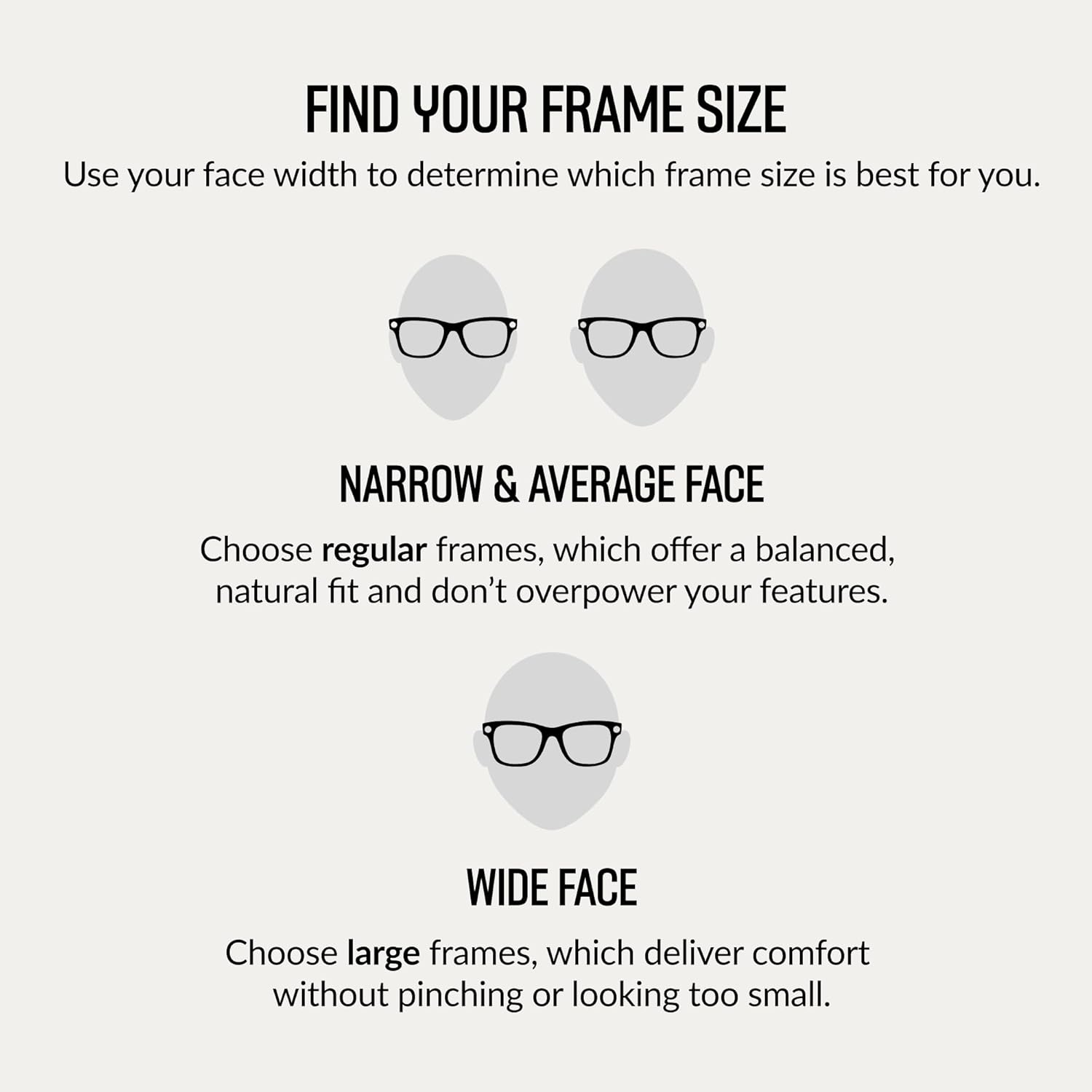
Image: A diagram illustrating how to determine the correct frame size for your face, distinguishing between narrow/average and wide faces.
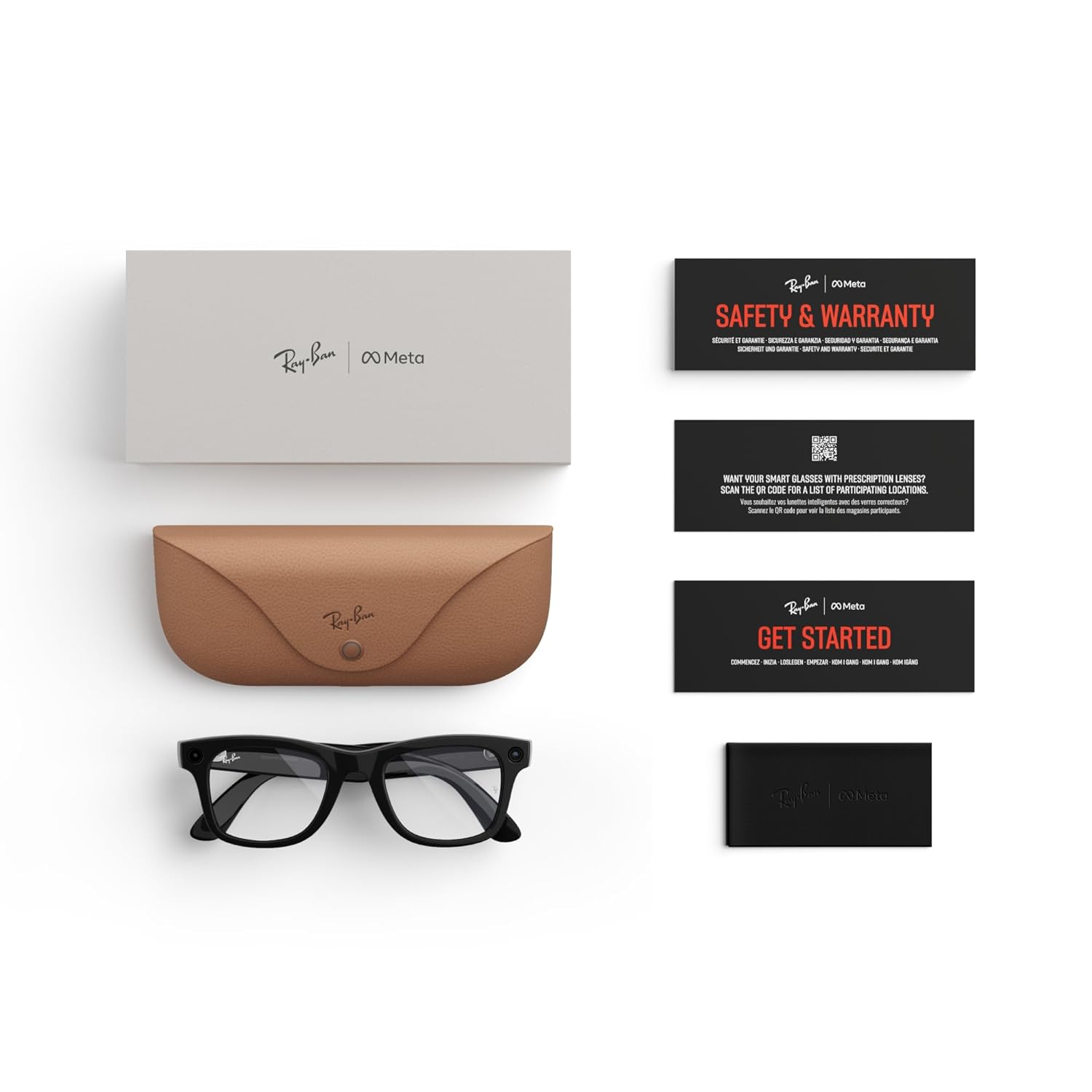
Image: A detailed diagram displaying the dimensions (hinge to hinge, lens height, bridge width, temple length) for regular fit Ray-Ban Meta Wayfarer glasses.
סוגי עדשות
Choose from a variety of high-performance lenses to suit your needs, all offering exceptional clarity, comfort, and protection. All frames can be fitted with prescription (Rx) lenses.
- עדשות שמש: Provide advanced eye protection in bright conditions with 100% UVA & UVB protection.
- עדשות שקופות: Blue light filter lenses designed to improve visual comfort by filtering at least 20% of blue light between 380-450nm from digital screens, indoor fluorescent lights, and even sun rays.
- עדשות Transitions®: Seamlessly adapt to changing light conditions, going from fully clear or slightly tinted indoors to fully dark outdoors.
- עדשות מקוטבות: טכנולוגיית Polar מיירטת השתקפויות ומפחיתה סנוור לניגודיות טובה יותר ובהירות משופרת, עם 100% הגנה מפני UVA ו-UVB.

תמונה: מעלview מופעasing various lens types available for Ray-Ban Meta Smart Glasses, including sun, clear, and Transitions lenses.
מפרט מוצר
| תכונה | פְּרָט |
|---|---|
| מותג | מטא |
| שם הדגם | Ray-ban | Meta Smart Glasses |
| מספר דגם | 0RW4006 |
| צֶבַע | Shiny Black/Clear |
| משקל פריט | 310 גרם |
| מידות פריט | 5.91 x 3.94 x 3.94 אינץ' |
| מַצלֵמָה | 12 MP Ultra-Wide |
| שֶׁמַע | Open-Ear Speakers, Five-Mic System |
| טכנולוגיית קישוריות | Bluetooth, 5 GHz Radio Frequency |
| קיבולת אחסון זיכרון | 32 ג'יגה-בייט |
| סוג תא סוללה | ליתיום יון |
| תכונות נוספות | Voice Control, Meta AI, Live Translation |
| יַצרָן | לוקסוטיקה |
פתרון בעיות נפוצות
If you encounter any issues with your Ray-Ban Meta Smart Glasses, please try the following steps:
- בדוק את רמת הסוללה: Ensure both your glasses and charging case are sufficiently charged.
- הפעל מחדש מכשירים: Try restarting your smart glasses and your paired smartphone.
- צימוד מחדש של בלוטות': Disconnect and re-pair your glasses via Bluetooth in the Meta View אפליקציה.
- עדכון תוכנה: Ensure your Meta View app and glasses firmware are up to date.
- Consult App Help: The Meta View app often has a comprehensive help section for common problems.
- צור קשר עם התמיכה: If issues persist, refer to the Warranty and Support section for contact information.
טיפול ותחזוקה
To ensure the longevity and optimal performance of your Ray-Ban Meta Smart Glasses, follow these care guidelines:
- ניקוי עדשות: Use the provided microfiber cleaning cloth to gently wipe lenses. Avoid abrasive materials or harsh chemicals.
- ניקוי מסגרות: נגב את המסגרות עם רך, דamp בד. אין לטבול את הכוסות במים.
- אִחסוּן: Always store your glasses in the charging case when not in use to protect them from scratches and damage.
- הימנע מתנאים קיצוניים: Do not expose your glasses to extreme temperatures, direct sunlight for prolonged periods, or high humidity.
אחריות ותמיכת לקוחות
Your Ray-Ban Meta Smart AI Glasses come with a אחריות לשנה. For detailed warranty information, product support, or service inquiries, please visit the official Meta Store on Amazon or contact customer service through the Meta View אפליקציה.
אתה יכול לבקר ב Meta Store למשאבים נוספים ותמיכה.