
1. המוצר נגמרview
The CAMMHD Z3 is a high-performance body camera designed for reliable audio and video recording. It features 1440P video quality, night vision capabilities, and a robust 3300mAh battery for extended operation. With its compact design and versatile clips, it is suitable for various applications requiring portable and secure recording.

איור 1: מעלview of CAMMHD Z3 Body Camera features including 1440P video, H.264 encoding, 12-hour recording, night vision, loop recording, and warning lights.

Figure 2: The CAMMHD Z3 Body Camera is versatile for multiple scenarios, including outdoor activities and professional use.
2. תכולת החבילה
Before using your CAMMHD Z3 Body Camera, please ensure all items are present in the package:
- 1 x CAMMHD Z3 Body Camera
- 1 x מדריך למשתמש
- 1 x מטען
- 1 x כבל נתונים מסוג C
- 1 x 360° Rotatable Long Clip
- 1 x 360° Rotatable Short Clip

Figure 3: All components included in the CAMMHD Z3 Body Camera package.
3. פריסת מכשיר
Familiarize yourself with the buttons and ports on your CAMMHD Z3 Body Camera:
- Power ON/OFF / Screen ON/OFF Button: ממוקם בצד.
- Video Record / Menu Return Button (REC): ממוקם בצד.
- Audio Record Button: ממוקם בצד.
- Snapping Button (Photo): ממוקם בצד.
- Alarm Warning Light Button (Red+Blue LEDs): ממוקם בצד.
- חריץ לכרטיס: For inserting/removing the memory card.
- לחצן אישור: For confirmation in menus.
- Menu / Up Button: For navigating menus.
- Album / Down / Delete Button: For navigating albums and deleting files.
Video 1: Quick Use Guide for CAMMHD Body Camera, demonstrating button functions and basic operations.
4. התקנה ושימוש ראשוני
4.1 טעינת הסוללה
The CAMMHD Z3 Body Camera features a built-in 3300mAh battery. Connect the camera to the provided charger using the Type-C data cable. A full charge takes approximately 4 hours. The camera can record continuously for about 12 hours (at 1080P with the screen off) on a full charge.

Figure 4: Charging the CAMMHD Z3 Body Camera and its battery performance.
4.2 הפעלה/כיבוי
To power on or off the camera, long-press the Power ON/OFF button on the side. Alternatively, long-press the "REC" button when the camera is off to turn it on and automatically start recording.
4.3 חיבור קליפסים
The camera comes with two 360° rotatable clips (long and short) for flexible mounting options. Attach the desired clip to the camera and secure it to your clothing or gear.
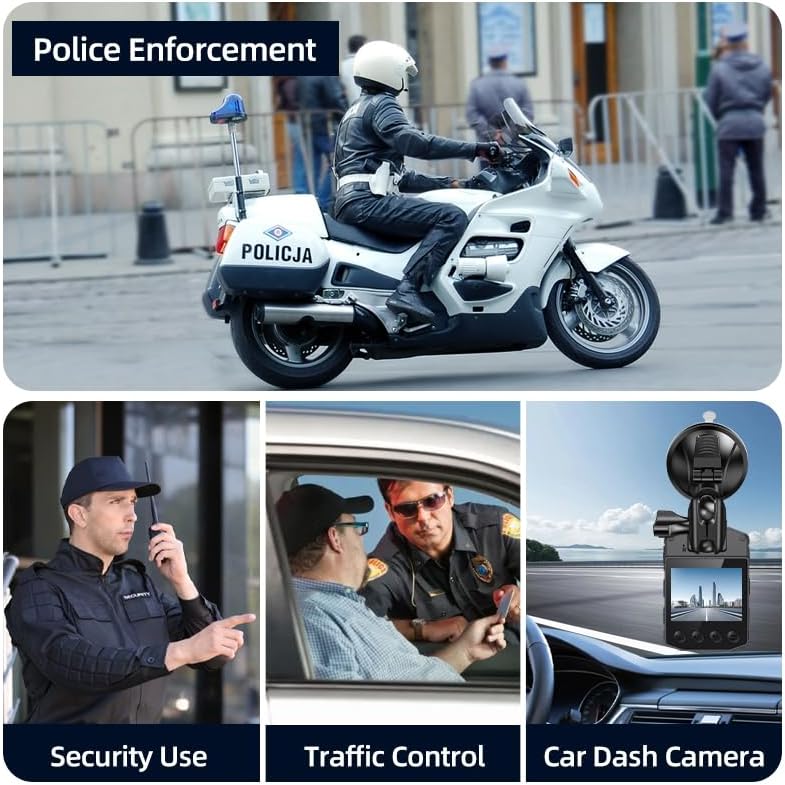
Figure 5: The CAMMHD Z3 Body Camera with its rotatable clip for secure attachment.
5. הוראות הפעלה
5.1 הקלטת וידאו
The Z3 body camera supports multiple video resolutions: 1440P, 1296P, 1080P, 720P, and 480P. It features a 170° wide-angle lens for comprehensive coverage.
- התחל להקליט: Click the "REC" button once to begin video recording.
- הפסקת ההקלטה: Click the "REC" button again to stop recording.
- הקלטת לולאה: המצלמה תומכת בהקלטה בלולאה, ודורסת אוטומטית את הישנים ביותר fileכאשר הזיכרון מלא.
- זיהוי תנועה: Enable motion detection for recording only when movement is detected.
- מצב רכב: Use car mode for automatic recording when connected to vehicle power.

Figure 6: The CAMMHD Z3 offers 1440P HD video recording and flexible night vision options.
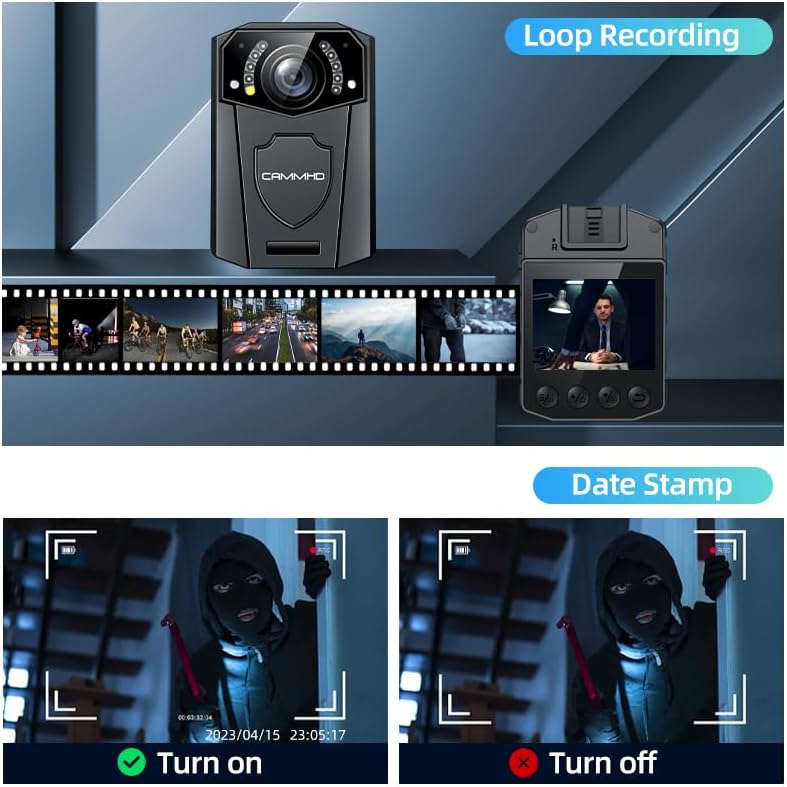
Figure 7: Loop recording ensures continuous operation, and a date stamp provides crucial time information on recordings.
5.2 הקלטת אודיו
To record audio only:
- התחלת הקלטת שמע: Click the Audio button once.
- עצירת הקלטת שמע: Click the Audio button again to stop.
5.3 צילום תמונות
כדי ללכוד תמונות סטילס:
- צלם תמונה: Press the Snapping button once.
5.4 ראיית לילה
The Z3 camera can capture color video in daylight and automatically or manually switch to night vision in low-light conditions. This ensures clear video evidence regardless of ambient light.
5.5 Warning Mode (Red+Blue LEDs)
To activate the warning mode:
- Activate Warning: Press the Warning button to turn on both LED and warning lights.
- מצבי מחזור: Press again to turn on LED only and warning off.
- השבתה: Press a third time to turn both off.

Figure 8: The CAMMHD Z3 features red and blue warning lights for enhanced visibility and signaling.
5.6 Accessing Settings (Menu)
To access the camera settings:
- היכנס לתפריט: Press the "M" (Menu) button.
- ניווט: השתמשו בכפתורים למעלה/למטה כדי לגלול בין האפשרויות.
- לִבחוֹר: Press "OK" to select an option.
- יְצִיאָה: Press the "REC" button to go back or exit the menu.
5.7 Reviewing Recordings (Album)
אֶל view recorded videos, photos, or listen to audio files:
- Enter Album: Press the "►" (Play) button.
- ניווט: Use the Left/Right/OK buttons to select and play files.
- יְצִיאָה: Press the "REC" button to return to the main screen.
5.8 Deleting Recordings
You can delete individual recordings from the album:
- לִבחוֹר File: In the album, navigate to the file ברצונך למחוק.
- לִמְחוֹק: Long-press the "►" (Play) button to initiate deletion. Confirm by selecting "YES" with the "OK" button.
Video 2: Instructions on how to delete recordings from the album on a CAMMHD Body Camera.
6. תכונות אבטחה
6.1 הגנת סיסמה
The CAMMHD Z3 supports a custom 6-digit password composed of numbers and letters. This feature prevents unauthorized access to the device and its recorded data.
6.2 H.264 Video Encoding
Utilizing H.264 video encoding, the Z3 camera efficiently saves memory card space (over 30%) and reduces file transfer times to a computer (over 50%) compared to standard body cameras, while maintaining video quality.

Figure 9: H.264 video encoding optimizes storage and transfer efficiency.
7. תחזוקה
7.1 ניקוי
השתמשו במטלית רכה ויבשה לניקוי גוף המצלמה. עבור העדשה, השתמשו במטלית ובתמיסה מיוחדת לניקוי עדשות כדי למנוע שריטות. אין להשתמש בכימיקלים חזקים או בחומרים שוחקים.
7.2 עמידות במים
The CAMMHD Z3 is water-resistant. While it can withstand splashes and light rain, it is not designed for submersion. Ensure all ports are securely closed to maintain water resistance.
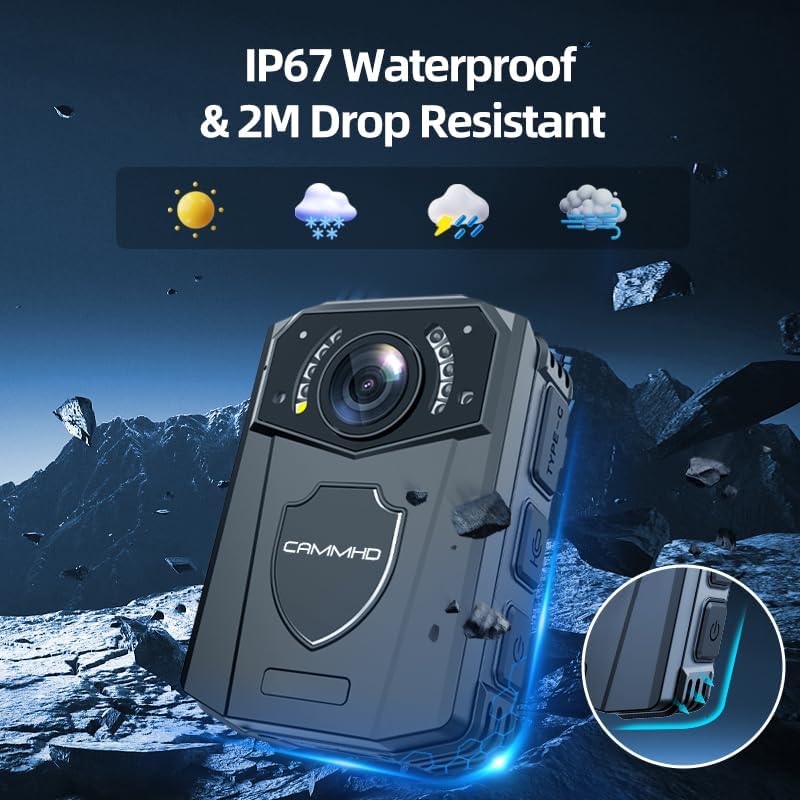
Figure 10: The CAMMHD Z3 is built with water resistance and drop resistance for durability.
8. פתרון תקלות
If you encounter issues with your CAMMHD Z3 Body Camera, refer to the following common solutions:
- המצלמה לא נדלקת: ודא שהסוללה טעונה. חבר את המצלמה למטען ונסה שוב.
- בעיות הקלטה: Check if the memory card is properly inserted and has sufficient free space. Format the SD card if necessary (this will erase all data).
- Playback problems: Ensure the video/audio file format is supported. Try replaying on a computer if the issue persists on the device.
- סיסמא נשכחת: Refer to the full user manual for instructions on resetting the password or contact customer support.
9. מפרטים
Detailed technical specifications for the CAMMHD Z3 Body Camera:
| תכונה | מִפרָט |
|---|---|
| מספר דגם | CAMMHD-Z3 |
| רזולוציית וידאו | 1440P/1296P/1080P/720P/480P |
| רזולוציית תמונה | 42M/36M/24M/2M |
| זווית רחבה | 170° |
| IR Night Vision Wavelength | 940 ננומטר |
| קיבולת סוללה | 3.7V 3000mAh internal battery |
| טמפרטורת הפעלה | -10°C to 45°C (cannot pass 55°C) |
| טמפרטורת אחסון | -40 מעלות צלזיוס עד +60 מעלות צלזיוס |
| פורמט וידאו | MOV |
| Video Coding Rate | 10 M bit/s |
| פורמט אודיו | WAV |
| פורמט תמונה | JPG |
| Infrared Video | אוטומטי/ידני |
| גודל מסך | 2.0 אינץ' |
| מידות (L x W x H) | 78 מ"מ x 54 מ"מ x 25 מ"מ |
| מִשׁקָל | 110 גרם |
| מערכות הפעלה תואמות | Windows XP / 7 / 8 SP3 / Vista ו- Mac 10.5 ומעלה |
| טכנולוגיית קישוריות | USB |
| רמת עמידות במים | עמיד במים |

Figure 11: Comprehensive technical specifications for the CAMMHD Z3 Body Camera.
10. אחריות ותמיכה
10.1 מידע אחריות
If there is any quality problem within 30 working days after purchase, you may apply for returning the goods.
10.2 תמיכת לקוחות
For further assistance or inquiries, please contact CAMMHD customer service at: cammhd-service@outlook.com