
1. הקדמה
This manual provides instructions for the assembly, operation, maintenance, and troubleshooting of your FLEXISPOT E6 Pro Electric Standing Desk. Please read this manual thoroughly before use to ensure proper function and safety.

Figure 1: FLEXISPOT E6 Pro Electric Standing Desk
2. מידע בטיחות
אמצעי זהירות חשובים:
- Ensure the desk is properly anchored to the wall or floor when height is adjusted, especially if loading heavy items.
- Keep children and pets away from the desk during operation to prevent injury from moving parts.
- Do not place hands or other body parts near the lifting mechanism while the desk is in motion.
- אין להעמיס על השולחן יתר על המידה. עיין בפרק המפרט לקבלת מידע על קיבולת משקל מקסימלית.
- השתמשו רק במתאם החשמל וברכיבים המצורפים.
- If any unusual sounds or movements occur, immediately stop operation and unplug the desk.
3. הוראות הרכבה
Assembly is required for this product. It is recommended to have two people for assembly due to the weight and size of the components. All necessary hardware and tools are typically included. Follow the steps below for a smooth assembly process.
3.1 פריקה והכנה
- פתחו בזהירות את האריזה והוציאו את כל הרכיבים.
- ודא שכל החלקים קיימים מול רשימת החלקים המצורפת.
- הניחו את כל הרכיבים על משטח רך ונקי כדי למנוע שריטות.
3.2 הרכבת מסגרת
Attach the desk legs to the crossbar and feet. Ensure all screws are tightened securely.
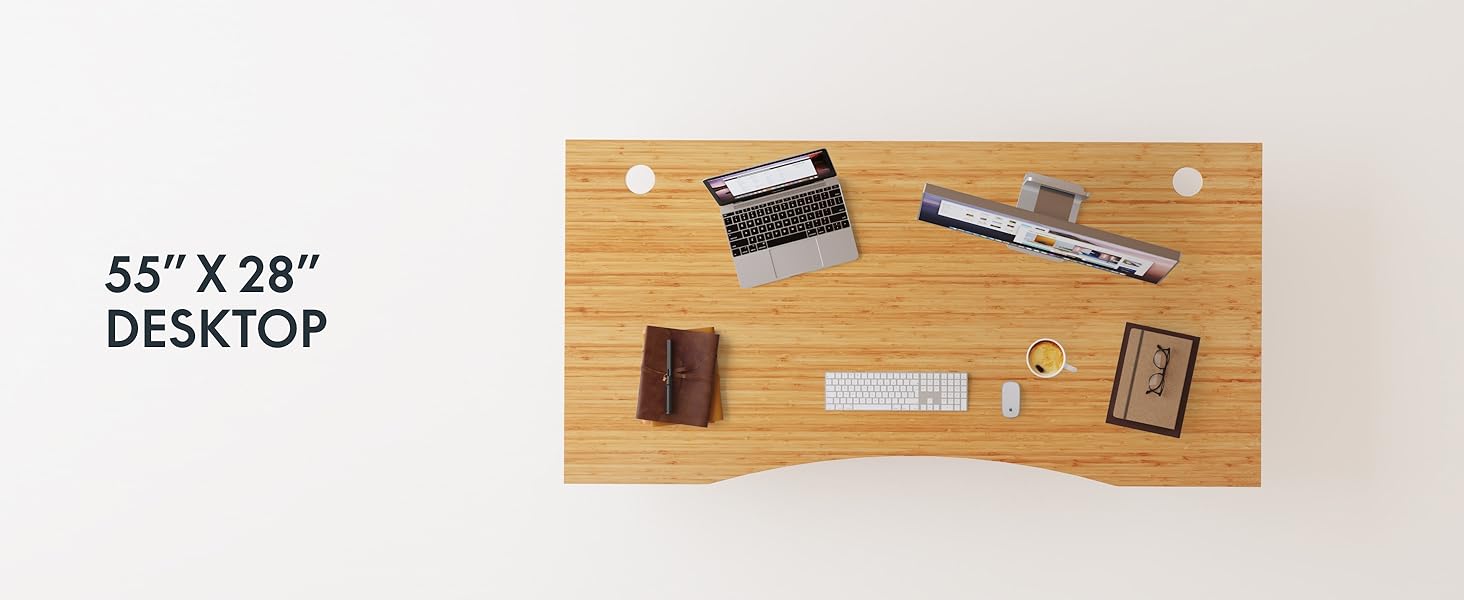
Figure 2: Desk Frame Assembly
3.3 Desktop Attachment
Carefully place the bamboo desktop onto the assembled frame. Align the pre-drilled holes and secure the desktop with the provided screws. The desktop features a curved design for ergonomic comfort.

Figure 3: Curved Bamboo Desktop
3.4 Control Panel and Cable Management
Mount the digital control panel to the underside of the desk. Connect all motor and power cables according to the diagram. Utilize the integrated cable management holes to organize wires and prevent clutter.

Figure 4: Control Panel and Cable Management

Figure 5: Cable Management Hole
4. הוראות הפעלה
The FLEXISPOT E6 Pro desk features a user-friendly digital control panel for height adjustment and memory presets.

איור 6: לוח בקרה דיגיטלי
4.1 כוונון גובה שולחן העבודה
- הקש על חץ למעלה כפתור להרמת השולחן.
- הקש על חץ למטה כפתור להורדת השולחן.
- Release the button at your desired height.
4.2 הגדרת הגדרות זיכרון קבועות מראש
The control panel allows you to save up to two preferred height settings.
- כוונן את שולחן העבודה לגובה הרצוי.
- הקש על "מ" לַחְצָן. התצוגה תהבהב.
- לחץ על אחת מהאפשרויות "1" or "2" button within 3 seconds to save the current height to that preset.
- כדי לשחזר גובה שנשמר, פשוט לחצו על הכפתור המתאים "1" or "2" כפתור. השולחן יעבור אוטומטית למיקום השמור.
4.3 יציאת טעינה USB
A USB port is integrated into the control panel for convenient charging of your devices.
4.4 תפקוד נגד התנגשויות
The desk is equipped with an anti-collision system that automatically stops and slightly reverses movement if it encounters an obstruction during height adjustment. This feature helps prevent damage and injury.

איור 7: מערכת נגד התנגשויות בפעולה
5. תחזוקה
תחזוקה שוטפת מבטיחה את אורך החיים והביצועים האופטימליים של שולחן העבודה העומד שלכם.
- ניקוי: The bamboo desktop has a smooth, waterproof surface, making it easy to clean. Use a soft, damp cloth with mild soap to wipe down the surface. Avoid abrasive cleaners or harsh chemicals.
- בְּדִיקָה: בדקו מעת לעת את כל הברגים והחיבורים כדי לוודא שהם מהודקים היטב. הדקו מחדש במידת הצורך.
- ניהול כבלים: Ensure cables are neatly organized and not pinched or tangled, which could affect desk operation.

Figure 8: Waterproof Bamboo Surface
6. פתרון תקלות
If you encounter issues with your FLEXISPOT E6 Pro desk, refer to the following common problems and solutions:
| בְּעָיָה | סיבה אפשרית | פִּתָרוֹן |
|---|---|---|
| שולחן הכתיבה לא זז. | Power cable disconnected, control panel locked, or motor error. | Check power connections. Unlock control panel if applicable. Unplug for 10 seconds and plug back in to reset. |
| כוונון גובה לא אחיד. | Uneven load, loose connections, or motor synchronization issue. | Ensure weight is evenly distributed. Check all frame connections. Perform a reset procedure (refer to full manual if available). |
| השולחן נעצר באופן בלתי צפוי. | Anti-collision system activated, or overload. | Check for obstructions. Reduce weight on the desk if exceeding maximum capacity. |
| רעש במהלך הפעולה. | Loose components or normal motor sound. | Tighten all screws. A low hum from the dual motors (less than 45 dB) is normal. |
If the problem persists, please contact FLEXISPOT customer support.
7. מפרטים
| תכונה | פְּרָט |
|---|---|
| מותג | FLEXISPOT |
| מספר דגם | ET365 |
| מידות המוצר | 77.9" D x 29.5" W x 23.6" H |
| גודל שולחן עבודה | 78"x30" Whole-piece |
| צֶבַע | Black Frame + Curved Bamboo Top |
| חומר בסיס | מַתֶכֶת |
| סוג החומר העליון | עץ (במבוק) |
| מנגנון הרמה | מנוע כפול חשמלי |
| גובה מינימלי | 23.6 אינץ' |
| גובה מקסימלי | 48.8 אינץ' |
| המלצה על משקל מקסימלי | 352 פאונד |
| רמת רעש | פחות מ-45 dB |
| הרכבה נדרשת | כֵּן |
8. אחריות ותמיכה
8.1 מידע אחריות
FLEXISPOT provides the following warranty coverage for your E6 Pro Electric Standing Desk:
- 10-Year Coverage: Desk frame and motor.
- 2-Year Coverage: Control panel and electronics.
This warranty covers manufacturing defects and malfunctions under normal use. Please retain your proof of purchase for warranty claims.
8.2 תמיכת לקוחות
For any assistance, questions, or warranty claims, please contact FLEXISPOT customer support. You can find more information and contact details on the official FLEXISPOT webבאתר או דרך פלטפורמת הרכישה שלך.
Visit the official FLEXISPOT Store: FLEXISPOT Store on Amazon