
מָבוֹא
Thank you for choosing the Coby Pro Fitness True Wireless Earbuds. These earbuds are designed to provide a high-quality audio experience with features tailored for an active lifestyle. They offer a secure fit, sweat resistance, noise isolation, HD audio, and seamless connectivity with Bluetooth 5.3. This manual will guide you through the setup, operation, and maintenance of your new earbuds.
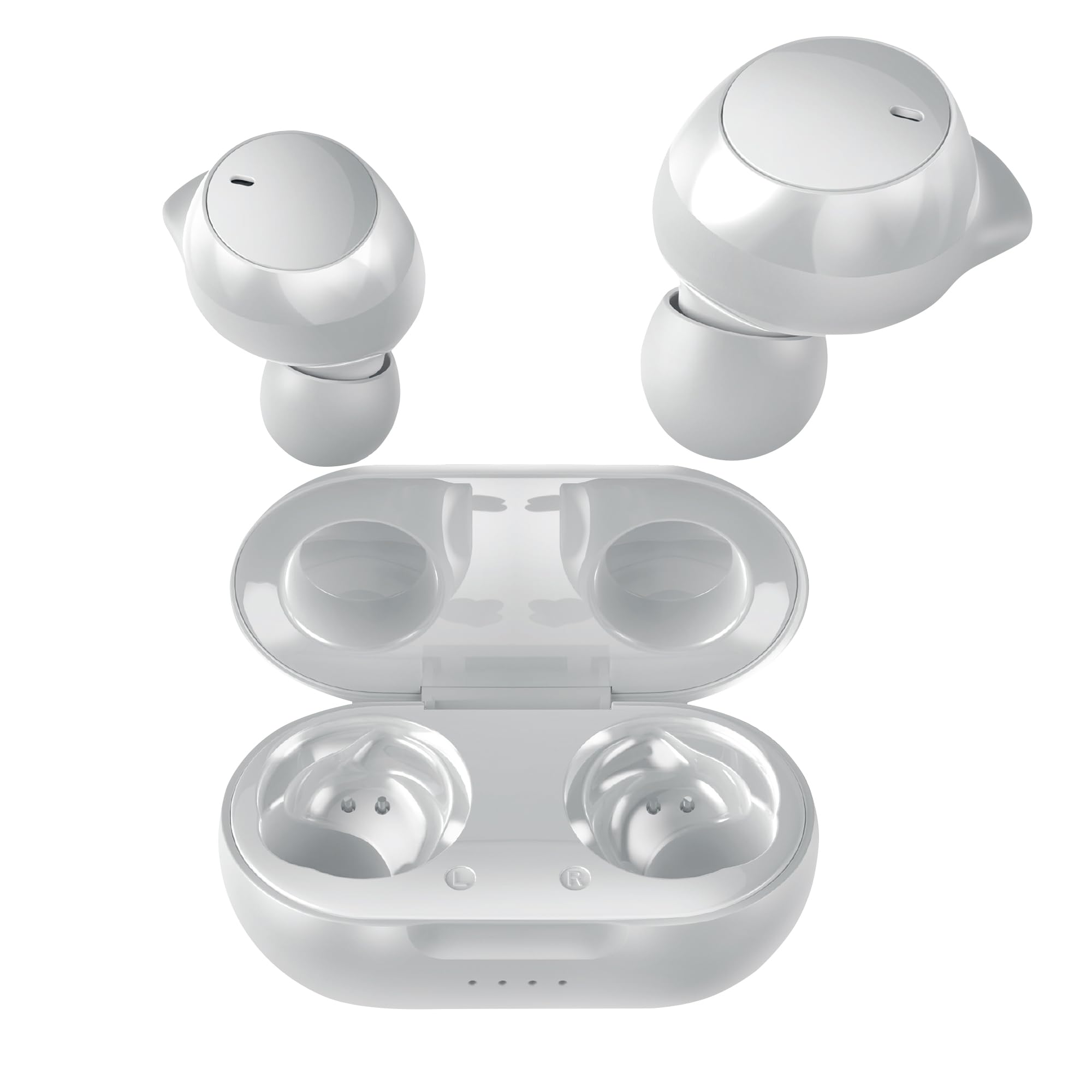
Image: Coby Pro Fitness True Wireless Earbuds and their charging case.
הגדרה
תוכן החבילה
- Coby Pro Fitness True Wireless Earbuds (Left and Right)
- נרתיק טעינה
- כבל טעינה USB
- גדלים מרובים של קצוות סיליקון לאוזניים
- מדריך למשתמש
טעינת האוזניות והמארז
- הניחו את האוזניות במארז הטעינה, וודאו שהן ממוקמות כראוי בחריצים המתאימים.
- חבר את כבל הטעינה מסוג USB לשקע הטעינה במארז ואת הקצה השני למקור חשמל מסוג USB (למשל, מתאם קיר, שקע USB של מחשב).
- The indicator lights on the charging case will illuminate to show charging status. A full charge typically takes approximately 1-2 hours for the earbuds and 2-3 hours for the case.
- לאחר טעינה מלאה, נוריות החיווי ישתנו או יכבו. נתק את כבל הטעינה.
זיווג ראשוני
בצעו את השלבים הבאים כדי לחבר את האוזניות שלכם למכשיר בפעם הראשונה:
- Ensure the earbuds are charged. Open the charging case. The earbuds will automatically enter pairing mode, indicated by a flashing LED light on one or both earbuds.
- בטלפון החכם, בטאבלט או במכשיר אחר התומך ב-Bluetooth, עבור אל הגדרות ה-Bluetooth.
- חפש available devices. You should see "Coby CETW553" or a similar name appear in the list.
- Select "Coby CETW553" to connect. Once connected, you will hear an audio prompt, and the earbud LED lights will stop flashing.

Image: Illustration of earbuds automatically pairing with a smartphone.
לובש את האוזניות
For optimal sound quality and a secure fit, choose the correct size ear tips and insert the earbuds properly:
- Experiment with the different sizes of silicone ear tips provided to find the pair that creates a comfortable and snug seal in your ear canal. A good seal is crucial for noise isolation and bass response.
- Gently insert each earbud into your ear, twisting slightly until it feels secure and comfortable. The earbuds are ergonomically designed to stay in place during physical activity.

Image: A woman demonstrating the snug and secure fit of the ear tips.
הפעלת האוזניות
הפעלה/כיבוי
- הפעלה: פתחו את מארז הטעינה, והאוזניות יידלקו אוטומטית. לחלופין, לחצו והחזיקו את אזור בקרת המגע בשתי האוזניות למשך 3 שניות.
- כיבוי: Place the earbuds back into the charging case and close the lid. They will automatically power off. Alternatively, press and hold the touch control area on both earbuds for 5 seconds.
השמעת מוסיקה
- הפעל/השהה: הקישו פעם אחת על אזור בקרת המגע בכל אחת מהאוזניות.
- הרצועה הבאה: הקש פעמיים על אזור בקרת המגע באוזניה הימנית.
- רצועה קודמת: הקש פעמיים על אזור בקרת המגע באוזניה השמאלית.
- הגבר קול: הקש שלוש פעמים על אזור בקרת המגע באוזניה הימנית.
- להנמיך קול: הקש שלוש פעמים על אזור בקרת המגע באוזניה השמאלית.
ניהול שיחות
- מענה/סיום שיחה: הקישו פעם אחת על אזור בקרת המגע בכל אחת מהאוזניות.
- דחה שיחה: לחץ והחזק את אזור בקרת המגע בכל אחת מהאוזניות למשך 2 שניות.
עוזר קולי
The earbuds are compatible with Siri and Google Assistant. To activate your device's voice assistant:
- הפעל את Assistant Voice: לחץ והחזק את אזור בקרת המגע בכל אחת מהאוזניות למשך 2 שניות (כאשר אינך בשיחה).

Image: Earbuds shown with compatibility logos for Siri and Google Assistant.
תַחזוּקָה
ניקוי
- Regularly clean the earbuds and charging case to ensure optimal performance and hygiene.
- Use a soft, dry, lint-free cloth to wipe the exterior surfaces of the earbuds and case.
- For ear tips, remove them from the earbuds and wash with mild soap and water. Rinse thoroughly and allow them to dry completely before reattaching.
- Gently remove any earwax or debris from the earbud mesh using a clean, dry cotton swab or a small, soft brush. Avoid using sharp objects.
אִחסוּן
- כאשר אינן בשימוש, יש לאחסן את האוזניות תמיד בנרתיק הטעינה שלהן כדי להגן עליהן מפני נזק ולשמור עליהן טעונות.
- Store the charging case and earbuds in a cool, dry place, away from extreme temperatures, humidity, and direct sunlight.
פתרון בעיות
| לְהַנפִּיק | פִּתָרוֹן |
|---|---|
| האוזניות לא מתחברות למכשיר |
|
| רק אוזניה אחת עובדת |
|
| אין קול או עוצמת קול נמוכה |
|
| מארז טעינה לא נטען |
|
מפרטים
| תכונה | פְּרָט |
|---|---|
| מספר דגם | COBY-CETW553 |
| טכנולוגיית קישוריות | אלחוטי (Bluetooth) |
| גרסת בלוטות' | 5.3 |
| מיקום אוזניים | אין אוזן |
| בקרת רעש | בידוד קול |
| רמת עמידות במים | עמיד במים (עמיד בפני זיעה) |
| Battery Average Life (Earbuds) | 5 שעות (לכל טעינה) |
| טווח תדרים | 20 הרץ - 20,000 הרץ |
| סוג מנהל התקן שמע | מנהל התקן דינמי |
| שיטת בקרה | קול, מגע |
| מכשירים תואמים | טלפונים חכמים, טאבלטים, רמקולים חכמים, מחשבים ניידים, מחשבים שולחניים |
| חוֹמֶר | סיליקון (קצוות אוזניים) |
| משקל פריט | 1.4 אונקיות |
מידע על אחריות
The Coby Pro Fitness True Wireless Earbuds (Model CETW553) come with a אחריות יצרן ל-90 יום. This warranty covers defects in materials and workmanship under normal use. Please retain your proof of purchase for warranty claims. For specific terms and conditions, or to initiate a warranty claim, please refer to the official Coby webאתר או צור קשר עם תמיכת הלקוחות.
תְמִיכָה
If you encounter any issues not covered in this manual or require further assistance, please visit the official Coby website for FAQs, support resources, and contact information. You can typically find support details on the product page or in the 'Support' section of the Coby brand webאֲתַר.