
מָבוֹא
The zelotes T30 Wired Vertical Mouse is designed to enhance comfort and reduce wrist strain during prolonged computer use. Its ergonomic vertical design promotes a natural hand and wrist posture. This manual provides essential information for setting up, operating, maintaining, and troubleshooting your new mouse.

איור 1: קדמי-שמאלי view of the zelotes T30 Wired Vertical Mouse.

Figure 2: Various side views illustrating the vertical design of the mouse.
הגדרה
The zelotes T30 Vertical Mouse is designed for simple plug-and-play operation, requiring no driver installation.
חיבור העכבר
- Locate an available USB port on your computer (Laptop, PC, Mac).
- Insert the USB connector of the zelotes T30 mouse into the USB port.
- The mouse will be automatically recognized by your operating system (Win11, Win10, Win8, Win7, Mac OS, Linux) and ready for use.
Attaching the Detachable Palm Rest
The mouse comes with a detachable palm rest for enhanced comfort. To attach it:
- Align the palm rest with the designated slots on the bottom of the mouse.
- Gently slide the palm rest into place until it clicks securely.
- Ensure the palm rest is firmly attached before use.

Figure 3: Illustration of the detachable palm rest and its attachment points.
הוראות הפעלה
עיצוב ואחיזה ארגונומיים
The vertical design of the T30 mouse positions your hand in a natural handshake posture, reducing pronation of the forearm and wrist. This design aims to alleviate discomfort associated with traditional mouse use.

Figure 4: Proper hand placement on the ergonomic vertical mouse.

איור 5: מפורט view of the humanized grip design, ensuring comfortable finger placement.
התאמת רגישות DPI
The mouse features 4 adjustable DPI settings: 1200, 1600, 2400, and 3200 DPI. To change the sensitivity:
- Locate the DPI button on the mouse. This button is typically positioned near the scroll wheel or thumb area.
- Press the DPI button to cycle through the available sensitivity settings. Each press will switch to the next DPI level.
- The LED illumination on the mouse may change color or pattern to indicate the current DPI setting.
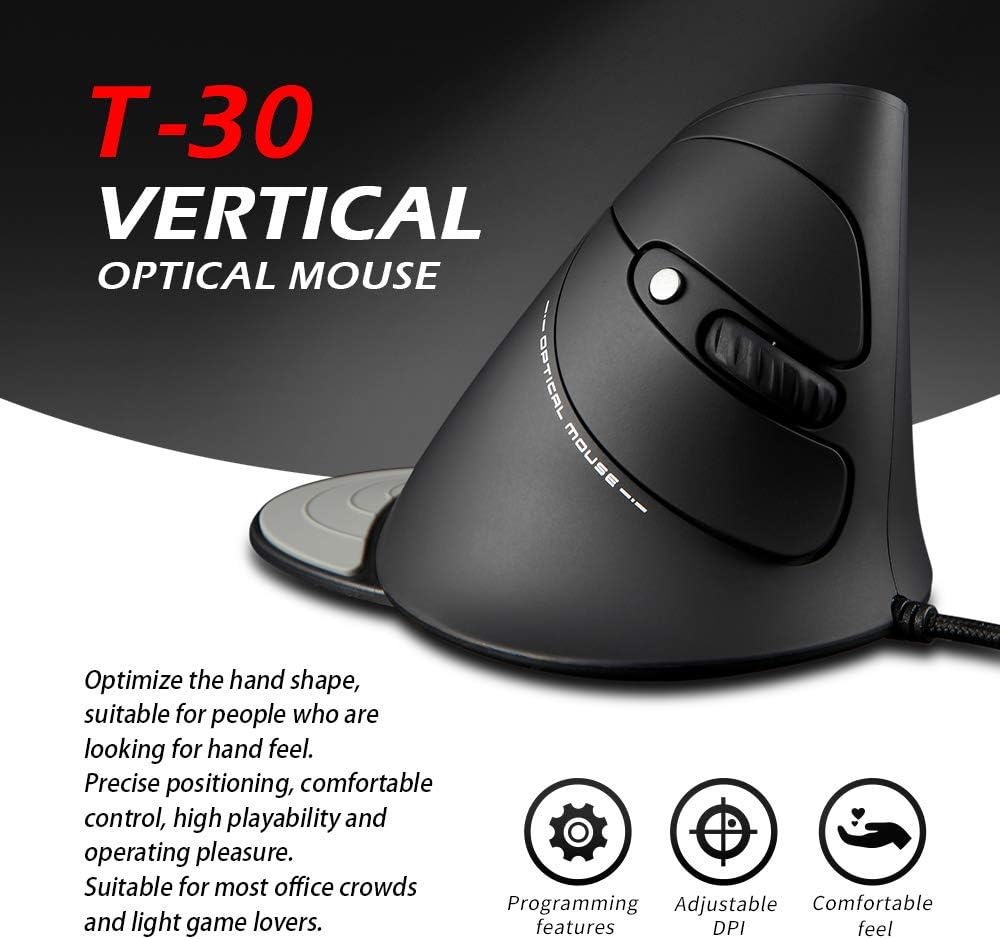
Figure 6: The T30 mouse with an emphasis on its adjustable DPI feature.
פונקציות כפתור
The zelotes T30 mouse is equipped with 6 buttons for various functions:
- כפתור לחיצה שמאלי: פונקציית לחיצה ראשית סטנדרטית.
- כפתור לחיצה ימנית: פונקציית לחיצה משנית סטנדרטית.
- גלגל גלילה: לגלילה אנכית. ניתן ללחוץ גם לפונקציונליות לחיצה אמצעית.
- לחצן DPI: מתאים את רגישות העכבר (DPI).
- לחצן קדימה: מנווט קדימה ב web דפדפנים או file חוקרים.
- כפתור חזרה: מנווט אחורה ב web דפדפנים או file חוקרים.
Video 1: Demonstration of the zelotes T30 Ergonomic Vertical Mouse features and usage.
תַחזוּקָה
To ensure the longevity and optimal performance of your zelotes T30 mouse, follow these maintenance guidelines:
- ניקוי: השתמשו במטלית רכה ויבשה כדי לנגב את פני השטח של העכבר. במקרה של לכלוך עיקש, נגבו מעטamp ניתן להשתמש במטלית, אך יש לוודא שאף נוזל לא ייכנס לעכבר. יש להימנע מכימיקלים חזקים או חומרי ניקוי שוחקים.
- אִחסוּן: כאשר אינו בשימוש, יש לאחסן את העכבר בסביבה נקייה ויבשה הרחק מטמפרטורות קיצוניות ואור שמש ישיר.
- טיפול בכבלים: הימנעו מכיפוף או פיתול יתר על המידה של כבל ה-USB, מכיוון שהדבר עלול לפגוע בחוטים הפנימיים.
פתרון בעיות
If you encounter issues with your zelotes T30 mouse, refer to the following common problems and solutions:
| בְּעָיָה | סיבה אפשרית | פִּתָרוֹן |
|---|---|---|
| העכבר לא מגיב | Loose USB connection, faulty USB port, operating system issue. |
|
| תנועת הסמן אינה יציבה או קופצנית | חיישן אופטי מלוכלך, משטח עכבר לא מתאים. |
|
| כוונון DPI לא עובד | Button malfunction, temporary software glitch. |
|
מפרטים
| תכונה | פְּרָט |
|---|---|
| מותג | zelotes |
| מספר דגם | T-30 |
| מידות המוצר | 4.33 x 3.15 x 3.27 אינץ' |
| משקל פריט | 4.2 אונקיות |
| טכנולוגיית קישוריות | USB חוטי |
| טכנולוגיית זיהוי תנועה | אוֹפּטִי |
| הגדרות DPI | 1200 / 1600 / 2400 / 3200 DPI |
| מספר כפתורים | 6 |
| תכונה מיוחדת | Ergonomic Design, Detachable Wrist Rest, LED Illumination |
| תְאִימוּת | Win11, Win10, Win8, Win7, Mac OS, Linux |

Figure 7: Detailed dimensions of the zelotes T30 Vertical Mouse.
אחריות ותמיכה
For warranty information and technical support, please refer to the official zelotes webאתר או צרו קשר ישירות עם שירות הלקוחות שלהם. שמרו את קבלת הרכישה שלכם לצורך תביעות אחריות.
יַצרָן: zelotes