
1. הקדמה
This manual provides essential information for setting up, operating, and maintaining your TCL 65QM8B Mini LED QLED 4K HDR Google TV. Please read it thoroughly before use to ensure proper functionality and safety. This television combines advanced Mini LED and QLED technologies with a 144Hz refresh rate, 4K HDR Premium 1300nits brightness, and the Google TV smart platform, offering a premium viewחווית משחק וחווית משחק.
2. מידע בטיחות חשוב
- בטיחות חשמל: Always ensure the power cable is securely connected to a grounded outlet. Do not overload power strips. Disconnect the power plug during lightning storms or when unused for long periods.
- אוורור: Maintain adequate space around the TV for proper ventilation. Do not block ventilation openings. Avoid placing the TV on soft surfaces like carpets or beds that may obstruct airflow.
- ניקוי: Unplug the TV before cleaning. Use a soft, dry cloth to clean the screen and cabinet. Avoid liquid cleaners, aerosols, or abrasive cloths.
- טיפול: The TV is heavy. Always use at least two people when lifting or moving the television to prevent injury or damage.
- יְלָדִים: אין לאפשר לילדים לטפס על הטלוויזיה או המעמד. יש לוודא שהטלוויזיה מונחת על משטח יציב או מותקנת היטב על הקיר כדי למנוע התהפכות.
- לַחוּת: אין לחשוף את הטלוויזיה לגשם או לחות. אין להניח חפצים מלאים בנוזלים, כגון אגרטלים, על הטלוויזיה.
3. תכולת החבילה
ודא שכל הפריטים נמצאים בחבילה:
- TCL 65QM8B 65-inch Mini LED QLED 4K HDR Google TV
- שְׁלַט רָחוֹק
- סוללות AAA (2x)
- כבל חשמל
- מדריך למשתמש (מסמך זה)
- רכיבי מעמד הטלוויזיה (בסיס וברגים)
4. מדריך התקנה
4.1 פריקה ומיקום
Carefully remove the TV from its packaging. It is recommended that two people handle the TV due to its size and weight. Place the TV on a flat, stable surface or prepare for wall mounting.
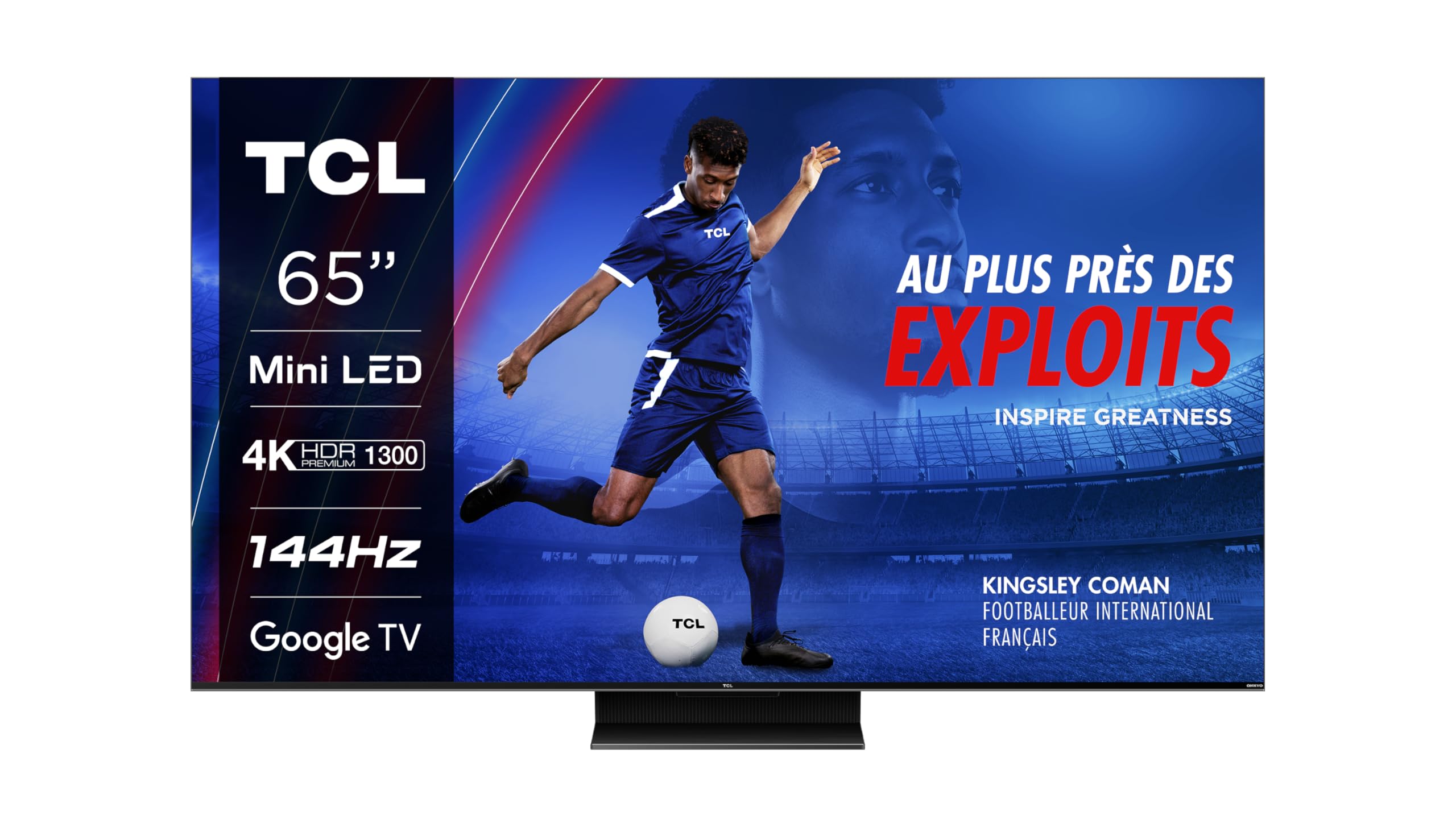
תמונה: חזית view of the TCL 65QM8B TV on its stand.
4.2 הרכבת המעמד / תלייה על הקיר
If using the included stand, attach the base to the TV following the instructions provided in the separate quick start guide. Ensure all screws are tightened securely. For wall mounting, the TV supports a VESA standard of 300 x 300 mm. Use a compatible wall mount bracket (sold separately) and consult a professional for installation.

Image: Technical drawing showing the dimensions of the TCL 65QM8B TV with its stand, and a view של השלט הרחוק.
4.3 חיבור ציוד היקפי
חברו את המכשירים החיצוניים שלכם לטלוויזיה באמצעות היציאות הזמינות:
- HDMI (4x): For high-definition devices such as game consoles (PlayStation, Xbox), Blu-ray players, and soundbars.
- USB (x1): לחיבור התקני אחסון USB להפעלת מדיה fileאו לעדכוני תוכנה.
- רשת מקומית (אתרנט): עבור חיבור אינטרנט קווי יציב.
- אופטי (יציאת אודיו דיגיטלית): For connecting to external audio receivers or sound systems.
- קלט AV: לחיבור מכשירים ישנים יותר עם יציאות וידאו מרוכב ואודיו סטריאו.
- אֹזְנִית: להאזנה פרטית לאודיו.
- חריץ CI: For inserting a Conditional Access Module (CAM) for encrypted digital TV services.

Image: Diagram illustrating the various connectivity ports on the TCL 65QM8B TV, including HDMI, USB, LAN, Optical, AV Input, Headphone, and CI Slot.
5. הפעלת הטלוויזיה שלך
5.1 התקנה ראשונה ו-Google TV
After connecting the power cable and turning on the TV, follow the on-screen instructions for the initial setup. This includes selecting your language, connecting to a Wi-Fi network, and logging in with your Google account to access Google TV features and apps.

Image: The TCL 65QM8B TV screen showing the Google TV home interface with various streaming app icons and content recommendations.
5.2 פונקציות שלט רחוק
The included remote control allows you to navigate the TV's interface and control various functions. Key buttons include Power, Volume Up/Down, Channel Up/Down, Input Source selection, and a dedicated Google Assistant button for voice commands.
5.3 תכונות עיקריות
Mini LED Technology
The TCL 65QM8B utilizes Mini LED backlighting, which consists of thousands of tiny LEDs. This technology allows for precise light control, delivering deeper blacks, brighter whites, and enhanced contrast compared to traditional LED TVs.

Image: A visual representation of Mini LED technology, showing how small LEDs provide precise backlighting for improved picture quality.
עמעום מקומי של מערך מלא (FALD)
The TV's screen is divided into over 500 local dimming zones. Full Array Local Dimming precisely adjusts the brightness of each zone, optimizing contrast and ensuring that dark areas remain dark while bright areas shine, revealing more detail in every scene.

Image: A diagram demonstrating Full Array Local Dimming, showing how different zones of the backlight are controlled independently to enhance contrast.
תצוגת QLED
Quantum Dot (QLED) technology enhances color reproduction, allowing the TV to display over a billion shades of vibrant, accurate colors. This results in a wider color gamut and more lifelike images.
144Hz VRR for Gaming
Designed for gamers, the 144Hz Variable Refresh Rate (VRR) ensures ultra-smooth motion and reduced input lag. This feature, combined with Game Master Pro 2.0 and AMD FreeSync Premium, provides a highly responsive and immersive gaming experience without screen tearing or stuttering.

Image: A person enjoying a video game on the TCL 65QM8B TV, highlighting the immersive gaming experience.
Dolby Vision IQ ו- Dolby Atmos
Experience cinematic visuals with Dolby Vision IQ, which intelligently optimizes picture quality based on ambient light. Complementing this, Dolby Atmos delivers immersive, multi-dimensional audio through the integrated Onkyo 2.0 sound system, placing you in the center of the action.
6. תחזוקה
6.1 ניקוי הטלוויזיה שלך
כדי לנקות את המסך, נגבו אותו בעדינות בעזרת מטלית רכה ונטולת סיבים. במקרה של סימנים עקשניים, נגבו אותו קלות.ampen the cloth with water. Never spray liquid directly onto the screen. For the TV cabinet, use a soft, dry cloth. Avoid using harsh chemicals or abrasive materials.
6.2 עדכוני תוכנה
Your TCL TV may receive software updates to improve performance and add new features. To check for updates, navigate to the Settings menu on your Google TV interface and look for the 'About' or 'System Update' section. Ensure your TV is connected to the internet for updates.
7. פתרון תקלות
אם נתקלת בבעיות עם הטלוויזיה שלך, עיין בבעיות הנפוצות ובפתרונות הבאים:
| בְּעָיָה | פתרון אפשרי |
|---|---|
| אין כוח | Check if the power cable is securely plugged into the TV and a working electrical outlet. Try a different outlet. |
| אין תמונה / מסך שחור | Ensure the correct input source is selected. Check all HDMI/AV cables for secure connections. Try restarting the TV. |
| אין סאונד | Check the volume level. Ensure the TV is not muted. Verify audio output settings (e.g., internal speakers vs. external sound system). Check audio cables if using external speakers. |
| השלט רחוק לא עובד | החלף את הסוללות. ודא שאין חסימות בין השלט לחיישן ה-IR של הטלוויזיה. |
| בעיות חיבור לרשת | Check your Wi-Fi router and modem. Restart network equipment. Re-enter Wi-Fi password in TV settings. Try a wired Ethernet connection if Wi-Fi fails. |
| בעיות באיכות התמונה (למשל, מטושטשת, מעוותת) | Check the resolution of the input source. Adjust picture settings (brightness, contrast, sharpness) in the TV menu. Ensure cables are high-quality and properly connected. |
8. מפרט טכני
Below are the detailed technical specifications for the TCL 65QM8B TV:
| תכונה | מִפרָט |
|---|---|
| מספר דגם | 65QM8BX1 |
| גודל מסך | 65 אינץ' (164 ס"מ) |
| טכנולוגיית תצוגה | מיני לד, QLED |
| הַחְלָטָה | 4K UHD (3840 x 2160) |
| קצב רענון | 144 הרץ (VRR) |
| תמיכה ב-HDR | HDR Premium 1300nits, Dolby Vision IQ |
| מערכת שמע | Onkyo 2.0, Dolby Atmos, DTS:X |
| מַעֲרֶכֶת הַפעָלָה | Google TV |
| קישוריות | 4x HDMI, 1x USB, LAN, Wi-Fi, Bluetooth 5.0, Optical Out, AV Input, Headphone, CI Slot |
| תקן VESA להרכבה | 300 x 300 מ"מ |
| מידות (עם מעמד) | 144.4 ס"מ (W) x 89.8 ס"מ (H) x 32 ס"מ (D) |
| משקל (ללא מעמד) | 20.7 קילוגרם |
| צריכת חשמל (SDR) | 111 קילוואט / 1000 שעות |
| צריכת חשמל (HDR) | 240 קילוואט / 1000 שעות |
| רכיבים כלולים | שלט רחוק, סוללות, מדריך, כבל חשמל |

Image: EU Energy Efficiency Label for the TCL 65QM8B TV, showing energy class G for SDR and HDR, and power consumption values.
לפרטים נוספים, בקר באתר מסד נתונים של EPREL.
9. אחריות ותמיכה
Your TCL 65QM8B TV comes with a limited warranty. Please refer to the warranty card included in your package for specific terms and conditions.
- אחריות כללית: 2 שנים
- Software Updates Guaranteed: Up to 8 years from the date of market placement.
- זמינות חלקי חילוף: Guaranteed for 8 years from the date of market placement.
- Product Support Guaranteed: 8 שנים.
מידע ליצירת קשר עם היצרן
For technical support, service, or warranty inquiries, please contact TCL customer support:
- יַצרָן: TCL
- Webאֲתַר: www.tcl.com
- טֵלֵפוֹן: +48 46 854 01 00 (Please note this number may be specific to a region; check the TCL webאתר לקבלת פרטי קשר מקומיים.)