
מָבוֹא
This manual provides comprehensive instructions for the setup, operation, and maintenance of your Taylor Digital Body Composition Bathroom Scale, Model 5306614. This scale is designed to measure body weight, and estimate body fat, body water, and muscle mass percentages. It includes features for up to 6 user recognition and offers both normal and athlete modes.
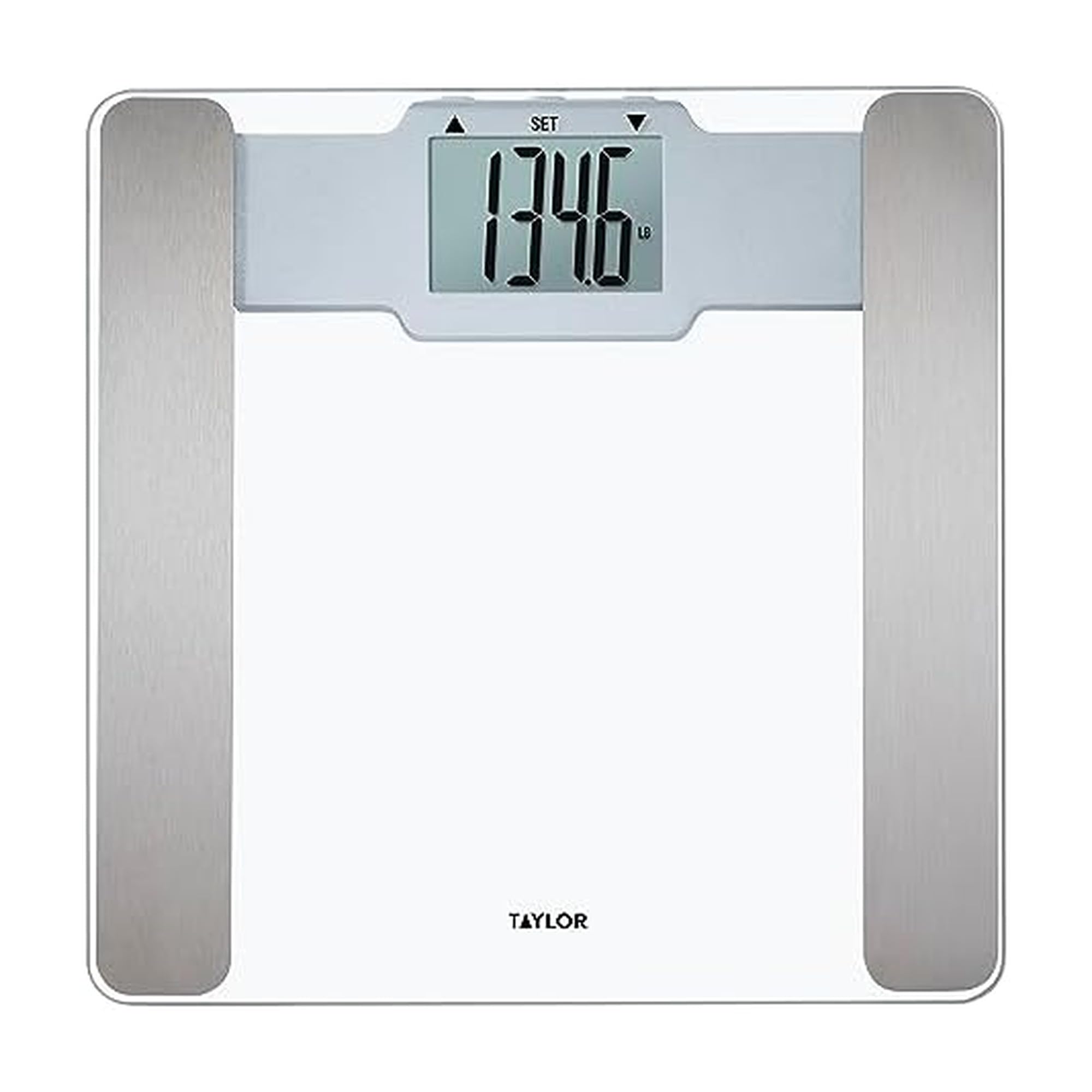
Image: The Taylor Digital Body Composition Bathroom Scale, featuring a clear tempered glass platform and a digital readout.
מה יש בקופסה
- Taylor Digital Body Composition Bathroom Scale
- 2 סוללות AAA
הגדרה
1. התקנת סוללה
Locate the battery compartment on the underside of the scale. Insert the two AAA batteries, ensuring correct polarity (+/-). Close the battery compartment securely.
2. מיקום קנה מידה
Place the scale on a hard, flat surface. Uneven or soft surfaces, such as carpet, can affect accuracy. Ensure the scale is stable before use.
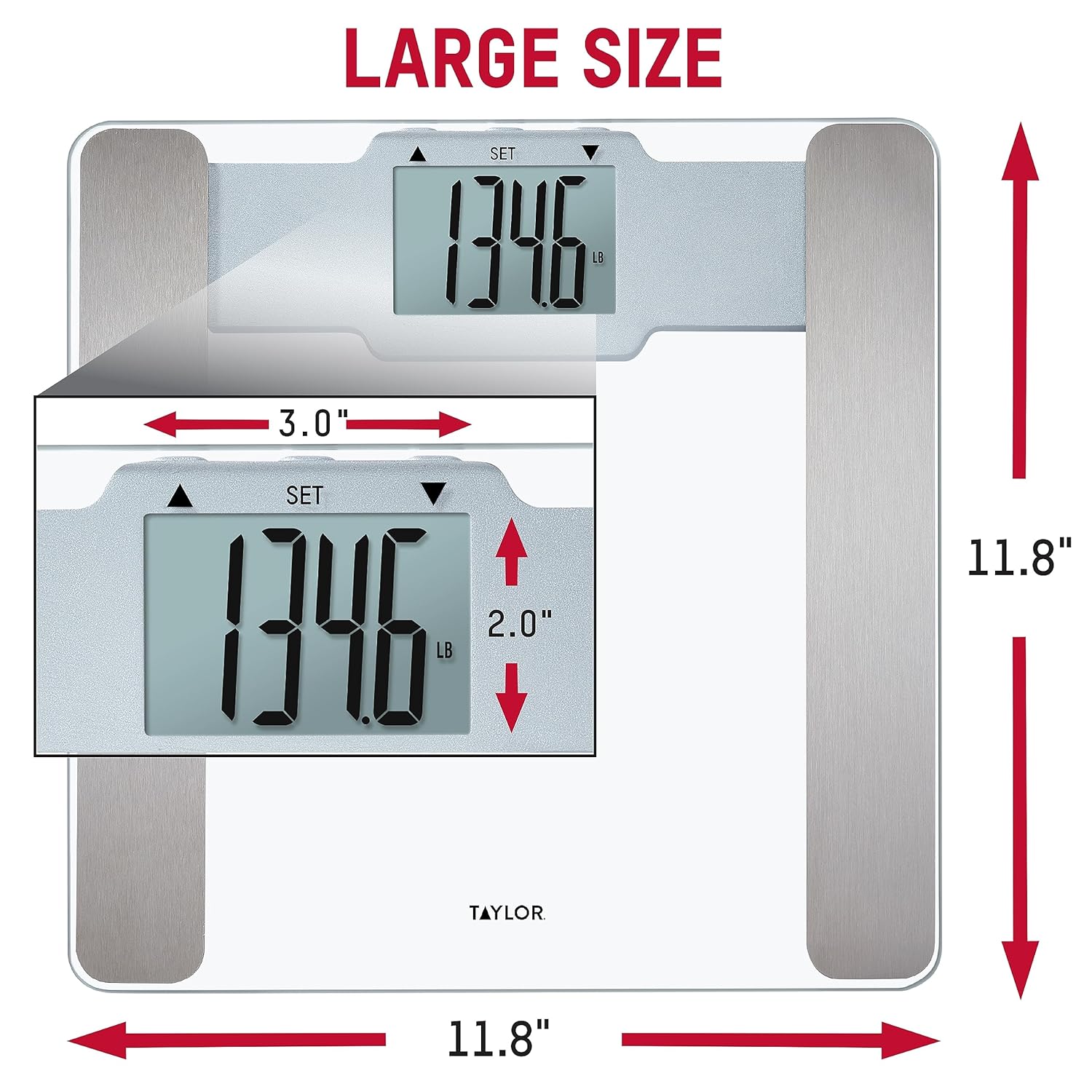
Image: The scale positioned on a hard floor, demonstrating proper placement for accurate readings.
3. כיול ראשוני
To calibrate the scale for first use or after moving it, gently step on the scale until numbers appear on the display, then step off. The display will show "0.0" or similar, indicating it is ready for use.
הוראות הפעלה
Basic Weight Measurement
- ודא שהמשקל נמצא על משטח קשה ושטוח.
- דרכו בעדינות על המשקל ברגליים יחפות. עמדו במקום ובמרכז על הפלטפורמה.
- The display will show your weight. The scale features "Step-On Technology" for instant readings.
- המשקל יכבה אוטומטית לאחר מספר שניות של חוסר פעילות.

Image: Demonstration of stepping onto the scale for an instant weight reading.
המרת יחידה
If available, a switch on the underside of the scale allows you to toggle between pounds (lb) and kilograms (kg).
Display Readability
The scale features a large, clear LCD display for easy reading from various angles.

Image: The bright LCD display of the scale, showing a clear weight measurement.
User Recognition & Athlete Mode
This scale can store profiles for up to 6 users and offers both normal and athlete modes for body composition analysis.

תמונה: מעלview of the scale's features, including body composition metrics and user recognition.
הגדרת User Profiles
- Refer to the specific instructions in your scale's included manual for detailed steps on setting up individual user profiles. This typically involves entering age, height, and selecting an activity level.
- The scale will recognize the user based on their weight and stored profile נְתוּנִים.
מצב אתלט
Athlete mode is designed for individuals who engage in intense physical activity regularly. This mode adjusts the body composition calculation algorithm to provide more accurate results for athletes. Consult your scale's specific instructions for how to activate and use athlete mode within your user profile.
Body Composition Measurement
The scale uses Bioelectrical Impedance Analysis (BIA) technology to estimate body fat, body water, and muscle mass percentages. For accurate readings:
- Step onto the scale with bare feet, ensuring your feet make contact with the metal sensors on the platform.
- Stand still until the measurements are displayed.
- Readings may vary based on hydration levels, recent activity, and time of day. For consistent tracking, measure at the same time each day under similar conditions.

Image: Explanation of BIA technology for body composition measurement.
תַחזוּקָה
ניקוי
נקה את המשקל עם מודעהamp cloth and mild detergent. Do not use abrasive cleaners or immerse the scale in water. The tempered glass platform is durable and easy to clean.
החלפת סוללה
If the display becomes dim or shows a low battery indicator, replace the AAA batteries. Ensure the scale is off before replacing batteries.
פתרון בעיות
| בְּעָיָה | פִּתָרוֹן |
|---|---|
| קריאות משקל לא מדויקות | Ensure the scale is on a hard, flat, and level surface. Avoid carpets or uneven flooring. Recalibrate by stepping on and off the scale. |
| "Err 1" or Error Message | This error often indicates an overload or an unstable reading. Step off the scale, wait a few seconds, and try again. If the issue persists, replace the batteries. |
| No Body Composition Readings | Ensure you are standing with bare feet on the metal sensors. Verify that your user profile is correctly set up with age, height, and mode (normal/athlete). Dry or calloused feet may affect sensor contact. |
| התצוגה עמומה או ריקה | Replace the batteries. Check battery polarity. |
מפרטים
- מותג: טיילור
- דֶגֶם: 5306614
- צֶבַע: זְכוּכִית
- חומר פלטפורמה: זכוכית מחוסמת
- קיבולת משקל: 400 פאונד (180 ק"ג)
- דיוק הקריאה: 0.2 פאונד (0.1 ק"ג)
- סוג תצוגה: LCD
- מאפיינים מיוחדים: Body Fat, Body Water, Muscle Mass, 6 User Recognition, Athlete Mode, Step-On Technology
- מקור כוח: 2 סוללות AAA (כלולות)
- מידות: 11.8 אינץ' L x 11.8 אינץ' W x 0.92 אינץ' H
- UPC: 077784044643

Image: Dimensions of the scale, indicating its 11.8" x 11.8" platform size.
אחריות ותמיכה
This Taylor Digital Body Composition Bathroom Scale comes with a 5-year limited warranty. For warranty information or technical support, please contact the manufacturer directly. You may also find additional support resources on the manufacturer's official webאֲתַר.