
Kinganda Q71
מדריך למשתמש של אוזניות Bluetooth של Kinganda
דגם: Q71
מותג: קינגנדה
מָבוֹא
Thank you for choosing Kinganda Bluetooth Headphones. This user manual provides detailed instructions on how to set up, operate, and maintain your new headphones. Please read this manual thoroughly before use to ensure optimal performance and longevity of your device.
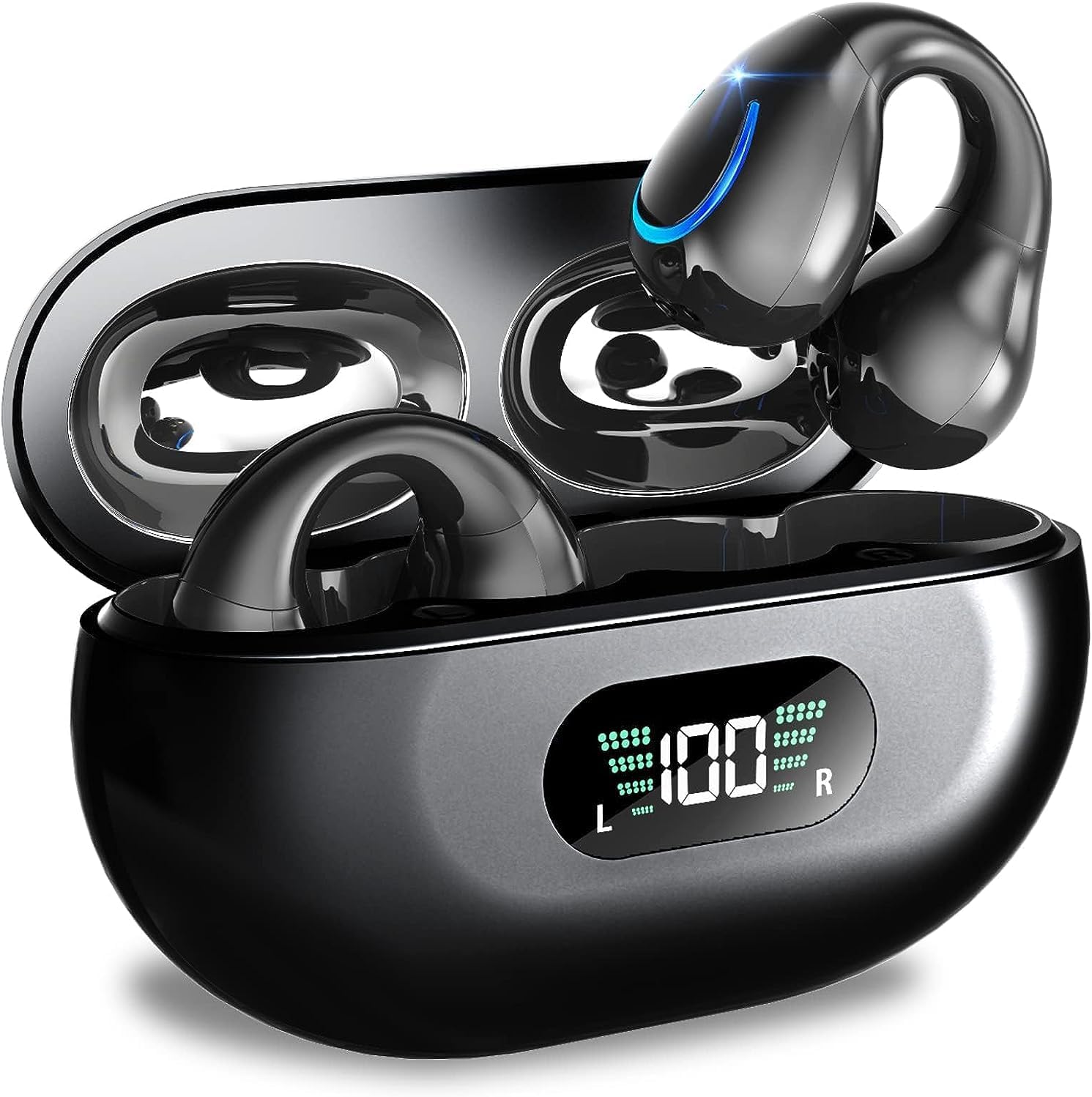
Image: Kinganda Bluetooth Headphones (Model Q71) in their charging case, showcasinהעיצוב החלקלק וצג ה-LED.
מה יש בקופסה
אנא בדקו את תוכן החבילה כדי לוודא שכל הפריטים נמצאים:
- Wireless Headphones (Left and Right)
- נרתיק טעינה אלחוטי
- כבל טעינה USB-C
- מדריך למשתמש

Image: An illustration showing the Kinganda headphones, charging case, USB-C cable, and user manual, representing the package contents.
מידע בטיחות
To ensure safe operation and prevent damage to your headphones, please observe the following safety guidelines:
- Do not swim underwater or take hot baths with the headphones. Exposure to high temperatures or prolonged submersion can cause damage to the internal components.
- Keep the headphones and charging case away from extreme temperatures, direct sunlight, and high humidity.
- הימנע מנפילה או הכפיפה של המכשיר למכות חזקות.
- Do not attempt to disassemble, repair, or modify the headphones yourself. Contact qualified service personnel for any repairs.
- הרחק מהישג ידם של ילדים וחיות מחמד.
המוצר נגמרview ותכונות
The Kinganda Q71 headphones are designed for comfort and high-quality audio, featuring advanced technology for an enhanced listening experience.
תכונות עיקריות:
- טכנולוגיית Bluetooth 5.3 מתקדמת: Ensures a stable, low-latency connection with lower power consumption and faster transmission.
- Comfortable Open Ear Clip Design: Ergonomically designed to fit the contours of the ear, providing a secure and comfortable fit without entering the ear canal. This design allows you to remain aware of your surroundings.
- 36 שעות משחק: Enjoy up to 6 hours of continuous playback on a single charge, with an additional 30 hours provided by the compact magnetic charging case.
- תצוגת LED דיגיטלית: The charging case features an LED screen that clearly shows the remaining power of both the headphones and the charging case.
- דירוג עמיד למים IPX7: Designed to withstand sweat and light rain, making them suitable for various activities.
- דרייברים של 10 מ"מ: Deliver deep bass and stereo sound for a rich audio experience.
- Built-in ENC Mic: Enhanced Noise Cancellation microphone for clear calls.
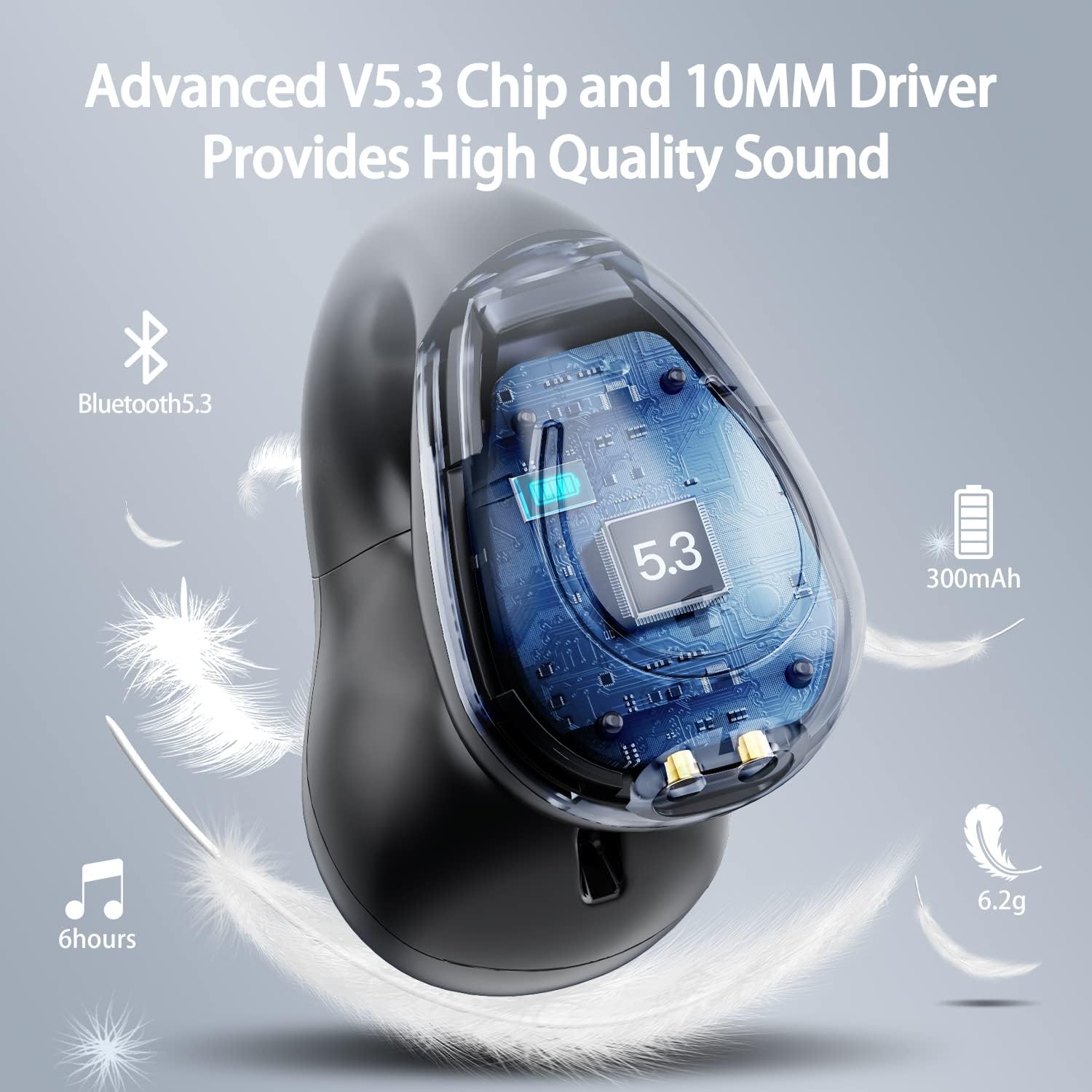
תמונה: קטע גזרה view of the Kinganda earbud, highlighting the advanced V5.3 chip and 10mm driver for high-quality sound.

Image: A person wearing the Kinganda Q71 headphones, demonstrating the comfortable and secure open-ear clip design.
הגדרה
Pairing Your Headphones:
- טען את האוזניות: Before first use, ensure both the headphones and the charging case are fully charged. Place the earbuds into the charging case and connect the USB-C cable to a power source. The LED display on the case will indicate charging status.
- הפעלה: פתחו את מארז הטעינה. האוזניות יידלקו אוטומטית ויכנסו למצב צימוד.
- הפעל בלוטות': On your device (smartphone, tablet, laptop, etc.), go to the Bluetooth settings and turn on Bluetooth.
- תבחר מכשיר: In the list of available Bluetooth devices, look for "YYK-Q71" and select it to connect.
- אִשׁוּר: Once connected, you will hear an audio prompt from the headphones, and the device will show "YYK-Q71" as connected.
The headphones are widely compatible with iOS, Android, and Windows devices.

Image: An illustration demonstrating the simple one-step pairing process and wide compatibility of the Kinganda Q71 headphones with various devices.
הוראות הפעלה
Charging the Headphones and Case:
- טעינת אוזניות: Place the earbuds back into the charging case. They will automatically begin charging. The LED display on the case will show the charging status of each earbud.
- טעינת מקרה: Connect the provided USB-C cable to the charging port on the case and the other end to a USB power adapter (not included). The LED display will show the battery percentagה' של המקרה.
- A full charge of the earbuds provides approximately 6 hours of playtime. The charging case provides an additional 30 hours of battery life, allowing for multiple recharges on the go.
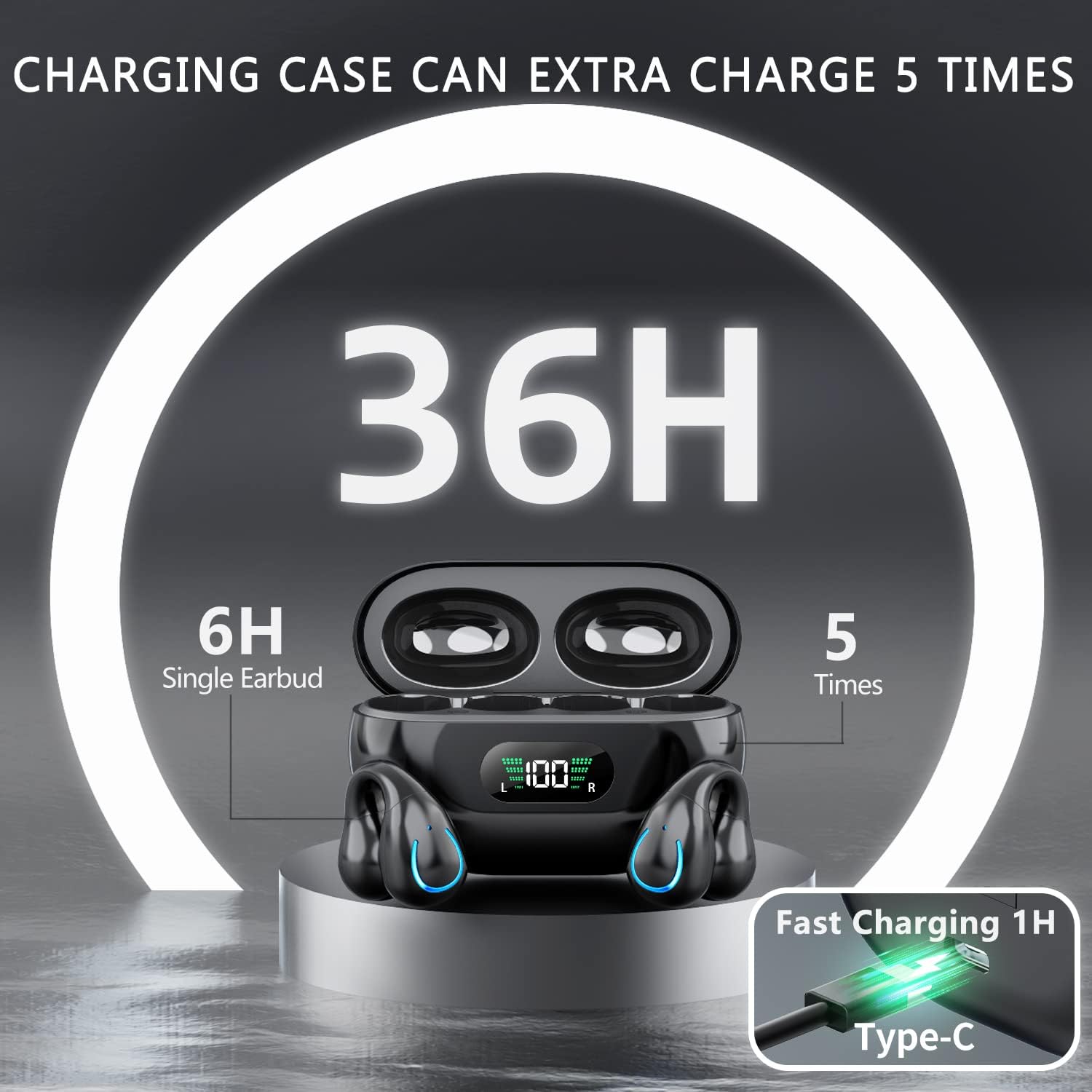
Image: The Kinganda charging case displaying "36H" total playtime, indicating 6 hours from a single earbud charge and 5 additional charges from the case.
בקרות מגע:
The Kinganda Q71 headphones feature physical buttons for precise control, preventing accidental touches.
| פְּעוּלָה | לִשְׁלוֹט |
|---|---|
| הפעלה/כיבוי | Automatically On/Off when taken out/put into case. |
| מענה/סיום שיחה | Click 1 time (either earbud) |
| דחה שיחה | לחץ לחיצה ממושכת (כל אחת מהאוזניות) |
| הפעל/השהה מוזיקה | Click 1 time (either earbud) |
| המסלול הבא | Click Right earbud 2 times |
| המסלול הקודם | Click Left earbud 2 times |
| הפעל את Assistant Assistant (Siri, Google Assistant) | Click 3 times (either earbud) |

Image: Diagram illustrating the one-button physical controls for the Kinganda headphones, including call management, music playback, and voice assistant activation.
תַחזוּקָה
Proper maintenance will extend the life of your Kinganda headphones:
- ניקוי: השתמשו במטלית רכה, יבשה ונטולת סיבים לניקוי האוזניות ומארז הטעינה. אין להשתמש בכימיקלים חזקים, ממסי ניקוי או חומרי ניקוי חזקים.
- אִחסוּן: כאשר אינן בשימוש, יש לאחסן את האוזניות בנרתיק הטעינה שלהן כדי להגן עליהן מפני אבק ונזק. יש לאחסן במקום קריר ויבש.
- עמידות במים: While the headphones are IPX7 waterproof (resistant to sweat and light rain), they are not designed for swimming or submersion in water. Avoid exposure to hot water or steam.
- טיפול בסוללה: To preserve battery life, charge the headphones regularly, even if not used for extended periods. Avoid fully draining the battery frequently.
פתרון בעיות
If you encounter any issues with your headphones, please refer to the following common problems and solutions:
אוזניות לא מתחברות:
- ודא ששתי האוזניות טעונות במלואן.
- ודא ש-Bluetooth מופעל במכשיר שלך.
- החזירו את האוזניות למארז הטעינה, סגרו את המכסה, המתינו מספר שניות, ולאחר מכן פתחו את המכסה שוב כדי להיכנס שוב למצב צימוד.
- Forget "YYK-Q71" from your device's Bluetooth list and try pairing again.
- Ensure the headphones are within the effective Bluetooth range (typically 10 meters/33 feet) of your device.
רק אוזניה אחת עובדת:
- Place both earbuds back into the charging case and ensure they are charging correctly.
- Take both earbuds out simultaneously. They should automatically connect to each other.
- If the issue persists, try resetting the headphones (refer to the manufacturer's website or contact support for specific reset instructions if not detailed here).
איכות צליל ירודה או ניתוקים:
- ודא שאין חסימות בין המכשיר שלך לאוזניות.
- התקרבו למכשיר שלכם כדי להפחית הפרעות.
- בדקו אם האוזניות נקיות וללא לכלוך.
- נסה להשמיע אודיו ממקור או יישום אחר.
האוזניות לא נטענות:
- ודא שכבל הטעינה USB-C מחובר היטב גם למארז וגם למקור החשמל.
- נסה להשתמש בכבל USB-C או במתאם מתח אחר.
- נקו את מגעי הטעינה הן באוזניות האוזניות והן בתוך מארז הטעינה בעזרת מקלון צמר גפן יבש.
מפרטים
| תכונה | פְּרָט |
|---|---|
| מספר דגם | Q71 (YYK-Q71) |
| מותג | קינגנדה |
| טכנולוגיית קישוריות | אלחוטי (בלוטות' 5.3) |
| מיקום אוזניים | אוזן פתוחה |
| גורם צורה | קליפ על |
| בקרת רעש | Sound Isolation (via ENC Mic) |
| מידות המוצר | 3 x 3 x 3 cm; 6.2 g (per earbud) |
| סוללות | 2 סוללת ליתיום פולימר (כלול) |
| רכיבים כלולים | Wireless Headphones, User Manual, USB-C Charging Cable, Wireless Charging Case |
| צֶבַע | שָׁחוֹר |
| יַצרָן | קינגנדה |
אחריות ותמיכה
Kinganda products are manufactured to the highest quality standards. For any warranty claims or technical support, please contact your original retailer or the manufacturer directly. Please retain your proof of purchase for warranty service.
For further assistance, please refer to the contact information provided with your purchase or visit the official Kinganda webאֲתַר.
Ask a question about this manual
Ask about setup, troubleshooting, compatibility, parts, safety, or missing instructions. Manuals+ will review the question and use this page’s manual context to help answer it.