
FREDEES BL-9222-32
FREDEES Nightstand BL-9222-32 User Manual
Model: BL-9222-32
1. הקדמה
Welcome and thank you for choosing the FREDEES Nightstand. This manual provides essential information for the safe assembly, operation, and maintenance of your new nightstand. Please read it thoroughly before use and retain it for future reference.
2. מידע בטיחות
כדי להבטיח פעולה בטוחה ולמנוע נזק, אנא הקפידו על אמצעי הזהירות הבאים:
- Do not expose the nightstand to water or excessive moisture.
- Place the nightstand on a stable, level surface to prevent tipping.
- אין להעמיס יתר על המידה את המגירות או המדפים.
- ודאו שכל החיבורים החשמליים מאובטחים ועומדים בתקנות החשמל המקומיות.
- Keep children and pets away from the nightstand during assembly.
- Unplug the nightstand from the power outlet before cleaning or moving.
3. תכולת החבילה
אנא ודא שכל הרכיבים המפורטים להלן קיימים לפני תחילת ההרכבה. אם חסרים או פגומים חלקים כלשהם, פנה לתמיכת הלקוחות.
- Nightstand Panels (Top, Bottom, Sides, Back)
- Drawer Fronts, Sides, and Bottoms
- ידיות ומגירות
- חומרת הרכבה (ברגים, דיבלים, מנעולי זיזים וכו')
- Power Adapter with USB/Type-C Ports and Wireless Charging Pad
- RGB LED Light Strips and Controller
- Human Sensor Module
- מדריך הרכבה
4. הוראות הרכבה
Follow these steps carefully for proper assembly. An illustrated assembly guide is included in your package. Installation videos may also be available from the manufacturer's website for visual assistance.
- פרקו את כל הרכיבים מהאריזה והניחו אותם על משטח נקי ורך כדי למנוע שריטות.
- Identify all panels and hardware according to the assembly guide.
- Attach the side panels to the bottom panel using the provided hardware.
- Install the drawer slides onto the side panels and the drawer boxes.
- Assemble the three drawers and attach the handles.
- הכניסו את המגירות המורכבות למסגרת שידת הלילה.
- Secure the back panel to the nightstand frame.
- Install the RGB LED light strips and human sensor module as per the guide.
- Connect the power adapter and charging station components.
איור 4.1: An illustration of the nightstand with drawers open, providing a general overview of its structure and components during assembly.
5. תכונות מוצר
The FREDEES Nightstand is designed with several integrated features for convenience and modern living:
5.1. תחנת טעינה אלחוטית
Located on the top surface, the wireless charging pad allows for convenient, cable-free charging of compatible smartphones and devices.
5.2. USB and Type-C Charging Ports
Integrated USB and Type-C ports provide versatile wired charging options for a wide range of electronic devices.

איור 5.1: תקריב view of the nightstand's top surface, illustrating the wireless charging pad, USB, and Type-C ports in use with various devices.
5.3. RGB LED Lighting with Human Sensor
The nightstand features customizable RGB LED lighting with 20 distinct color options. It can be controlled manually or set to activate automatically via a human motion sensor.

איור 5.2: The nightstand displaying its RGB LED lighting, with an indication of 20 available light modes and adjustable brightness.
5.4. מגירות אחסון
Three spacious drawers and a convenient pull-out storage compartment provide ample space for organizing personal items.

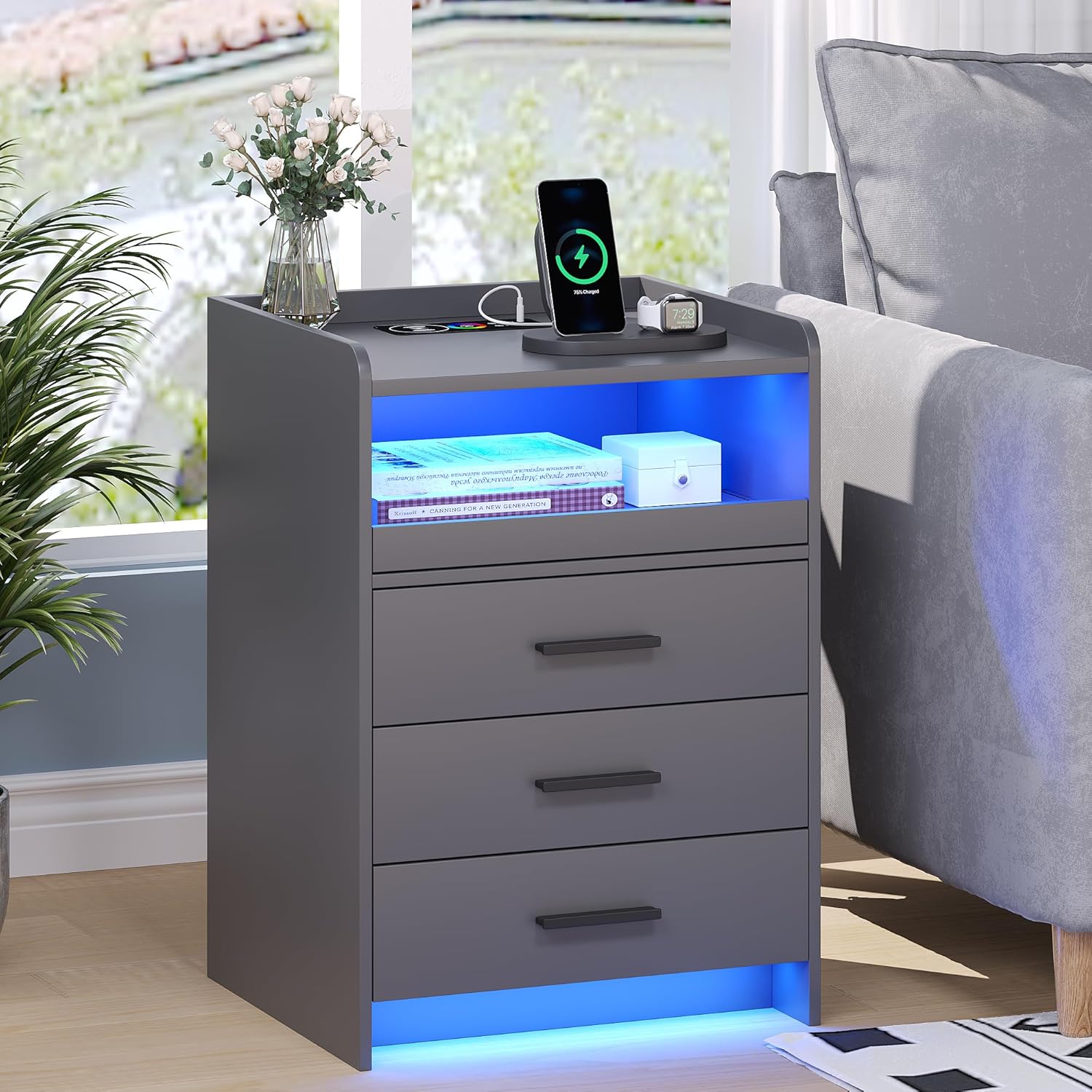
איור 5.3: The FREDEES Nightstand showcasing its wireless charging pad, LED lighting, and three storage drawers in a typical bedroom environment.
6. הוראות הפעלה
6.1. חיבור חשמל
After assembly, connect the nightstand's power adapter to a standard electrical outlet. Ensure the connection is secure.
6.2. שימוש בתחנת הטעינה
6.2.1. טעינה אלחוטית
Place your wireless charging compatible device (e.g., smartphone) directly onto the designated wireless charging pad on the top surface. Ensure the device is centered for optimal charging. A charging indicator (if present on your device) will confirm charging has begun.
6.2.2. USB/Type-C Charging
Connect your electronic device to the USB or Type-C port using an appropriate charging cable. These ports provide power for various devices.
6.3. שליטה בנורות ה-LED RGB
The LED lights can be controlled via a dedicated control interface, typically located on the nightstand or via a remote control (if included).
6.3.1. בקרה ידנית
Press the light control button to cycle through the 20 available color options. Additional buttons may allow for brightness adjustment or special effects.
6.3.2. Human Sensor Mode
Activate the human sensor mode using the designated button. In this mode, the LED lights will automatically turn on when motion is detected within a range of approximately 2-3 meters. The lights will turn off automatically after a period of no detected motion.

איור 6.1: An illustration demonstrating the human sensor functionality, where the nightstand's light activates upon detecting a person or pet nearby within its detection range.
7. תחזוקה
Proper care and maintenance will extend the life of your FREDEES Nightstand:
- ניקוי: נגבו את המשטחים במטלית יבשה ורכה. עבור סימנים עקשניים, נגבו מעטamp cloth can be used, followed immediately by a dry cloth. Avoid abrasive cleaners, harsh chemicals, or excessive moisture.
- נִעוּר: Regularly dust all surfaces, including the charging area and LED strips, to maintain optimal performance and appearance.
- רכיבים חשמליים: Ensure all electrical connections remain dry and free from dust. Do not attempt to service the internal electrical components yourself.
8. פתרון תקלות
If you encounter issues with your nightstand, refer to the following common problems and solutions:
- אין חשמל/האור לא נדלק:
- Check if the power adapter is securely plugged into both the nightstand and the wall outlet.
- ודא ששקע הקיר תקין על ידי חיבור מכשיר אחר.
- Ensure the LED light control is not set to 'off' or minimum brightness.
- טעינה אלחוטית לא עובדת:
- Confirm your device is compatible with wireless charging (Qi standard).
- Ensure your device is centered on the charging pad.
- הסר את כל הכיסויים העבים לטלפון שעלולים להפריע לטעינה.
- Check for any metallic objects between the phone and the charging pad.
- USB/Type-C Ports Not Charging:
- נסה כבל טעינה אחר.
- Test with a different device to rule out device-specific issues.
- Human Sensor Not Responding:
- Ensure the sensor mode is activated.
- בדוק אם יש חסימות החוסמות את החיישן view.
- Verify the sensor is clean and free of dust.
If problems persist after attempting these solutions, please contact FREDEES customer support.
9. מפרטים

איור 9.1: Diagram illustrating the dimensions of the FREDEES Nightstand and icons representing its key features: wireless charging, 20 color lighting, lighting regulation, human induction, and USB/Type-C ports.
| תכונה | מִפרָט |
|---|---|
| מותג | FREDEES |
| דֶגֶם | BL-9222-32 |
| מידות המוצר | 39.88 x 44.96 x 64.01 ס"מ (15.7D x 17.7W x 25.2H אינץ') |
| משקל פריט | 18.14 ק"ג (39.99 פאונד) |
| סוג חומר | עץ מהונדס |
| צֶבַע | אָפוֹר |
| תכונות מיוחדות | RGB Light (20 colors), Wireless Charging, USB Port, Type-C Port, Human Sensor |
| מספר המגירות | 3 |
| מקור כוח | מתאם מתח AC (כלול) |
10. אחריות ותמיכה
For warranty information, technical assistance, or to report missing/damaged parts, please refer to the contact details provided with your purchase documentation or visit the official FREDEES website. Our professional team is available to answer your questions and provide support.
Ask a question about this manual
Ask about setup, troubleshooting, compatibility, parts, safety, or missing instructions. Manuals+ will review the question and use this page’s manual context to help answer it.