
FOREO BEAR 2 go
FOREO BEAR 2 go Instruction Manual
Model: BEAR 2 go (F1825)
מותג: FOREO
מָבוֹא
The FOREO BEAR 2 go is a travel-friendly microcurrent facial device designed to tone and firm the skin. This compact and lightweight device is clinically proven to improve the appearance of fine lines and skin firmness, offering a non-invasive solution for facial sculpting and anti-aging care.

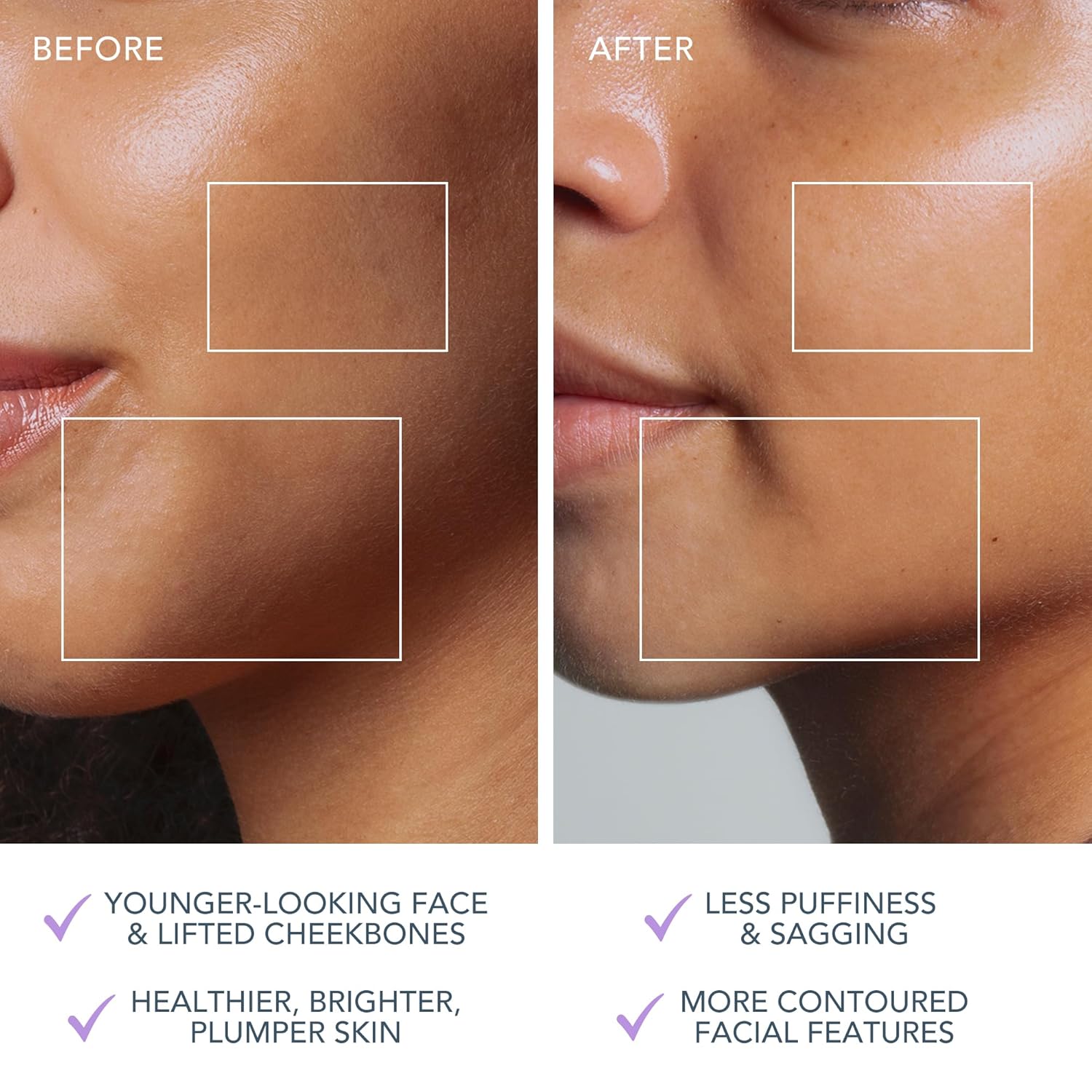
The FOREO BEAR 2 go device in use, highlighting its microcurrent toning capabilities for reducing wrinkles, puffiness, and sagging.

Key technologies of the device include Advanced Microcurrent for muscle strengthening, Lifting Microcurrent for contoured appearance, and T-Sonic Massage for smoothing fine lines.
מה יש בקופסה?
Your FOREO BEAR 2 go package includes the following items:
- FOREO BEAR 2 go Device (Lavander)
- מדריך להתחלה מהירה
- מדריך כללי
- כבל טעינה USB
The complete package contents of the FOREO BEAR 2 go, showing the device, quick start guide, general manual, and USB charging cable.
הגדרה
טעינת המכשיר
Before first use, ensure your FOREO BEAR 2 go device is fully charged. Connect the provided USB charging cable to the device and a suitable power source. The device will indicate charging status, typically taking up to 2 hours for a full charge.
Unlocking and Pairing Your Device
To unlock and register your device, follow these simple steps:
- Download the FOREO For You mobile app on your mobile phone. You can find the app on the App Store or Google Play.
- היכנס לחשבון שלך או הירשם לחשבון חדש.
- Add device (located at the top of your screen within the app).
- בחר את סדרת המכשירים.
- Press and hold the Power button on your device to connect it to the mobile app.
- Fill in the purchase information as prompted.
Once these steps are completed, your device is ready for use.
For app download, visit: foreo.com/app
הוראות הפעלה
The FOREO BEAR 2 go is designed for ease of use, integrating seamlessly into your skincare routine. Always ensure your face is clean before use.
Application of Conductive Serum
For optimal conductivity and to ensure a smooth glide, it is essential to apply a suitable serum or conductive gel to your face and neck before using the device. FOREO recommends their Serum Serum Serum, which is lightweight, hydrating, and specifically formulated to enhance microcurrent transfer.

The Supercharged Serum 2.0 is recommended for use with the BEAR 2 go to improve microcurrent transfer and maximize treatment benefits.
שלבי שימוש
- Clean your face thoroughly.
- Apply a suitable serum or conductive gel to enhance conductivity.
- הפעל את המכשיר ובחר את רמת העוצמה הרצויה.
- Gently glide the device over your face and neck, focusing on areas with fine lines and wrinkles.
- Use in a circular motion for about 5 minutes.
- Rinse your face and follow with your regular skincare routine.
The device offers adjustable intensity levels, allowing you to customize the treatment to your comfort and skin needs. The accompanying FOREO For You app provides guided routines and allows for personalized settings, acting as a personal beauty coach.
תַחזוּקָה
ניקוי המכשיר
Cleaning your FOREO BEAR 2 go is simple due to its durable and waterproof material. After each use, wipe the device down with a damp cloth. For thorough sanitization, you may occasionally spritz it with a sanitizing spray. This ensures hygiene and longevity of your device.
פתרון בעיות
Precautions to be taken in the event of changes in the performance of FOREO devices:
- If your FOREO device is not activated when pressing the center button:
- הסוללה ריקה. טען מחדש באמצעות כבל טעינה USB למשך עד 2 שעות עד לטעינה מלאה ולאחר מכן הפעל מחדש את המכשיר על ידי לחיצה ממושכת על לחצן ההפעלה.
- If device cannot be switched off and/or interface buttons do not respond: Microprocessor is temporarily malfunctioning. Press and hold the power button to restart the device.
- If your FOREO device won't sync to the FOREO app:
- ודא שהמכשיר שלך טעון במלואו ושה-Bluetooth שלך מופעל.
- כבה את ה-Bluetooth והפעל שוב כדי לנסות להתחבר מחדש.
- סגור את אפליקציית FOREO ואז פתח אותה מחדש כדי להתחיל בתהליך מחדש.
- מחק והתקן מחדש את האפליקציה - אולי פשוט צריך לעדכן את האפליקציה.
- לאחר מחיקת האפליקציה והתקנתה מחדש, הקפד להפעיל מחדש את הטלפון שלך.
- מחק את קובצי העוגיות וזיכרון המטמון של הטלפון שלך.
- ודא שמערכת ההפעלה של הנייד שלך עודכנה לגרסה העדכנית ביותר.
מפרטים
| תכונה | פְּרָט |
|---|---|
| מידות המוצר | 1.46 x 3.78 x 3.43 אינץ' |
| משקל פריט | 2.12 אונקיות (0.06 קילוגרם) |
| מספר דגם של פריט | F1825 |
| מַחלָקָה | לִשְׁנֵי הַמִינִים |
| סוללות | נדרשות 1 סוללות ליתיום יון (כלולות) |
| יַצרָן | פורו |
| צֶבַע | לבנדר |
| סוג עור | כֹּל |
| שם הדגם | BEAR 2 לך |
אחריות ותמיכה
The FOREO BEAR 2 go device comes with a אחריות לשנה from the date of purchase. For any product support, warranty claims, or additional information, please visit the official FOREO support page.
תמיכה רשמית: foreo.com/support
No specific safety warnings are required for this product.
Ask a question about this manual
Ask about setup, troubleshooting, compatibility, parts, safety, or missing instructions. Manuals+ will review the question and use this page’s manual context to help answer it.